ENEnglish
 LTLietuviškai
 DEDeutsch
 FRFrançais
 RUРусский
 ESEspañol
 PLPolski
 ITItaliano
 UKУкраїнська
 CSČeština
 PTPortuguês
 JA日本語
JA日本語 LVLatviešu valoda
 ETEesti
 HUMagyar
 IDBahasa Indonesia
 TRTürkçe
 HIहिन्दी
 ELΕλληνικά
 ARالعربية
 THไทย
THไทย VITiếng Việt
 RORomână
 MSBahasa Melayu
 BNবাংলা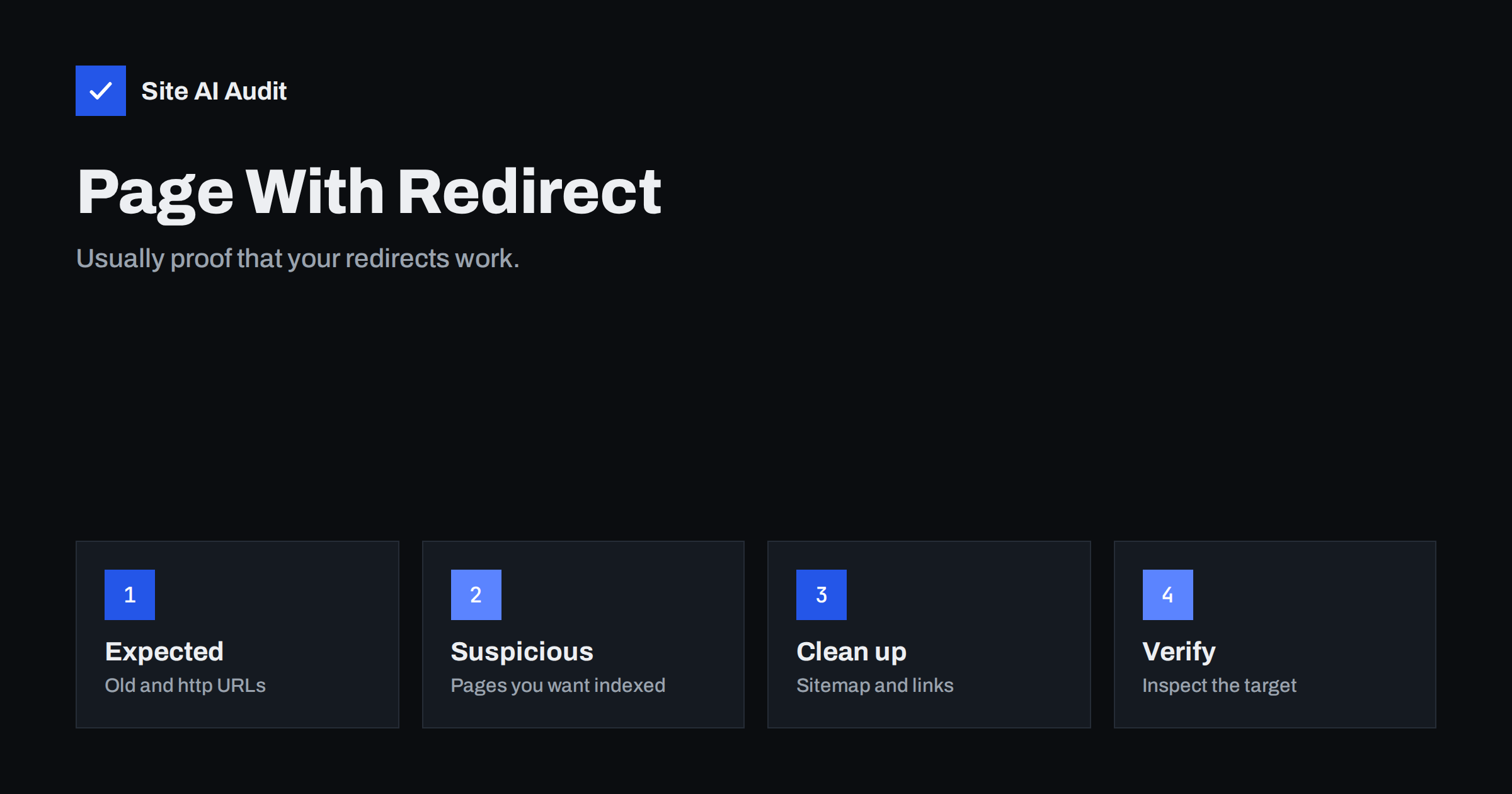
Short answer: “Page with redirect” in Google Search Console means Google tried to crawl a URL, received a redirect to another URL and therefore did not index the original address. Google indexes the destination instead, if that page is indexable. For old addresses, http and non-www versions or deleted pages that point to replacements, the status is expected and needs no action. It needs attention only when pages you want in search appear there, or when your sitemap and internal links still point to redirecting URLs.
Where the status appears and what it means
You find it in Search Console under Indexing → Pages, in the table “Why pages aren’t indexed”. The name is literal: Google requested the URL and the server answered with a redirect, usually a 301 or 302 status code, or the page redirected with JavaScript or a meta refresh. A URL that redirects cannot be indexed itself, because it has no content of its own. The signals it has collected, such as links, are generally passed on to the destination.
In other words, a URL in this list is not lost. It has been replaced. The important question is always where it leads and whether the destination is the page you want people to find. For the background on redirect types, see 301 or 302 redirects.
URLs that normally belong in the list
On a healthy site, the list is mostly made up of addresses like these:
- The http version of every page, redirecting to https.
- The www or non-www variant that you did not choose as your main version.
- URLs with or without a trailing slash, when your site redirects one form to the other.
- Old page addresses after a redesign, a change of permalink structure or a migration to a new domain.
- Deleted products or articles redirected to a close replacement.
- Short links and campaign URLs that forward to the real page.
After a migration, this list can grow by thousands of URLs, and that is a good sign: it shows Google has seen the redirects. Our guide to website migration SEO explains how to plan them so nothing is lost.
When the status signals a real problem
Look more closely when the list contains URLs you expect to see in search results. Typical causes:
- A page you want indexed redirects unexpectedly. For example, a plugin sends visitors without a cookie to a language version, a country page or a login screen. Google receives the same redirect.
- Redirects to an irrelevant page. Many old URLs pointing to the home page instead of matching pages. Google may treat such redirects as soft 404s, and the value of the old URL is largely lost.
- Your XML sitemap lists redirecting URLs. A sitemap should contain only final, indexable URLs with status 200. Redirecting entries waste crawling and send mixed signals.
- Internal links point to old addresses. Every click from your own menus and articles passes through a redirect, which adds delay for visitors and work for crawlers.
- Redirect chains and loops. One redirect leads to another, and sometimes back again, until Google gives up.
- Temporary redirects left in place for months. A 302 tells Google the original may come back, which can delay the switch of the indexed URL.
How to review the list step by step
- Open the report under Indexing → Pages and click “Page with redirect”.
- Look for patterns in the example URLs: http, www, trailing slashes, old folders, parameters, language prefixes. Single URLs matter less than groups.
- Export the examples and sort them in a spreadsheet. Mark each pattern as expected or suspicious.
- Test suspicious URLs with the URL Inspection tool and with a redirect checker or your browser’s developer tools, to see every step and the final destination.
- Check the destination. It should return 200, be indexable (no noindex), have a self-referencing canonical and be relevant to the original page.
- Compare with your sitemap. If any redirecting URL is listed in the sitemap, fix the sitemap source rather than the report.
Keep in mind that Search Console shows a sample, not every URL. It is enough to reveal patterns, and patterns are what you fix.
How to fix the real problems
- Update internal links in menus, footers, templates and the most important articles so they point directly to the final URL. A crawler that lists links to redirects makes this fast. Our guide to internal linking covers good habits.
- Clean the sitemap so it contains only canonical, final URLs. In most content management systems the SEO plugin builds it; check that old URLs are not listed manually.
- Collapse redirect chains so every old URL goes to the final destination in one step. See finding redirect chains and loops.
- Use 301 for permanent moves. Replace long-lived 302 redirects with 301 where the change is final.
- Stop redirecting crawlers away from content. Language and location suggestions should be offered as a banner or link, not forced as a redirect, so every version stays reachable.
- Point old URLs to the closest match. If no relevant replacement exists, a 404 or 410 is more honest than a redirect to the home page.
“Page with redirect” compared with similar statuses
| Status | What Google found | Usual action |
|---|---|---|
| Page with redirect | The URL redirects to another URL | None, unless the URL should be indexed |
| Redirect error | A chain that is too long, a loop or an empty or broken target | Fix the redirect |
| Alternate page with proper canonical tag | The page loads but its canonical points elsewhere | Usually none |
| Not found (404) | The URL returns 404 | Redirect if a replacement exists |
“Redirect error” deserves more urgency than “Page with redirect”, because Google could not reach any destination at all. For the canonical status, see our article on alternate pages with a proper canonical tag.
Where unexpected redirects come from
When a page that should be indexed shows up in this list, the cause is usually one of a few settings rather than a single broken page:
- Redirect plugins and rules that match too broadly. A pattern meant for one old folder, such as everything starting with
/shop, can also catch new pages like/shop-guide/. - Automatic redirects after slug changes. Many content management systems redirect the old address when you edit a page’s slug. Edit the slug back and forth, and the live page may end up redirecting to a draft or to itself.
- Language, currency and geolocation features that redirect based on the visitor’s browser or IP address. Googlebot crawls mostly from the United States, so it may never reach your other versions.
- Membership, age check and maintenance plugins that send visitors to a login, age gate or “coming soon” page.
- Server or CDN rules added years ago and forgotten, for example in an
.htaccessfile or a page rule at the CDN.
Finding the rule that created the redirect is faster than fixing URLs one at a time, and it prevents the same problem on future pages.
Should you click “Validate fix”?
For expected redirects, no. There is nothing to fix, and validation will simply confirm that the URLs still redirect. Validation is useful only after you changed something, for example removed an unwanted redirect from a page that should be indexed. Even then, Google recrawls in its own rhythm, and changes in this report can take days or weeks to appear. Judge the trend over a month.
If an important page is affected, you can also request indexing for its final URL in the URL Inspection tool once the redirect has been removed.
How Site AI Audit helps
Site AI Audit crawls your website like a search engine, up to 50 pages on the free check, and lists everything that keeps pages out of search results: broken links and redirects, the sitemap, robots.txt and noindex rules, together with titles, descriptions and headings. Each finding is ranked by impact and explained with a concrete fix, which makes it easier to spot internal links and sitemap entries that still point to redirecting URLs. You can check your site for free; paid plans with re-checks and monitoring are on the pricing page.
Related reading
- Why Is My Page Not on Google? A Step-by-Step Checklist
- WWW or Non-WWW, Slash or No Slash: Pick One URL Version
- XML Sitemaps Explained: How to Create and Submit One
- How to Redirect HTTP to HTTPS the Right Way (Without Loops)
The bottom line
“Page with redirect” is mostly Search Console confirming that your redirects work: http, www variants and old addresses are replaced by their final URLs. Review the list for patterns, and act only when pages you want indexed redirect unexpectedly, when redirects lead to irrelevant pages, or when your sitemap and internal links still use redirecting addresses. Fix those at the source and let Google recrawl.
الأسئلة الشائعة
Is “Page with redirect” an error in Search Console?
No. It is an informational status that shows Google followed a redirect and indexed the destination instead. It only matters when a URL that should be indexed is in the list.
Why is the number of pages with redirect growing?
Google keeps finding old, http, www or parameter URLs through links and past crawls. Each one that redirects correctly is added here. Growth after a migration is normal.
Do redirects hurt my SEO?
Single, relevant 301 redirects pass most signals to the new URL and are the right tool for moved pages. Chains, loops and redirects to unrelated pages are what cause problems.
Should redirected URLs be in my XML sitemap?
No. A sitemap should list only final URLs that return status 200 and are meant to be indexed. Remove redirecting URLs from it.
How long until the report updates after a fix?
It depends on how often Google crawls the affected URLs. Expect days to several weeks, and follow the trend rather than daily numbers.