 ENEnglish
 LTLietuviškai
 DEDeutsch
 FRFrançais
 RUРусский
 ESEspañol
 PLPolski
 ITItaliano
 UKУкраїнська
 CSČeština
 PTPortuguês
 JA日本語
JA日本語 LVLatviešu valoda
 ETEesti
 HUMagyar
 IDBahasa Indonesia
 TRTürkçe
 HIहिन्दी
 ELΕλληνικά
 ARالعربية
 THไทย
THไทย VITiếng Việt
 RORomână
 MSBahasa Melayu
 BNবাংলা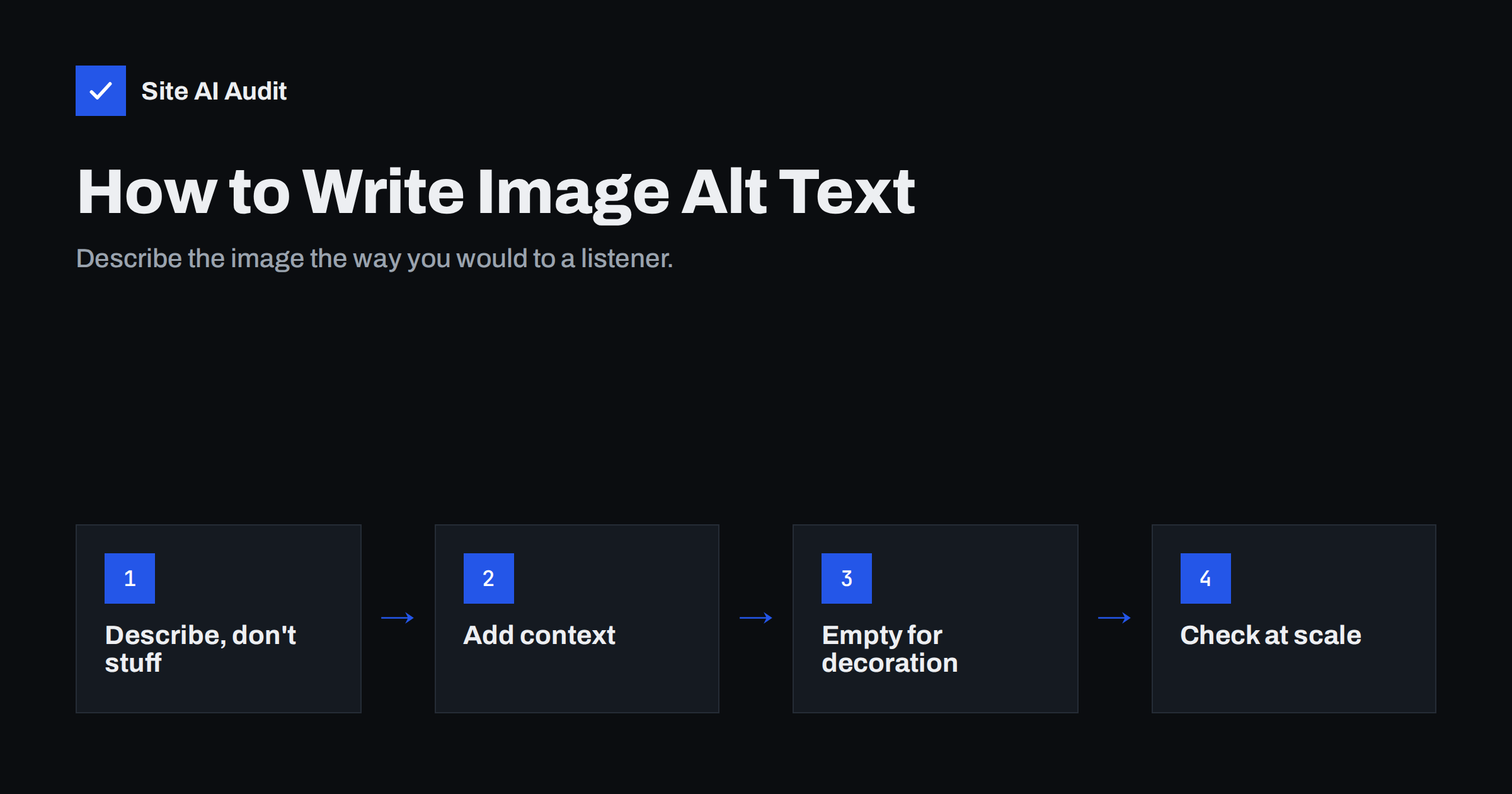
Short answer: Alt text is a short written description of an image, stored in the alt attribute of the image tag. Screen readers read it aloud, browsers show it when the image fails to load, and search engines use it to understand the image and the page. Good alt text describes what the image shows and why it is there in a short, plain sentence; purely decorative images should have an empty alt attribute instead.
What alt text is
Every image on a web page is added with an <img> element, and that element can carry an alt attribute: <img src="oak-dining-table.jpg" alt="Solid oak dining table with six matching chairs in a bright kitchen">. The text inside alt is the image’s alternative: what the image communicates, expressed in words.
Alt text is not the same as the image title, the caption or the file name. The caption is visible to everyone under the image. The title attribute shows as a tooltip on some browsers. The alt text is mostly invisible, but it is the one that screen readers, search engines and text-only situations rely on.
Why alt text matters
Alt text does three jobs, and each one is a good reason to take it seriously:
- Accessibility. People who are blind or have low vision use screen readers that read the page aloud. When an image has no alt text, the screen reader may read the file name, such as “IMG underscore 4032 dot jpeg”, or skip the image entirely. Clear alt text gives them the same information sighted visitors get. Accessibility guidelines, such as the widely used WCAG standard, require a text alternative for meaningful images.
- Search engines. Search engines cannot see images the way people do. They combine alt text, file names, captions and surrounding text to understand what an image shows. Good alt text helps images appear in image search and adds context to the page as a whole. Google’s image SEO best practices explicitly recommend descriptive alt text.
- Broken images and slow connections. When an image fails to load, or a visitor has images turned off, the browser displays the alt text in its place. A product photo that does not load but still says “Red leather ankle boots, side view” keeps the page usable.
For linked images, such as a logo that links to the home page or a banner that links to a category, alt text is even more important. It becomes the link text. Without it, the link has no name at all, both for screen readers and for search engines.
How to write good alt text
A useful test is to imagine describing the image to someone on the phone who cannot see the page. What would they need to know, given what the page is about?
- Describe what matters. Name the subject and the details that are relevant to the page. On a furniture shop, the material and style of a table matter; on a blog about family dinners, the people and the meal might matter more.
- Keep it short. One sentence or phrase is usually enough. Around 125 characters is a common practical guide, because some screen readers split longer text awkwardly.
- Skip “image of” and “picture of”. Screen readers already announce that it is an image. Start directly with the content.
- Include text that appears in the image. If an image contains words, such as a sign or an infographic headline, the alt text should include them, because they are otherwise invisible to anyone who cannot see the image.
- Use keywords only where they are true. If the image shows a “wooden garden shed”, those words belong in the alt text. Adding a list of search phrases does not help and makes the page worse for screen reader users.
- Be specific for products. Include the product name, colour, variant or angle, especially when a product has several photos: “Front view”, “Side view”, “Detail of stitching”.
Examples: poor vs good alt text
These examples show how a little specificity changes the value of alt text:
- Product photo. Poor:
alt="shoe". Stuffed:alt="shoes cheap shoes buy shoes online best shoes". Good:alt="Women's brown leather Chelsea boot, side view". - Team photo on an About page. Poor:
alt="team". Good:alt="The five-person accounting team outside the Manchester office". - Chart in a blog post. Poor:
alt="chart". Good:alt="Bar chart showing heating costs falling after insulation was installed", with the key figures also explained in the text. - Logo linking to the home page. Poor:
alt="logo". Good:alt="Rosa's Bakery home". - Button made from an image. Poor: no alt. Good:
alt="Book a table", describing the action rather than the look.
When alt text should be empty
Not every image needs a description. Decorative images, such as background patterns, dividers, stock mood photos that add nothing to the content, or an icon placed next to text that already says the same thing, should have an empty alt attribute: alt="".
An empty alt tells screen readers to skip the image, which saves users from hearing meaningless descriptions like “decorative swirl” every few seconds. This is different from a missing alt attribute. When the attribute is missing entirely, many screen readers read the file name instead, which is the worst outcome.
A simple rule: if removing the image would not change what the page communicates, use alt="". If it would, write a description.
Alt text and the rest of image SEO
Alt text is one part of making images work for search. The other parts support it:
- Descriptive file names.
oak-dining-table-6-chairs.jpgtells search engines more thanDSC_0931.jpg. Rename images before uploading. - Relevant surrounding text. Images placed next to text that explains them are easier to understand than images floating alone.
- Captions where useful. Captions are read by more people than body text, and they add visible context.
- Proper image elements. Important images should be real
<img>elements, not CSS backgrounds, because search engines do not index CSS background images as content. - Reasonable file size. Large images slow pages down, which affects both visitors and search performance. Compress them and serve modern formats.
How to find missing alt text across your site
Checking images one by one is impractical beyond a handful of pages. A better process:
- Crawl the site. An audit tool lists every image without an alt attribute and the pages where it appears.
- Separate meaningful from decorative. For each flagged image, decide whether it needs a description or an empty alt.
- Fix images in the media library first. In WordPress, alt text set in the media library is used when the image is inserted again, but images already placed in older posts may keep their original empty value. Check the page itself after the change.
- Fix theme and template images. Logos, icons and banners added by the theme often lack alt text on every page. One template change fixes them all.
- Set a habit for new content. Make alt text part of the publishing checklist, alongside titles and descriptions, so the problem does not return.
Prioritise by value: product images, images that carry information, and linked images come first. A missing alt on a decorative separator is a much smaller issue.
Special cases: infographics, galleries and AI-generated images
Some images need a little more thought than a simple product photo:
- Infographics and charts. A single alt sentence cannot hold a whole infographic. Give it a short alt that names the topic and main takeaway, and put the full information in the page text, a table or a linked text version.
- Galleries. Twenty photos of the same kitchen renovation should not all say “kitchen”. Describe what differs: “New worktop and sink”, “Tiled splashback detail”, “Finished kitchen from the doorway”.
- Screenshots. Describe what the screenshot is meant to show, such as “Settings screen with the backup option switched on”, rather than every element on it.
- Generated or stock images. The same rules apply. If the image is purely atmospheric, use an empty alt; if it illustrates something specific, describe that.
How Site AI Audit helps
Site AI Audit checks headings and alt texts as part of the SEO section of its crawl. It lists images without alt text together with the pages they appear on, explains why the finding matters, and describes how to fix it. The free check covers up to 50 pages, which is enough to spot template-level problems such as a logo without alt on every page. Run a free check to see where your images stand.
Related reading
- Heading Tags for SEO: How to Use H1, H2 and H3 Properly
- How to Write Title Tags: A Practical Guide for Small Sites
The bottom line
Alt text makes images understandable to people who cannot see them and to search engines that cannot see at all. Describe meaningful images in a short, specific sentence, include any text shown in the image, and give decorative images an empty alt. Fix template images and important content images first, and make alt text a routine part of publishing.
SSS
How long should alt text be?
Usually one short sentence, around 125 characters or less. Describe what matters about the image in the context of the page. Complex images such as charts should have a short alt plus a fuller explanation in the page text.
Does alt text help SEO?
Yes, it helps search engines understand images and can help images appear in image search. It also adds context to the page. It works best when it honestly describes the image rather than repeating keywords.
What is the difference between empty alt and missing alt?
An empty alt attribute tells screen readers to skip the image because it is decorative. A missing alt attribute gives no instruction, so many screen readers read the file name instead. Every image should have an alt attribute, even if it is empty.
Should I start alt text with “image of”?
No. Screen readers already announce that the element is an image. Start directly with the description, such as “Red leather ankle boots, side view”.
Do logos need alt text?
Yes. A logo should have the company name as its alt text. If the logo links to the home page, alt text such as “Company name home” describes both the image and the link.


