ENEnglish
 LTLietuviškai
 DEDeutsch
 FRFrançais
 RUРусский
 ESEspañol
 PLPolski
 ITItaliano
 UKУкраїнська
 CSČeština
 PTPortuguês
 JA日本語
 LVLatviešu valoda
 ETEesti
 HUMagyar
 IDBahasa Indonesia
 TRTürkçe
 HIहिन्दी
 ELΕλληνικά
 ARالعربية
 THไทย
 VITiếng Việt
 RORomână
 MSBahasa Melayu
 BNবাংলা
Short answer: A static site is usually faster to first byte, because the server only has to hand over a file that already exists. WordPress builds many pages on demand with PHP and a database, which takes longer unless the page is cached. With good hosting and page caching, a WordPress site can come very close. The better question is not which one is faster in theory, but which one your team can keep fast while it keeps publishing.
What “static” and “dynamic” mean
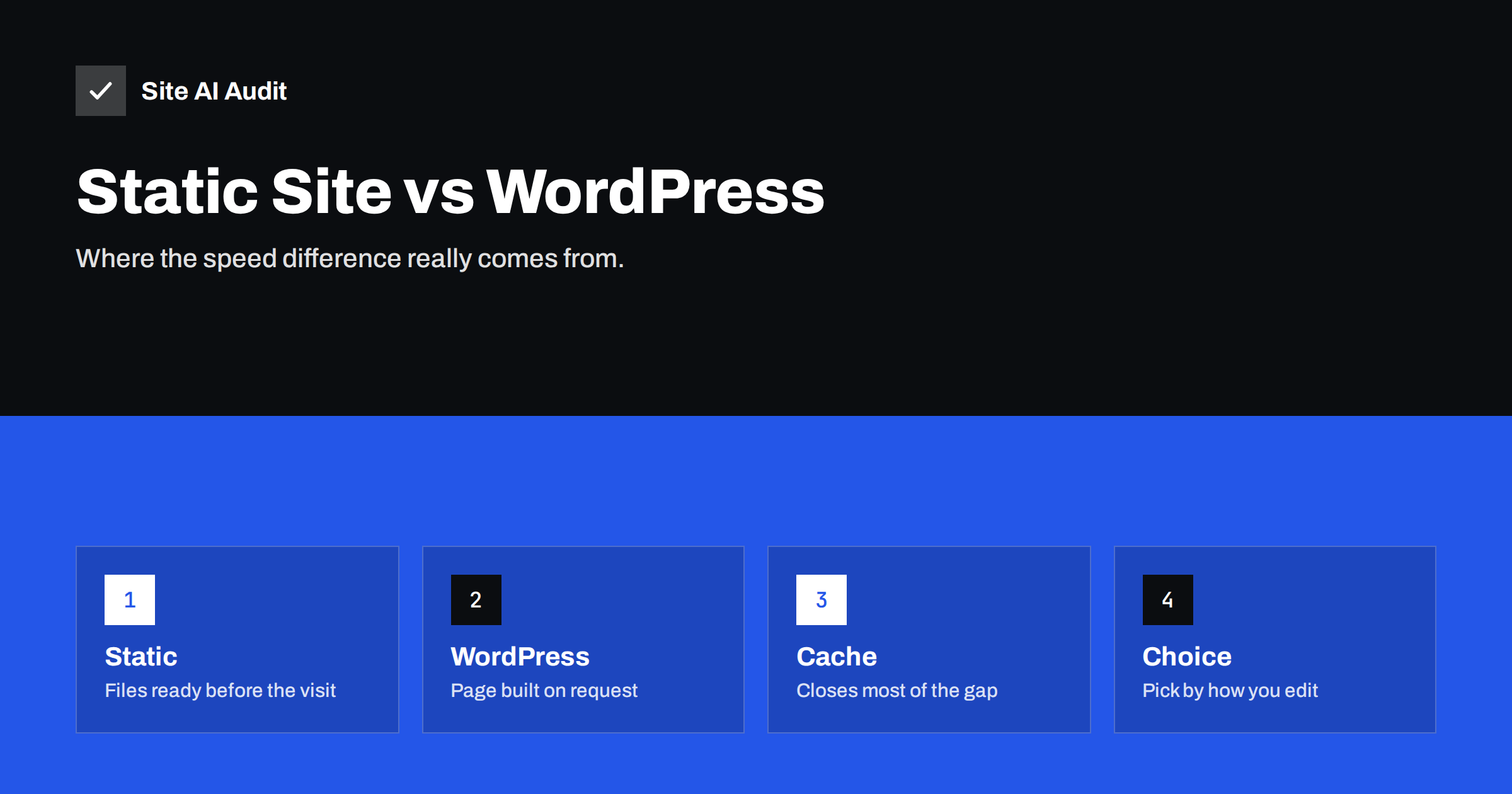
A static site is a folder of finished HTML, CSS, JavaScript and image files. They are produced in advance by a build step and uploaded to a host or a content delivery network. When a visitor asks for a page, the server finds the file and sends it. Nothing is calculated.
WordPress is dynamic. When a visitor asks for a page, the server starts PHP, loads WordPress and its plugins, asks the database for the content, fills in the theme templates and sends the resulting HTML. This gives you a friendly editor, comments, search and user accounts, and it costs work on every request.
Where the speed difference comes from
- Server response time. A static file can be sent in a few milliseconds from a nearby server. A dynamic page that needs the database can take several hundred milliseconds on busy shared hosting. The measure is explained in the guide to reducing server response time.
- Less to go wrong under load. A static file does not need a database connection or a free PHP worker. During a traffic spike, WordPress may queue requests, while a static site simply sends more copies of the same file. The article on PHP workers shows how this limit appears.
- Distribution. Static files are easy to place on a content delivery network, so visitors receive them from a server close to them.
- Less code by default. A static site made by hand or with a small generator usually has fewer scripts than a WordPress theme with many plugins. This is a habit of the tools, not a rule.
What does not change
The first byte is only the start. After that, the browser still has to download images, fonts and scripts, build the page and respond to taps. A static site with a three-megabyte hero image and four tracking scripts will feel slow. Largest Contentful Paint, layout shifts and responsiveness depend on the page you build, not on the platform alone. The guide to Core Web Vitals describes these measures, and the article on page weight shows how heavy pages slow both kinds of site.
It also helps to separate two kinds of speed. Server speed is how quickly the first byte arrives, and it is where static sites win most clearly. Page speed is how quickly the visitor sees and can use the content, and it depends mostly on what you put on the page. A site owner who looks only at the first kind may spend weeks on a migration and see little change in the second.
How caching closes the gap
A page cache turns a dynamic page into a static one. After the first visit, the finished HTML is stored and served to the next visitors without starting PHP or asking the database. Many hosts and plugins offer this. If you add a content delivery network that also stores the HTML, as described in the article on caching HTML at the edge, the result is close to a static site for most visitors.
The gap remains in a few places:
- The first visit after a cache is cleared still builds the page, which is why cache warming helps.
- Logged-in users, shopping carts and forms often bypass the cache.
- Pages with many query strings or personal content are harder to cache.
- A misconfigured cache can serve outdated or even private content.
Where static sites cost more
Speed is one factor among several, and static sites have their own costs.
- Editing. Many static sites need a build step each time you change a page. Non-technical editors may need a content tool or help from a developer.
- Dynamic features. Search, forms, comments, memberships and shops require outside services or extra code.
- Scale of changes. A site with thousands of pages can take minutes to rebuild after a small edit, unless the tool builds only what changed.
- Skills. Someone has to maintain the build tools and deploy process.
WordPress has costs too. It needs updates, plugin choices and security attention, and its speed depends on the theme and plugins you select, as shown in the article on how many plugins are too many.
Hosting matters for both approaches. A static site on a good content delivery network will respond quickly almost anywhere. A WordPress site on a crowded shared server may respond slowly even with a cache, because the server itself is slow to start. When you compare costs, include the hosting plan and the time to maintain it, not just the price of the software.
Which one suits which site
- Brochure sites and small business pages that change a few times a year suit a static site well, if someone is comfortable with the tools.
- Blogs and magazines with several authors and frequent edits usually suit WordPress, with a page cache in front.
- Documentation that is written in files by developers suits a static generator.
- Shops and membership sites need dynamic features and are better served by a platform built for them, tuned carefully. The guide on speeding up a WooCommerce store covers this case.
- Sites run by people who prefer a visual editor should think twice before choosing a tool that makes every edit a technical task.
Common mistakes when choosing
- Choosing by a benchmark alone. A lab test of a bare page says little about a real site with images, fonts and tracking. Judge the finished page, not the platform label.
- Rebuilding a site that only needs tuning. Many slow WordPress sites are slow because of one heavy plugin, an old PHP version or no caching. Fixing those is faster and cheaper than a migration.
- Forgetting redirects. A move to a new platform changes addresses unless you plan carefully. The checklist for moving a site without losing traffic covers what to protect.
- Ignoring who will edit. A site that nobody dares to update becomes outdated, and outdated pages lose visitors faster than any millisecond saved.
- Adding scripts afterwards. Teams often choose a light platform and then add chat widgets, pixels and sliders until it is as heavy as before.
How to compare fairly
- Test the same page on both setups with the same content, images and tracking scripts.
- Measure several times and at different times of day. A single test result can mislead, as explained in the article on why PageSpeed scores change.
- Compare field data when you have it. Real visitors on real phones matter more than a lab run from a fast office connection.
- Test a cold cache and a warm one on WordPress.
- Count your time. If a static site is a little faster but publishing takes twice as long, the site may get updated less often.
Whichever platform you pick, write down a speed target before you start, such as a server response time and a mobile score you want to keep. A target turns a vague wish for a fast site into something you can check after every redesign, plugin change or hosting move.
How Site AI Audit helps
Site AI Audit does not tell you which platform to choose, but it measures what visitors feel on either one. The speed section of the report shows the Google PageSpeed score, Core Web Vitals, server response time, compression and page weight, so you can see whether a slow site is slow because of the platform or because of its content. The first check is free for up to 50 pages. You can run a free check of your website or look at the plans for weekly monitoring and alerts.
Related reading
- Page Caching Explained: How to Speed Up a Dynamic Website
- Do You Need a CDN? A Plain-Language Guide for Site Owners
- Shared Hosting vs VPS: Which Is Faster for Your Website?
- How to Fix a Slow WordPress Site: A Step-by-Step Guide
The bottom line
Static sites have a natural speed advantage because they do less work for each visit. WordPress can match most of it with page caching, good hosting and a lean set of plugins. Choose the platform that fits how you edit and what features you need, then protect its speed with measurements. A fast platform with heavy pages is still a slow site.
FAQ
Is a static site always faster than WordPress?
Not always. It is faster at sending the first byte, but heavy images and scripts can make any site slow. A cached WordPress site with light pages can beat a careless static one.
Can I turn my WordPress site into a static site?
Yes. Some tools export a WordPress site as static files. You then lose dynamic features such as comments or search unless you replace them with outside services.
Does a static site need a CDN?
It does not need one, but it benefits more than most sites, because the files can be stored on servers around the world and delivered from the closest one.
Is a static site more secure?
It has a smaller attack surface, because there is no database or login on the public site. Your build tools, your hosting account and any outside services still need protection.
What should I do first to speed up a WordPress site?
Turn on page caching, update PHP, remove plugins you do not use and compress images. These steps usually bring the largest gain for the least effort.