ENEnglish
 LTLietuviškai
 DEDeutsch
 FRFrançais
 RUРусский
 ESEspañol
 PLPolski
 ITItaliano
 UKУкраїнська
 CSČeština
 PTPortuguês
 JA日本語
JA日本語 LVLatviešu valoda
 ETEesti
 HUMagyar
 IDBahasa Indonesia
 TRTürkçe
 HIहिन्दी
 ELΕλληνικά
 ARالعربية
 THไทย
THไทย VITiếng Việt
 RORomână
 MSBahasa Melayu
 BNবাংলা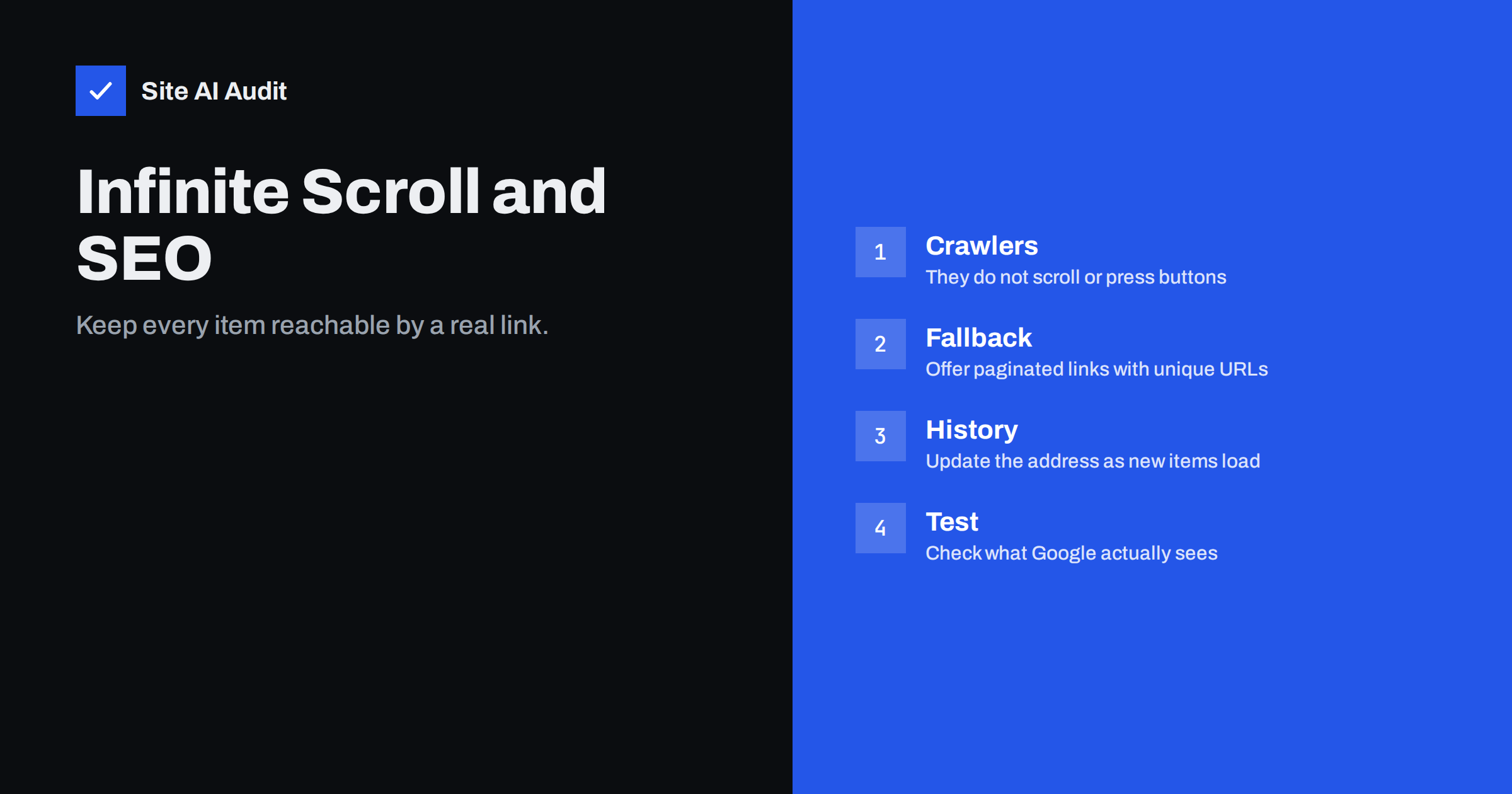
Short answer: Search engines do not scroll a page or click a button the way a visitor does, so items that appear only after such an action may never be seen. If you use infinite scroll or a Load More button, also give every batch of items its own page with a normal link and a unique URL, and make the script update the address as new items load. Then people get the smooth experience and crawlers get a path to everything.
Why these patterns are risky
Infinite scroll loads more items as the visitor moves down the page. A Load More button does the same after a click. Both are popular for blogs, product lists and galleries because they feel fast and modern, especially on phones. For visitors, they can be pleasant.
The weakness is that the extra items are usually added by JavaScript after a user action. A search engine crawler fetches the page, may run the scripts and then looks at the result. It does not scroll for minutes or press every button. So the first batch of items can be indexed, while everything after it is invisible. If those hidden items are your products or articles, they have no way to appear in search results.
There is a second problem: discovery. Search engines find most pages by following links. If an item is reachable only through a scripted feed, there may be no link pointing to it from anywhere crawlable. The page becomes an orphan, as described in how to fix orphan pages.
How search engines see an endless list
Google’s crawler renders pages with a very tall window, so some lazy-loaded content can appear without scrolling. This is not a promise that every item loads, and it varies by implementation. Content that needs a real scroll event, a click or a long delay may be missed. Other search engines are less capable of running scripts than Google, and the same goes for many social and AI tools that read pages.
Because of this, the safe approach is not to rely on what a crawler can do with your scripts. Rely on what it can always do: fetch a URL and follow a link. For a deeper look at rendering, see JavaScript SEO and how Google renders pages.
The recommended approach: paginated URLs underneath
Search engine guidance for infinite scroll is consistent: build the list as a paginated series first, and add the scrolling behaviour on top. Each part of the series has its own address, such as /blog/page/2/ or /products/?page=2, and shows a fixed set of items. The script then loads the next part into the same page for visitors, while the plain links remain in the HTML for crawlers.
- Every batch has a unique, crawlable URL. Opening that address directly shows the right items, without needing a script.
- Real links point to the next batch. Use an ordinary anchor element with an href, even if a script intercepts the click. A button with only a click handler is not a link.
- Update the address as the visitor moves. With the History API, the browser address changes to the matching page number when new items load, so a shared link or a refresh returns to the right place.
- No duplicate content problems. Each page shows different items and has its own canonical address. Do not point all pages at page 1. See canonical tags explained.
The principles in pagination SEO best practices apply directly, because under the surface this is pagination.
Load More buttons
A Load More button is easier to fix than endless scroll, because the visitor controls it. Make the button an anchor that links to the next page of results. Without scripts, a click goes to that page. With scripts, the click is intercepted, the new items are added to the list and the address is updated.
Also keep the footer reachable. With true infinite scroll, a visitor may never reach the footer, because new items keep pushing it down. If your footer holds contact details, legal pages or important navigation, a Load More button, or a fixed set of items before a pause, is a better choice.
Performance and usability costs
Endless lists can slow the page. Each new batch adds elements, and a page with thousands of them uses a lot of memory and responds slowly on a mid-range phone. See how to fix an excessive DOM size. Layout shifts as items arrive can also hurt the experience, as covered in fixing cumulative layout shift. Reserve space for images, load them lazily as explained in the lazy loading guide, and consider limiting the number of items kept in the page at once.
Think about the visitor too. People who want a specific item often struggle to return to a place in an endless list after clicking away. Preserving position and the address solves much of that, and a clear count such as “Showing 24 of 120” sets expectations.
How to test what a crawler sees
- Turn scripts off. Disable JavaScript in your browser and open the list. If you see only the first batch and no links to more, a basic crawler sees the same.
- Use the URL Inspection tool. Inspect a list page in Search Console and compare the rendered HTML with what you expect. The steps are in how to use the URL Inspection tool.
- Search for a deep item. Pick a product or post from the end of the list, search for its exact title in Google and see whether it is indexed.
- Check the sitemap. Make sure that the deep items appear in your XML sitemap, as a safety net. See the XML sitemap guide.
- Count internal links. Check that each item has at least one normal link from a crawlable page. Other links, such as categories and related items, also help, as covered in internal linking for SEO.
When infinite scroll is a good choice
Not every list needs to be paginated for search. A social feed, a notification stream or a personal dashboard has no reason to be indexed. For those, scrolling is fine. The risk applies to content you want people to find in search: product catalogues, blog archives, directories and galleries. For these, combine the smooth behaviour with indexable pages underneath, and use the guidance in category page SEO for online shops if the list is a product category.
Filters add another layer. If visitors can filter and sort the list, decide which combinations deserve their own URLs, and block the rest, using the advice in faceted navigation and filter URLs.
Common mistakes to avoid
- Hiding the pagination links with CSS or removing them. If the links exist only for crawlers and are removed for visitors, keep them in the page and hide them only if your layout needs it. Never serve different content to crawlers.
- Using a fragment in the address. Addresses such as /products/#page2 are not separate pages for a crawler. Use a real path or a query string.
- Blocking the script or the data feed in robots.txt. If the files that load new items are blocked, search engines cannot render the list. Check your rules with the robots.txt guide.
- Forgetting titles and descriptions on later pages. Page 2 and page 3 need their own titles, so that they are not seen as duplicates of page 1.
- Loading all items at once to “solve” the problem. A single page with hundreds of items is slow, so keep batches reasonable.
- Testing only on a fast laptop. Try the list on a slow phone connection as well, because behaviour that looks fine on a desktop can break there.
Whenever you change the theme, the shop plugin or the page builder, run the same checks again. A design update can quietly replace working links with scripted buttons, and nobody notices until the traffic from deep pages falls.
How Site AI Audit helps
Site AI Audit does not scroll your pages or press Load More buttons. It crawls up to 50 pages on the free check and lists issues such as titles and descriptions, headings, broken links, redirects, sitemap, robots.txt and noindex settings, together with speed, security headers, SSL and e-mail authentication. The first check is free and needs no sign-up. You can run a free check of your website or see the plans for weekly monitoring.
Related reading
- Pagination and SEO: How to Handle Page 2, 3 and Beyond
- Crawl Budget Explained: Does It Matter for Your Website?
- Index Bloat: How to Find and Remove Unwanted Pages from Google
- Crawled or Discovered, Currently Not Indexed: How to Fix It
The bottom line
Infinite scroll and Load More buttons are fine for visitors but weak for crawlers unless real links sit underneath. Build the list as paginated pages with unique URLs, use ordinary links, update the address as items load, keep the footer reachable and test with scripts turned off. Then every item can be found by both people and search engines.
FAQ
Does Google crawl infinite scroll pages?
Google can run scripts and may load some content, but it does not scroll indefinitely or click buttons. Do not rely on it for deep items.
Is a Load More button better than infinite scroll for SEO?
It is easier to make crawlable, because it can be a normal link to the next page, and it keeps the footer reachable.
Do I still need rel prev and next?
Google no longer uses them as an indexing signal. Real links and unique URLs matter more.
Should page 2 and later pages be noindex?
Usually not. They help search engines find the items they list. Give each page a self-referencing canonical address.
Can I fix this without a developer?
Some themes and plugins offer a paginated fallback in their settings. If not, ask a developer to add real links and address updates.