ENEnglish
 LTLietuviškai
 DEDeutsch
 FRFrançais
 RUРусский
 ESEspañol
 PLPolski
 ITItaliano
 UKУкраїнська
 CSČeština
 PTPortuguês
 JA日本語
JA日本語 LVLatviešu valoda
 ETEesti
 HUMagyar
 IDBahasa Indonesia
 TRTürkçe
 HIहिन्दी
 ELΕλληνικά
 ARالعربية
 THไทย
THไทย VITiếng Việt
 RORomână
 MSBahasa Melayu
 BNবাংলা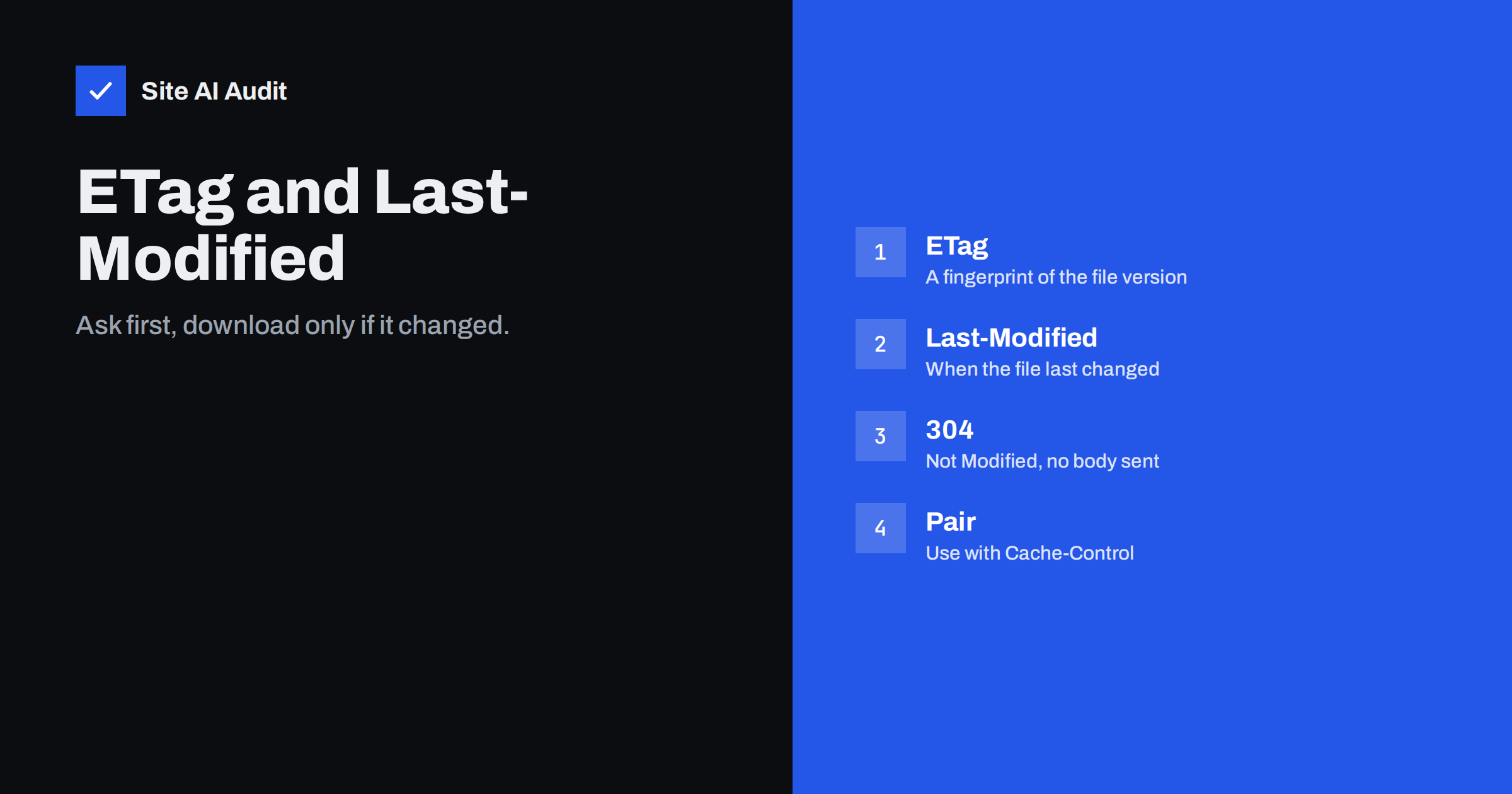
Short answer: ETag and Last-Modified are labels a server attaches to a file so that a browser can later ask a simple question: has this changed since I got it? If not, the server answers “304 Not Modified” with no file attached, which is much smaller and faster than a full download. They work best together with Cache-Control rules that decide when the browser must ask at all.
Two ways a browser reuses a file
When a browser needs a file it has already downloaded, it has two options. The first is to use the stored copy without asking anyone, which is the fastest possible result. The second is to ask the server whether the copy is still valid, and use it if the answer is yes.
The choice depends on the caching rules the server sent with the file. Freshness rules, set with the Cache-Control header, tell the browser how long a copy can be used without asking. Once that time ends, the copy is stale, but it is not necessarily useless. The browser can check it with a conditional request. That check is where ETag and Last-Modified come in. For the freshness part, see our guide to browser caching and Cache-Control.
What Last-Modified does
Last-Modified is a date and time that tells when the file was last changed. The server sends it with the first response. The next time the browser asks for the same file, it sends the date back in a header called If-Modified-Since.
The server compares that date with the file’s real modification time. If the file has not changed, it replies with status 304, which means “not modified”, and sends only headers. The browser then uses its stored copy. If the file has changed, the server sends the new file with status 200 and a new date.
The weakness of dates is their precision and their source. Dates are counted in whole seconds, and they depend on the file system or on how the application generates content. Dynamic pages often have no meaningful modification time.
What ETag does
An ETag, short for entity tag, is a string that identifies one version of a file. It is often a hash of the content or a combination of file attributes. The server sends it with the response, and the browser returns it in a header called If-None-Match on the next request.
If the tag still matches, the server answers 304. If it does not, the file has changed and the server sends it again with a new tag. Tags are more precise than dates, because even a change within the same second produces a different tag.
There are two kinds. A strong tag promises that the file is byte-for-byte identical. A weak tag, marked with a W/ prefix, promises only that the content is equivalent. Servers often switch to weak tags when they compress responses on the fly.
What a 304 response saves
A 304 response has headers but no body. For a large image, script or stylesheet, that is the difference between a few hundred bytes and possibly hundreds of kilobytes. On slow mobile connections, this saves real time.
It is important to see the limit, too. A conditional request still needs a round trip to the server. The browser waits for the answer, which costs time even if it is small. A file with a long max-age value needs no round trip at all. The ideal setup for static files is therefore:
- A long freshness time, so repeat visits use the stored copy without asking.
- An ETag or Last-Modified header as a safety net, so when the copy expires the browser can revalidate cheaply.
For files that change rarely and have version numbers or fingerprints in their names, a very long max-age is safe. For HTML pages, a short time with revalidation is often better, so visitors see updates quickly.
Common problems
When conditional requests do not work, repeat visits download everything again. These are the usual causes:
- No validators at all. The response has neither ETag nor Last-Modified, so the browser can only download again once the copy is stale.
- Different tags on different servers. On a setup with several servers behind a load balancer, each server may generate a different ETag for the same file. The check then fails and the full file is sent.
- Tags that change with compression. Some servers produce a different tag for the compressed and uncompressed version, which can confuse caches and proxies.
- Dynamic pages with a fake date. An application that always sends the current time as Last-Modified tells the browser that the file changed just now, every time.
- Cache-Control set to no-store. This tells the browser not to keep the file at all, which removes the benefit.
- A CDN that strips headers. A misconfigured layer in front can remove or alter validators.
These problems usually show up as a low cache effectiveness in speed tests, and they are one reason why our guide on CDN cache hit ratio matters.
How to check your own site
You can test conditional requests with a few steps. Use the browser’s developer tools, open the network tab and load a page twice. On the second load, look at the status column. A status of 304 means a conditional request worked, and a note such as “from disk cache” means the copy was fresh and no request was sent.
For a closer look, click a file and read its response headers. Check that it has Cache-Control, and at least one of ETag or Last-Modified. Our article on reading a waterfall chart explains how to see these requests in context.
A command line tool can send the same request manually: fetch the headers once, copy the ETag, and send a second request with the If-None-Match header. A correct server returns 304.
Practical settings for most sites
You rarely need to write these headers by hand, but you should know what good defaults look like:
- Static assets with versioned names. Long max-age, an ETag or Last-Modified header, and the immutable option if your tools support it.
- Images and fonts. Long freshness time, because they change rarely.
- HTML pages. Short freshness or revalidation on each visit, with page caching on the server side as described in page caching explained.
- Multi-server setups. Make ETags consistent, or rely on Last-Modified when tags cannot be made identical.
- Compression. Check that your compression setup, such as in gzip versus Brotli, keeps validators working.
Most WordPress caching plugins and CDNs set these headers automatically. The task is to confirm that they work, not to configure them from scratch.
Some practical examples show how this works in real life. Suppose a visitor opens your home page on Monday and the stylesheet is stored with a freshness time of one year and a version number in its file name. On Tuesday, the browser uses its stored copy without sending any request. When you release a new design, the file name changes, so the browser fetches the new file at once and the old one is simply ignored. No validators are needed in this case, although they do no harm.
Now take an image without a version in its name and with a short freshness time of one day. After a day, the browser asks the server with a conditional request. If you did not change the image, the answer is a tiny 304 response. If you replaced the image with a new one under the same name, the validator no longer matches and the browser downloads the new version. This is exactly the safety net that conditional requests provide for files that cannot be renamed easily.
A third case is a page generated by PHP. Without any caching headers and without validators, the browser must download the full page on every visit. With server-side page caching and correct validators, the server can answer repeat requests with a 304 or serve the page from memory very quickly, which reduces both visitor waiting time and server load.
Keep in mind that not every layer needs to handle validators. If a CDN or a caching plugin already serves your files with sensible headers, test the result and leave it alone. Changing working cache settings for the sake of tidiness can create new problems.
What Site AI Audit can and cannot tell you
Site AI Audit measures speed from the outside, including the Google PageSpeed score, loading metrics, server response time, compression and page weight. It does not test conditional requests or repeat visits, so for ETag behaviour use your browser’s network tab. A slow first response or a heavy page in the report shows where caching has the most to gain. You can run a free check of your website or look at the plans.
Related reading
- Does Page Speed Affect Google Rankings? What We Actually Know
- Too Many HTTP Requests? When It Still Matters for Speed
- Server-Timing Header: See Where Your Backend Loses Time
- Website Speed Checklist: 30 Checks Before and After Launch
The bottom line
ETag and Last-Modified turn a repeat download into a small question and answer. Pair them with a long Cache-Control lifetime for static files, keep tags consistent across servers and test with the browser’s network tab. The result is faster repeat visits and less load on your server.
FAQ
Do I need both ETag and Last-Modified?
One is enough for validation, and many servers send both. If both are present, browsers send both back, and the server usually checks the tag first. Having both is a harmless safety net.
What does a 304 status mean?
It means “not modified”. The server confirms that the stored copy is still valid and sends no file, so the browser reuses its copy.
Is a 304 as fast as using the cache directly?
No. It saves the download but still needs a round trip. A file with a long freshness time is served from the cache with no request at all.
Can ETags cause problems?
They can on multi-server setups when each server builds a different tag. Then conditional requests fail and files are downloaded in full. Make tags consistent or use Last-Modified instead.
Does this affect SEO?
Indirectly. Faster repeat visits and lower server load improve the experience. Search crawlers can also use conditional requests, which saves crawl resources on large sites.