ENEnglish
 LTLietuviškai
 DEDeutsch
 FRFrançais
 RUРусский
 ESEspañol
 PLPolski
 ITItaliano
 UKУкраїнська
 CSČeština
 PTPortuguês
 JA日本語
JA日本語 LVLatviešu valoda
 ETEesti
 HUMagyar
 IDBahasa Indonesia
 TRTürkçe
 HIहिन्दी
 ELΕλληνικά
 ARالعربية
 THไทย
THไทย VITiếng Việt
 RORomână
 MSBahasa Melayu
 BNবাংলা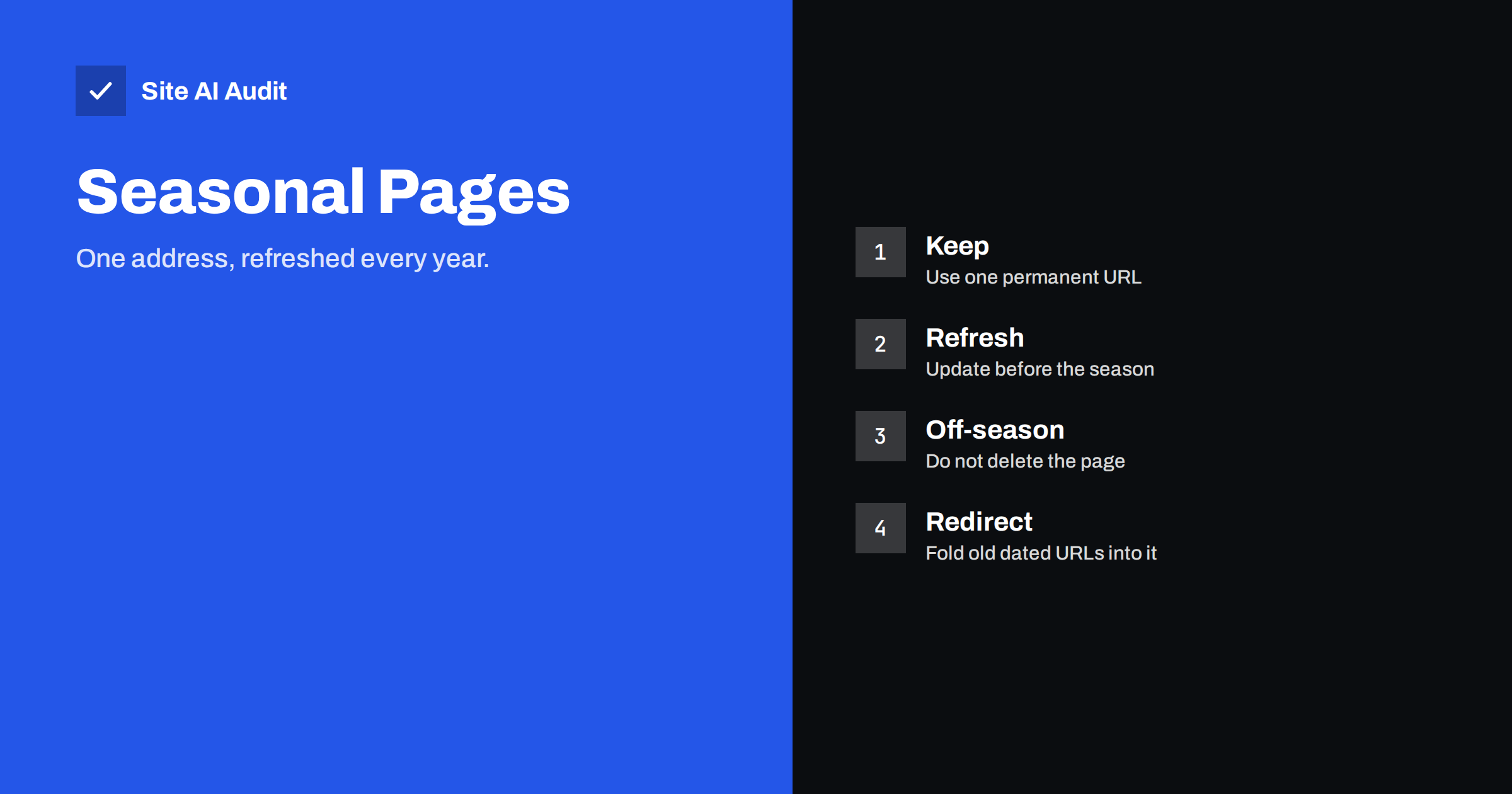
Short answer: For events that return every year, such as a winter sale, a holiday guide or a yearly price list, create one permanent page and refresh it before each season rather than publishing a new address every time. A single URL collects links, history and trust year after year, while many dated pages split these signals and leave you starting from zero. Keep the page online in the off-season, update the content and the title, redirect old dated addresses to it and keep an archive only where it helps visitors.
The problem with a new URL every year
Many sites publish a fresh page for each season: one address for last year’s sale, another for this year’s, and a third for next year’s. The habit is natural, because the offer is different each time and the page is dated. But for search, it creates avoidable work.
- Links are spread out. Other sites that linked to last year’s page do not automatically link to this year’s. Every year, you start with few or no links to the new address.
- History is lost. A page that has been indexed for years, and that people have visited and bookmarked, is easier for search engines to trust than a brand-new address.
- Search results show the old page. People who search for the topic may find last year’s version, which is out of date and can disappoint them. See wrong dates in Google results for related problems.
- Pages compete with one another. Several similar pages can compete for the same search, a problem described in fixing keyword cannibalization.
- The site fills with stale content. Old campaign pages pile up, thin and outdated, and need clean-up.
The permanent page approach
The alternative is simple: choose a short, timeless address, such as /black-friday/ or /christmas-gift-guide/, and use it every year. Between seasons, the page stays online and keeps its history. When the season approaches, you update the content, the offers and the dates, and you tell search engines that the page changed.
The page grows more valuable with age. Each year it gathers links, mentions and visits. By the third or fourth season, it has a record that a new page cannot match, and it can rank earlier in the build-up to the event, because the search engine has seen the pattern before.
Avoid putting the year in the address. A slug such as “summer-sale-2026” is useful for one season and a nuisance afterwards. Put the year in the visible title and the heading instead, where you can change it without changing the address. The advice on title tags shows how to write a title that includes the current season.
What to update each season
- Title and heading. Change the year or the name of the season, and keep the main keyword at the beginning.
- Dates and deadlines. Replace every date that has passed. A page that mentions an old deadline looks abandoned.
- Offers and prices. Update them from your current data, and remove claims that no longer apply. Do not invent discounts or limits that are not in your actual terms.
- Featured products or services. Check that each link works and that items are still available.
- Images. Replace pictures that show old branding or past dates.
- Structured data. If you mark up the event or the offers, update the dates and values.
- Internal links. Link to the page from the home page, menus and relevant articles while the season is active.
- Visible update date. A short line such as “Updated for 2026” helps visitors trust the content.
Treat this as a real refresh, not just a date change. The guide to updating old content explains what a meaningful update includes.
What to do in the off-season
When the event ends, resist the urge to delete the page. Removing it throws away its history and sends visitors to an error page. A better plan has several options.
- Keep it live with a calm notice. Say that the offer has ended and when you expect to publish the next one, or invite visitors to sign up for a reminder. Offer useful links to current products.
- Switch to a preparation view. For events that people plan ahead for, such as holiday gifts, keep the guide and note that it will be updated.
- Move expired offers out of sight. Remove or hide ended deals but keep the explanatory text that remains useful.
- Do not return an error. A missing page earns a 404 and loses its value; compare with 410 Gone versus 404 for pages that are truly finished.
- Avoid thin pages. If the off-season version has almost no content, add helpful material, as suggested in fixing thin content.
Handling old dated pages
If you already have separate pages for earlier years, you can tidy them without panic.
- Choose the permanent address. Usually the page with the most links and history. If that is last year’s dated address, you may need to decide whether to keep it or to move to a cleaner one.
- Redirect the others. Use permanent 301 redirects from the old dated addresses to the permanent page, as explained in 301 versus 302 redirects. Avoid chains of redirects, as in redirect chains and loops.
- Keep an archive when it helps. If past results have value, for example winners of a yearly competition or historic price lists, keep a separate, clearly labelled archive page instead of redirecting them.
- Update internal links. Change menus, banners and articles so that they point to the permanent address.
- Update the sitemap. It should list the permanent page with an honest last-modified date, as in the XML sitemap guide.
- Check after the change. Crawl the redirects and confirm that old addresses reach the right page.
When separate pages make sense
The rule has exceptions. Create distinct pages when the content is genuinely different each time and each version has lasting value. Examples include annual reports, event programmes with separate speakers, yearly rankings, conference recaps and tax guides for different rules each year. In these cases, the old versions are references that people still search for. Give each a clear name that includes the year, link them from an index page and make the latest version easy to find. Add a notice at the top of old versions that points to the current one.
The test is simple: if a visitor who lands on the old page would be misled by it, refresh and reuse one address. If the old page remains correct about the past, keep it as an archive.
Timing and expectations
Search engines need time. Refresh seasonal pages early, weeks or even months before the event, so that they can be crawled, evaluated and shown when interest rises. Publishing on the first day of the season is often too late. Watch Search Console in the weeks before, and look at which searches bring people to the page. Expect gradual gains over several years rather than a sudden jump, as discussed in how long SEO takes.
One more practical habit is a small yearly calendar. List each seasonal page, the date when work should start, the person responsible and the checks to run: dates, offers, links, images, structured data and redirects. Add the page to your menus on the start date and remove it from prominent places after the season ends, while the address stays alive. With a simple routine, the refresh takes an hour instead of a project, and nobody has to remember last year’s steps from memory.
How Site AI Audit helps
Site AI Audit does not plan your seasonal content. It checks the pages you already have for titles and descriptions, headings, broken links, redirects, the sitemap, robots.txt and noindex rules, along with speed, SSL, security headers and e-mail authentication, in plain words and ranked by impact. It is useful after you merge old pages, because it can show redirect problems and broken links. The first check is free, covers up to 50 pages and needs no sign-up. You can run a free check of your website or see the plans for regular monitoring.
Related reading
- How to Update Old Content for SEO: Refresh, Merge or Remove
- Out-of-Stock Product Pages: What to Do for SEO
- How Long Should a Page Be? Word Count and SEO Explained
- Website Migration SEO: How to Move a Site Without Losing Traffic
The bottom line
For recurring events, one permanent page almost always beats a new page each year. Keep the address, refresh the content early, never leave it empty or missing in the off-season and redirect old dated duplicates to it. Use separate pages only for content that has lasting value on its own. Over time, the single page builds the history that new pages must start from nothing to earn.
FAQ
Should I put the year in the URL of a seasonal page?
Usually not. Put the year in the title and heading, where it is easy to change, and keep the address permanent so it keeps its links and history.
What should a seasonal page show after the event ends?
Keep it online with a clear notice that the event has ended, useful information and links to current products, and, if you can, an expected date or a reminder signup.
Should I redirect last year’s page to this year’s?
If last year’s page has no lasting value, yes, with a permanent redirect to the permanent page. If it records results or facts that remain useful, keep it as an archive.
When should I start refreshing a seasonal page?
Weeks or months before the season, depending on how early people search. This gives search engines time to crawl and evaluate the updated page.
Can I mark the page as updated with a new date only?
Do not rely on that. Change real content, such as offers, dates and details. A date change without a real update is not helpful to visitors.