ENEnglish
 LTLietuviškai
 DEDeutsch
 FRFrançais
 RUРусский
 ESEspañol
 PLPolski
 ITItaliano
 UKУкраїнська
 CSČeština
 PTPortuguês
 JA日本語
JA日本語 LVLatviešu valoda
 ETEesti
 HUMagyar
 IDBahasa Indonesia
 TRTürkçe
 HIहिन्दी
 ELΕλληνικά
 ARالعربية
 THไทย
THไทย VITiếng Việt
 RORomână
 MSBahasa Melayu
 BNবাংলা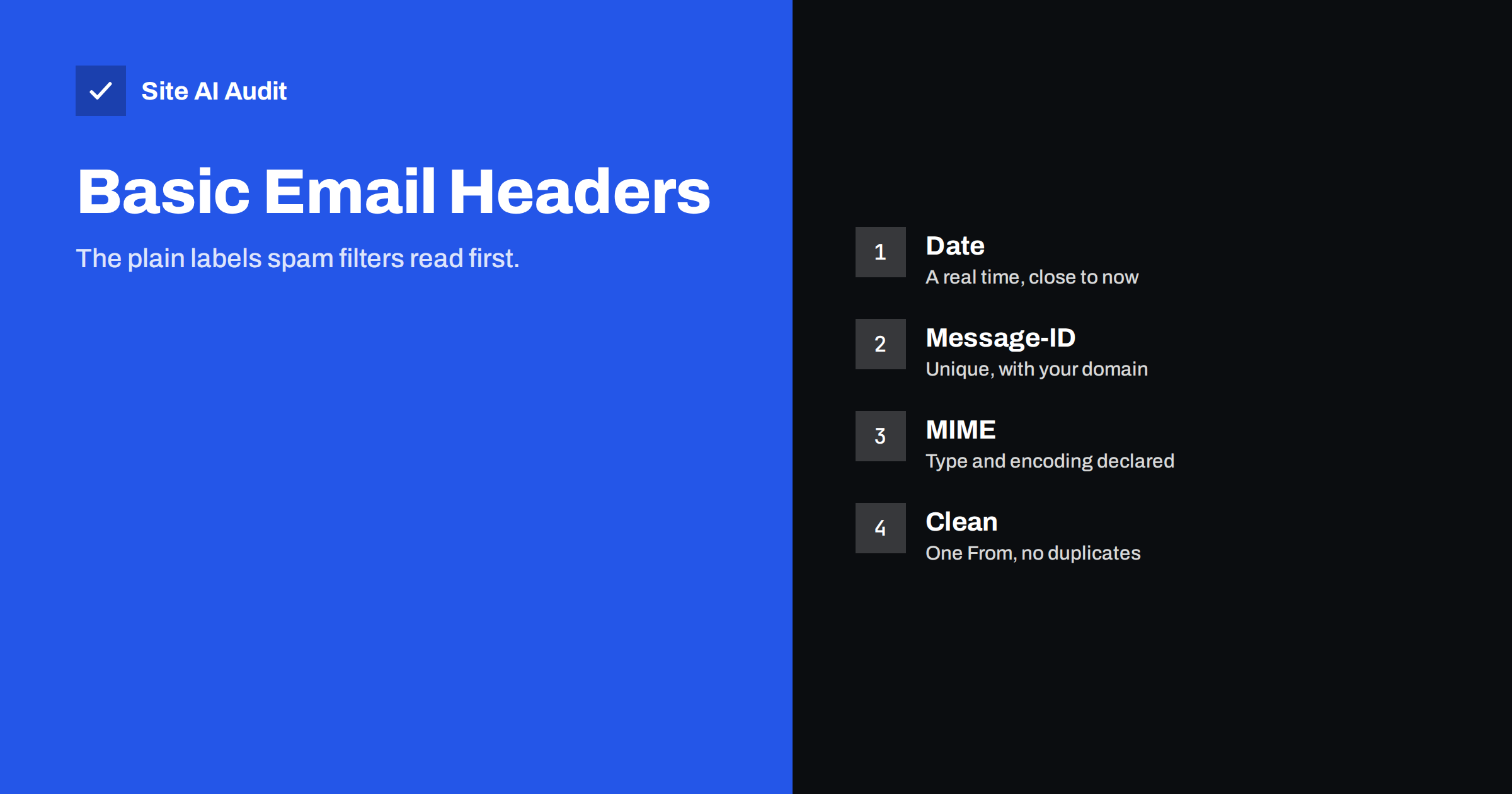
Short answer: Before spam filters judge your message, they check its basic headers. A missing Date, a missing or odd Message-ID, a wrong clock on the sending server, a missing subject or broken MIME labels can all add to a spam score. Most of these problems come from a badly configured server or script, and they are easy to fix once you know where to look.
The headers every message should have
An email is more than the text you see. Above the body sits a block of headers: short labelled lines that describe the message. Some are added by your mail program, others by each server that handles the message. The basic set is small:
- From. Who the message claims to come from.
- To. Who it is addressed to.
- Subject. A short description of the content.
- Date. When the message was written.
- Message-ID. A unique label for this exact message.
- MIME-Version and Content-Type. How the body is built and encoded, such as plain text, HTML or both.
The email standard requires at least the sender and the date, and strongly recommends a Message-ID. Real mail programs and reputable sending services add all of them without being asked. Messages made by simple scripts, old forms or misconfigured servers often miss some, and that is what filters notice.
The Date header and the server clock
The Date header tells the receiver when the message was created. Filters compare it with the time the message arrives. A missing date is a classic spam sign. A date far in the past or in the future is also suspicious, because honest mail arrives within seconds or minutes.
The usual cause is a wrong clock on the sending server, often a virtual machine or a container without time synchronisation. A clock that is off by hours or by a time zone mistake can produce a date that looks like it comes from tomorrow. The same error can also break signatures that include a timestamp, which connects to DKIM problems described in DKIM fail troubleshooting.
The fix is simple: enable network time synchronisation on the server and check the time zone. Then send a test message and compare the Date header with the real time.
Message-ID: unique and tied to your domain
The Message-ID is a unique label, written like an address in angle brackets, with a random part before the at sign and a domain name after it. Mail servers use it to detect duplicates and to link replies in a thread. Spam filters use it as a quality signal.
Problems that filters notice:
- Missing Message-ID. Common rules add points when the header is absent.
- A server name instead of a domain. Scripts often build the label from the machine’s host name. If the host name is something like “localhost” or an internal name that does not exist on the internet, the label looks fake.
- A domain that does not match the sender. A message from your company domain with a Message-ID from an unrelated hosting domain looks odd, although it is not always an error.
- Repeated values. The same label used on many messages suggests careless bulk sending.
Mail sent through a proper mail service or your mail provider normally gets a good Message-ID automatically. The risk is highest when a website or an application sends mail directly from the web server. Our guide on WordPress emails going to spam explains why sending through a real mail service solves this and other problems at once.
MIME headers and the body
MIME headers tell the receiver how to read the body. If they are missing or inconsistent, accented letters can appear broken, attachments fail and filters see a damaged message. Pay attention to these points:
- Declare the content type. Plain text, HTML or a multipart message with both versions.
- Declare the character set. Use UTF-8 so that all letters display correctly.
- Send a text version with HTML. Messages with only HTML are a minor signal in some filters. See plain text versus HTML email.
- Keep the structure valid. Broken boundaries or unclosed parts can make the message unreadable.
Also write a real subject. An empty subject adds to the spam score in many filters and reduces the chance that people open the message.
Other header mistakes that cause trouble
Several smaller header problems appear again and again:
- Duplicate From headers. Two sender lines can break DMARC checks and confuse mail programs.
- Mismatch between visible From and the technical sender. Read about this in the From name and address.
- A sender name that imitates a person or brand. It can trigger impersonation rules.
- Missing unsubscribe information on bulk mail. Newsletters need a List-Unsubscribe header, as covered in the guide to one-click unsubscribe.
- A Reply-To address on another domain. It is legitimate sometimes, but a mismatch can add suspicion.
How to inspect your own headers
Send a test message to a mailbox you control, then open the original source. In most mail programs, this is found under “show original” or “view source”. Look at the headers near the top and check the points below:
- Is there exactly one From header, one Date and one Message-ID?
- Does the Date match the real time of sending?
- Does the Message-ID end with a real domain you own?
- Are the Content-Type and character set declared?
- Do the authentication results show a pass for SPF, DKIM and DMARC?
Our guide on reading email headers shows how to find and understand these lines step by step. Repeat the test for every system that sends mail for you: your website, your newsletter tool, your invoicing software and your mail provider.
How to fix header problems at the source
Most fixes are not done in the message itself, but in the system that creates it:
- Send through a proper mail service. Use authenticated sending from your mail provider or a transactional service instead of direct sending from the web server.
- Set the server host name. Give the server a real fully qualified name that matches its reverse DNS, as discussed in reverse DNS and PTR records.
- Synchronise the clock. Enable time sync and choose the right time zone.
- Update the software. Old mail libraries sometimes produce faulty headers.
- Test after every change. Send a new message and read the headers again.
Different kinds of sending systems fail in different ways, so it helps to know which one you are dealing with. A mail program such as a desktop or web mail client almost always produces correct headers. A website contact form or order system, which creates the message itself, is the most likely to produce incomplete ones. Newsletter and transactional services usually produce clean headers but may add their own domain to the Message-ID, which is normal and expected. Old scripts, scanners and printers that send mail through a basic relay fall in between, and they often need to be configured to use authenticated sending.
When a message is rejected or marked as spam, the cause is rarely one single header. Filters add up many small signals, and a few weak ones can together cross the line. That is why cleaning the basic headers is worth the effort even when authentication already passes: it removes easy points from the total and leaves more room for the signals that matter, such as sender reputation and recipient engagement.
Document the result of your tests. Keep a sample of a good message header for each system that sends mail for your domain, and compare it with a new one after any server change, host move or software upgrade.
What Site AI Audit can and cannot tell you
Site AI Audit checks the DNS side of your email: SPF and its lookup limit, DKIM signatures, the DMARC policy and MX records. It does not send a message from your server, so it cannot see the Date, Message-ID or MIME headers of your real mail. Use a test message and the source view for those. You can run a free check of your website or see the plans.
Related reading
- Why Are My Emails Going to Spam? 12 Causes and Fixes
- Email Deliverability Checklist: 20 Checks for Small Businesses
- How to Test Email Deliverability Before You Hit Send
- SMTP Relay vs Direct Sending: Which Should Your Website Use?
The bottom line
Basic headers are the first thing filters read. A correct Date, a clean Message-ID, valid MIME labels and a real subject remove easy reasons for mail to be flagged. Fix the system that builds the messages, then confirm the result in the original source of a test message.
FAQ
Is a missing Message-ID really a problem?
It can be. Many filters add a small penalty when it is missing. On its own it rarely decides the result, but together with other weak signals it can push a message into spam.
Why does my Date header show the wrong time?
Usually the sending server has the wrong clock or time zone. Turn on time synchronisation and check the time zone setting on the server or container.
Can I set the Message-ID myself?
Many mail libraries let you, but it is rarely needed. It is better to let a proper mail service generate it and to make sure the server host name is valid.
Do these headers matter if SPF, DKIM and DMARC pass?
Yes. Authentication proves who sent the message, while basic headers show whether it was built carefully. Filters look at both.
How can I see the headers of an email?
Open the message in your mail program and choose the option to show the original or view the source. Copy the top block of lines and read them carefully.