 ENEnglish
 LTLietuviškai
 DEDeutsch
 FRFrançais
 RUРусский
 ESEspañol
 PLPolski
 ITItaliano
 UKУкраїнська
 CSČeština
 PTPortuguês
 JA日本語
JA日本語 LVLatviešu valoda
 ETEesti
 HUMagyar
 IDBahasa Indonesia
 TRTürkçe
 HIहिन्दी
 ELΕλληνικά
 ARالعربية
 THไทย
THไทย VITiếng Việt
 RORomână
 MSBahasa Melayu
 BNবাংলা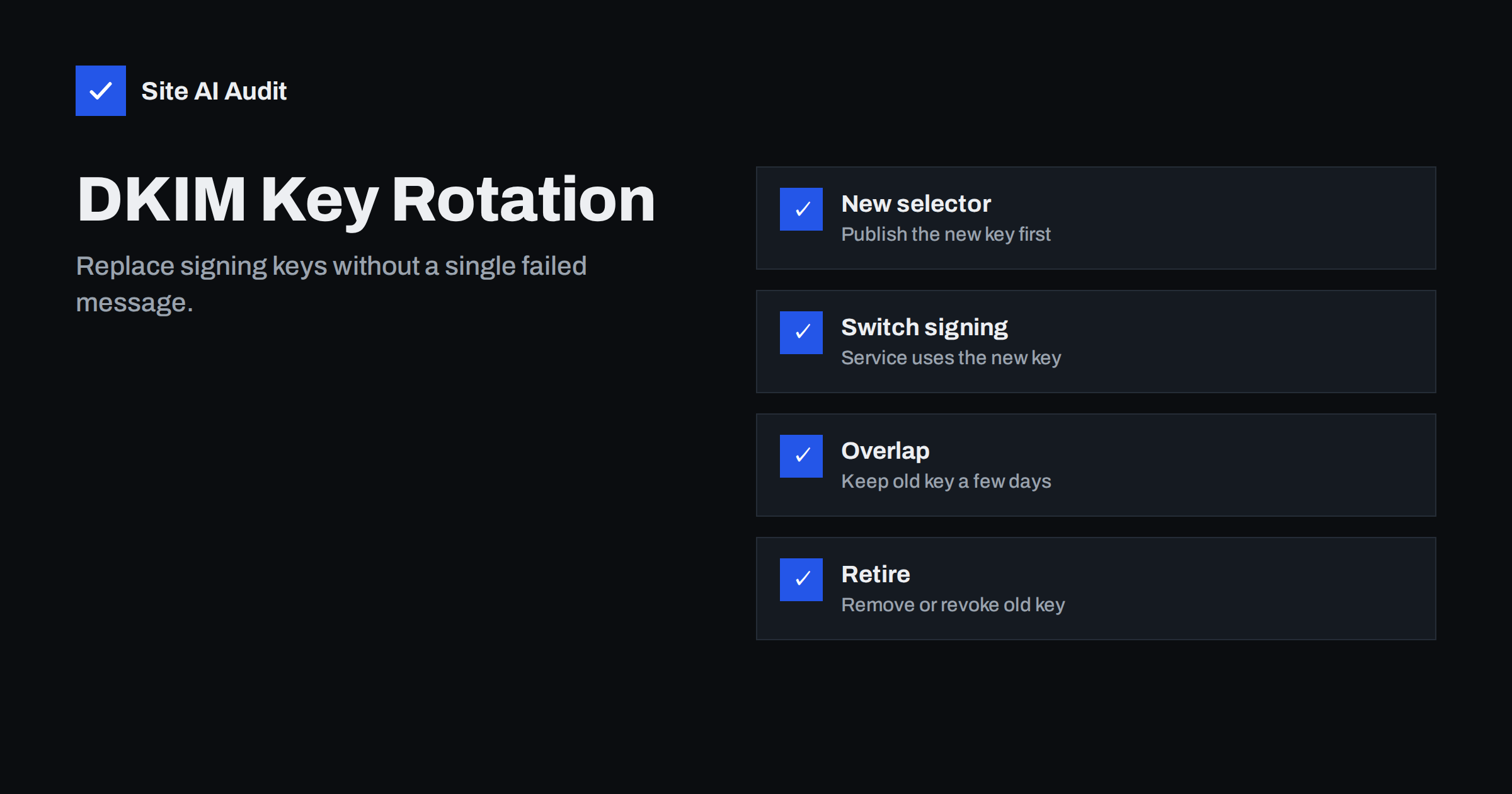
Short answer: Rotating DKIM keys means replacing the private key a service uses to sign your mail and publishing the matching new public key. Do it by publishing the new key under a new selector, switching the service to sign with it, keeping the old key published for several days so messages in transit still verify, and then removing or revoking the old key. Many organisations rotate every six to twelve months, and immediately if a key may have been exposed or is shorter than 2048 bits.
Why rotate DKIM keys at all
A DKIM private key is a long-lived secret. Anyone who obtains it can sign messages that receivers will accept as genuinely from your domain, and those messages would pass DMARC. Keys can leak through compromised servers, misconfigured backups, former employees or vendors, or old systems that were never decommissioned properly.
Rotation limits that risk. If a key has leaked without your knowledge, replacing it ends the window in which it can be abused. Rotation also gives you a natural opportunity to upgrade weak keys, clean up selectors from old tools and confirm that your documentation matches reality.
There is no universal rule for frequency. Many security guidelines suggest rotating at least once or twice a year for keys you manage yourself. Hosted services that use CNAME-based DKIM often rotate keys automatically on their side, which removes the chore from you entirely.
Who manages the key determines the process
| Setup | Who holds the private key | Rotation |
|---|---|---|
| CNAME records pointing to the provider (for example Microsoft 365, many ESPs) | Provider | Often automatic, or triggered with a button; no DNS change for you |
| TXT record generated in the provider’s console (for example Google Workspace) | Provider | Generate a new key with a new selector, publish, switch |
| Your own mail server or gateway | You | Generate keys yourself, publish, reconfigure the signer |
With CNAME-based setups, your DNS only contains pointers to names the provider controls. The provider can publish a new key at its end and move the pointer’s target without asking you, which is why these setups are the easiest to keep fresh. The trade-off is that you depend on the provider’s schedule; if you want to know when rotation happened, look at the selector in message headers over time or ask the provider.
Check each sending service separately. Your mailbox provider may rotate automatically while your transactional service and your own server require manual work.
Step 1: prepare the new key
- Choose a new selector name. Using a new selector lets both keys exist side by side. Common patterns include dates (
s2026a) or sequence numbers. Avoid reusing an old selector for a new key: receivers and caches may still hold the old value. - Use 2048-bit RSA keys unless a service requires otherwise. If you still have 1024-bit keys, rotation is the right moment to upgrade.
- Generate the key where it will be used. In hosted services, use their console. On your own server, generate the key pair on the server, protect the private key file with strict permissions, and never send it by e-mail or store it in shared folders.
Step 2: publish the new public key
Add the new record at newselector._domainkey.yourdomain.com. Verify it from outside with dig TXT newselector._domainkey.yourdomain.com +short, and compare the full value with the one the service shows. Long keys are the classic failure point: some DNS panels truncate or mis-quote values over 255 characters.
If you manage DNS through infrastructure-as-code or a ticketing process, include the complete key value in the change and have a second person compare it with the source. A single missing character makes every signature fail, and the error message receivers produce (“bad signature” or “key not found”) does not say which character is wrong.
Wait until the record is visible from public resolvers before switching. Signing with a key that receivers cannot yet find produces DKIM failures for every message sent in the meantime.
Step 3: switch signing to the new key
In a hosted service, activate the new key or start authentication with it. On your own signer, update the configuration to use the new selector and private key, and reload the service. Then send test messages to Gmail and Outlook.com and check the headers:
- the
DKIM-Signatureheader shows the news=selector; Authentication-Resultsshowsdkim=passfor your domain;dmarc=passis unchanged.
Choose a quiet time for the switch if the key is used by high-volume systems, such as a transactional service sending order confirmations. If something goes wrong, fewer messages are affected, and you can switch back to the old selector, which is still published, within minutes.
Test every system that uses the rotated key. If one server in a cluster still signs with the old key, you will see mixed selectors in headers and DMARC reports.
Step 4: keep the old key during an overlap
Messages signed with the old key may still be in queues, being retried, or waiting in systems that verify signatures later. Keep the old public key published for a period after the switch, commonly several days to a couple of weeks. During this overlap, both keys verify correctly and nothing breaks.
Watch DMARC reports during the overlap. You should see the new selector appear and the old one fade out. If the old selector continues to appear in fresh traffic, some system is still using it.
Step 5: retire the old key
Once the old selector no longer appears in new mail, retire it. You have two options:
- Remove the record entirely.
- Revoke it explicitly by publishing the record with an empty key,
v=DKIM1; p=. Receivers then treat any signature with that selector as invalid, which makes it clear the key is no longer trusted.
Do not rush this step. Removing the old record too early is the most common way a smooth rotation turns into a day of DKIM failures, typically for mail that was queued or retried by a busy system. When in doubt, wait a few more days; an unused public key in DNS does no harm while the private key is still under your control.
Destroy the old private key securely on any server that held it, and update your documentation with the new selector, the date and the next planned rotation.
Emergency rotation after a suspected leak
If you suspect a private key has been exposed, for example after a server compromise, act faster:
- Generate and publish a new key under a new selector immediately.
- Switch signing as soon as the new record is visible.
- Revoke the old key right away with an empty
p=value rather than waiting for a long overlap. A small number of legitimate in-transit messages may fail DKIM, but aligned SPF can still carry them through DMARC, and the risk of abuse outweighs the inconvenience. - Review DMARC reports for mail signed with the old selector from unknown sources.
- Investigate how the key was exposed and fix that too.
Keeping track of selectors
Rotation is also a good moment for a broader review. While you are in the DNS panel, check that SPF still lists only current senders, that the DMARC record and its report address are intact, and that no old selectors from retired tools remain. Ten extra minutes during a planned change is cheaper than a separate clean-up project later.
Over the years, domains accumulate DKIM records: one per provider, plus leftovers from tools nobody uses. Keep a simple register with the selector, the service, the key length, the date created and the planned rotation date. It makes rotations routine, helps during DNS migrations and makes it obvious which records can be removed.
Site AI Audit checks DKIM alongside SPF (including the lookup limit), DMARC and MX records, and explains findings in plain words. A free check confirms that the domain’s e-mail records look right; paid plans on the pricing page monitor them and send an alert when something changes unexpectedly, such as a key record disappearing during rotation.
Related reading
- What Is DKIM and How to Set It Up for Your Domain
- DKIM Failing? How to Troubleshoot dkim=fail and dkim=none
- Changing DNS Provider Without Breaking Your Email
The bottom line
DKIM rotation is simple when you use a new selector each time: publish the new key, confirm it is visible, switch signing, keep the old key for an overlap, then remove or revoke it. Rotate on a schedule, upgrade weak keys along the way, rotate immediately after a suspected leak, and keep a register of selectors so nothing is forgotten.
FAQ
How often should DKIM keys be rotated?
Many organisations rotate every six to twelve months. Services that manage keys through CNAME records often rotate automatically, while keys you manage yourself need a schedule.
Why use a new selector when rotating?
A new selector lets the old and new keys exist at the same time, so messages signed with either key verify during the transition.
How long should I keep the old DKIM key?
Typically several days to a couple of weeks, until DMARC reports show no fresh traffic signed with the old selector.
How do I revoke a DKIM key?
Publish the selector’s record with an empty key value, v=DKIM1; p=, or remove the record. An empty p= makes the revocation explicit.
Does Microsoft 365 rotate DKIM keys automatically?
Microsoft 365 uses two selectors with CNAME records so keys can be rotated on Microsoft’s side, and you can also trigger a rotation in the Defender portal.
Should I upgrade 1024-bit keys to 2048 bits?
Yes, where your provider and DNS host support it. Rotation is a convenient moment to make the change.


