ENEnglish
 LTLietuviškai
 DEDeutsch
 FRFrançais
 RUРусский
 ESEspañol
 PLPolski
 ITItaliano
 UKУкраїнська
 CSČeština
 PTPortuguês
 JA日本語
JA日本語 LVLatviešu valoda
 ETEesti
 HUMagyar
 IDBahasa Indonesia
 TRTürkçe
 HIहिन्दी
 ELΕλληνικά
 ARالعربية
 THไทย
THไทย VITiếng Việt
 RORomână
 MSBahasa Melayu
 BNবাংলা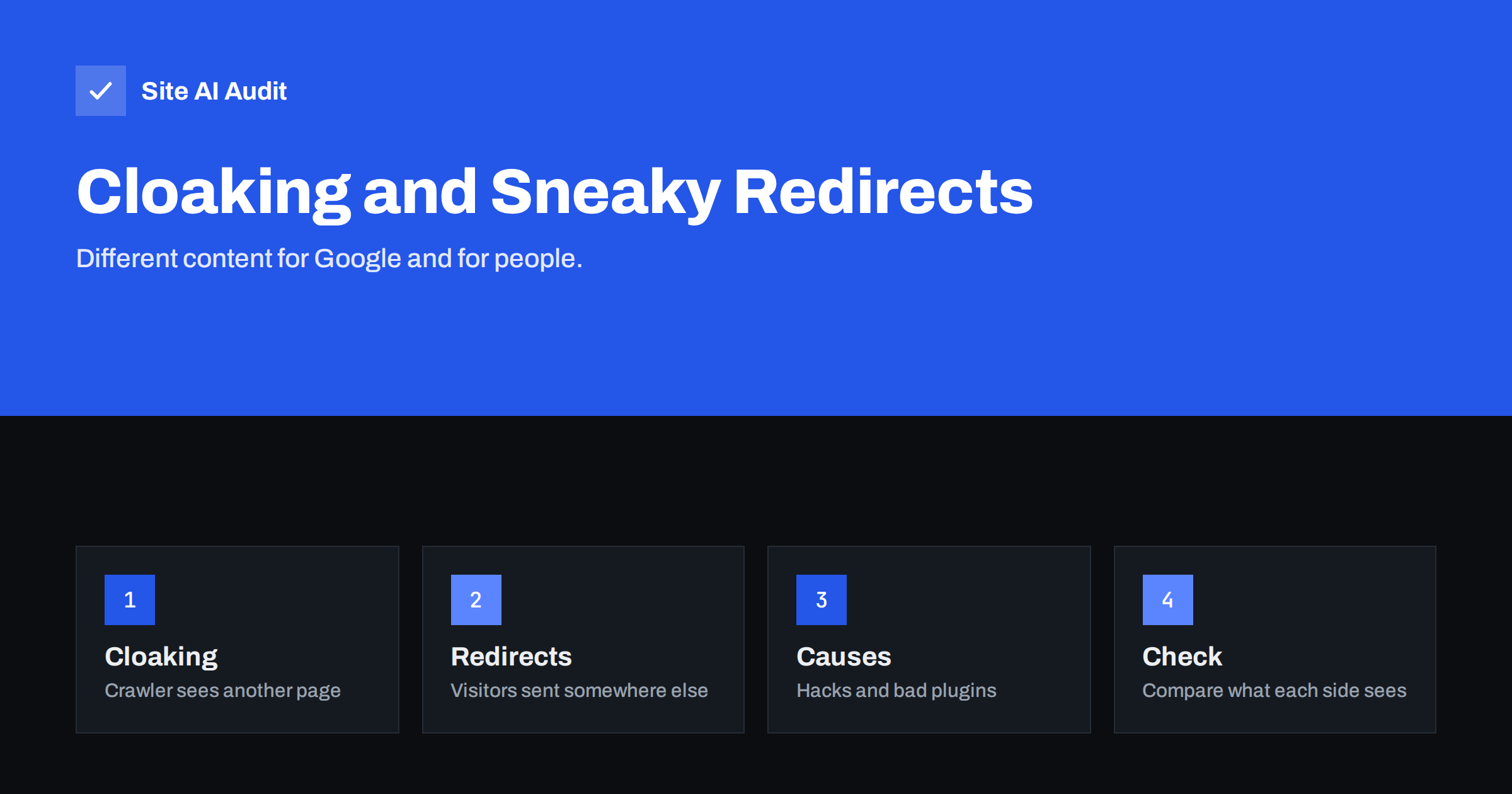
Short answer: Cloaking means showing search engines different content or addresses than the ones human visitors receive. A sneaky redirect sends visitors to a different page than the one a crawler saw. Both break Google’s spam policies and can lead to a manual action or removal from results. They are also a classic sign of a hacked website, where the attacker shows spam to Google and a normal page to the owner. Checking what Googlebot sees compared with what you see is the best way to find them.
What cloaking is
Search engines send a crawler to read your pages and decide what to show in results. Cloaking happens when the server recognises that crawler, usually by its user agent or network address, and gives it content that real people never see. A page might show a long article about a product to the crawler, while visitors land on a sales page for something unrelated.
The aim is always to rank for something the real page does not deserve. Google’s rule is simple: visitors and crawlers must receive the same content. When they do not, trust is broken, and the penalty is serious.
Some forms are obvious, such as text hidden by being the same colour as the background. Others are technical, such as a script that serves a keyword-stuffed page only when the request looks like Googlebot. All of them fall under the same policy.
What sneaky redirects are
A redirect sends a visitor from one address to another. Redirects are a normal part of every website, and we explain the usual types in our guide to 301 and 302 redirects. A redirect becomes sneaky when it is used to deceive:
- the crawler is allowed to see a page, while visitors who arrive from search results are redirected somewhere else,
- only visitors who come from Google, or only those on mobile devices, are sent to spam, adverts or scam pages,
- a redirect is hidden in JavaScript that runs only for people and not for crawlers.
The test is not the technology but the intention and the result. If the person arriving from a search result sees something other than what Google showed, the redirect is a problem.
What is not cloaking
Several common practices are fine, and it helps to know the boundaries so that you do not worry about normal behaviour.
- Language and location redirects are acceptable when they work the same way for crawlers and visitors in the same situation. Use hreflang to describe the versions; see our guide to hreflang for multilingual sites.
- Responsive design and dynamic serving for mobile are fine when the content is equivalent.
- Paywalls and login areas are acceptable if you follow the published guidance for marking paywalled content, so Google knows what is happening.
- A/B tests are fine if the variants are real pages shown to real visitors, run for a limited time and do not single out the crawler.
- Personalisation such as showing a returning customer’s name or a regional price does not change the core content.
- Cookie banners and age checks can appear to visitors without being cloaking, as long as the main content is the same one the crawler receives.
How cloaking appears on hacked sites
Most owners who find cloaking did not create it. Attackers who gain access to a website often add code that checks who is asking. If the visitor is the site owner, or a logged-in administrator, the site looks normal. If the request comes from a search engine, the code injects hidden links or whole spam pages, selling pills, counterfeit goods or gambling. If the visitor arrives from a search result, they may be redirected to a scam.
That design delays discovery. You open your site and see nothing wrong, while Google lists thousands of unfamiliar pages under your domain. Our articles on the Japanese keyword hack and on signs that a website is hacked describe typical patterns. If you suspect an infection, follow the hacked website recovery steps rather than deleting files at random.
Poorly written plugins or themes can also create redirects by accident, for example a mobile plugin that sends all phone users to the home page, or an advertising script that opens another site. Even without bad intent, the effect for visitors and crawlers can look the same.
How to check your own site
- Use the URL Inspection tool. In Search Console, inspect an important address and run the live test. Compare the rendered page and screenshot with what you see in your browser. Our guide to the URL Inspection tool shows where to click.
- Search your own domain. Type site:yourdomain.com into Google and scan the titles. Pages you never created, in other languages or on unrelated topics, are a warning.
- Check Search Console messages. A manual action for cloaking or sneaky redirects appears in the Manual actions report. See our guide to manual actions for what to do.
- Request a page with a crawler user agent. A command-line tool such as curl can send a Googlebot-style user agent. Compare the response with a normal request. Differences in size or content need an explanation. Note that real Googlebot can be verified only by its network address, so this is a quick hint and not proof.
- Test from a phone through a search result. Some redirects trigger only for visitors who arrive from Google on mobile. Search for your page on a phone, tap the result and see where you land.
- Review logs and recent file changes. Unexpected changes in theme files, in .htaccess or in the database point to the source. Our guide to reading access logs helps with the first look.
Why it never pays off
Cloaking can look attractive to someone who wants quick rankings, but the trade is poor. Search engines compare what they crawl with what real visitors reach, using separate crawlers, rendering tests and user feedback. When they find a gap, the usual result is a manual action or an automatic demotion, and the lost visibility can last for months. Recovery needs a clean site, an honest explanation and patience.
There is also a business cost that has nothing to do with rankings. Visitors who are redirected to spam lose trust in the brand, browsers may show a red warning page, and email from the domain can be blocked once it lands on a blocklist. For a small business, a few weeks of lost reputation can cost far more than any short-lived ranking gain. The sensible policy is to show everyone the same page, and to describe differences openly with the tools that exist for them, such as hreflang and structured data.
How to fix and prevent it
If the cause is a hack, clean the site fully: remove injected code and unknown files, replace core files with fresh copies, change all passwords and keys, update software and close the original entry point. If the cause is a plugin or script, remove or replace it and test again. Once the site is clean, request a review in Search Console if there was a manual action, and explain what you changed.
Prevention is mostly ordinary security: keep software updated, remove abandoned plugins, use strong unique passwords with two-factor sign-in and keep backups you can restore. Our WordPress security checklist collects the main steps.
Finally, set a monthly habit. Open your site on a phone from a search result, check Search Console for new messages and look at the number of indexed pages. A sudden jump in indexed pages that you did not publish is one of the earliest signs of trouble.
What Site AI Audit can and cannot tell you
Site AI Audit crawls up to 50 pages of your site the way a search engine does. It reports redirects, redirect chains, broken links, titles and descriptions, and pages blocked by robots.txt or noindex, so unexpected redirects on your main pages would show up in the results. It requests pages as an ordinary crawler, so it cannot prove that other crawlers or visitors from search results see something different; that comparison remains a manual check. You can run a free check of your website or see the plans.
Related reading
- 301 or 302? Choosing the Right Redirect for Your Website
- Manual Actions in Search Console: Causes and How to Recover
- 9 Signs Your Website Has Been Hacked (and How to Check)
- Website Hacked? A Step-by-Step Recovery Plan for Owners
The bottom line
Cloaking and sneaky redirects mean that Google and visitors are not shown the same thing. Legitimate practices such as language redirects, responsive design and honest A/B tests are fine. When you find a difference you did not create, treat it as a security incident first and an SEO problem second, then clean the site, close the entry point and verify what Google sees.
FAQ
Is serving different content to mobile users cloaking?
Not when the content is equivalent and the same rules apply to crawlers and visitors. Responsive design avoids the question completely.
Can a hack cause cloaking without my knowledge?
Yes. Attackers often show spam only to search engines and keep the site normal for the owner, which delays discovery for weeks.
Will Google penalise me for cloaking I did not create?
It can still apply a manual action or demote pages, because the policy concerns the result. Cleaning the site and requesting a review is the way to recover.
Is a geolocation redirect sneaky?
Not if crawlers and visitors in the same location are treated the same, and users can still reach other versions. Use hreflang to describe regional pages.
How do I see what Googlebot sees?
Use the live test in the Search Console URL Inspection tool and compare the rendered page with your browser.