ENEnglish
 LTLietuviškai
 DEDeutsch
 FRFrançais
 RUРусский
 ESEspañol
 PLPolski
 ITItaliano
 UKУкраїнська
 CSČeština
 PTPortuguês
 JA日本語
JA日本語 LVLatviešu valoda
 ETEesti
 HUMagyar
 IDBahasa Indonesia
 TRTürkçe
 HIहिन्दी
 ELΕλληνικά
 ARالعربية
 THไทย
THไทย VITiếng Việt
 RORomână
 MSBahasa Melayu
 BNবাংলা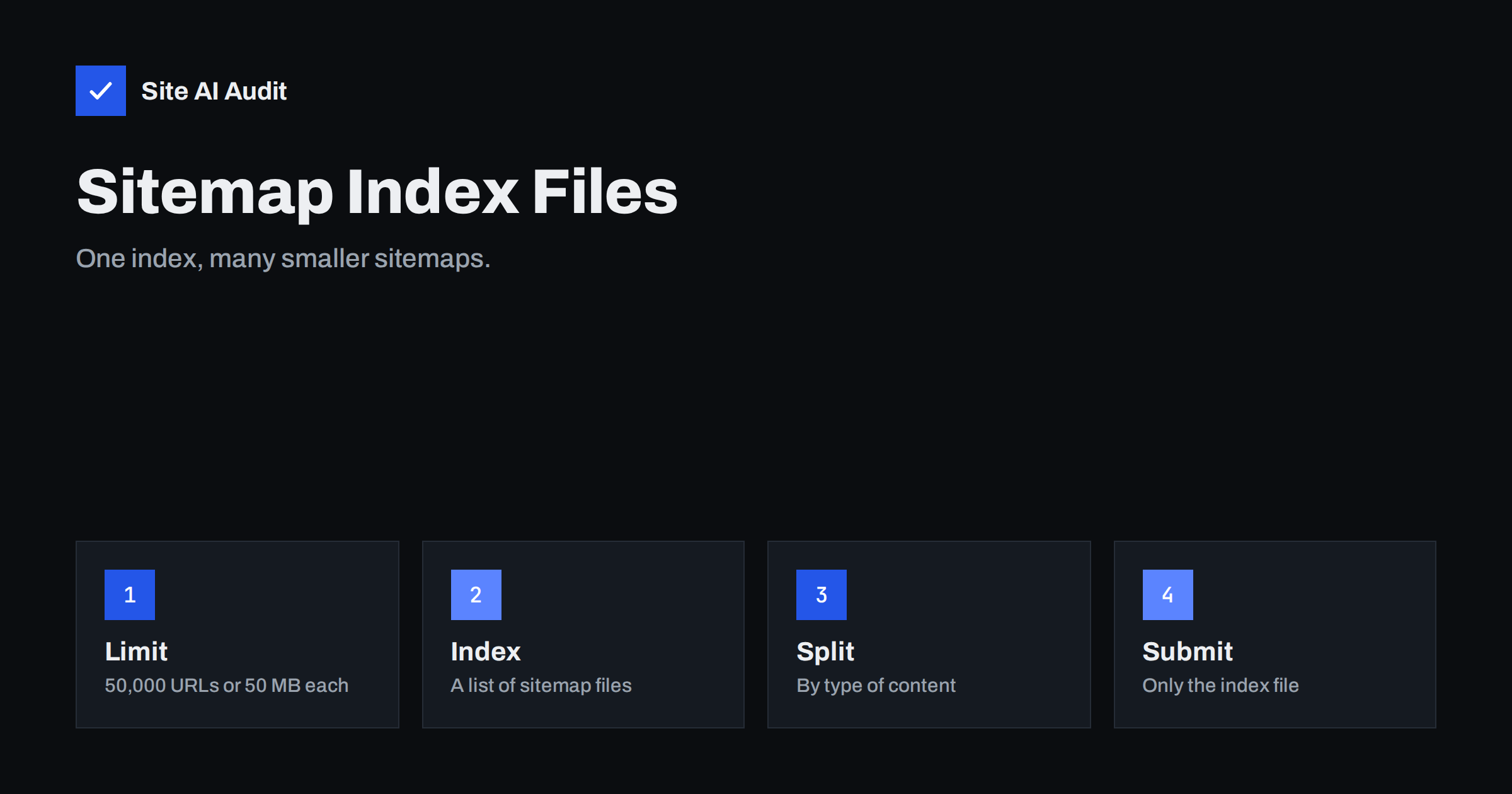
Short answer: A single XML sitemap can contain at most 50,000 URLs and must not be larger than 50 MB uncompressed. If your site is bigger, or if you want to organise URLs by type, you create several sitemaps and list them in a sitemap index file. You submit only the index to search engines, and they read each sitemap it points to. Most small sites never need one, but many shops, directories and publishers do.
What a sitemap index is
A sitemap is a file that lists the addresses you want search engines to find, as explained in our XML sitemap guide. A sitemap index is a sitemap of sitemaps. Instead of listing pages, it lists other sitemap files, each with its address and, optionally, the date it last changed. The format is almost the same as a normal sitemap, but the outer element is named sitemapindex and each entry is a sitemap element with a loc tag for the address and an optional lastmod tag.
The index exists because of the limits. A single sitemap file may hold up to 50,000 URLs and be up to 50 MB uncompressed. A sitemap index can in turn list many sitemap files, so even a very large site can describe all its pages. Search engines fetch the index, then fetch each listed sitemap. You do not nest indexes inside other indexes; the structure has one level.
When you need one
- More than 50,000 URLs: splitting is required. Large online shops, classified sites and directories reach this quickly.
- A file that is too big: even with fewer URLs, long addresses and extra tags can push a file over 50 MB.
- Slow generation: a single huge file can take a long time to build and can time out on a weak server. Smaller files are quicker to produce.
- Better reporting: separate sitemaps for different content types let you see in Search Console how many pages of each type are indexed.
If your site has a few hundred or a few thousand pages, one sitemap is perfectly fine. Splitting without a reason only adds files to maintain.
Many CMS tools already do it
You usually do not write these files by hand. WordPress includes a built-in sitemap feature that publishes an index at the address wp-sitemap.xml and splits long lists into several files of limited size. Popular SEO plugins and most online shop platforms create their own index and split content by type, for example pages, posts, products, categories and authors. When your site is built on one of these, the task is mostly to check the output and make sure that you submit the right address.
Take care not to run two generators at once. A site with both a built-in sitemap and an SEO plugin sitemap can end up with two different files listing the same pages, which is confusing when you read reports. Pick one, disable the other and make sure your robots.txt points to the right address.
How to split sitemaps sensibly
If you build sitemaps yourself, or choose how a plugin splits them, group URLs in a way that helps you read the reports.
- By content type: pages, blog posts, products, categories, locations. This is the most useful split because each file tells you about one kind of page.
- By date or number: when one type has more than the limit, split by year or by a fixed count of URLs per file, so that older files stay unchanged and only the newest file changes.
- By language or section on a multilingual site, if this matches how you manage the content.
Keep files comfortably under the limits. A common practice is to stay well below 50,000 URLs, since smaller files are quicker to fetch and easier to debug. Many plugins use limits of a few thousand URLs per file, which is perfectly fine.
What goes in each sitemap
The same rules apply as for any sitemap. List only canonical, indexable pages that return a successful response. Leave out redirected addresses, error pages, pages with a noindex tag, parameter variations and duplicates. A sitemap full of URLs that cannot be indexed wastes crawling effort and makes reports hard to read; our article on pages indexed but not in the sitemap shows the other side of the same problem.
Use full absolute addresses, with the correct protocol and host, matching the version of your site that you want indexed. The lastmod value should reflect the real date of a meaningful change to the content, not the date the file was generated. If the value changes for every page every day, search engines learn to ignore it. The older priority and changefreq tags are not needed, because Google does not use them.
Location also matters. A sitemap file normally can only describe URLs at its own location or below, on the same site, so keep the files in the root directory unless you have a reason to do otherwise, and keep them on the same host as the pages they list.
How to submit and monitor
- Open the file in a browser and confirm that it loads and shows a list of sitemap addresses.
- Add the index address to robots.txt with a Sitemap line, so any crawler can find it. Our robots.txt guide shows the syntax.
- Submit the index in Google Search Console under the Sitemaps report. You do not need to submit each child file separately, although you can if you want separate statuses. See our Search Console setup guide if you have not connected your site yet.
- Check the status. A successful read shows the number of discovered pages. If the file cannot be read, our article on “Couldn’t fetch” sitemap errors lists the usual causes.
- Compare submitted and indexed counts for each child sitemap. A big gap in one file points to a problem with that type of page, such as thin content or duplicate pages.
For checking an individual address, the URL Inspection tool tells you whether Google can index it and why not.
Common mistakes
- Listing the child sitemaps but forgetting to keep them current. An index pointing to old or missing files returns errors.
- Blocking the sitemap by accident, through robots.txt rules, security plugins or a login requirement.
- Using a different host or protocol in the addresses than the live site uses.
- Including noindex or redirected URLs, which contradicts the purpose of the file.
- Compressing without telling anyone. Compressed files are allowed but must be valid, and the 50 MB limit applies to the uncompressed size.
- Treating the sitemap as a fix for poor structure. A sitemap helps discovery but does not replace internal links or improve weak pages. See our article on crawl budget for how crawlers decide where to spend time.
A worked example
Imagine an online shop with 3,000 pages, 120,000 product addresses, 800 category pages and 1,500 blog posts. The product list is far above the limit, so the shop needs several product sitemaps. A sensible layout would be one index with a file for pages, one for blog posts, one for categories and three for products, each holding around 40,000 addresses. The index lists those six files, and robots.txt points to the index alone.
When the shop adds products, only the newest product file changes, and its lastmod date moves forward. In Search Console, the owner then sees six rows under the index. If the three product files show many pages as discovered but not indexed, while pages and posts are fully indexed, the problem is clearly about products, perhaps thin descriptions or near-identical variants, and work can focus there. With one giant file, that signal would be invisible.
Review this layout once or twice a year. If a file grows near its limit, split it again before it breaks. If a content type disappears, remove its file from the index, and make sure the old address either returns a clean error or is redirected, so crawlers do not keep trying a file that no longer exists.
How Site AI Audit helps
Site AI Audit checks your robots.txt and sitemap during the crawl and reports problems such as a missing sitemap, together with broken links, redirects and noindex rules that affect which pages should be listed. It crawls up to 50 pages on the free check, so it will not count every URL of a very large site. Use Search Console for the full index counts. You can run a free check of your website or see the plans.
Related reading
- XML Sitemaps Explained: How to Create and Submit One
- Sitemap Couldn’t Fetch in Search Console: Causes and Fixes
- Index Bloat: How to Find and Remove Unwanted Pages from Google
- Why Is My Page Not on Google? A Step-by-Step Checklist
The bottom line
Use a sitemap index when you pass 50,000 URLs, 50 MB per file, or when separate files make reporting easier. Let your CMS generate it, split by content type, list only canonical indexable pages, submit the index once and watch the counts for each file. Small sites can keep a single sitemap and spend their time on better content.
FAQ
What is the size limit for one sitemap?
A single sitemap can contain up to 50,000 URLs and be up to 50 MB uncompressed. Above that, you need several files and an index.
Do I submit every child sitemap to Google?
No. Submit the index, and Google reads the listed files. You may also submit children separately if you want a separate status for each.
Can a sitemap index list another index?
No. The index lists sitemap files only, so keep the structure to one level.
Does splitting sitemaps improve rankings?
Not directly. It helps discovery and makes it easier to see which types of pages are indexed, which helps you find problems.
Where should I put the sitemap index?
Usually in the root of your site, on the same host as the pages. Add its address to robots.txt and to Search Console.