ENEnglish
 LTLietuviškai
 DEDeutsch
 FRFrançais
 RUРусский
 ESEspañol
 PLPolski
 ITItaliano
 UKУкраїнська
 CSČeština
 PTPortuguês
 JA日本語
JA日本語 LVLatviešu valoda
 ETEesti
 HUMagyar
 IDBahasa Indonesia
 TRTürkçe
 HIहिन्दी
 ELΕλληνικά
 ARالعربية
 THไทย
THไทย VITiếng Việt
 RORomână
 MSBahasa Melayu
 BNবাংলা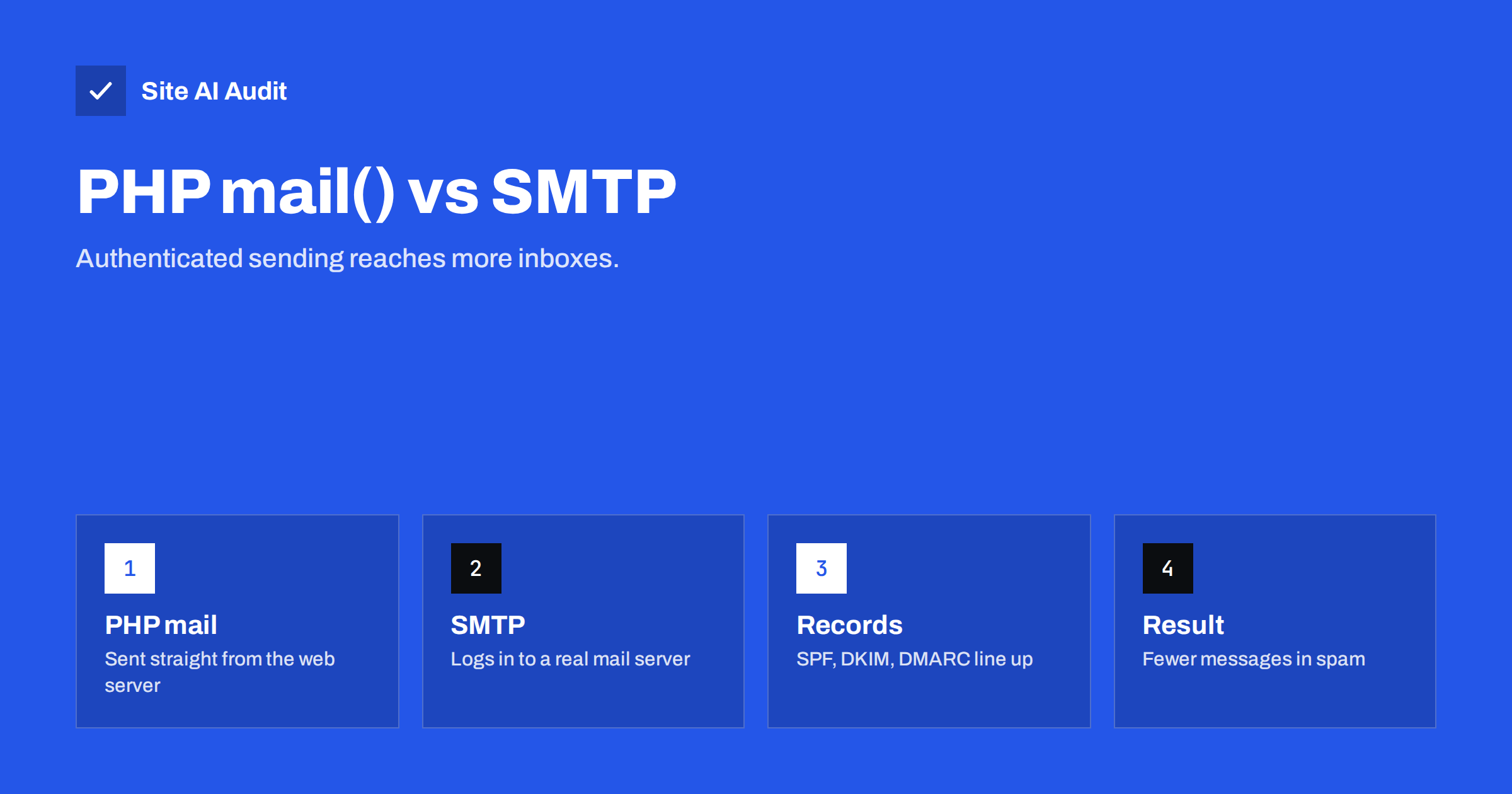
Short answer: The PHP mail() function hands a message to the web server, which sends it directly, usually without logging in and often without a DKIM signature. SMTP sending uses a real mail account or a sending service that authenticates, signs the message and has a reputation. Because mailbox providers trust authenticated mail more, SMTP is the safer choice for contact forms, order messages and password resets.
What PHP mail() does
PHP is the language behind WordPress and many other websites. It has a built-in function called mail(), and a lot of software uses it by default to send e-mail, for example when someone fills in a contact form. The function does very little. It passes the message to the local mail program on the web server, and that program tries to deliver it to the recipient.
The result is a message that appears to come from a web server, not from a mail service. The server has no mailbox, it may share an address with many other websites, and it has probably not been set up to prove that it is allowed to send for your domain.
What SMTP sending does differently
SMTP is the standard protocol that mail servers use to deliver messages. When a site sends through SMTP, it connects to a mail server and logs in with a user name and a password or token. That server then delivers the message, usually signs it with DKIM, and sends it from an address that has a reputation to protect.
- Authentication. The server knows who is sending and can refuse strangers.
- Signing. The message carries a DKIM signature that proves that it was not changed on the way.
- Reputation. Established mail services and business mailboxes have built trust with big providers over years.
- Feedback. You get logs, bounce reports and often clear error messages.
Why PHP mail() so often ends in spam
- The sending address does not match. The message says it is from your domain, but it leaves from a hosting server that your SPF record does not list. SPF then fails. The SPF record guide shows how the check works.
- There is no DKIM signature. Without it, the message cannot prove that it is genuine. See how to set up DKIM.
- DMARC fails or cannot pass. If SPF and DKIM do not align with the visible From domain, a strict policy can reject the message. Read DMARC explained for the reasons.
- The server’s address is shared. Other sites on the same server may send spam, and the address inherits their reputation. The article on shared and dedicated IP addresses explains why.
- Reverse DNS is generic. A hosting name such as a long number string looks like a bulk sender. See reverse DNS for e-mail.
- Headers are poor. Missing or odd date and message identifier headers make filters suspicious.
Why it sometimes seems to work
Some hosts configure their servers carefully, and for them PHP mail() delivers acceptably, particularly when the From address is on the same domain as the server and the host publishes the right records. Testing a message to yourself in one mailbox proves little. A message that lands in the inbox at one provider may go to spam at another, and the situation can change without warning when the server’s reputation drops. The only dependable approach is to authenticate properly and to test with several providers.
Options for SMTP sending
- Your own business mailbox. Suitable for low volume, such as a contact form. Use an app password or the method your provider recommends, and mind sending limits.
- A transactional e-mail service. Built for system messages such as receipts and password resets. It has strong deliverability tools and logs.
- A marketing platform. Meant for newsletters. Keep it separate from system messages, as advised in transactional and marketing e-mail.
- The hosting provider’s mail server. Fine when the host supports authentication and signing for your domain.
Whichever you choose, add the records that the provider asks for to your DNS: usually SPF include entries, DKIM keys and a DMARC policy. Take care with SPF, which allows only ten DNS lookups, as the guide on too many DNS lookups explains.
How to switch a WordPress site
- Choose the sending service or mailbox and collect the connection details.
- Install a well-supported SMTP plugin, or use the integration offered by your service, and enter the details.
- Set the From address to an address on your own domain, and keep it consistent.
- Add the DNS records, then wait for them to spread. See DNS propagation and e-mail changes.
- Send test messages from the contact form, from a password reset and from a test order. Look at the raw headers and confirm that SPF, DKIM and DMARC pass. The guide to reading e-mail headers shows where.
- Keep the plugin updated and protect the stored password, because a stolen mail password lets others send as you.
Common mistakes after switching
- Using a From address on a free mailbox provider’s domain, which fails DMARC alignment.
- Forgetting to add the service to SPF, so some messages still fail.
- Sending several different kinds of mail from one address, which mixes reputations.
- Ignoring bounces, so that a growing list of dead addresses damages your name.
- Not monitoring the setup. Records are changed during hosting moves, and mail quietly breaks. See the checklist for WordPress e-mails that go to spam.
Sending limits and reliability
Switching to SMTP brings new rules, and it is better to know them in advance. Every mail service limits how many messages can be sent per hour or per day, and many limit the number of recipients in one message. A shop that sends hundreds of order messages during a sale, or a membership site that sends reminders in a batch, can hit the limit and see some messages delayed or refused. Check the limit of your plan, estimate your peak, and choose accordingly. The article on e-mail sending limits and throttling explains how receiving servers apply their own limits as well.
Reliability matters just as much. If the connection to the mail server fails, what does your site do? Some plugins drop the message silently. A good setup writes an entry to a log, retries later and, for important messages, alerts an administrator. Enable the log feature of your plugin for the first few weeks, look at it regularly and keep it only as long as you need, since logs may contain personal data. Also keep a second way for customers to reach you, such as a phone number or a form confirmation on screen, so that a lost message does not leave a customer waiting.
Lastly, protect the sending account. Use a strong, unique password or an app-specific token, turn on two-factor login for the mailbox itself, and give the website only the permission it needs. If the site is ever compromised, a leaked mail password can be used to send spam in your name, and the resulting damage to your domain reputation can take weeks to repair. Rotating the credential after a security incident should be part of your recovery checklist.
Whatever you decide, review the setup once or twice a year. Providers change their requirements, plans change their limits, and staff leave with passwords in their heads. A fifteen minute check of the records, the test messages and the access list is cheap insurance for the messages that carry your orders, your invoices and your reputation. Put the reminder in your calendar the day you finish the migration, and keep the test results with it so that you can compare later.
How Site AI Audit helps
Site AI Audit does not send test e-mails from your forms, but it does check the records that decide whether authenticated mail passes: SPF and its lookup limit, DKIM signatures, the DMARC policy and MX records for your domain. It also reviews SSL, security headers, SEO and speed. The first check is free, covers up to 50 pages and needs no sign-up. You can run a free check of your website or see the plans for monitoring that alerts you when e-mail records change.
Related reading
- WordPress Emails Going to Spam or Not Sending? How to Fix It
- Contact Form Emails Not Arriving? Use Your Own Domain
- SMTP Ports 25, 587 and 465: Which One Should You Use?
- SPF vs DKIM vs DMARC: What Each One Does and Why You Need All
The bottom line
PHP mail() is a basic tool that leaves your messages unsigned and tied to a server you do not control. Authenticated SMTP gives you proof, reputation and visibility. For any message that matters, such as an order confirmation or a password reset, switch to SMTP, align your DNS records and test the result with real mailboxes.
FAQ
Is PHP mail() always bad?
Not always. Some hosts configure it well. Even so, it offers little control and no signing by default, so authenticated SMTP is the safer choice.
Do I need a paid service to use SMTP?
No. A normal business mailbox can send low volumes. A transactional service becomes useful when you send more or need detailed logs and stronger deliverability tools.
Will an SMTP plugin fix my spam problems?
It helps, but only together with correct SPF, DKIM and DMARC records. The plugin is the connection and the DNS records are the proof.
Which From address should I use?
Use an address on your own domain that matches the authenticated sender. Avoid free mailbox addresses, because they fail alignment when sent through other servers.
How do I know it works?
Send tests to several providers, open the full message headers and confirm that SPF, DKIM and DMARC show a pass. Check again after any hosting or DNS change.