ENEnglish
 LTLietuviškai
 DEDeutsch
 FRFrançais
 RUРусский
 ESEspañol
 PLPolski
 ITItaliano
 UKУкраїнська
 CSČeština
 PTPortuguês
 JA日本語
JA日本語 LVLatviešu valoda
 ETEesti
 HUMagyar
 IDBahasa Indonesia
 TRTürkçe
 HIहिन्दी
 ELΕλληνικά
 ARالعربية
 THไทย
THไทย VITiếng Việt
 RORomână
 MSBahasa Melayu
 BNবাংলা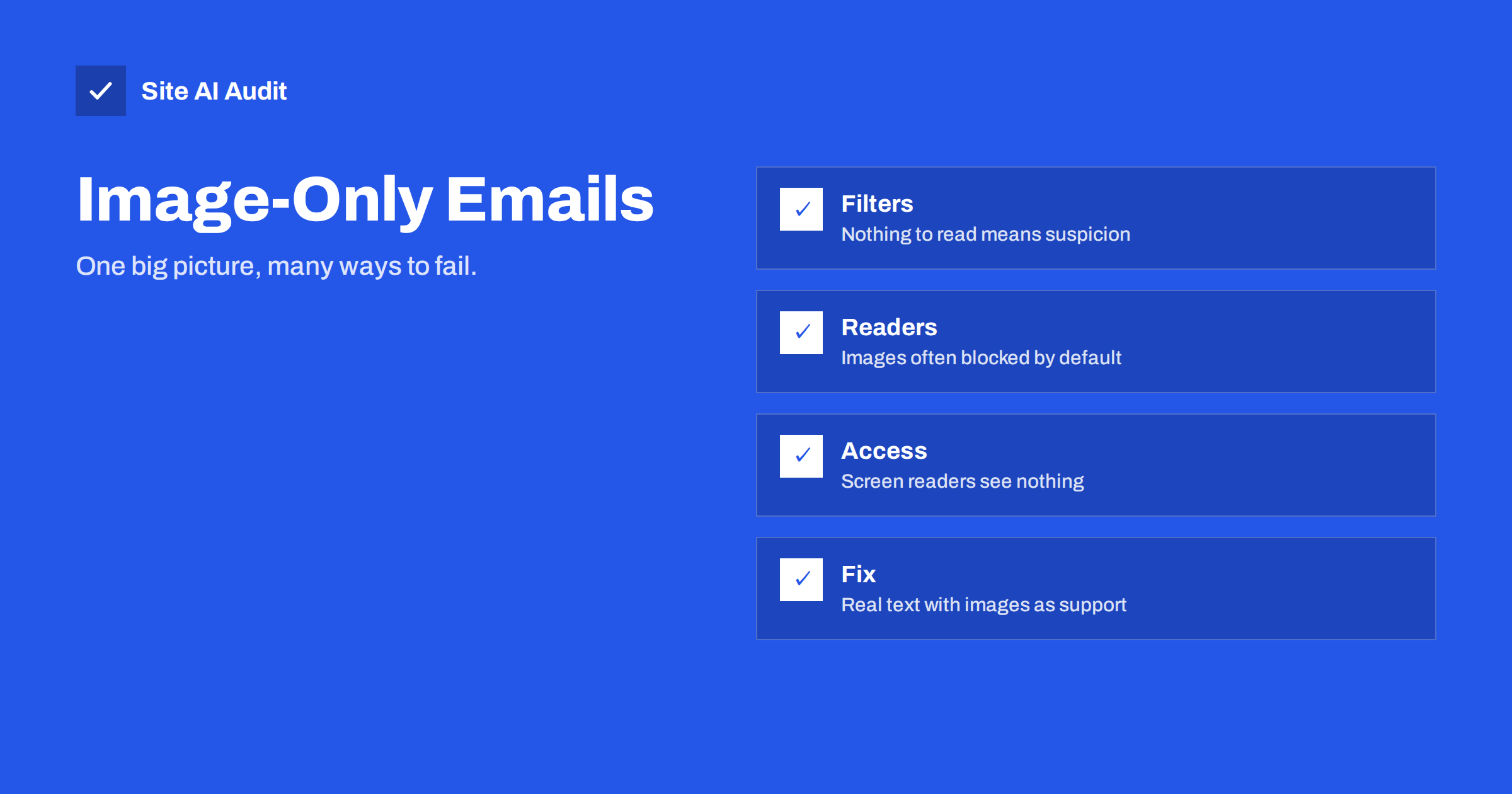
Short answer: An email that consists of a single large image, or of images with almost no text, is a long-standing spam pattern, because spammers used pictures to hide words from filters. Modern filters treat a high image-to-text ratio as one negative signal among many. At the same time, many mail clients block images until the reader allows them, so an image-only message arrives as an empty box with a tiny alt text. Send real text, use images to support it, add alt text, keep the message light and test it with images turned off.
Why image-only emails exist
Designers like them because an image shows the exact fonts, colours and layout in every client, with no surprises from how mail apps render HTML. Marketing teams like them because a single image is quick to produce from a design tool. Small businesses often send them by accident: a flyer made for print is exported as a picture and pasted into a message.
The result looks good on the designer’s screen and behaves badly almost everywhere else.
What spam filters see
Filters read the text of a message to judge it. When there is nothing to read, they have to rely on other signals, and a message that hides its content is itself a signal. Historically, spammers put their pitch into a picture precisely so that word-based filters had nothing to catch. Filters learned the pattern, and a message with a large image and little text still scores worse than the same message with real text.
It is not an automatic block. A well authenticated sender with a good reputation and engaged recipients can deliver an image-heavy message. But the image ratio adds to the score, and if other factors are weak, such as a new domain, a shared sending IP or a list with old addresses, it can be the point that tips the message into spam. Our guide on why emails go to spam lists the other factors.
Filters also look at the size and type of the image. A very large file, an image that links to a tracking address, or an image hosted on a domain with a bad reputation each add further weight.
What readers see
Many mail clients do not download images until the reader clicks “show images”, especially for senders who are not in the address book. Corporate mail systems often strip or block remote images entirely. On slow mobile connections, images load last. In each case, an image-only message shows an empty rectangle, perhaps with the alt text, and nothing else.
Readers using screen readers hear only the alt text, which for a single image is usually something like “newsletter.jpg”. People who prefer dark mode see a bright block. Anyone who wants to search their mailbox later for a word in your offer will not find it, because the word is in a picture.
The practical effect is that fewer people read the message, fewer click, and engagement metrics drop. Low engagement then feeds back into the filters, which treat it as a sign that your mail is unwanted.
Other costs
- Size. A full-width image can weigh several hundred kilobytes, which slows loading and can push a message past size limits that cause clipping in some clients. See Gmail message clipping.
- Links. With one image, the whole picture is usually one link. Readers cannot click a specific offer, and you cannot measure which part interested them.
- Legal text. Unsubscribe links, the sender’s address and other required information must be readable. If they are only in the picture, they are not accessible, and some requirements for bulk senders expect a working unsubscribe link in the message. Our guide to one-click unsubscribe explains what receivers look for.
- Editing. A typo or a price change means regenerating the image and re-sending.
How to send visual emails that deliver
- Put the message in text. The headline, the offer, the dates and the call to action belong in HTML text. Use images for product photos, a logo and visual flourishes. A common guideline is to keep at least as much text as image area, and to make sure the message still makes sense with images turned off.
- Use real text for the headline. Fonts in email are limited, but a clean system font with a strong colour looks fine. Resist recreating the brand font as an image.
- Add meaningful alt text. Each image should have a short description that works when the image does not load: “Spring collection: linen shirts from 39 EUR” rather than “banner1”. Some clients show alt text styled, so it can carry part of the message.
- Slice and structure, if you must use large visuals. Several smaller images with text between them behave better than one big image, and each can carry its own link.
- Keep images light. Resize to the display width, usually 600 to 700 pixels wide, and compress. Our general guide to image optimisation applies to email as well.
- Host images on your own domain or your sending platform. Images hosted on random file-sharing sites or on a domain with a poor reputation attract suspicion. See links and tracking domains in emails.
- Include a plain-text version. Most platforms generate one automatically; check that it contains the real content and not just “view this email in your browser”. Our article on plain text vs HTML email covers the balance.
- Test with images off. Send to yourself, disable images, and read the message. If you cannot understand the offer and find the unsubscribe link, your readers cannot either.
What about transactional emails?
Order confirmations, password resets and invoices should be text first and image light. A reset link hidden in a picture is a support ticket waiting to happen. Keep a logo if you like, but put every important detail in text so that it works everywhere, can be searched and can be read aloud. Our guide on order confirmation emails not arriving covers the other delivery issues for these messages.
A quick way to judge your own emails
Open your last campaign and ask three questions. If images are blocked, does the reader know what the email is about within two seconds? Can the reader click on the specific thing they want? Could a person who cannot see the images still act on the message? If any answer is no, move the words out of the pictures. The design can stay attractive; it just needs text underneath it.
A worked example makes the difference clear. A bakery sends a weekend offer as one image: a photo of pastries with the text “20% off this Saturday, show this email” baked into the picture. Readers whose images are blocked see a grey box. Readers who search their inbox on Saturday for “20%” find nothing. The same offer rebuilt as a short headline in text, one photo of the pastries with the alt text “Saturday pastry offer”, a line with the discount and the hours, and a button that links to the shop page works in every client, is searchable, and gives the filter real words to judge. The design takes ten minutes longer and the message reaches far more people.
Image-heavy templates are also worth revisiting after any change to your sending setup. A new domain or a new platform starts with little reputation, and a template that passed fine on a warm, established sender can land in spam from a cold one. Start the new setup with text-forward messages, build engagement, and reintroduce heavier visuals gradually once delivery is steady. Our guide to domain warm-up explains the pacing.
What Site AI Audit can and cannot tell you
Site AI Audit checks the email records of your domain: SPF and its lookup limit, DKIM signatures, the DMARC policy and MX records. Those records are the foundation that every message, visual or plain, depends on. The audit does not look at the content of your emails, so the image-to-text balance remains a check you do with the steps above. You can run a free check of your domain or see the plans.
Related reading
- Plain Text vs HTML Email: Which Delivers Better?
- Spam Trigger Words: What Really Gets an Email Filtered
- Why Your Emails Land in the Gmail Promotions Tab
- Email Deliverability Checklist: 20 Checks for Small Businesses
The bottom line
An email made of one big picture gives filters nothing to trust and gives many readers nothing to see. Put the message in text, use images to support it, write useful alt text, keep files small and test with images turned off. Your design can still look good, and far more people will actually read it.
FAQ
Will an image-only email always go to spam?
No, but it adds a negative signal. Senders with strong authentication, good reputation and engaged readers may still deliver it. For everyone else it can be the signal that tips the balance.
What text-to-image ratio should I aim for?
There is no official number. A practical rule is that the message must make sense with images blocked and that text should cover at least as much area as images.
Can I use alt text to carry the whole message?
Alt text should describe the image, not replace the email. Put the real content in HTML text and use alt text as a fallback for each picture.
Do large images cause other problems?
Yes. They slow loading, can push the message past size limits that cause clipping and make the whole email one link, so readers cannot click on specific items.
Is this relevant for order confirmations too?
Even more so. Transactional emails must be readable everywhere. Keep them text first with a small logo at most.