 ENEnglish
 LTLietuviškai
 DEDeutsch
 FRFrançais
 RUРусский
 ESEspañol
 PLPolski
 ITItaliano
 UKУкраїнська
 CSČeština
 PTPortuguês
 JA日本語
JA日本語 LVLatviešu valoda
 ETEesti
 HUMagyar
 IDBahasa Indonesia
 TRTürkçe
 HIहिन्दी
 ELΕλληνικά
 ARالعربية
 THไทย
THไทย VITiếng Việt
 RORomână
 MSBahasa Melayu
 BNবাংলা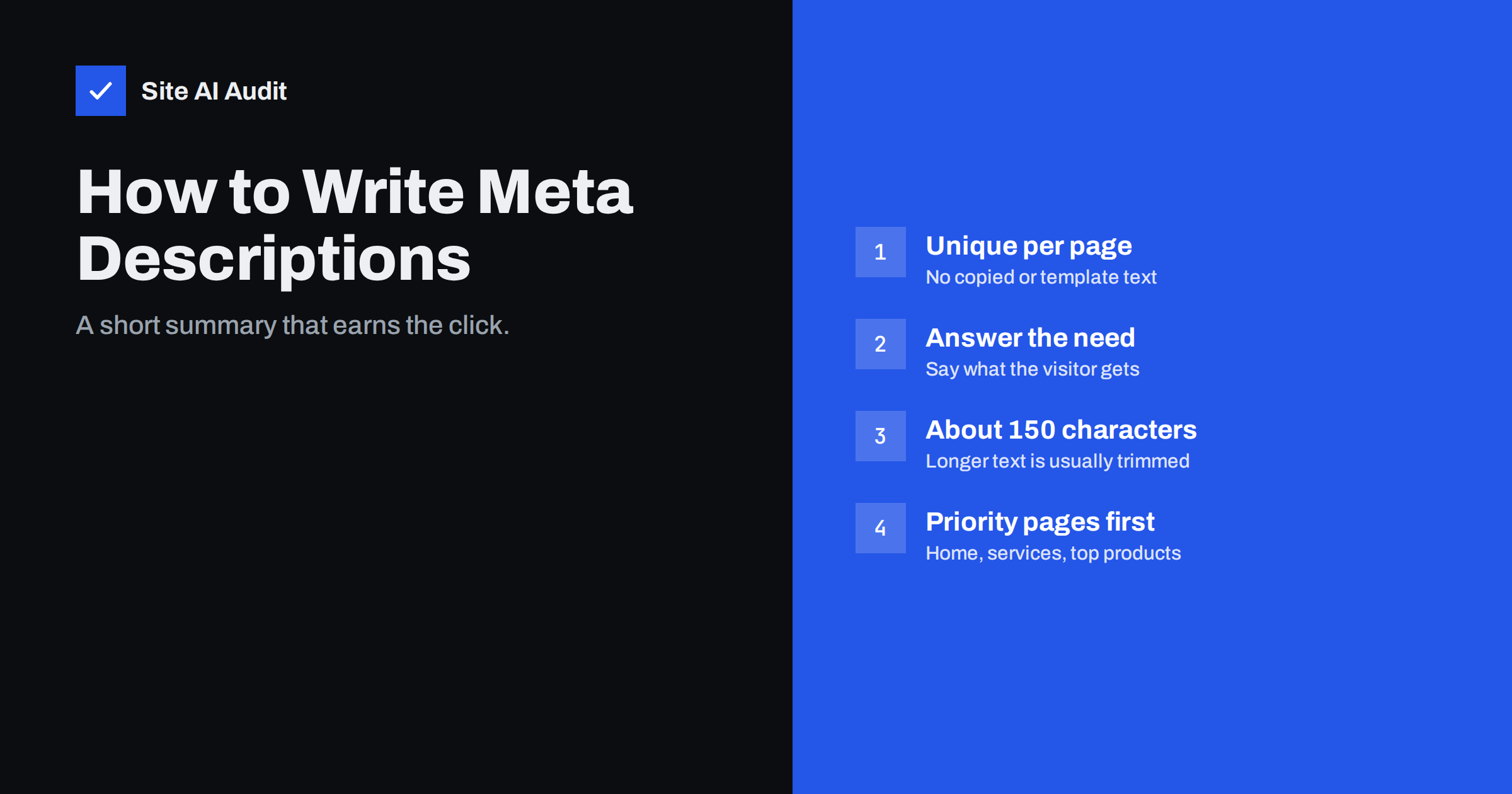
Short answer: A meta description is a short summary of a page in its HTML head that search engines may show under the title in results. It does not directly affect rankings, but a clear, specific description can make more people click your listing. Write a unique description of roughly 120–160 characters for every important page, describe what the visitor will get, and do not worry when Google occasionally shows different text.
What a meta description is
The meta description is a single line of HTML placed in the <head> of a page: <meta name="description" content="Fresh sourdough, pastries and custom cakes baked daily in central Bristol. Order online for next-day pick-up.">. Visitors do not see it on the page. Its job is to describe the page to search engines and to anyone who sees your listing in search results or in a shared link preview.
In a typical search result, the listing has three parts: the page title, the URL or breadcrumb, and a short block of text underneath called the snippet. The meta description is the main candidate for that snippet. When it matches the search well, search engines often use it word for word. When it does not, they pick a passage from the page instead.
Do meta descriptions affect rankings?
No, not directly. Google has said for many years that the meta description is not used as a ranking factor. Writing a description full of keywords will not move a page up.
That does not make descriptions useless. They influence what people read before deciding which result to click. A listing that clearly promises what the searcher wants tends to attract more clicks than a vague one in a similar position. More relevant clicks mean more visitors from the rankings you already have, and that is the real value.
Descriptions also serve other channels. Many social networks, messaging apps and link preview tools fall back on the meta description when a page has no dedicated social description, so a missing description can make shared links look empty.
Why Google often shows different text
You may write a careful description and then see something else in the results. That is normal. Search engines generate snippets per query. If someone searches for your opening hours, a sentence from your page that mentions opening hours is more useful to them than your general description, so that sentence is shown instead.
Google is more likely to replace a description when it is:
- missing or empty;
- identical on many pages, such as a site-wide template description;
- very short, like “Welcome to our website”;
- stuffed with keywords or a list of phrases rather than sentences;
- unrelated to what the page actually contains.
Google’s guidance on controlling snippets recommends unique, descriptive text for each page, and summaries that accurately reflect the content. You cannot force a snippet, but good descriptions are used far more often than poor ones.
How to write a good meta description
Think of the meta description as a two-line pitch for one page. It should answer the question every searcher has: “Is this the page I need?”
- Start with the substance. Say what the page offers in the first few words: the service, the product, the answer.
- Be specific. Include details that set the page apart: location, audience, range, delivery time, format, or the problem it solves.
- Match the intent. A product page description can mention price range, stock or delivery; a guide can promise steps or a checklist; a local service page can mention the area served.
- Use natural language. Write a sentence or two a person would say, not a list of search terms. Words that match the search may be highlighted in bold, which helps, but only when they read naturally.
- Keep it honest. Promise only what the page delivers. A misleading snippet brings visitors who leave immediately.
- Aim for about 120–160 characters. Snippets are trimmed by width, so longer text often ends in an ellipsis. On mobile, the visible part can be even shorter, so put the key point first.
Examples for common page types
These examples show how specificity turns a generic line into a useful one:
- Home page of an accounting firm. Weak: “Welcome to our website. We offer many services.” Better: “Accounting, payroll and tax returns for small businesses in Manchester. Fixed monthly fees and a named accountant for every client.”
- Product category in a shop. Weak: “Buy shoes online.” Better: “Women’s waterproof hiking boots in sizes 36–43, with free returns and delivery in 2–3 working days.”
- Blog guide. Weak: “Read our latest article about tyres.” Better: “How to store winter tyres safely: cleaning, pressure, stacking and the mistakes that shorten tyre life, in seven simple steps.”
- Contact page. Weak: “Contact us.” Better: “Call, e-mail or book a visit online. Our Leeds office is open weekdays 8:00–18:00, and emergency call-outs run 24/7.”
None of these repeat the page title word for word. The title names the page; the description adds what the title had no room for.
Common meta description problems
Website audits usually find the same handful of issues:
- Missing descriptions. Common on sites built quickly or with themes that never ask for one. Search engines will pick text from the page, which is often a cookie notice, a menu item or an address.
- Duplicate descriptions. A template or SEO plugin applies the same text to every page. This gives search engines no help at all.
- Descriptions that are too long. The end is cut off, and sometimes the important part is lost.
- Descriptions that are too short. One or two words waste the space.
- Auto-generated gibberish. Some plugins take the first characters of the page, which can start mid-sentence or with a heading like “Home Menu About”.
Duplicate and missing descriptions on key pages are worth fixing first. Missing descriptions on old tag archives, paginated pages or thin utility pages matter much less.
A simple process to fix them across your site
- Get a full list. Crawl the site or export from your CMS so you can see each URL with its current description and length.
- Pick your priority pages. Home page, main service or category pages, best-selling products, and the most visited guides. On a small site, that may be 10–30 pages.
- Write each description by hand. For priority pages, automation rarely beats two thoughtful sentences.
- Use templates only for large sets. For hundreds of products, a template that inserts the product name, key attribute and a benefit is far better than nothing, as long as each result is unique.
- Remove site-wide defaults. If a theme adds the same description to every page, turn it off so pages without a custom description fall back to page text rather than repeat a duplicate.
- Check the result. Crawl again, then watch clicks and click-through rate for the updated pages in Search Console over the following weeks.
Where to edit descriptions in common website builders
Most platforms have a dedicated field, although its name varies:
- WordPress. WordPress itself does not output a meta description. An SEO plugin adds a “meta description” box below the editor and usually lets you set templates for posts, pages, products and archives.
- Shopify. Each product, collection and page has a “Search engine listing” section at the bottom of the edit screen, where you can set the description.
- Wix and Squarespace. Look for “SEO basics” or “SEO” in the page settings panel. Both also allow a separate social sharing description.
- Custom sites. A developer can add a description field to the content management system and print it in the page template, with a sensible fallback when the field is empty.
Whatever the platform, check one page’s source after saving. Search for name="description" and make sure there is exactly one tag. Duplicate description tags, often added by a theme and a plugin at the same time, are a common and easily missed mistake.
How Site AI Audit helps
Site AI Audit checks titles and descriptions as part of its SEO section when it crawls your pages. It reports missing and duplicate descriptions, shows which pages are affected, and explains in plain words why each finding matters and how to fix it. Findings are ranked by impact, so you can see whether descriptions are a priority on your site or whether something more serious, like pages blocked from search, needs attention first. Start with a free check to see your own list.
Related reading
- Open Graph Tags: Control How Your Pages Look When Shared
- Technical SEO vs On-Page SEO vs Off-Page SEO: The Differences
- Service Page SEO: How to Build Pages That Rank and Convert
The bottom line
Meta descriptions will not lift your rankings, but they shape the first impression your listing makes. Give every important page a unique, honest summary of about 120–160 characters that says what the visitor will get. Fix missing and duplicate descriptions on your most valuable pages first, and accept that search engines will sometimes show a different passage when it fits the query better.
FAQ
Is a meta description a ranking factor?
No. Google does not use the meta description to rank pages. It matters because it can appear in search results and influence whether people click your listing.
What is the ideal meta description length?
Roughly 120–160 characters works well for most pages. Search engines trim snippets by pixel width, and mobile results can show less. Put the most important information in the first half.
Why does Google ignore my meta description?
Google picks the text it thinks best answers each search. If your description is missing, duplicated, too vague or unrelated to the query, it may show a passage from the page instead. Specific, unique descriptions are used more often.
Should every page have a meta description?
Every important page should. For large sets of similar pages, such as thousands of products, a well-built template is acceptable. Low-value utility pages can go without one if time is short.
Can I use the same description on several pages?
It is better not to. Duplicate descriptions give search engines no help in telling pages apart and are often replaced anyway. If pages are so similar that they need the same description, consider whether they should be merged.


