ENEnglish
 LTLietuviškai
 DEDeutsch
 FRFrançais
 RUРусский
 ESEspañol
 PLPolski
 ITItaliano
 UKУкраїнська
 CSČeština
 PTPortuguês
 JA日本語
JA日本語 LVLatviešu valoda
 ETEesti
 HUMagyar
 IDBahasa Indonesia
 TRTürkçe
 HIहिन्दी
 ELΕλληνικά
 ARالعربية
 THไทย
THไทย VITiếng Việt
 RORomână
 MSBahasa Melayu
 BNবাংলা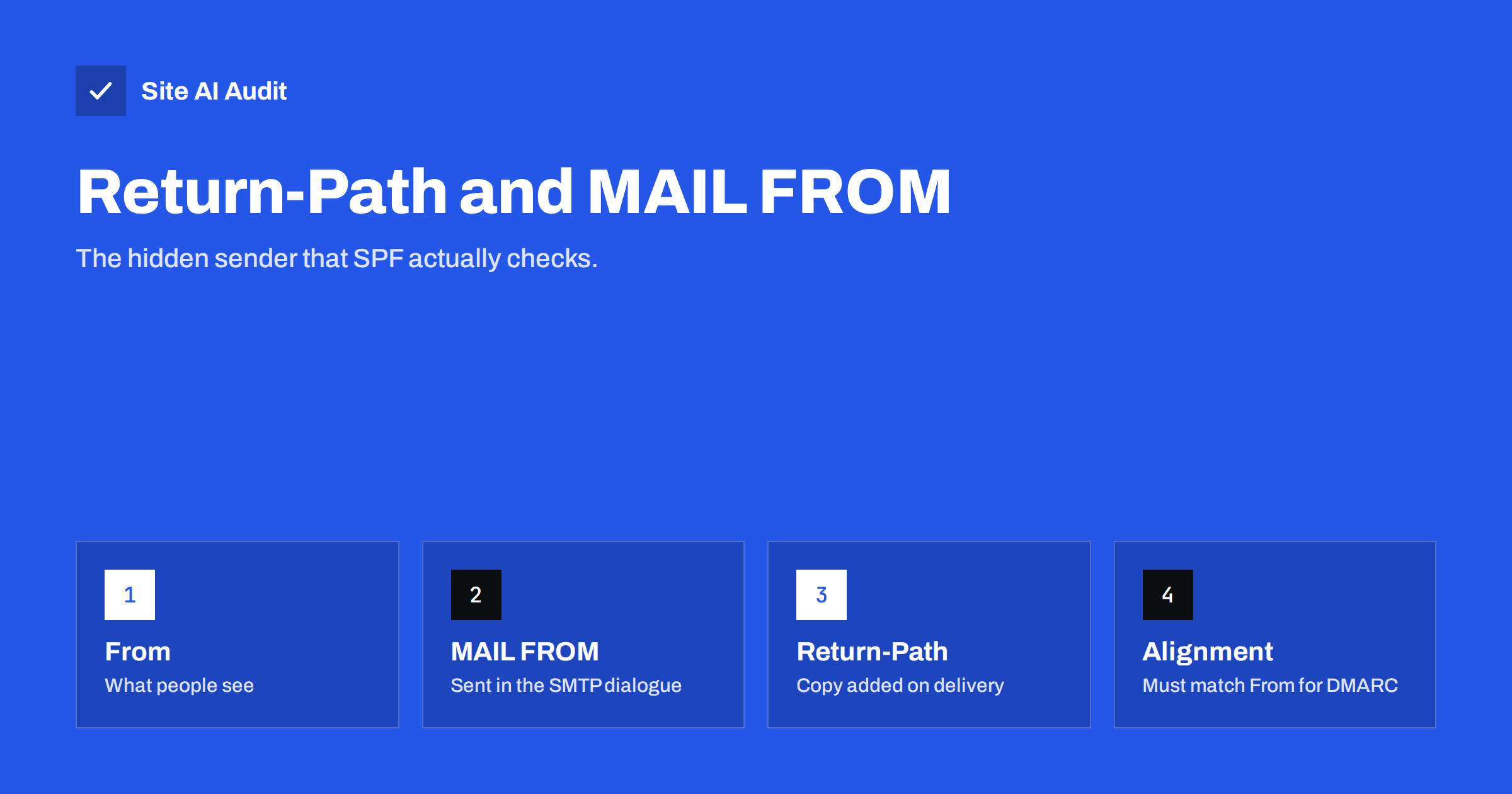
Short answer: Every email carries two sender addresses. The From address is the one people see. The MAIL FROM address, also called the envelope sender, is given to the receiving server during delivery and is used for bounces and for SPF checks. The receiving server stores it in a header called Return-Path. For DMARC to pass through SPF, the domain in Return-Path must align with the domain in From, so a mismatch is a frequent reason why authenticated mail still fails DMARC.
Two addresses on one message
A paper letter is a good comparison. The letter inside has a sender name at the top. The envelope has a return address, which the postal service uses if it cannot deliver the letter. The two often match, but they do not have to.
Email works the same way. Your mail program shows the From header, the name and address inside the message. Behind the scenes, the sending server opens a conversation with the receiving server and says, in effect, “I have a message from this address for that recipient”. The first address in that conversation is MAIL FROM. It is separate from the visible From header and is never shown in the inbox.
When the message is accepted, the receiving server writes the MAIL FROM value into the top of the message as a Return-Path header. That is why you can find it by viewing the full headers of any email you received. Our guide to reading email headers shows where to look.
What the Return-Path is used for
The envelope sender has three main jobs.
- Bounces. If a message cannot be delivered, the failure notice goes to the MAIL FROM address, not to the From header. Large senders use a special address for each message so that they can track which recipient bounced.
- SPF checks. SPF, the record that lists which servers may send for a domain, is checked against the domain in MAIL FROM. If the envelope sender is empty, the check uses the server’s HELO name instead.
- Reputation signals. Receivers watch bounce rates and other behaviour per sending domain. The Return-Path domain is one of the identities they remember.
Bounce messages themselves use an empty envelope sender, written as <>. This prevents two servers from bouncing messages back and forth endlessly. Our article on backscatter explains what goes wrong when bounces are sent to forged addresses.
How this connects to SPF and DMARC
SPF is easy to misunderstand because it does not look at the address people see. It looks at the envelope sender. You can read the basics in our SPF record guide.
DMARC then adds a rule: the identity that passes SPF or DKIM must align with the From domain. For SPF, this means the domain in Return-Path must match the From domain. Two modes exist.
- Relaxed alignment (the default) accepts a match on the organizational domain. A Return-Path of bounce.example.com aligns with a From address at example.com.
- Strict alignment requires the exact same domain.
If you want more detail on those modes, see our article on DMARC alignment.
DMARC passes when either SPF or DKIM passes with alignment. A message can pass SPF and still fail the alignment test, and that is where most surprises come from.
The common problem: a provider’s bounce domain
When you send newsletters, invoices or shop emails through a third-party service, the service usually sets the MAIL FROM address to its own domain, so that it can collect bounces. The message says From: [email protected], but the envelope sender is something like [email protected].
The result is:
- SPF passes, because the sending server is authorised for the provider’s domain.
- SPF is not aligned, because the provider’s domain is not your domain.
- DMARC then depends entirely on DKIM. If the provider signs with your domain, DMARC passes. If it signs with its own domain, DMARC fails.
This is why a test email can show “SPF: pass” and still land in spam or be rejected under a strict DMARC policy. The fix is in your provider’s settings. Our guide on authenticating third-party email senders covers the full setup.
How to set up a custom Return-Path
Most good sending services let you use your own domain or subdomain for the envelope sender. The process is similar everywhere.
- Open the domain authentication section of the service.
- Choose a subdomain for bounces, for example bounces.yourdomain.com or mail.yourdomain.com.
- Add the DNS records the service gives you. Often this is a CNAME that points the subdomain to the provider, and sometimes an MX and a TXT record.
- Wait for the records to be detected and confirm the status in the dashboard.
- Send a test message to a mailbox you control and look at the headers. The Return-Path should now use your domain.
Use a subdomain and not your main domain. That keeps bounce traffic and its reputation separate from your normal mail, and it avoids conflicts with the MX records of your mailboxes.
Troubleshooting checklist
- Send a test message and open the full headers.
- Note the domain in Return-Path, the domain in From and the domain in the DKIM signature d= tag.
- Look at the Authentication-Results header. It shows spf=pass or fail, dkim=pass or fail and dmarc=pass or fail.
- If SPF passes for a different domain than From, set up a custom Return-Path or make sure DKIM is aligned.
- If SPF fails, check that the sending server is listed in the record of the Return-Path domain, not of the From domain.
- If DKIM fails or is missing, fix that first. It survives forwarding, while SPF does not. See our DKIM setup guide.
Forwarding is another special case. When a message is forwarded, the new server often keeps the old envelope sender, which then fails SPF at the final receiver. DKIM and a technique called SRS help here, as explained in our article on forwarding, SRS and ARC.
A worked example with real headers
Suppose a customer receives an invoice from [email protected], sent by an invoicing service. In the full headers you might find these three lines, simplified:
- Return-Path: the address [email protected]
- From: Example Ltd, [email protected]
- Authentication-Results: spf=pass for mail.invoicing-service.test, dkim=pass for example.com, dmarc=pass
Here the Return-Path domain differs from the From domain, so SPF is not aligned. DMARC still passes because the DKIM signature uses example.com. This is a healthy result. If the DKIM line said “dkim=pass for invoicing-service.test”, DMARC would fail, and mail could be rejected once your policy moves to reject. One look at three lines shows which part to fix, and it takes less than a minute.
Bounce handling and your sender reputation
The envelope sender is also how bounces return to the system that sent the message. Good sending services use a unique bounce address for each message, a technique known as VERP, so that they can tell exactly which recipient bounced and remove that address from the list. This protects your reputation, because repeated sending to invalid addresses is a strong signal of a careless sender. Our guide to email bounce codes explains how to read the reasons.
If you send mail from your own server or a website plugin, make sure bounces arrive in a mailbox that someone reads. A catch-all that silently deletes bounces hides list problems for months. When bounces go to the website host, check the address regularly and remove recipients that fail repeatedly.
What Site AI Audit can and cannot tell you
Site AI Audit checks the email records of your domain: SPF and its lookup limit, DKIM signatures, the DMARC policy and MX records. It does not send a message through your providers and therefore cannot see the Return-Path they use; only a real test email and its headers can show that. The audit does confirm whether the base records exist and whether your DMARC policy is in place, which is the foundation for the alignment checks above. You can run a free check of your domain or see the plans.
Related reading
- SPF Record Explained: What It Does and How to Set It Up
- DMARC Alignment Explained: Relaxed vs Strict Mode
- How to Authenticate Third-Party Email Senders for Your Domain
- How to Read Email Headers to Check SPF, DKIM and DMARC
The bottom line
The Return-Path is the hidden sender address that handles bounces and decides how SPF is checked. DMARC needs that domain, or the DKIM signing domain, to match your visible From domain. If your provider uses its own bounce domain, set up a custom Return-Path on a subdomain or make sure DKIM aligns, and confirm the result in the headers of a real test email.
FAQ
Is Return-Path the same as the From address?
No. From is the visible address chosen by the sender. Return-Path is the envelope sender used for bounces and SPF. They can be the same, but often differ with third-party services.
Where can I see the Return-Path?
Open the full headers or “show original” of a received message and look for the Return-Path line near the top. The Authentication-Results header shows the SPF result for that domain.
Why does SPF pass but DMARC fail?
SPF may have passed for the provider’s bounce domain, which is not aligned with your From domain. DMARC needs an aligned SPF or an aligned DKIM pass.
Do I need a custom Return-Path?
It is strongly recommended for any service that sends in volume for your domain. If DKIM is aligned, DMARC passes without it, but a custom Return-Path also improves consistency.
Why do some messages have an empty Return-Path?
Bounce and automatic notification messages use an empty envelope sender on purpose, to avoid endless loops between mail servers.