ENEnglish
 LTLietuviškai
 DEDeutsch
 FRFrançais
 RUРусский
 ESEspañol
 PLPolski
 ITItaliano
 UKУкраїнська
 CSČeština
 PTPortuguês
 JA日本語
JA日本語 LVLatviešu valoda
 ETEesti
 HUMagyar
 IDBahasa Indonesia
 TRTürkçe
 HIहिन्दी
 ELΕλληνικά
 ARالعربية
 THไทย
THไทย VITiếng Việt
 RORomână
 MSBahasa Melayu
 BNবাংলা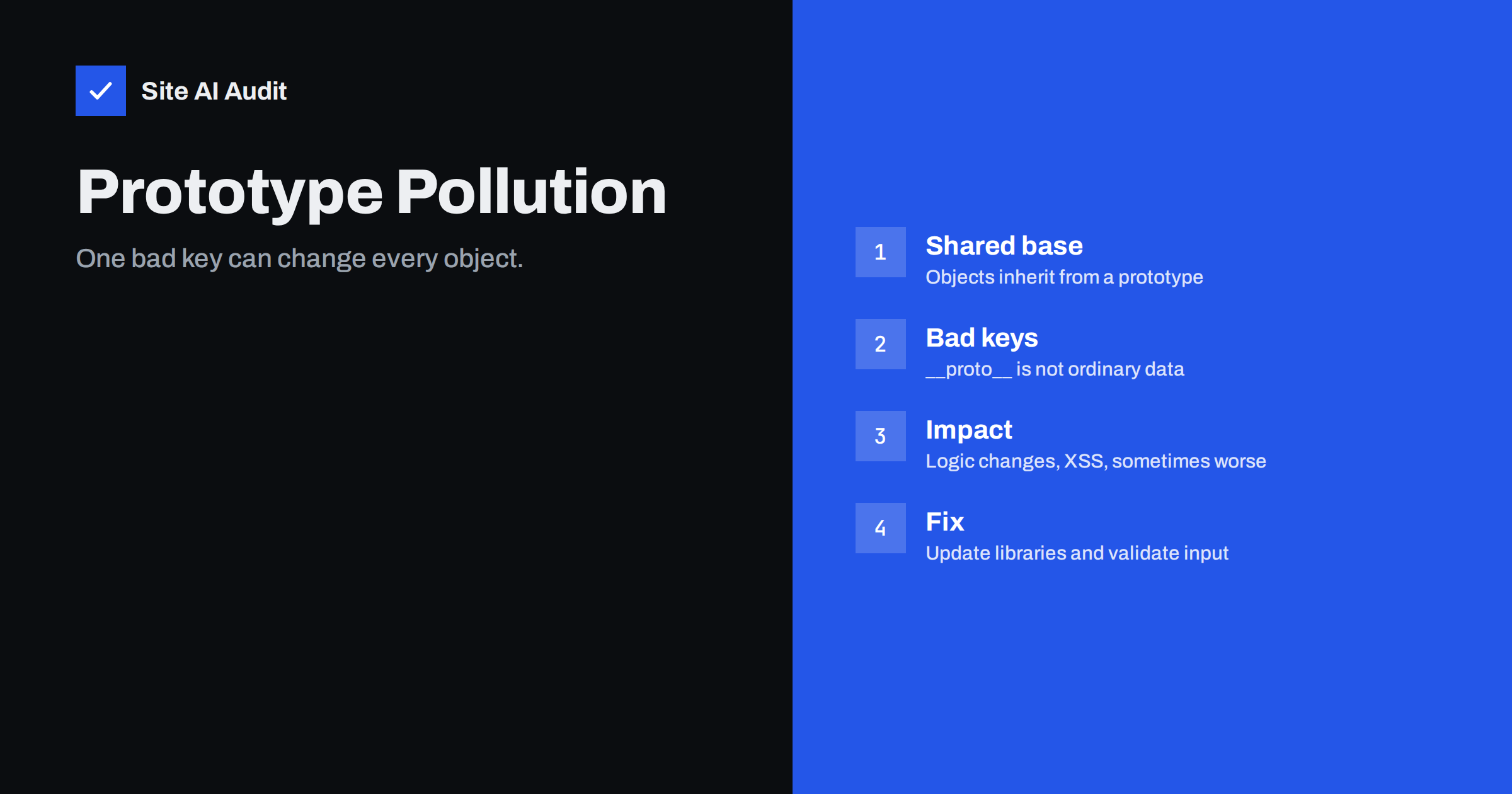
Short answer: Prototype pollution is a flaw in JavaScript code in which an attacker adds or changes properties on the shared prototype that almost every object inherits from. Because the change spreads to objects the code never touched, it can break logic, bypass checks or open the way to cross-site scripting, and in some server-side Node.js applications it can lead to much worse. Most site owners reduce the risk by keeping libraries up to date, not trusting input keys and asking developers to test for it.
A quick look at JavaScript objects
To understand the flaw, you need one idea about how JavaScript works. Almost every object has a hidden link to another object called its prototype. When you ask an object for a property it does not have, JavaScript looks at the prototype, then at the prototype’s prototype, and so on until it reaches the end of the chain. This is how simple objects get shared methods such as toString without every object carrying its own copy.
At the top of the chain sits a base prototype that most ordinary objects share. If something adds a new property to that shared object, every object that inherits from it appears to have the property too. That is convenient when it is intended. It is dangerous when an attacker controls what gets added.
What prototype pollution means
Pollution happens when code takes data from an outside source, for example a URL query, a JSON body or a form field, and copies it into an object without checking the key names. Some key names are special. A key called __proto__, or a path through constructor and prototype, does not create a normal property. It points at the shared prototype itself. If a merge or copy routine follows that path blindly, the attacker’s value lands on the shared object.
From that moment, objects that never held the value start to report it. An empty settings object may suddenly appear to contain an option that the attacker chose. The code that reads such an option believes it is reading its own default, so it does not question it.
Where it appears
The flaw is most often found in a few typical places.
- Deep merge and extend functions. Helpers that combine two objects recursively are the classic source. Several widely used libraries have had advisories of this kind in the past, and fixes were released.
- Query string and form parsers. Parsers that turn a path such as a[b][c]=1 into nested objects can be tricked into creating a nested path that reaches the prototype.
- Configuration loaders. Code that merges user settings into defaults.
- Client-side scripts. Frameworks, widgets and tag scripts running in the browser, which read options from the page address.
- Server-side Node.js applications. Backends that merge request data into internal objects.
A typical WordPress or small business site is not custom JavaScript from end to end, but it still loads many scripts from themes, plugins and third parties. Any of them may bundle an outdated library with a known weakness.
What an attacker can do
The impact depends on how the application uses the polluted object. Researchers describe a few common outcomes.
- Changing application logic. If code checks whether an object has a property such as isAdmin, a polluted prototype can make the check pass for everyone.
- Cross-site scripting. In the browser, a script may read a polluted option and use it to build part of a page. If that option ends up in the HTML, the attacker can run script in the visitor’s session. The article on cross-site scripting explains what that allows.
- Denial of service. Overwriting a method that the application relies on can cause errors or crashes.
- Remote code execution on the server. In some Node.js applications, polluted values have reached functions that run commands. This is rarer and depends on the code involved, but it is the reason the flaw is taken seriously.
The attacker rarely gets everything from the pollution alone. Usually a second piece of code, sometimes called a gadget, must read the polluted value and do something risky with it. That is why two applications with the same flawed library can have very different levels of risk.
A simple example in words
Imagine a page script that reads options from the address, such as a theme colour, and merges them into a settings object. A visitor opens a link that includes a key pointing at the prototype, with a value of their choosing. The merge routine copies the value onto the shared prototype instead of onto the settings object. Later, a different part of the page checks a setting that is missing from its own object, falls back to the prototype and finds the attacker’s value there.
The harm depends entirely on what that other part of the page does with the value. If it only picks a colour, little happens. If it writes the value into the page as HTML, or uses it to decide who may see a screen, the result is serious. This is why security reviews look at both the place where data is merged and the places where defaults are read.
Signs and ways to find it
Pollution rarely announces itself. Teams usually find it through a dependency audit that flags a known library flaw, through a security scanner that tests special keys in query strings and bodies, or through odd behaviour that cannot be reproduced after a restart. On a server, a restart clears the polluted prototype, which can hide the problem. In a browser, the effect lasts until the page is reloaded, so the attacker has to deliver the harmful link to each visitor.
For a small business site, the practical checks are simple. Keep a list of the scripts your pages load, note their versions, and compare them with the vendors’ release notes. Remove anything that is no longer maintained. If you run a custom web application, add automated tests that send keys such as __proto__ and confirm that nothing inherits them afterwards.
How developers prevent it
If you work with a developer, these are the measures to ask about.
- Update dependencies. Most known cases are fixed in newer versions of the affected libraries. Running the package manager’s audit command shows known advisories.
- Reject dangerous keys. Merge and parse routines should skip names such as __proto__, constructor and prototype.
- Use safer data structures. A Map stores keys without inheritance problems, and an object created with no prototype has nothing to pollute.
- Validate input against a schema. Accept only the fields and types you expect, and drop the rest.
- Freeze or harden the base prototype. Some teams lock the shared object so that it cannot be changed at run time. This needs testing, because some libraries expect to extend it.
- Test for it. Include prototype pollution checks in code review and in automated security tests.
What site owners can do
You do not need to read code to lower the risk. Start with the basics.
- Update your CMS, theme and plugins, and remove the ones you do not use. Many bundled JavaScript libraries are patched through ordinary updates.
- Look for old scripts that your pages still load. The guide to outdated JavaScript libraries shows how to find them and decide what to replace.
- Use a strict content security policy to reduce the damage if a script is abused, as described in the content security policy guide.
- Avoid loading unknown third-party scripts, and review those you keep.
- Ask your developer or agency whether custom code merges request data into objects, and whether dependency audits are part of the release process.
How Site AI Audit helps
Site AI Audit does not test your application code for prototype pollution, and a report from any simple website checker cannot replace a code review. What it does show are the surrounding basics that make attacks harder: security headers, SSL, exposed software versions and the configuration of your pages, ranked by impact and explained in plain words. The first check is free, covers up to 50 pages and needs no sign-up. You can run a free check of your website or see the plans for regular monitoring.
Related reading
- Cross-Site Scripting (XSS) Explained for Website Owners
- Outdated JavaScript Libraries: Why Old jQuery Is a Risk
- Insecure Deserialization Explained in Plain Language
- Website Security Audit Checklist: What to Check and in What Order
The bottom line
Prototype pollution turns a small mistake in how objects are merged into a change that reaches the whole application. The cause is usually old or careless code that trusts key names from outside. The remedy is practical: update libraries, refuse dangerous keys, use safer data structures and test for the flaw. For most site owners, the best defence is steady maintenance and a short list of scripts that you understand and trust.
FAQ
Is prototype pollution only a Node.js problem?
No. It affects server-side Node.js applications and also scripts that run in the browser. The risks differ, because browser cases usually lead to cross-site scripting, while server cases can affect the whole application.
Can I tell if my website is affected?
Not from the outside by looking at the page. Check which JavaScript libraries and plugins you use, update them, and ask a developer to run dependency audits and security tests.
Does updating WordPress fix it?
Updates help because themes and plugins often bundle JavaScript libraries and fix known issues. They do not cover custom code that merges input into objects unsafely.
Is it the same as cross-site scripting?
No, but the two are linked. Pollution changes the data a script relies on, and in a browser that can lead to script injection. They are separate weaknesses with different fixes.
Will a firewall block it?
A web application firewall may catch some obvious attempts, but it is not a complete answer. The reliable fix is correct code and up-to-date libraries.