ENEnglish
 LTLietuviškai
 DEDeutsch
 FRFrançais
 RUРусский
 ESEspañol
 PLPolski
 ITItaliano
 UKУкраїнська
 CSČeština
 PTPortuguês
 JA日本語
JA日本語 LVLatviešu valoda
 ETEesti
 HUMagyar
 IDBahasa Indonesia
 TRTürkçe
 HIहिन्दी
 ELΕλληνικά
 ARالعربية
 THไทย
THไทย VITiếng Việt
 RORomână
 MSBahasa Melayu
 BNবাংলা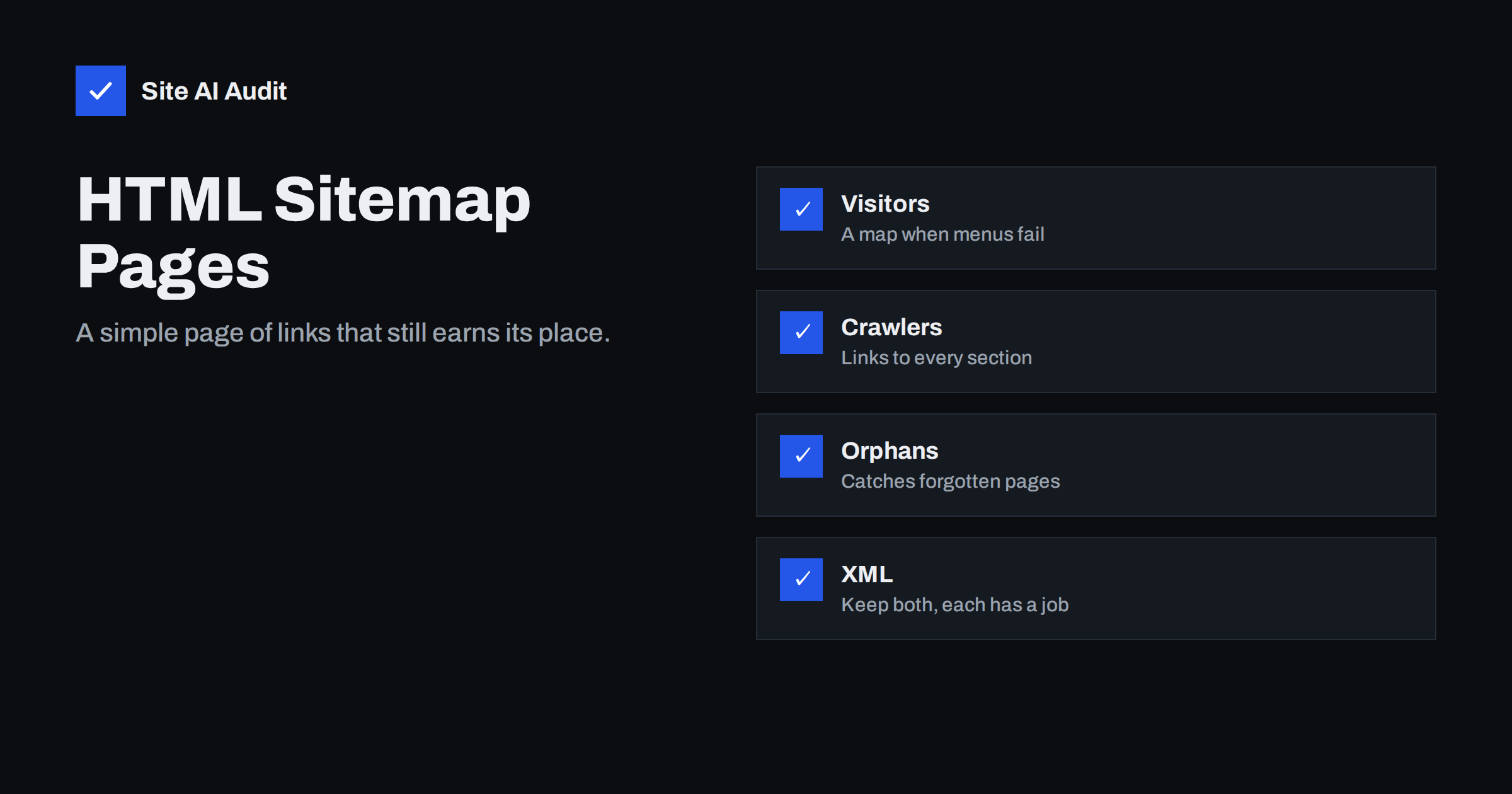
Short answer: An HTML sitemap is an ordinary page on your website that lists links to your main sections and pages. It is not a replacement for an XML sitemap, which is a file for search engines. For a small website with a clear menu it is optional. For a shop, a large blog or a site with deep sections it is still useful, because it gives crawlers a short path to every section and gives visitors a last resort when the menu does not help. Keep it simple, keep it current and link to it from the footer.
Two sitemaps, two jobs
The word sitemap describes two very different things, and much of the confusion around this topic comes from mixing them up.
An XML sitemap is a machine-readable file, usually at /sitemap.xml, that lists the addresses you want search engines to crawl. People do not read it. Search engines fetch it, compare it with what they already know and decide what to visit. Our XML sitemaps guide explains how to create and submit one.
An HTML sitemap is a normal web page, for example at /sitemap/, written for people. It lists your sections and important pages as plain links. Crawlers see it too, because it is a page like any other, but its main purpose is navigation and structure.
The XML file tells search engines what exists. The HTML page shows how things are connected. Both can exist on the same site without conflict.
What an HTML sitemap still does well
It is fair to ask whether a page of links is still worth the effort now that menus, search boxes and XML files do most of the work. In practice it still solves a few real problems.
- It gives every section an internal link. Search engines find and rank pages through links. A page that is listed in an XML file but linked from nowhere is a weak page. The HTML sitemap guarantees at least one link to each section, and ideally to each important page. See our guide to orphan pages for why that matters.
- It shortens the path to deep pages. On a shop with categories, subcategories and filters, a product can be five or six clicks from the homepage. One link from a sitemap page brings it within two clicks.
- It helps visitors who are lost. Menus on phones hide most of the structure. A visitor who cannot find the returns policy or the service area list often looks for a sitemap link in the footer.
- It documents your structure. Building the page forces you to look at your sections and notice duplicates, gaps and strange names. Many owners find pages they forgot existed.
When you do not need one
If your site has fewer than roughly 30 pages and every page is reachable from the menu or the footer in one or two clicks, an HTML sitemap adds little. Your menu already is the sitemap. The same is true for a one-page site or a small brochure site with five service pages and a contact page.
In those cases, spend the time on a clean menu, descriptive link text and a sensible footer instead. If you later add a blog with hundreds of posts, or a catalogue, revisit the decision.
Does an HTML sitemap improve rankings?
Not directly. There is no ranking boost for having a page called sitemap. The benefit is indirect and comes from internal linking: pages that are linked are discovered faster, crawled more often and understood better. If your site already has strong internal links, the sitemap page changes little. If it has weak or inconsistent linking, the sitemap page is a cheap fix that helps every section at once.
It also does not fix other problems. A page blocked by robots.txt, marked noindex or returning errors will not be indexed just because it is listed on a sitemap page. Check those issues first, using our checklist for pages not on Google.
How to build a good HTML sitemap page
- Decide the level of detail. For most sites, list sections and the main pages inside them. For a shop, list categories and subcategories, not every product. For a blog, list categories and perhaps the most recent or most important posts. A page with 5,000 links is hard to use and hard to crawl.
- Use headings and groups. Put a heading for each section, and the pages below it as a plain list. Visitors scan headings first.
- Write descriptive link text. Use the page titles or short versions of them. Avoid link text such as “click here” or “page 3”. Good link text helps both readers and search engines. Our anchor text guide covers the details.
- Keep it up to date. A sitemap that links to removed pages or misses new sections is worse than none. Most CMS platforms can generate the page automatically from your page tree, categories and menus.
- Link to it from the footer. A footer link on every page makes the sitemap easy to find and gives it internal links of its own.
- Let it be indexed. The page is harmless in search results and may occasionally be shown for navigational searches. Do not block it, but there is no need to promote it either.
Common mistakes
A few patterns turn a useful page into a problem.
Listing everything. A sitemap page with every product, tag and author archive becomes a long wall of links. It dilutes attention and can create thin pages if you split it across many sub-pages. List what matters.
Linking to pages you do not want indexed. If you link to internal search results, filtered pages or private areas, you invite crawlers to pages you have hidden elsewhere. Keep the page aligned with your indexing decisions. Our guides to the noindex tag and internal search pages explain which pages usually stay out.
Confusing it with the XML file. Submitting your HTML sitemap page to Search Console as a sitemap does nothing useful. Submit the XML file instead.
Generating it with a plugin and forgetting it. Automatic pages are fine, but check them after a redesign or a change of categories. Plugins sometimes list draft categories or old page types.
Hiding it. A sitemap that is only linked from one other obscure page does not help crawlers or visitors. Give it a footer link.
HTML sitemap, menu and footer: how they fit together
Think of the three as layers. The main menu holds the five to eight destinations most visitors want. The footer holds secondary pages: policies, contact, careers, support and the sitemap link. The sitemap page holds the full structure one level deeper than the menu. Each layer has a job, and none of them should try to do everything.
This layered approach keeps the menu short, which is good for mobile and for clarity, while still giving every section a reliable link. For a deeper discussion of linking strategy, see our internal linking guide.
A quick check for your own site
Open your site on a phone. Try to reach three pages that are not in the main menu, such as a specific service page, a blog category and a policy page. Count the taps. If it takes more than three taps, or if you have to use the search box, a sitemap page would help. Then look at your footer. If there is no sitemap link and no clear list of sections, add one.
Next, compare the pages in your XML sitemap with the pages linked from your menu, footer and sitemap page. Any address that appears only in the XML file is an orphan or near-orphan. Either link to it or ask whether it needs to exist.
Finally, crawl your own site with any crawler tool and look at click depth. Pages at depth five or more are the ones a sitemap page helps the most. A short, well grouped list of links can move them to depth two with no other changes.
For agencies that manage many client sites, a sensible default is to add a generated sitemap page to every site with more than a few dozen pages, link it from the footer and review it once a quarter. The cost is minutes, and it removes a whole class of discovery problems before they start.
What Site AI Audit can and cannot tell you
Site AI Audit crawls up to 50 pages of your site the way a search engine does and reports broken links, redirects, missing titles and pages blocked by robots.txt or noindex, together with your XML sitemap status. It does not tell you whether you need an HTML sitemap page, but the crawl results show the symptoms it fixes: pages that are hard to reach and sections with few internal links. You can run a free check of your website or compare the plans.
Related reading
- XML Sitemaps Explained: How to Create and Submit One
- Orphan Pages: How to Find Pages With No Internal Links
- Internal Linking for SEO: A Practical Guide for Small Sites
- Crawl Budget Explained: Does It Matter for Your Website?
The bottom line
An HTML sitemap is not a ranking trick and not a replacement for the XML file. It is a cheap way to guarantee that every section of your site has a link, to shorten the path to deep pages and to help lost visitors. Small sites with a clear menu can skip it. Shops, large blogs and sites with deep sections should have one, keep it current and link to it from the footer.
FAQ
Do I need both an XML and an HTML sitemap?
They do different jobs. The XML file tells search engines which addresses exist. The HTML page gives visitors and crawlers links through your structure. Small sites can skip the HTML page; larger ones benefit from both.
Should the HTML sitemap list every page?
Usually not. List sections, main pages and categories. For shops and large blogs, listing every product or post makes the page long and less useful. Keep it readable.
Where should I link to the sitemap page?
In the footer, on every page. That makes it easy to find and gives the page internal links, so crawlers reach it quickly.
Can an HTML sitemap hurt SEO?
Only if it links to pages you do not want indexed, lists removed pages or is split into dozens of thin sub-pages. A clean, current list of real pages is harmless and helpful.
Will Google index my HTML sitemap page?
It may. That is fine. The page is a normal part of your site. You do not need to block it, and you do not need to promote it.