ENEnglish
 LTLietuviškai
 DEDeutsch
 FRFrançais
 RUРусский
 ESEspañol
 PLPolski
 ITItaliano
 UKУкраїнська
 CSČeština
 PTPortuguês
 JA日本語
JA日本語 LVLatviešu valoda
 ETEesti
 HUMagyar
 IDBahasa Indonesia
 TRTürkçe
 HIहिन्दी
 ELΕλληνικά
 ARالعربية
 THไทย
THไทย VITiếng Việt
 RORomână
 MSBahasa Melayu
 BNবাংলা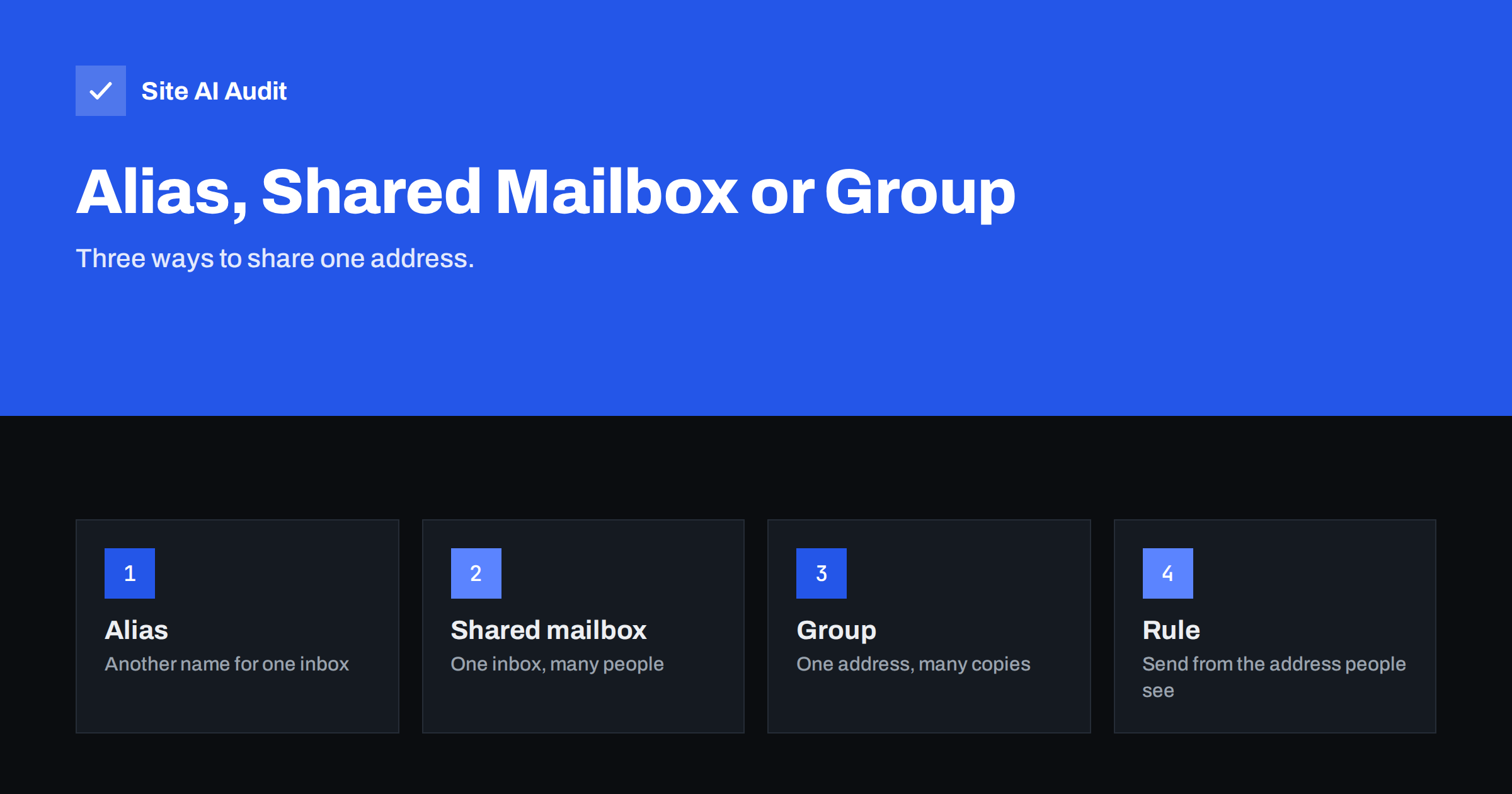
Short answer: An alias is an extra address that delivers into one existing mailbox, a shared mailbox is one inbox that several people open and answer from, and a group address copies each incoming message to many members. Use an alias to receive, a shared mailbox when a team must answer and track requests, and a group when people only need to be informed. Whichever you choose, make sure replies are sent from the same address that customers wrote to.
Why the difference matters
Small businesses usually start with one mailbox and a handful of addresses such as info, sales and support. Over time, more people need access. The mistake is to pick a solution because it was the first one offered in the admin panel, not because it fits the job. The wrong choice causes lost messages, replies from the wrong address and, sometimes, email that fails authentication checks and lands in spam.
The three options differ in a few simple ways: where the message is stored, who can answer, and which address appears in the From field of the reply. Once you understand those three points, the choice is usually obvious.
Aliases: one inbox, several names
An alias is simply another address that points to a mailbox that already exists. If Anna has the mailbox [email protected] and you add the alias [email protected], messages sent to either address arrive in the same inbox. Nothing new is stored, and no separate licence is normally needed.
Aliases are ideal for receiving. They let a customer write to a sensible role address while one person handles it. They are also useful for tracking where spam comes from, because you can give a different alias to each web form. The weak point is replying. If Anna answers a message sent to sales@ from her personal address, the customer sees a different sender than the one they wrote to. Most email systems let a user send from an alias, and you should turn that option on and teach people to use it.
One practical use is to separate topics without separating people. A small shop might give the same mailbox the aliases orders, returns and invoices, then create a filter for each so that the right messages go into the right folder. The customer sees a professional role address, and the owner keeps a single place to read everything.
Shared mailboxes: one inbox for a team
A shared mailbox is a real mailbox that several people can open. Everyone sees the same messages, and replies go out from the shared address. It suits a support or sales address where several colleagues answer, because everyone can see whether a message was already handled and nobody works from a private copy.
The main benefits are a single history, a clean handover when someone is away and no need to share a password. Shared mailboxes in the major business email systems are typically not meant for direct login with their own password, but are opened by members with their own accounts. The details and the licence rules differ between providers, so check your own plan. When someone leaves the team, you remove their access in one place, which is far safer than a shared password. Our article on offboarding access explains why that matters.
Agree on simple working rules from the start. Decide who answers within which time, how a message is marked as done, and what happens to messages that need a decision from the owner. Without such rules even a good shared inbox turns into a pile that everyone glances at and nobody owns.
Groups and distribution lists: copies for many
A group address, sometimes called a distribution list or a mailing group, takes each incoming message and delivers a copy to every member. There is no shared inbox. Each person has their own copy and can reply independently, which is the usual source of confusion: two colleagues answer the same customer with different texts, or nobody answers because everyone assumes someone else did.
Groups are best for announcements and internal lists, for example a staff address that reaches everybody, or a notification address for a monitoring system. They are a poor choice for customer support. If you do use a group for incoming requests, agree on a rule for who answers.
Keep an eye on the member list. People join and leave, and an outdated group can send internal messages to former staff or even to a stranger who now owns an old address. Review membership whenever someone changes role, and decide whether outsiders may write to the group, because open groups attract spam and are sometimes used to flood many inboxes at once.
What this means for email authentication
Authentication checks look at the server that sends the message, not at the way you set up the address. A shared mailbox or alias that sends through your normal email provider uses the same SPF record and DKIM signature as any other mailbox, so it passes when your records are correct. Our guide to SPF, DKIM and DMARC explains these checks.
Problems start with forwarding and groups. When a group forwards a message to outside addresses, the forwarding server is not the original sender, and strict DMARC policies can reject the copy. Our articles on forwarding, SPF, SRS and ARC and on mailing lists and DMARC failures describe how this happens and how modern systems reduce the problem. If your group forwards to personal addresses at other providers, test it before relying on it.
Choosing the right option
- One person receives under a role name: use an alias.
- Several people answer customers and need to see what has been handled: use a shared mailbox.
- Many people need the same information: use a group.
- A system sends alerts to the team: use a group, or a shared mailbox if someone must act and track the alert.
- You are not sure: start with a shared mailbox for anything customer-facing, because it is the easiest to hand over.
Avoid catch-all addresses for any of these jobs, because they collect large amounts of junk and invite abuse. Our article on the catch-all email address shows why.
It is fine to combine the options. A common and tidy pattern is a shared mailbox for support, an alias on the owner’s mailbox for invoices, and a group for the whole team. Write the pattern down, and new colleagues will find their way without asking.
Role addresses and sender names
Some addresses have a special meaning on the internet. Addresses such as postmaster and abuse are expected to exist and be read, as described in our guide to role addresses. Make sure they point to a place that is monitored, preferably a shared mailbox or a group that reaches the person who looks after the domain.
Keep the sender identity consistent. A customer who writes to support@ and receives a reply from a personal address may think the message is unrelated, or may reply to the wrong place. Set the display name and the reply address deliberately, following the advice in our guide to the From name and address.
Keep the setup documented
The best email structure is the one that someone else can understand. Keep a short list of every address, where it delivers, who can send from it and who is responsible. Review the list twice a year, remove addresses nobody uses and check that former employees no longer have access. A forgotten alias that still forwards to a departed colleague’s private address can leak customer messages and is easy to overlook.
How Site AI Audit helps
Site AI Audit checks the email records of your domain: SPF and its lookup limit, DKIM signatures, the DMARC policy and MX records. That covers the foundation under every alias, shared mailbox and group. It cannot see how you set up mailboxes inside your email provider, so keep the list described above yourself. You can run a free check of your website or see the plans.
Related reading
- Email Forwarding and Authentication: SPF, SRS and ARC Explained
- How to Authenticate Third-Party Email Senders for Your Domain
- Microsoft 365 Email Authentication: SPF, DKIM and DMARC Setup
- Google Workspace SPF, DKIM and DMARC Setup, Step by Step
The bottom line
Pick the tool that matches the job: an alias to receive under another name, a shared mailbox for a team that answers customers, and a group for spreading information. Send replies from the address people wrote to, test any forwarding to outside providers, and keep a short list of who has access. A tidy setup protects both your customers and your deliverability.
FAQ
Is an alias the same as a forwarding address?
Not exactly. An alias delivers into a mailbox on the same system. A forwarding address sends a copy to another place, often at another provider, which can raise authentication problems.
Can several people reply from a shared mailbox?
Yes. Replies go out from the shared address, and everyone with access sees the history. Check your provider’s rules for how members are granted access.
Does a group address affect spam filtering?
It can. When a group sends copies to outside addresses, the copies may fail strict authentication checks. Test delivery to a few different providers.
Which option is best for a support address?
A shared mailbox is usually best, because the team shares one history and nobody answers the same customer twice.
How many addresses should a small business have?
Only as many as it can look after. Create an address when someone is responsible for it, and remove it when nobody is.