 ENEnglish
 LTLietuviškai
 DEDeutsch
 FRFrançais
 RUРусский
 ESEspañol
 PLPolski
 ITItaliano
 UKУкраїнська
 CSČeština
 PTPortuguês
 JA日本語
 LVLatviešu valoda
 ETEesti
 HUMagyar
 IDBahasa Indonesia
 TRTürkçe
 HIहिन्दी
 ELΕλληνικά
 ARالعربية
 THไทย
 VITiếng Việt
 RORomână
 MSBahasa Melayu
 BNবাংলা
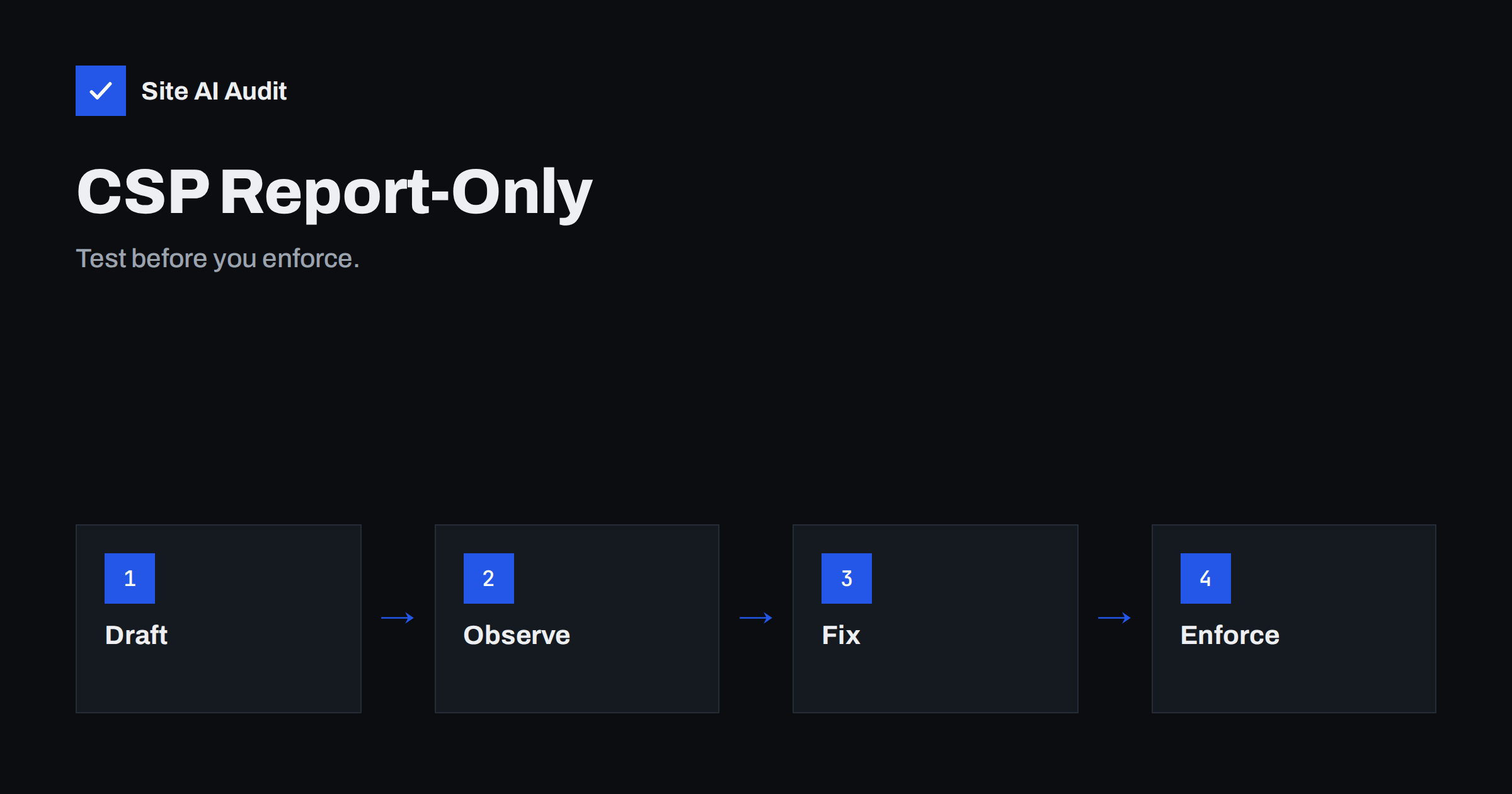
Short answer: A Content Security Policy limits which scripts, styles, images and frames a page may load, which blocks many injected-code attacks. Switching on a strict policy at once often breaks the site. Report-only mode solves this: the browser applies no restrictions, but it reports what would have been blocked. You review the reports, adjust the policy and enforce it only when it produces almost no new violations.
What a Content Security Policy does
A Content Security Policy, or CSP, is a response header in which your server tells the browser where the page may load content from. For example, scripts only from your own domain and one analytics service, images from your site and a CDN, and no framing of your pages by others. If an attacker manages to inject a script into a page, the browser refuses to run it because it does not come from an approved source. The general idea and the main directives are described in the guide to Content Security Policy.
The weakness of a CSP is that it is unforgiving. If a page loads a font from a forgotten domain, runs an inline script from a plugin or embeds a video from a service you did not list, the browser blocks it. Visitors then see missing images, broken menus or a form that does nothing.
What report-only mode is
To avoid breaking things, browsers support a second header, Content-Security-Policy-Report-Only. It carries the same kind of policy, but the browser does not enforce it. The page works as before. Whenever something would have been blocked, the browser records a violation and, if you asked for it, sends a report to an address you choose. You get a list of exactly what your policy would have broken, without a single unhappy visitor.
You can run the report-only header at the same time as an enforced policy. That allows you to test a stricter version while a looser one protects the site. Most CSP work is done in this way, over weeks, not in one afternoon.
Step 1: write a first draft
Start with a policy that describes what you believe the site uses. A typical draft for a small site might be:
Content-Security-Policy-Report-Only:
  default-src 'self';
  script-src 'self' https://www.googletagmanager.com;
  style-src 'self' 'unsafe-inline';
  img-src 'self' data: https:;
  font-src 'self';
  frame-ancestors 'self';
  report-uri /csp-report
Treat this as a starting point. The directive default-src sets the rule for anything not covered by a more specific directive. The directive frame-ancestors controls who may embed your pages, which also helps against clickjacking, see clickjacking protection. The report-uri value names an address that receives the reports, and a newer reporting mechanism with its own header exists as well. Check which one your browsers and tools support.
Step 2: collect and read the reports
Each report names the page, the directive that was violated and the blocked address, such as a script from a domain you did not list. You can receive these reports on a small endpoint of your own, in a log or with a reporting service. Reports contain a lot of noise: browser extensions inject scripts that are not yours, and some visitors have tools that modify pages. Ignore sources that clearly come from extensions, for example with addresses that start with chrome-extension.
Group the remaining reports by blocked source. Typical findings are:
- Analytics, advertising and chat services that you forgot about.
- Fonts and styles loaded from a third-party host.
- Inline scripts and styles added by plugins and themes.
- Embeds such as maps, videos and social media widgets.
- Old code that tries to reach services you no longer use.
Step 3: decide for each source
For every blocked source, ask three questions. Do I need it? Do I trust it? Can I limit it? If you do not need it, remove the code from the site, which also helps page speed, see third-party scripts and performance. If you need it, add its exact host to the right directive, not a wildcard for the whole internet. For inline scripts, the better solution is a nonce or a hash, which allows only specific blocks, rather than the keyword unsafe-inline, which cancels much of the protection. The guide to subresource integrity adds another layer for external files.
Keep a note of why each source is allowed. Months later, you will want to know whether an exception is still needed.
Step 4: repeat until it is quiet
After each change, reload several key pages, check the reports and look at new violations. Test the pages that use different features: the home page, an article with a video, the contact form, the shop checkout, the login. Many violations appear only on special pages. When the stream of new reports has dried up for a week or two, apart from extension noise, you are ready.
Step 5: enforce, but stay watchful
To enforce, rename the header from Content-Security-Policy-Report-Only to Content-Security-Policy. Keep the reporting address, so that you continue to see violations. Do the switch at a quiet time, watch the reports closely for a day and have a way to revert quickly. The configuration is added in your web server or CDN settings, as shown in adding security headers in Apache and Nginx.
A policy is never finished. Each time you add a new service, you update it first in report-only mode, then in the enforced header. Theme and plugin updates can introduce new inline code, which the reports reveal.
Plan for the people side of the project as well. A content security policy touches marketing, design and development, because each of them adds code to pages. Tell them that new scripts and embeds will be reported, and ask them to announce changes in advance. A short rule helps: before a new tool goes live, the person who adds it checks the reports and updates the policy. Without such a rule, enforced policies tend to break something the week after a campaign launch, and the usual response is to switch the policy off, which wastes all the earlier effort.
It also helps to understand the limits. A CSP does not fix vulnerable code, it only reduces what an attacker can do through it. It does not replace updates, input validation or good passwords. Think of it as a safety net: valuable, but only one layer of a sound defence, as the overview of small business website security explains.
A worked example
A small shop on WordPress starts a report-only policy with the draft above. Within a day the reports show seven blocked sources: the payment provider’s script, two font files from a font service, a chat widget, a video embed, a review plugin and an old tracking script from a service the owner stopped using years ago. The owner removes the old script, adds the payment provider and the chat widget to script-src and the video host to frame-src, and moves the fonts to the shop’s own server. Inline styles from the theme stay allowed for now. Two weeks later only extension noise remains, and the owner enforces the policy. A month after that, an outdated plugin is found to contain a flaw that lets visitors inject script, but the policy stops the script from running, giving time to update the plugin.
If you use a content delivery network or a security plugin, find out whether it can add headers for you. Many offer a simple switch for security headers, but the default policies are generic. A generic CSP is rarely correct for a specific site, so use such options for the simple headers and write the content policy yourself, with the help of the reports. Also remember that headers can differ between pages: the checkout, the admin area and the blog often need different rules, and a single global policy may be too loose for one and too strict for another.
Common mistakes
- Enforcing a policy copied from another site without testing.
- Allowing everything with https: or wildcards, which gives little protection.
- Leaving unsafe-inline and unsafe-eval in place forever.
- Testing only the home page.
- Collecting reports and never reading them.
- Forgetting that a CDN or caching layer may add or strip headers.
Before you start, check which security headers your site sends today. Run a free check with Site AI Audit and read the security section of the report.
Related reading
- HTTP Security Headers Explained: What Each One Does
- Cross-Site Scripting (XSS) Explained for Website Owners
- Embedding Third-Party Iframes Safely: The sandbox Attribute
- Permissions-Policy Header: Control Camera, Location and More
The bottom line
Report-only mode lets you learn what your policy would break without risking your visitors. Start with a draft, read the reports, allow what you need, remove what you do not, and enforce when the reports go quiet. Then keep maintaining the policy as your site changes.
FAQ
Can I use report-only and an enforced policy together?
Yes. Many sites enforce a looser policy and test a stricter one in report-only mode at the same time.
Does report-only mode protect my site?
No. It only reports. Protection starts when you enforce the policy.
Why do I get reports from pages I do not recognise?
Browser extensions and some security tools inject scripts into pages, which triggers violations. Filter out those sources when you analyse the reports.
Is unsafe-inline acceptable?
It weakens the policy for scripts, so avoid it there if you can. For styles it is a common compromise on small sites that cannot yet remove inline styling.
Will a CSP slow down my site?
The header is tiny and the checks are fast. The effect on speed is negligible compared with the benefit.


