 ENEnglish
 LTLietuviškai
 DEDeutsch
 FRFrançais
 RUРусский
 ESEspañol
 PLPolski
 ITItaliano
 UKУкраїнська
 CSČeština
 PTPortuguês
 JA日本語
JA日本語 LVLatviešu valoda
 ETEesti
 HUMagyar
 IDBahasa Indonesia
 TRTürkçe
 HIहिन्दी
 ELΕλληνικά
 ARالعربية
 THไทย
THไทย VITiếng Việt
 RORomână
 MSBahasa Melayu
 BNবাংলা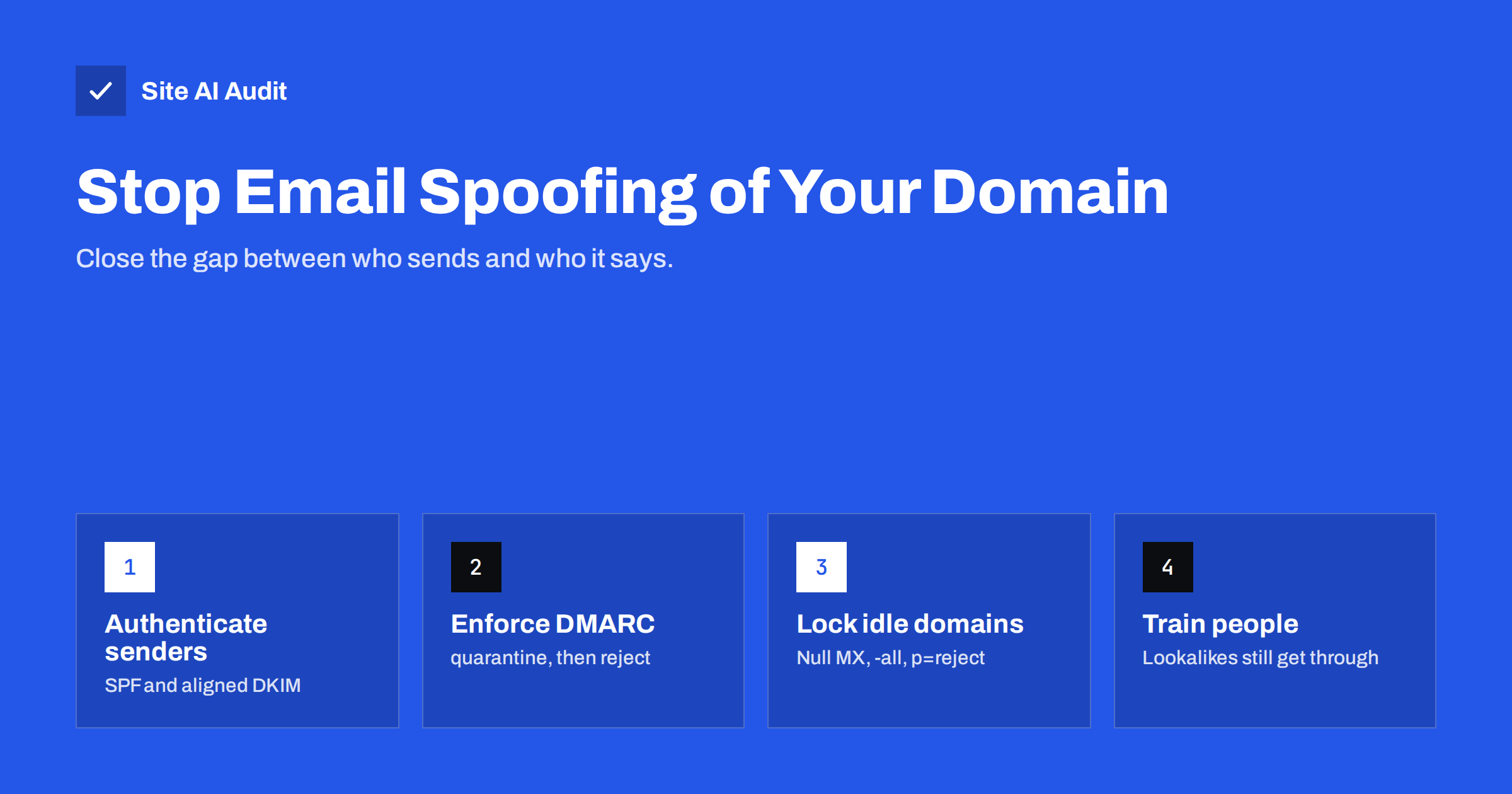
Short answer: Email spoofing works because the basic e-mail protocol lets anyone write any address in the From field. You stop direct spoofing of your domain by publishing SPF, signing all legitimate mail with DKIM for your domain, and publishing a DMARC record with an enforcing policy (p=quarantine or, ideally, p=reject). DMARC cannot stop lookalike domains or display-name tricks, so combine it with staff awareness and payment verification procedures.
How spoofing actually works
An e-mail message has an envelope, used by servers to route it, and a header, which your mail program displays. The SMTP protocol that moves mail between servers was designed without any requirement that these fields be truthful. A criminal can run a mail server, or rent one, and send a message with From: [email protected] without ever touching your systems.
Whether that message reaches the victim depends on the receiving server. If your domain publishes no authentication records, the receiver has no reliable way to tell a forged message from a real one. It will judge the message on other signals, and a well-crafted invoice or payment request can easily pass.
Spoofing is used in several ways that matter to businesses:
- Invoice and payment fraud: a fake message from your accounts department asks a customer to pay to a new bank account.
- Phishing your own staff: a message “from IT” asks employees to log in on a fake page.
- Brand abuse: spam campaigns use your domain to look trustworthy, and the complaints and bounces come back to you.
- Backscatter: bounces for spam you never sent flood your mailbox because your domain was used as the sender.
Three kinds of impersonation
Not every fake message uses your real domain. It helps to separate three types, because the defences differ:
| Type | Example | Stopped by DMARC? |
|---|---|---|
| Exact-domain spoofing | [email protected] sent from a criminal’s server | Yes, with an enforcing policy |
| Lookalike domain | [email protected] or yourcornpany.com | No; the criminal owns that domain and can authenticate it |
| Display-name spoofing | “Your Company Billing” <[email protected]> | No; the address is not your domain |
DMARC is the right tool for the first type and a prerequisite for dealing with the others, because once exact-domain spoofing stops, attackers are pushed to less convincing methods that people and filters can catch more easily.
Step 1: know every legitimate sender
You cannot tell receivers to reject unauthenticated mail until all your own mail is authenticated. Make a list of every system that sends with your domain in the From address: the mailbox provider, the website and shop, the newsletter platform, CRM, helpdesk, invoicing, booking, HR and payroll tools, and devices such as scanners. For each, note who manages it and whether it supports DKIM with your domain.
This step is where most spoofing projects stall, because no single person knows all the tools. DMARC reports, described in the next steps, fill the gaps by showing every source that actually sends as your domain.
A simple spreadsheet is enough. Useful columns are: the service name, what kind of mail it sends (internal, customer notifications, marketing), the From addresses it uses, whether it uses your domain or its own in the envelope sender, the DKIM selector it signs with, and the person responsible. The same list later answers questions such as “can we switch off this old tool?” and “who needs to be told before we change DNS provider?”. Keep it next to your DNS records, and update it whenever a department starts using a new service that sends mail.
Step 2: publish SPF and set up DKIM everywhere
Publish a single SPF record that includes your mailbox provider and any service that uses your domain in the envelope sender, and keep it within ten DNS lookups. Then set up DKIM for your domain in every sending service. DKIM matters more than SPF for spoofing protection, because it survives forwarding and gives each service its own key.
After each setup, send a test message and check the headers for dkim=pass with your domain in header.d. A pass for the vendor’s domain does not help: it will not align with your From address.
Step 3: publish DMARC and read the reports
Publish v=DMARC1; p=none; rua=mailto:[email protected] at _dmarc. For two to four weeks, receivers send you daily summaries of the mail they saw using your domain. Sort the sources into three groups: legitimate and passing, legitimate but failing, and unknown. Fix the failing legitimate ones. The unknown sources with failing results are, in many cases, exactly the spoofing you want to stop.
Pay particular attention to sources that send a steady volume and fail only because of alignment. These are usually your own tools, configured with the vendor’s default settings, and they need fixing before enforcement.
Seeing spoofing attempts in the reports can be alarming the first time. It is normal: almost every domain with some public presence is used by spammers now and then. The reports simply make it visible.
Step 4: enforce the policy
When your legitimate sources pass consistently, change the policy to p=quarantine. Receivers that follow DMARC will now send failing messages to spam. Watch reports and user feedback for a couple of weeks, then change to p=reject, which tells receivers to refuse spoofed messages outright.
Enforcement does not change anything for mail that passes. Your staff and customers will not notice the switch, provided the legitimate sources were fixed first. What changes is the fate of forged messages: at the large mailbox providers and many company mail systems, they no longer reach the recipient’s inbox.
Only enforcement protects you. A record with p=none satisfies some checklists and gives you data, but spoofed mail is delivered exactly as before. Also check the subdomain policy: by default subdomains inherit p, and you can set sp=reject explicitly so that invoices.yourdomain.com cannot be used either.
Step 5: protect domains you do not use for mail
Criminals like domains that look official but are not watched: old brand names, country variants and campaign domains. For every domain that never sends mail, publish:
- SPF:
v=spf1 -all(no server is allowed to send) - DMARC:
v=DMARC1; p=reject;(reject everything that claims to be from here) - Optionally a null MX record (
MX 0 .) if the domain receives no mail either
These three records take minutes to add and remove the domain from an attacker’s toolbox. Do not forget subdomains that once had mail, such as an old mail. or shop. host.
What DMARC cannot do, and what to do instead
For lookalike domains and display-name tricks, technical records on your domain do not help. Practical defences include:
- Payment verification rules: any change of bank details is confirmed by phone using a number already on file, never one from the message.
- Clear communication to customers: tell them your bank details never change by e-mail, and publish that statement on invoices.
- External sender warnings: most business mail platforms can tag messages from outside the organisation, which makes a fake “internal” message stand out.
- Monitoring for lookalike registrations: some registrars and security services alert you when similar domains are registered.
- Staff awareness: short, regular reminders about urgent payment requests and login links work better than a single annual training.
BIMI, which can show your logo next to authenticated messages in supporting inboxes, is another visible signal for recipients, and it requires DMARC enforcement to work.
Checking your protection from outside
You can check the published side of spoofing protection without logging in anywhere: does the domain have SPF, does DMARC exist, and does it enforce? Site AI Audit’s e-mail checks cover SPF and its lookup limit, DKIM, the DMARC policy and MX records, and a missing or non-enforcing DMARC record is reported with a plain explanation of the risk and the fix. Run a free check on your main domain and on any secondary domains you own; paid plans monitor the records so that a policy accidentally weakened during DNS work is caught.
Related reading
- DMARC Explained: Policies, Alignment and a Safe Rollout
- How to Read DMARC Aggregate Reports Without Getting Lost
- SPF vs DKIM vs DMARC: What Each One Does and Why You Need All
The bottom line
Anyone can forge your From address unless your domain tells receivers not to accept it. Authenticate every legitimate sender with SPF and aligned DKIM, publish DMARC, use the reports to fix gaps, and move to p=reject. Lock down unused domains with strict records, and handle lookalike and display-name fraud with payment procedures and awareness.
BUJ
How can someone send e-mail from my domain without my password?
The e-mail protocol does not require the sender to own the From address. Without SPF, DKIM and an enforcing DMARC policy, receiving servers cannot reliably tell a forged message from a real one.
Does SPF alone stop spoofing?
No. SPF checks the hidden envelope sender, not the visible From address. DMARC is needed to connect SPF and DKIM results to the address people see and to tell receivers to reject failures.
Is p=none enough to stop spoofing?
No. With p=none, receivers deliver failing messages as usual and only send you reports. Protection starts with p=quarantine and is strongest with p=reject.
Can DMARC stop lookalike domains?
No. A lookalike domain belongs to the attacker, who can publish valid records for it. Payment verification procedures, external sender tags and staff awareness address that risk.
Why am I receiving bounces for e-mails I never sent?
Your domain is probably being used as the sender in spam, and the bounces return to you. Enforcing DMARC reduces how much of that spam is accepted and therefore how many bounces you get.
Do parked domains need SPF and DMARC?
Yes. Publish v=spf1 -all and a DMARC record with p=reject so unused domains cannot be used convincingly in spoofed messages.


