ENEnglish
 LTLietuviškai
 DEDeutsch
 FRFrançais
 RUРусский
 ESEspañol
 PLPolski
 ITItaliano
 UKУкраїнська
 CSČeština
 PTPortuguês
 JA日本語
JA日本語 LVLatviešu valoda
 ETEesti
 HUMagyar
 IDBahasa Indonesia
 TRTürkçe
 HIहिन्दी
 ELΕλληνικά
 ARالعربية
 THไทย
THไทย VITiếng Việt
 RORomână
 MSBahasa Melayu
 BNবাংলা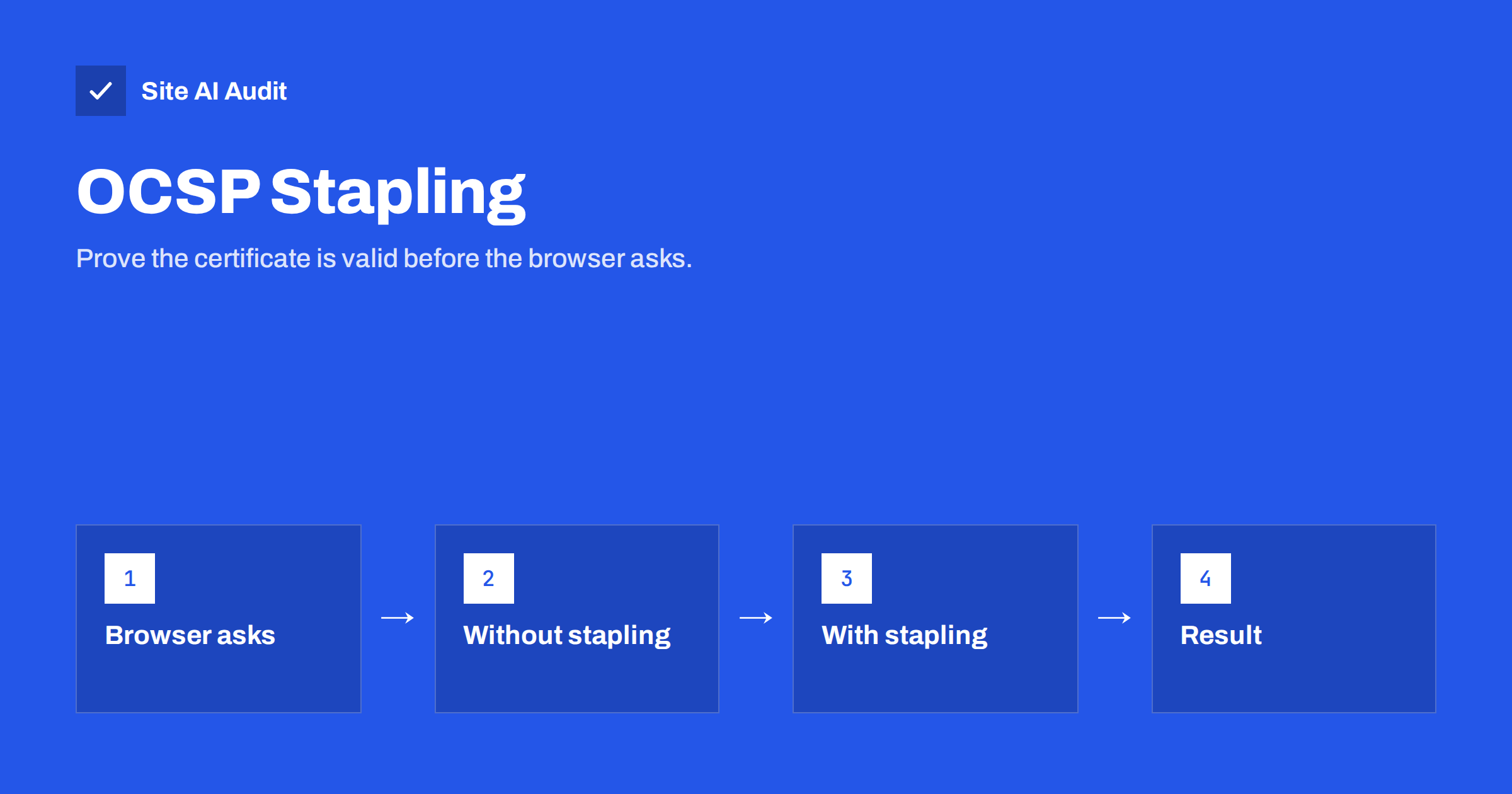
Short answer: When a browser connects to your site over HTTPS, it may want to check whether your certificate has been revoked. Without stapling, that check means a separate request to the certificate authority, which adds delay and leaks which site the visitor is opening. With OCSP stapling, your server fetches the signed proof of validity in advance and sends it with the certificate during the handshake. The visitor gets a faster, more private connection. It is a small configuration change on most servers and worth enabling, along with a current TLS version and a complete certificate chain.
What revocation checking is
A certificate proves that a server belongs to a domain. If the private key behind it is stolen or the certificate was issued by mistake, the certificate authority revokes it before the expiry date. Browsers need a way to learn about revocation, otherwise a stolen certificate would stay usable for months.
OCSP, the Online Certificate Status Protocol, is one of those ways. The browser asks the certificate authority’s responder: is certificate number X still good? The responder answers with a short, signed statement that is valid for a limited time, usually a few days. Our guide to certificate revocation explains when and how certificates are revoked.
Why the classic check is slow and leaky
In the classic model, the browser performs the OCSP request itself, during the connection to your site. That has three costs.
- Delay. The browser has to resolve the responder’s name, connect and wait for the answer before it trusts your certificate. On a mobile network that can be hundreds of milliseconds, added before your first byte is even requested.
- Privacy. The certificate authority learns which certificate, and therefore which website, a visitor is opening, together with the visitor’s IP address.
- Reliability. If the responder is slow or unreachable, the browser has to decide whether to wait, fail or proceed without an answer. Most browsers proceed, which weakens the whole check.
Because of these problems, browsers have reduced or changed how they perform live OCSP checks, and the industry has moved towards models where the server supplies the answer or where revocation lists are distributed in bulk. Stapling is the server-side part of that shift.
How stapling works
With stapling, your web server asks the certificate authority’s responder for the signed status of its own certificate, at regular intervals, and caches the answer. When a browser connects, the server includes, or staples, that signed answer in the TLS handshake next to the certificate. The browser checks the signature and the validity period and continues without contacting the certificate authority at all.
The answer is signed by the certificate authority, so the server cannot forge a good status for a revoked certificate. The browser still verifies everything; it just receives the proof from a faster source.
The result is a handshake with one fewer external dependency, typically shaving tens to hundreds of milliseconds off the first connection for a new visitor, and no leak of browsing activity to a third party.
How to check whether your site staples
- Use an online SSL test. Most SSL server tests show a line such as “OCSP stapling: Yes” or “No”. The same report shows your protocol versions and chain status, so it is the fastest place to start. Our guide on getting a good SSL test grade walks through the report.
- Use the command line. A TLS client tool with a status request option prints an “OCSP Response” section with the status “good” when stapling works, and “no response sent” when it does not.
- Check the browser. Some browsers show, in the certificate viewer or the security panel, whether a stapled response was received.
Check a few times over several minutes. A server that has just restarted may not have fetched its first response yet, and some servers only start stapling after the first client has connected.
How to enable it
Exact settings depend on your software, but the pattern is the same: turn on stapling, make sure the server can reach the certificate authority’s responder, and give the server the full chain so that it can verify the response.
- Nginx. Two directives enable stapling and verification. The server also needs a resolver directive so that it can look up the responder’s address, and the trusted certificate chain for verification.
- Apache. Stapling is enabled with a directive and a small shared cache. Without the cache, the server refuses to start with stapling on.
- Caddy, LiteSpeed and most managed hosts. Stapling is usually on by default. Check with a test rather than assume.
- CDNs and proxies. If a CDN terminates TLS for you, the CDN staples, not your origin. Check the public address, not the origin server. Our article on CDN SSL modes explains the layers.
After enabling, restart the server, wait a minute and test again. If the response is missing, the usual causes are a firewall that blocks outgoing requests from the server, a missing resolver setting or an incomplete chain file. Our guide to fixing an incomplete certificate chain covers the last one.
Things that can go wrong
Stale responses. If your server fails to refresh the response before it expires, browsers receive an outdated proof and may ignore it or, in strict setups, reject the connection. Keep outgoing connections to the responder working and check logs for fetch errors after changes to firewalls or DNS.
Must-staple certificates. A certificate can carry a flag that tells browsers to require a stapled response. That makes the check strict, which is good for security but means that any stapling failure makes the site unreachable for those browsers. Only request that flag if your stapling is reliable and monitored.
Different behaviour per server. If you run several servers behind a load balancer, each one staples independently. One misconfigured server shows up as intermittent problems in tests.
Certificate authorities changing their services. Some certificate authorities have reduced or ended their OCSP services in favour of revocation lists. If your certificate has no OCSP responder address, there is nothing to staple and tests will show “no response” without any problem on your side. Check the certificate details before you spend time on configuration.
Is it worth it for a small site?
Yes, because the cost is almost zero and the gain appears exactly where it matters most: the first connection of a new visitor on a slow network. Together with TLS 1.3, HTTP/2 or HTTP/3, a short certificate chain and session resumption, stapling helps make the secure connection feel instant. Our article on enabling TLS 1.3 covers the protocol side of the same goal.
It also protects your visitors’ privacy, which is a reasonable thing to care about on its own, and it removes one external service from your site’s critical path.
A short checklist
- Run an SSL test and note the stapling line, protocol versions and chain status.
- Check whether your certificate includes an OCSP responder address.
- Enable stapling and verification in your server or confirm it on your CDN.
- Make sure the server can reach the responder, with DNS and outgoing HTTPS allowed.
- Test again after a restart and a few minutes later.
- Add the check to your routine when you renew certificates or change hosting.
Connection setup is a part of page speed that owners rarely look at, because speed tools focus on the page itself. Yet every new visitor pays the handshake cost before anything else loads, and on mobile networks that cost is visible. A few server settings, applied once, improve every first visit from then on.
What Site AI Audit can and cannot tell you
Site AI Audit checks your SSL certificate and its expiry, the HTTP to HTTPS redirect and security headers, and its speed results include server response time and Google PageSpeed metrics. It does not report whether OCSP stapling is enabled, so use an SSL server test for that detail. The audit’s response time figure is a good way to see the combined effect of connection and server work. You can run a free check of your website or see the plans.
Related reading
- SSL Certificate Revocation: When and How to Revoke a Certificate
- How to Get an A Grade in an SSL Server Test: A Practical Guide
- TLS 1.3 Explained: Why It Is Faster and How to Enable It
- How to Reduce Server Response Time (TTFB) for Faster Pages
The bottom line
OCSP stapling moves the revocation check from the visitor’s browser to your server, which fetches the signed proof in advance and sends it with the certificate. Connections become faster and more private, and one external dependency leaves your critical path. Check it with an SSL test, enable it in your server or CDN and confirm that it keeps working after restarts and renewals.
BUJ
Does OCSP stapling make my site more secure?
It makes the revocation check more reliable and more private. Your server cannot forge the response because it is signed by the certificate authority. The main gain is speed and privacy rather than a new protection.
My SSL test says stapling is off. Is that a problem?
It is a missed improvement rather than a failure. Enable it if your certificate has an OCSP responder address. If the certificate has none, the test result is expected and there is nothing to fix.
Can stapling break my site?
Only with a must-staple certificate, where a stapling failure makes browsers refuse the connection. Ordinary certificates fall back to the old behaviour if stapling fails.
I use a CDN. Do I need to configure anything?
Usually not. The CDN handles the TLS handshake and stapling for the public address. Test your public domain, not the origin server.
How much faster will my pages load?
Typically tens to a few hundred milliseconds on the first connection, mostly for new visitors on mobile networks. Repeat visits benefit less because browsers cache the status.