ENEnglish
 LTLietuviškai
 DEDeutsch
 FRFrançais
 RUРусский
 ESEspañol
 PLPolski
 ITItaliano
 UKУкраїнська
 CSČeština
 PTPortuguês
 JA日本語
 LVLatviešu valoda
 ETEesti
 HUMagyar
 IDBahasa Indonesia
 TRTürkçe
 HIहिन्दी
 ELΕλληνικά
 ARالعربية
 THไทย
 VITiếng Việt
 RORomână
 MSBahasa Melayu
 BNবাংলা
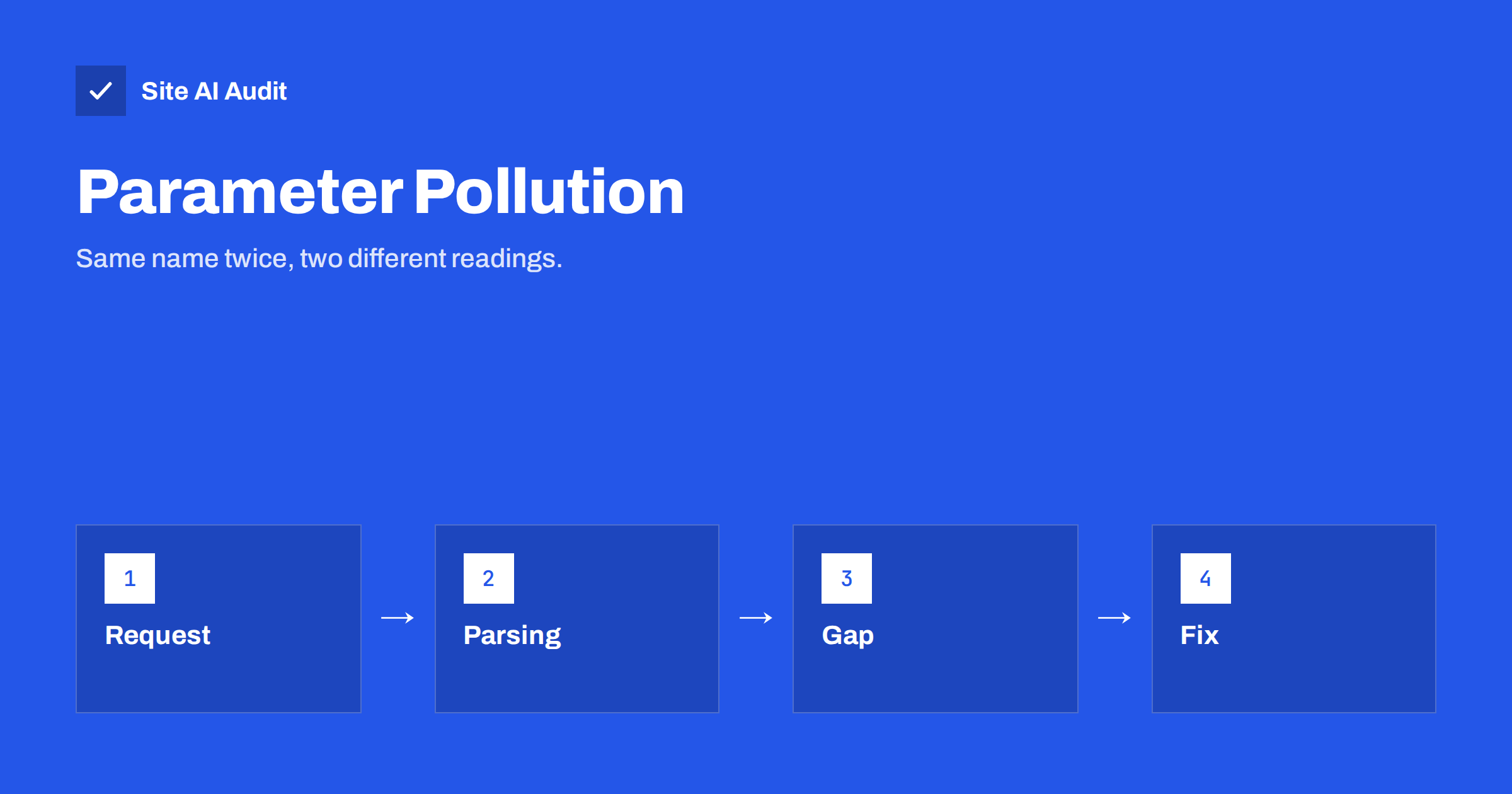
Short answer: HTTP parameter pollution (HPP) means sending the same parameter name more than once in a request, for example ?id=1&id=2. Different systems treat such requests differently: one reads the first value, another the last, a third joins them. If a firewall checks one value and the application uses another, an attacker may slip through. The cure is consistent parsing and strict validation after parsing.
What a parameter is
When you search, filter or log in on a website, the browser sends small pieces of information called parameters. In a link they appear after a question mark as name and value pairs, joined by ampersands, such as ?product=12&colour=red. In a form that uses the POST method, the pairs travel in the body of the request but look the same.
The standards do not say what must happen when the same name appears twice. This leaves each programming language, framework and server free to choose its own behaviour, and they have chosen differently.
How different systems read duplicates
Take the request ?id=1&id=2. Depending on the technology behind a site, the result can be:
- The first value only. Some servers and frameworks keep id=1 and ignore the rest.
- The last value only. Others replace the earlier value, so id=2 wins. PHP’s standard behaviour is an example.
- Both values joined. Some environments combine them into one string such as “1,2”.
- A list. Many modern frameworks put both values into an array and leave the decision to the code.
None of these is wrong in itself. The problem arises when two components in a chain read the same request differently.
It helps to think of each layer as a translator. If two translators hear the same sentence and give different meanings to the same word, a person who understands both can write a sentence that sounds harmless to one and harmful to the other. Security teams call this a parser differential, and it appears in many kinds of attacks, not only with parameters. The defence is the same everywhere: reduce the number of interpretations, and make the strictest layer decide.
How attackers use it
A typical modern website has several layers: a CDN or a web application firewall, a web server, an application framework and sometimes another internal service. Each layer parses the request on its own.
- Filter bypass. A firewall inspects the first value of a parameter and sees nothing suspicious, while the application uses the last value, which carries a harmful payload. The tool built to protect the site was looking at the wrong value. The role of firewalls is explained in the article on web application firewalls.
- Changing business logic. A request to transfer money or to apply a discount includes a recipient or an amount parameter twice. The check reads one and the action uses the other.
- Tampering with redirects and callbacks. Login and payment flows often pass an address to return to. A second value can change the destination, a risk related to open redirects and to the mistakes described in the article on OAuth login security.
- Breaking signatures. If a request is signed, the code that checks the signature and the code that reads the value may disagree about which duplicate counts.
- Client-side effects. When a page builds links from parameters without encoding them, an attacker can inject extra parameters into the links shown to other users, for example in share buttons.
A simple example
A shop lets a customer choose a payment method with a link such as /pay?method=card. A page that builds this link from user input might place a value taken from the address bar directly into a new link. If a visitor opens /checkout?method=card%26amount%3D1 on a poorly written page, the encoded ampersand can become a real one in the link that the page prints, which adds an extra amount parameter. Other users who click that link would send a request with a changed amount. Proper encoding stops this, and server-side checks of the amount stop it even if encoding fails.
The details depend on the code, and a site owner does not need to build such attacks. The point is that anything that crosses a boundary between two parsers deserves caution.
How to prevent it
- Decide what a duplicate means. For each parameter, define whether it can appear once or many times. Most should appear once.
- Reject unexpected duplicates. If a parameter that should be single arrives twice, return an error. This is the strongest and simplest rule.
- Validate after parsing. Check the type, range and permission of the final value that your code will use, not the raw text.
- Encode when building links. Whenever you place a value into an address, encode it for that place, so that characters such as ampersands cannot create new parameters.
- Keep layers consistent. If you use a firewall or a proxy, test that it reads parameters in the same way as the application. Ask the vendor how duplicates are handled.
- Never trust client-side checks. Prices, roles and permissions must be decided on the server, as explained in the article on mass assignment.
- Sign what matters. For important requests, such as callbacks, verify a signature over a clear, single canonical form of the data, as in the guide to webhook signature verification.
For teams that write their own code, add an automated test for each sensitive endpoint that sends a duplicate parameter and expects an error. Tests like this are cheap, they run on every release and they protect against a future change of framework, a new version of a library or a well-meant refactoring that quietly changes how duplicates are handled. For teams that rely on ready-made software, make a note to ask the vendor about duplicates the next time you discuss security, and watch the release notes for fixes that mention request parsing.
How to test your own site
Testing should be done only on your own site or one that you have permission to test, preferably on a staging copy.
- Open a page that uses parameters, such as a search or filter page, and add the same parameter twice with different values. Note which value the page uses.
- Do the same with a form by editing a request in the browser tools. Repeat key fields such as an identifier or a quantity.
- Check whether your firewall logs show the duplicates, and which value it recorded.
- Ask your developer which framework you use and how it reads duplicates. The documentation usually states it.
If the behaviour surprises you, ask for a rule that rejects duplicate parameters on sensitive pages. That one rule removes most of the risk.
Where parameters carry money, identity or permissions, apply the strictest handling. A product filter that receives two colours is a harmless curiosity, but a payment form that receives two amounts is a serious defect. Rank your endpoints by what they can change, and review the top of the list first. In most small sites that means login, password reset, checkout and any admin action, and a short review of these four areas covers the most important cases.
HPP and SEO: a different problem with a similar name
Duplicate parameters also cause trouble for search engines, although for different reasons. Addresses with several parameters can create many versions of the same page, which leads to duplicate content and wasted crawling. This aspect is covered in the guide to URL parameters and SEO. Cleaning up parameters helps both security and search.
Common mistakes
- Assuming a firewall solves it. A firewall that reads parameters differently from your app can be the weak point.
- Testing only with single values. Normal tests never reveal the gap.
- Forgetting the request body. Duplicates can arrive in forms, JSON bodies and headers as well as in addresses.
- Relying on the framework default without knowing it. Know whether yours takes the first, the last or all values.
- Not encoding output. Links that include raw values from users can inject new parameters, in a way related to cross-site scripting.
How Site AI Audit helps
Site AI Audit does not test for parameter pollution. It reviews the public side of a site: the SSL certificate and its expiry date, the redirect from HTTP to HTTPS, security headers and exposed software versions, and also SEO, speed and e-mail authentication. The first check is free, covers up to 50 pages and needs no sign-up. You can run a free check of your website or see the plans for weekly monitoring and alerts.
Related reading
- Web Application Firewall (WAF): Does Your Website Need One?
- SQL Injection Explained: How Sites Get Breached and Protected
- Host Header Injection: How Password Reset Links Get Hijacked
- Web Cache Poisoning Explained for Website Owners
The bottom line
Duplicate parameters are a small detail with a big lesson: when two systems read the same request differently, attackers look for the gap. Parse once, reject what you do not expect, validate the final values on the server and encode what you output.
BUJ
Is HTTP parameter pollution common?
It is not as famous as injection flaws, but it appears in real applications, especially where several layers parse requests, such as a firewall and an app.
Which value does PHP use for duplicates?
PHP’s standard behaviour keeps the last value for a repeated name unless the name ends with square brackets, which creates an array.
Can a firewall stop it?
It can help, but only if it parses parameters the same way as your application. Test this instead of assuming it.
Does it affect WordPress sites?
Core WordPress is written with care, but custom code, plugins and proxies can create the conditions. Keep extra code to a minimum and update what you use.
What is the simplest protection?
Reject requests with duplicate parameters wherever only one value makes sense, and validate the final value on the server.