ENEnglish
 LTLietuviškai
 DEDeutsch
 FRFrançais
 RUРусский
 ESEspañol
 PLPolski
 ITItaliano
 UKУкраїнська
 CSČeština
 PTPortuguês
 JA日本語
JA日本語 LVLatviešu valoda
 ETEesti
 HUMagyar
 IDBahasa Indonesia
 TRTürkçe
 HIहिन्दी
 ELΕλληνικά
 ARالعربية
 THไทย
THไทย VITiếng Việt
 RORomână
 MSBahasa Melayu
 BNবাংলা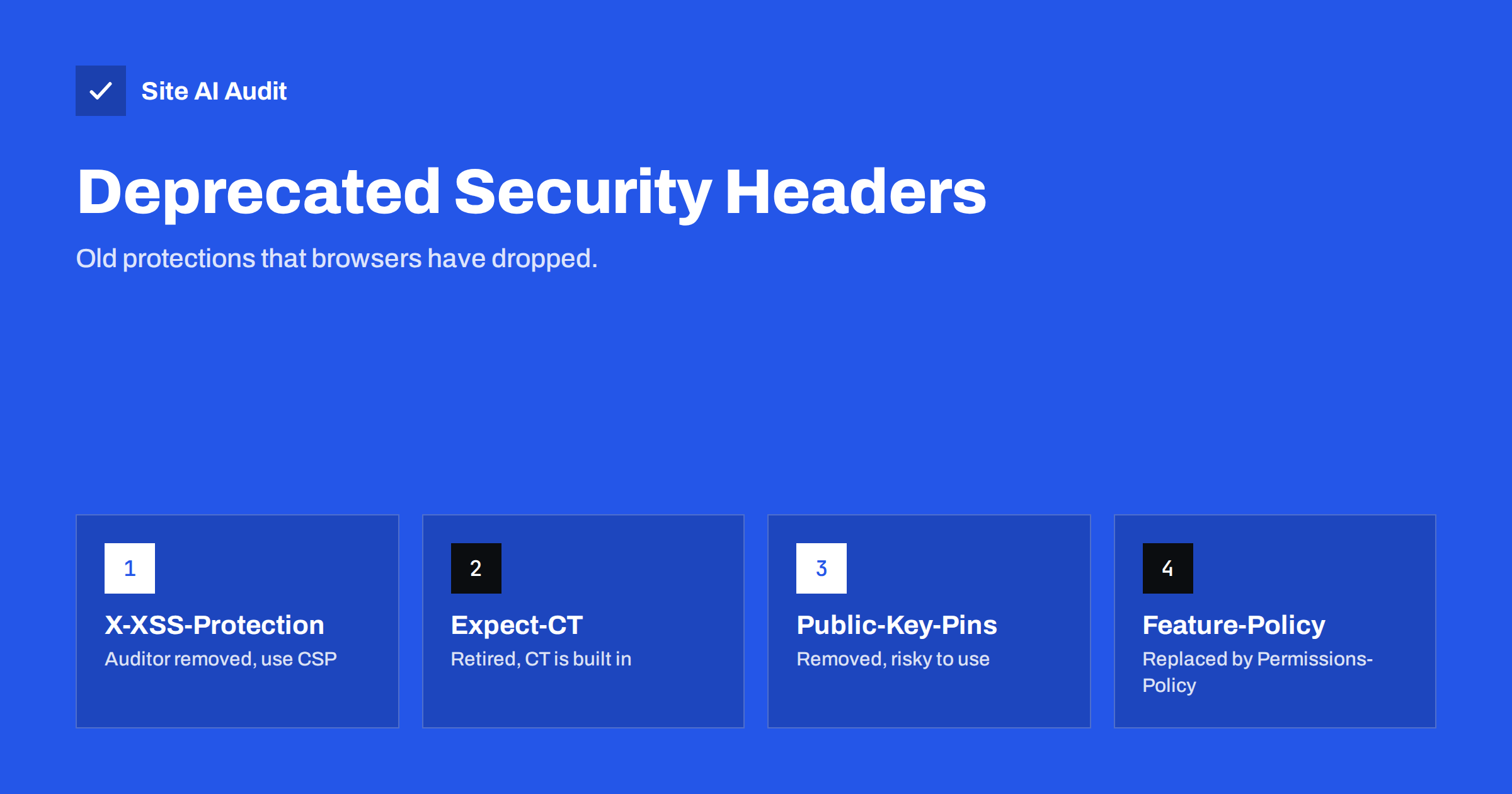
Short answer: Security advice from a few years ago still lingers in tutorials and server templates. Several headers it recommends are now obsolete: X-XSS-Protection, Expect-CT, Public-Key-Pins and Feature-Policy. Browsers have removed or replaced the features behind them, and in one case the old header can even create risk. Remove the dead ones and rely on current headers such as Content-Security-Policy, HSTS, Permissions-Policy and Referrer-Policy.
Why old security headers stay around
Security headers are short instructions that your server sends with each page to control browser behaviour. Guides, plugins and server configuration snippets spread, and they are copied for years. A header that was good advice in 2015 may still sit in a configuration file today, long after browsers stopped caring about it.
Leftover headers rarely break a site. But they give a false sense of protection, they clutter your configuration and they can make security reports look worse or better than the real situation. It is worth cleaning them out once and replacing them with the current set. For the full picture of what modern headers do, see security headers explained.
X-XSS-Protection
This header controlled a built-in filter in some browsers that tried to detect cross-site scripting attacks in the address and block them. It sounded helpful, but the filters were unreliable. Attackers found ways around them, and in some cases the filter itself could be abused to create new problems on a page.
Chrome removed its XSS filter in 2019, other major browsers have dropped it, and Firefox never had it. As a result, the header does nothing in modern browsers. Security guidance now says to either remove it or set it to the value that disables the old filter, so that older browsers do not use it.
The real protection against XSS lies in writing safe code, escaping output and using a Content-Security-Policy. Read more in cross-site scripting explained and the Content Security Policy guide.
Expect-CT
Expect-CT was created to help the web adopt Certificate Transparency, a public logging system for certificates. It let a site ask browsers to check that its certificates appeared in those public logs and to report problems.
Once certificate transparency became a standard requirement for certificates trusted by major browsers, the header lost its purpose. Browsers no longer need to be asked, and Chrome stopped enforcing the header some time ago. If your configuration still contains it, you can safely remove it. To learn how the public logs help you, read certificate transparency logs monitoring.
Public-Key-Pins
Public key pinning, known as HPKP, let a site tell browsers which certificate keys were allowed for its domain. If an attacker used a fraudulent certificate, browsers would refuse it. In theory that was a strong defence.
In practice it was dangerous. A mistake, such as losing a key or pinning the wrong one, could lock visitors out of the site for weeks or months with no way for the owner to fix it. Attackers could also pin their own keys on a hijacked site. Browsers removed support, and the replacement ideas are the CAA record and certificate transparency. See the CAA DNS record guide for a safer way to control who may issue your certificates.
If you find this header anywhere in your configuration, remove it.
Feature-Policy
Feature-Policy let a site control which browser features, such as the camera, microphone or location, its pages and embedded frames may use. It has been replaced by Permissions-Policy, which has a different syntax and is the current standard.
If you still send the old header, it may be ignored or only partly supported. Move your rules to the new header. Our guide to the Permissions-Policy header shows examples of safe settings.
Headers that are still useful
Not every older header is obsolete. These remain worth sending:
- Strict-Transport-Security. Forces HTTPS for returning visitors. See the HSTS header guide.
- Content-Security-Policy. Controls where scripts, styles and frames may load from. It is the main modern defence against injected scripts.
- X-Content-Type-Options. The value nosniff stops browsers from guessing file types. Read X-Content-Type-Options explained.
- Referrer-Policy. Limits how much of the page address is shared with other sites.
- Permissions-Policy. Controls browser features.
- Cross-Origin-Opener-Policy. Isolates your page from windows opened by other sites. See COOP explained.
X-Frame-Options sits in the middle. It is not formally removed and still works in browsers, but the frame-ancestors rule in a Content-Security-Policy is the modern way to control framing. Many sites send both for compatibility. We discuss this in clickjacking protection.
How to clean up your headers
- List what you send. Open the developer tools network tab, click the main page request and read the response headers. A header checker tool or a security scan shows the same list.
- Mark the obsolete ones. Compare with the headers above.
- Find where each is set. It may come from the web server configuration, a WordPress plugin, a CDN rule or the application code. Several layers can add the same header, which creates duplicates.
- Remove the dead headers. Test the site afterwards, and clear caches.
- Add the missing modern ones. Start with HSTS, X-Content-Type-Options, Referrer-Policy and Permissions-Policy, and add a Content-Security-Policy carefully, in report-only mode first.
- Recheck. Confirm that each header appears once and with the right value.
Our guide on adding security headers on Apache, Nginx and WordPress explains where to put each header in the common setups.
Why cleanup matters even if nothing breaks
Old headers can mislead you. A report that shows an X-XSS-Protection header may look reassuring, although it provides no protection. On the other hand, a tool that expects a header you no longer need may mark your site down for something that does not matter. Knowing which headers are obsolete helps you read audit results sensibly and focus on the protections that count.
A clean configuration is also easier to maintain. Fewer lines mean fewer surprises when you change hosts or add a CDN.
Developers and agencies can use a simple rule when they build a header set for a new site: write the list of headers from scratch based on current documentation instead of copying a template from an old project. Templates age quickly, and the older they are, the more obsolete lines they contain. Keep the list in version control, add a short comment for each header that explains what it protects, and review it once or twice a year. A short review is usually enough to catch a header that browsers no longer support.
When you test a new header, change one thing at a time. Add the header, load several important pages, check the browser console for warnings and confirm that forms, embedded videos, payment buttons and login pages still work. Content-Security-Policy deserves the most care, because a strict rule can block scripts that your site depends on. Use the report-only mode first, collect the reports for a week or two and then switch to enforcing.
If you use a CDN, remember that it may add, remove or override headers. Compare the headers from your origin server with the ones that visitors receive, because the difference tells you which layer is responsible for a given line. This avoids the common confusion where a header is removed in one place and still appears from another.
Finally, remember that headers are only one layer. A perfect set cannot protect a site that runs outdated plugins, weak passwords or unsafe code. Treat headers as a cheap and useful extra defence: they reduce the impact of mistakes and make some attacks harder, but updates, strong logins, backups and careful permissions remain the foundation of website security. When you review your headers, spend a few minutes on those basics as well, so that the whole picture stays healthy.
It is also fine to leave a harmless header in place if removing it would take effort and risk. The goal is a clear and accurate setup, not perfection. Prioritise the headers that add real protection first, and remove the obsolete ones during your next planned change.
What Site AI Audit can and cannot tell you
Site AI Audit checks security headers as part of its security results, together with the SSL certificate and its expiry, the HTTP to HTTPS redirect and exposed software versions. It reports what your site sends and explains what is missing in plain words. Use this article to judge the result: focus on current headers, and treat obsolete ones as cleanup rather than protection. You can run a free check of your website or see the plans.
Related reading
- Referrer-Policy Header: Which Value to Use and Why It Matters
- Website Security Audit Checklist: What to Check and in What Order
- Website Security for Small Businesses: Where to Start
- WordPress Security Checklist: 20 Steps That Actually Matter
The bottom line
X-XSS-Protection, Expect-CT, Public-Key-Pins and Feature-Policy belong to the past. Remove them, replace them with current headers and make sure each header is set in only one place. A short, modern set of headers is easier to understand and gives real protection.
BUJ
Is it harmful to keep X-XSS-Protection?
In modern browsers it does nothing. In some older ones, the filter it enables had known weaknesses. Removing it, or setting it to disable the filter, is the safer choice.
Do I still need Expect-CT?
No. Certificate transparency is now handled by browsers and certificate authorities, and the header is no longer needed. You can delete it.
Why was Public-Key-Pins removed?
Because mistakes could lock visitors out of a site for a long time and attackers could abuse it. Use a CAA record and monitor certificate transparency logs instead.
Should I keep X-Frame-Options?
It still works and is harmless. The modern method is the frame-ancestors rule in Content-Security-Policy. Many sites send both for compatibility with older browsers.
Which headers should I add first?
Start with Strict-Transport-Security, X-Content-Type-Options, Referrer-Policy and Permissions-Policy. Add Content-Security-Policy last and test it carefully, because it can break pages.