ENEnglish
 LTLietuviškai
 DEDeutsch
 FRFrançais
 RUРусский
 ESEspañol
 PLPolski
 ITItaliano
 UKУкраїнська
 CSČeština
 PTPortuguês
 JA日本語
JA日本語 LVLatviešu valoda
 ETEesti
 HUMagyar
 IDBahasa Indonesia
 TRTürkçe
 HIहिन्दी
 ELΕλληνικά
 ARالعربية
 THไทย
THไทย VITiếng Việt
 RORomână
 MSBahasa Melayu
 BNবাংলা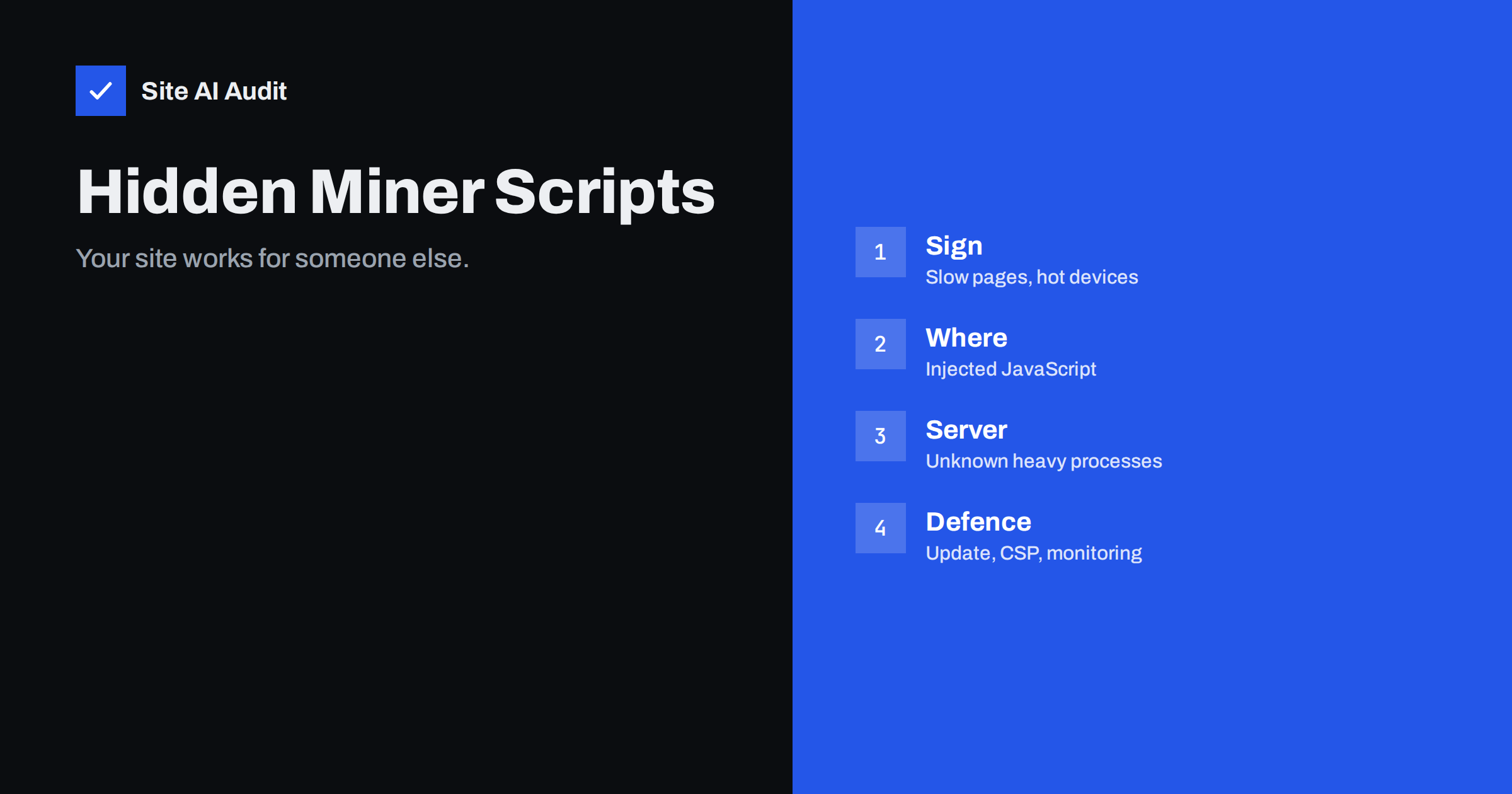
Short answer: Cryptojacking is the secret use of someone else’s computing power to mine cryptocurrency. On a website it takes two forms: a hidden script that runs in your visitors’ browsers and heats their devices, or malware on your server that eats your processor until the host complains. Signs include slow pages, high processor use and scripts from unknown domains. Prevent it by updating software, avoiding nulled plugins, controlling third-party scripts and monitoring your site.
What cryptojacking is
Cryptocurrency mining is a calculation-heavy process that earns the miner a reward. Honest miners buy equipment and pay for electricity. A cryptojacker avoids the cost by borrowing other people’s machines without permission: the attacker gets the money, and the victim pays with slower devices, higher power use or a suspended hosting account.
Website owners can be involved in two ways. Your site can be used as a tool against your visitors, or your server can be the machine that is abused. Both are break-ins, and both mean someone else has control over parts of your website.
Browser mining: scripts that run on your visitors
In the first form, the attacker inserts a piece of JavaScript into your pages. When a visitor opens the page, the script starts to mine inside the browser, using the visitor’s processor for as long as the page stays open. Some services in the past offered this openly as an alternative to advertising, and the most famous one was shut down in 2019, but the same technique is still used by criminals who hide it.
The visitor sees nothing except a slow page, a fan that spins up, a hot phone or a battery that drains quickly. They blame your website. Some will leave and not return, and some will report your site as harmful. Browsers and security programs may block known miner scripts, and then your visitors see warnings.
Server mining: malware on your hosting
In the second form, the attacker gets code running on your server, often through an outdated plugin, a weak password or a stolen login. The code starts a mining program in the background. It uses the processor continuously, so your site becomes slow, even when traffic is low, and your host may send warnings about resource limits or suspend the account. Cases like this usually mean the attacker has deep access, so treat the whole account as compromised, as discussed in how one hacked site infects others.
How scripts get onto a website
- Outdated software. Known weaknesses in old plugins, themes and core files are exploited automatically. See abandoned WordPress plugins.
- Nulled themes and plugins. Pirated copies often arrive with hidden code. Read the risks of nulled themes and plugins.
- Stolen or weak passwords for the admin panel, hosting account or file transfer.
- Compromised third-party scripts. A widget, advert or analytics script loaded from another company can be changed by an attacker, and then every site that loads it is affected. See subresource integrity.
- Misused tag managers. A hacked tag manager account can add a script to every page without touching your site files. Compare Google Tag Manager and page speed.
- Injected code in the database. Some attacks put the script into posts, widgets or theme options, so file checks do not find it.
Warning signs to watch for
- Your site became slow and nothing changed. Slowness without more traffic is a typical clue. Check also why a website is slow in traffic spikes to rule out normal causes.
- Visitors report hot phones or loud fans when they stay on your pages.
- Hosting warnings about processor use, resource limits or an unusual process.
- Unknown scripts. A script from a domain you do not recognise appears in the page source.
- Browser or antivirus warnings on your site.
- Changed files or new files with recent dates that nobody on your team created.
- New admin users that you did not add.
None of these proves a break-in on its own, but together they deserve a check. Our article on the signs that your website has been hacked lists other clues.
How to look for a miner
In the browser
Open your page, then open the browser’s task manager or the performance panel in the developer tools. Watch processor use while the page sits idle. A normal page quiets down after loading; a page with a miner keeps one core busy. Then open the network tab and list the scripts the page loads. Look at each domain and ask whether you know why it is there. Names containing words such as miner, coin or hash are an obvious warning, but many scripts hide their purpose with neutral names, so unfamiliar domains matter more.
In the page source and files
View the source of your pages and search for script tags that point to unknown domains, for long strings of random characters and for references to WebAssembly files. Compare your theme and plugin files with fresh copies from their official source. A security plugin or your host’s scanner can compare core files automatically.
On the server
If you have shell access, look at the list of running processes sorted by processor use. An unknown program using a lot of the processor, especially one running from a temporary or hidden folder, is suspicious. Check scheduled tasks too, because miners often restart themselves through a cron entry. If you do not have shell access, ask your host to review the account and tell you which process causes the load.
What to do if you find one
- Do not delete evidence blindly. Take a copy of the suspicious file or the page source, so you can understand what happened.
- Put the site in maintenance mode if visitors are being affected.
- Remove the script and the file that added it. Search the database for the same code as well.
- Find the way in. Look at file dates and the access logs, as described in how to read access logs.
- Change all passwords and end old sessions: hosting, file transfer, database, admin users and email.
- Update everything or restore from a clean backup, then update. Our hacked website recovery steps give the full order.
- Check search engine warnings and request a review if your site was flagged.
Prevention that works
- Keep software updated and remove plugins you do not use. Follow the WordPress security checklist.
- Use official sources only for themes and plugins.
- Limit third-party scripts to those you need, and review them from time to time. See third-party scripts and performance.
- Use a Content Security Policy. It lets the browser load scripts only from the places you list, which blocks a miner from an unknown domain. Learn how in the Content Security Policy guide. Roll it out carefully, because a strict policy can break legitimate features.
- Protect logins with strong passwords and a second step, and restrict file permissions.
- Keep backups that you can restore quickly.
- Monitor. Regular checks and alerts find changes sooner than visitors’ complaints do.
A ten-minute monthly routine
Once a month, open your three most visited pages with the developer tools. Note how many scripts load and from which domains, and compare the list with last month. Open the browser’s task manager and watch the processor use for half a minute. Check the list of admin users and the date of the last change to your theme files. Look at the resource graph in your hosting panel for a flat line of high use. If anything is different and you cannot explain it, investigate before it grows. Write the results down, even when they are fine, because a record makes it easy to see when something began.
What Site AI Audit can and cannot tell you
Site AI Audit checks the outside of your website: speed on real phones, SSL, security headers, exposed software versions, SEO and email authentication. It reports whether a Content Security Policy and other security headers are present, which are a defence against injected scripts. It does not scan your files or the code of your pages for miners, so it cannot confirm that your site is clean. A sudden fall in the speed results can be an early hint to investigate. Run a free check, or see the plans if you want to re-check regularly.
Related reading
- HTTP Security Headers Explained: What Each One Does
- Website Backup Strategy: How to Back Up So You Can Restore
- Outdated JavaScript Libraries: Why Old jQuery Is a Risk
The bottom line
Cryptojacking turns your website or server into a free mining machine. Watch for unexplained slowness, high processor use and unknown scripts, compare your files with clean copies, and clean the whole account if you find a miner. Updates, official plugins, careful third-party scripts, a Content Security Policy and regular monitoring keep it away.
BUJ
What is cryptojacking on a website?
It is the hidden use of processing power to mine cryptocurrency, either in the browsers of your visitors through an injected script, or on your server through malware. The attacker keeps the profit while you and your visitors bear the cost.
How can I tell if my site has a mining script?
Watch the processor use of an idle page in the browser’s task manager, review every script the page loads and look for unknown domains. Also compare your theme and plugin files with fresh official copies.
Can cryptojacking hurt my search rankings?
It can. Slow pages, security warnings and a hacked-site flag from search engines all reduce visits and trust. Cleaning the site and requesting a review restores the situation.
Will an antivirus on my computer protect my website?
No. Your computer’s antivirus protects your computer. Your website needs updates, secure logins, a scanner for its files and monitoring on the server side.
Does a Content Security Policy stop miners?
It can block scripts from domains you did not approve, which stops many injected miners. It does not fix the break-in itself, so you still need to remove the malicious code and close the way in.