ENEnglish
 LTLietuviškai
 DEDeutsch
 FRFrançais
 RUРусский
 ESEspañol
 PLPolski
 ITItaliano
 UKУкраїнська
 CSČeština
 PTPortuguês
 JA日本語
JA日本語 LVLatviešu valoda
 ETEesti
 HUMagyar
 IDBahasa Indonesia
 TRTürkçe
 HIहिन्दी
 ELΕλληνικά
 ARالعربية
 THไทย
THไทย VITiếng Việt
 RORomână
 MSBahasa Melayu
 BNবাংলা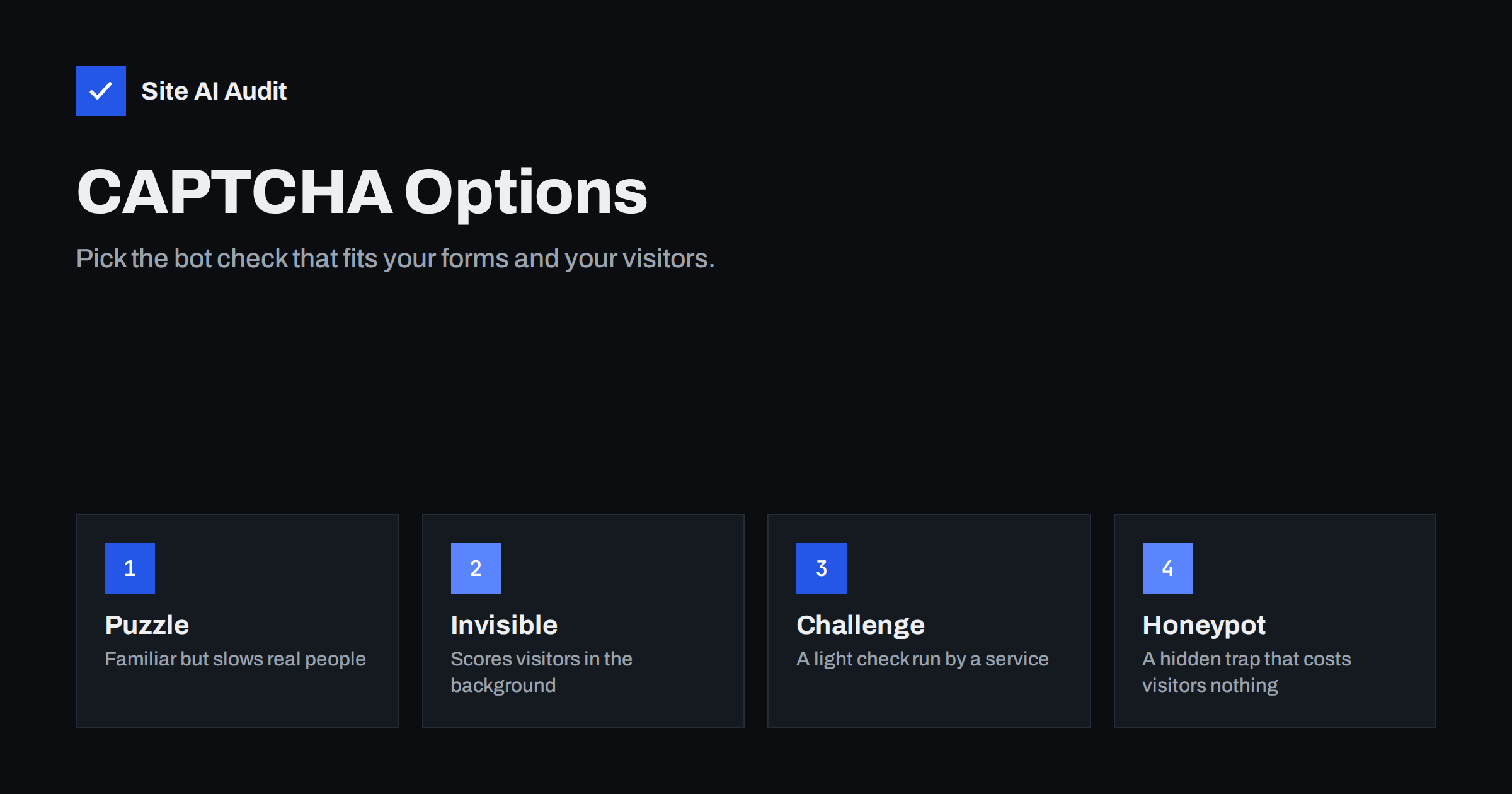
Short answer: No bot check is perfect, so choose by what you can accept. A honeypot field costs visitors nothing and stops simple bots. Invisible or light challenge services, such as reCAPTCHA v3 or Cloudflare Turnstile, catch more with little friction but involve a third party and its scripts. Puzzle CAPTCHAs are familiar but annoy people and can block users with disabilities. For most small sites, start with a honeypot and rate limits, then add a challenge service only if spam continues.
What a bot check is trying to do
Every public form on your website, whether a contact form, a sign-up, a comment box or a login, receives automated visits. Some bots submit advertising, some test stolen passwords and some try to use your form to send mail to other people. A bot check tries to tell a human from a script at the moment of submission, or even before it.
The goal is not to stop every single automated request. It is to make abuse expensive enough that attackers move on, while keeping real customers from noticing. That balance shapes every choice below. The general approach is covered in contact form spam: how to stop bots without losing leads.
It also helps to know the kinds of bots you face. Some are crude scripts that post the same advertisement to every form on the web, and they fail at the first small obstacle. Others are built to behave like browsers, wait a few seconds and move the mouse, and they pass simple checks. A third group is human: low-paid workers who solve puzzles or type messages by hand. Each group needs a different defence, which is why one tool is rarely enough and why reviewing a sample of what gets through is worth the time.
Option one: the classic puzzle
This is the familiar box that asks you to tick a checkbox, type distorted letters or select all pictures with traffic lights. It has been used for many years and visitors recognise it.
- Strengths: It is simple to understand and available in most form tools. It stops basic scripts.
- Weaknesses: It slows real people, especially on phones, and some visitors give up. Image puzzles can be very hard for people who are blind, have low vision or have cognitive difficulties, and audio alternatives are not always better. Modern bots and paid solving services can also pass many puzzles.
- Best for: A last resort on a form that is under heavy attack, shown only to suspicious visitors.
Option two: invisible scoring
Some systems, such as reCAPTCHA v3, show nothing to the visitor. A script watches how the page is used, and the service returns a score that says how likely the visitor is a human. Your server then decides what to do with low scores: block, ask for more proof or put the message in a review queue.
- Strengths: No friction for most visitors and no puzzles.
- Weaknesses: It depends on a third party’s judgment, which you cannot inspect. Real people using privacy tools, shared networks or unusual browsers may receive low scores and be rejected without knowing why. It adds a script to every page where it runs, which can affect speed, as discussed in how third-party scripts slow your website.
- Privacy: The service processes information about visitors’ behaviour, so consider your privacy policy and consent rules.
Option three: light challenge services
Services such as Cloudflare Turnstile and hCaptcha run a small check in the background, often without any visible puzzle. The visitor’s browser solves a short task or proves some properties, and the service issues a token that your server verifies. Some of these services say they collect less personal data than older alternatives, but check each provider’s current terms and privacy statement instead of relying on general claims.
- Strengths: Usually low friction, easy to add and often free for ordinary volumes. Several offer different modes, from fully invisible to interactive.
- Weaknesses: Still a third-party dependency. If the service is down or blocked in a visitor’s country, the form may fail unless you plan a fallback.
- Best for: Sites that need stronger protection than a honeypot and want to keep the experience smooth.
Option four: honeypots and timing checks
A honeypot is an extra form field that real visitors never see, because it is hidden with styling or placed out of view. Bots fill every field they find, so any submission with a value in the hidden field can be discarded. A timing check works in a similar way: a form submitted within a second of loading was almost certainly sent by a script.
- Strengths: No effect on visitors, no third party, no extra script and no cost. It is easy to add to a custom form and many form plugins include it.
- Weaknesses: It stops only simple, generic bots. A targeted attacker who reads your form can avoid the trap. Some browser autofill tools can fill hidden fields and cause false positives, so use an unusual field name and test with autofill.
- Best for: The first layer on every form.
Layers that do not need a CAPTCHA at all
A CAPTCHA is one tool among several, and often the others do more of the work.
- Rate limiting. Allow only a few submissions per address and per minute. See rate limiting explained.
- Server-side validation. Check every field again on the server, and reject links in fields that should not contain any. Header injection through contact forms is a real danger, described in email header injection.
- Confirmation links. For sign-ups, ask for a confirmed address before adding it to a list, which blocks bots that use other people’s addresses. The abuse pattern is explained in subscription bombing.
- A web application firewall. A good one filters known bad traffic before it reaches the form, as discussed in does your website need a WAF.
- Bot management at the edge. Control crawlers and abusive scripts using the ideas in bad bots and aggressive crawlers.
Login forms need special care
A login form is a different case. Attackers there try many passwords or lists of leaked credentials, and a CAPTCHA alone does not stop them if they use solving services. Combine limits on failed attempts, strong passwords and two-step login, as described in how to protect against brute-force login attacks and credential stuffing. A challenge that appears only after several failures protects accounts without bothering regular users.
How to choose
Answer a few questions, in this order.
- How much spam do you get? A few messages a week need only a honeypot. Hundreds a day justify stronger tools.
- Who are your visitors? If many use older devices, assistive technology or privacy tools, avoid puzzles and test the alternatives carefully.
- What are your privacy obligations? If you must obtain consent before loading third-party scripts, check how this interacts with your banner, as covered in cookie consent banners and page speed.
- What happens when the service fails? Decide whether the form should still accept messages, perhaps into a review queue, or whether it should refuse them.
- Can you measure the result? Count blocked and delivered messages before and after, and look for real customers whose messages were lost.
Test every change yourself on a phone, with a screen reader if possible and with a privacy-focused browser. A form that rejects genuine customers is more costly than a few spam messages.
Keep the messages that your filters catch, at least for a while, in a spam folder or a log, and read a few of them every week. That is the quickest way to learn whether your protection is too weak, with obvious spam arriving, or too strong, with genuine enquiries mixed in among the blocked ones.
Finally, write down what the form does when a check fails. A clear message such as “We could not send your message, please try again or call us” is far kinder than a silent failure, and it gives real customers another way to reach you.
How Site AI Audit helps
Site AI Audit does not test your forms or detect bots. It checks the outer security layer of your site: SSL certificate and expiry, the HTTP to HTTPS redirect, security headers and exposed software versions, along with SEO, speed and e-mail authentication. The first check is free and needs no sign-up. You can run a free check of your website or see the plans for weekly monitoring.
Related reading
- Contact Form Emails Not Arriving? Use Your Own Domain
- Two-Factor Authentication for Website Owners: What to Protect
- WordPress Security Checklist: 20 Steps That Actually Matter
- DDoS Protection for Small Websites: What You Actually Need
The bottom line
Start with the cheapest and least visible defences, a honeypot, timing and rate limits, and add a challenge service only when the spam justifies it. Choose the option that respects your visitors, test it on real devices and keep a fallback so that a good customer is never turned away by a bot check.
BUJ
Is reCAPTCHA required for a contact form?
No. It is one option. Many sites run well with a honeypot, validation and rate limits, and add a challenge service only if abuse grows.
Do CAPTCHAs affect accessibility?
Puzzle types often do. Invisible and light challenge options are usually easier, but test them with assistive technology before you rely on them.
Will a CAPTCHA stop all spam?
No. Human-operated spam and solving services can pass many checks. Combine layers and review what gets through.
Does a CAPTCHA slow my website?
It can, because it loads an extra script. Load it only on pages with forms, and only when the visitor reaches the form if possible.
Is a honeypot safe for real users?
Yes, if it is hidden properly and tested with autofill tools. Real visitors never see it and cannot fill it by accident.