ENEnglish
 LTLietuviškai
 DEDeutsch
 FRFrançais
 RUРусский
 ESEspañol
 PLPolski
 ITItaliano
 UKУкраїнська
 CSČeština
 PTPortuguês
 JA日本語
JA日本語 LVLatviešu valoda
 ETEesti
 HUMagyar
 IDBahasa Indonesia
 TRTürkçe
 HIहिन्दी
 ELΕλληνικά
 ARالعربية
 THไทย
THไทย VITiếng Việt
 RORomână
 MSBahasa Melayu
 BNবাংলা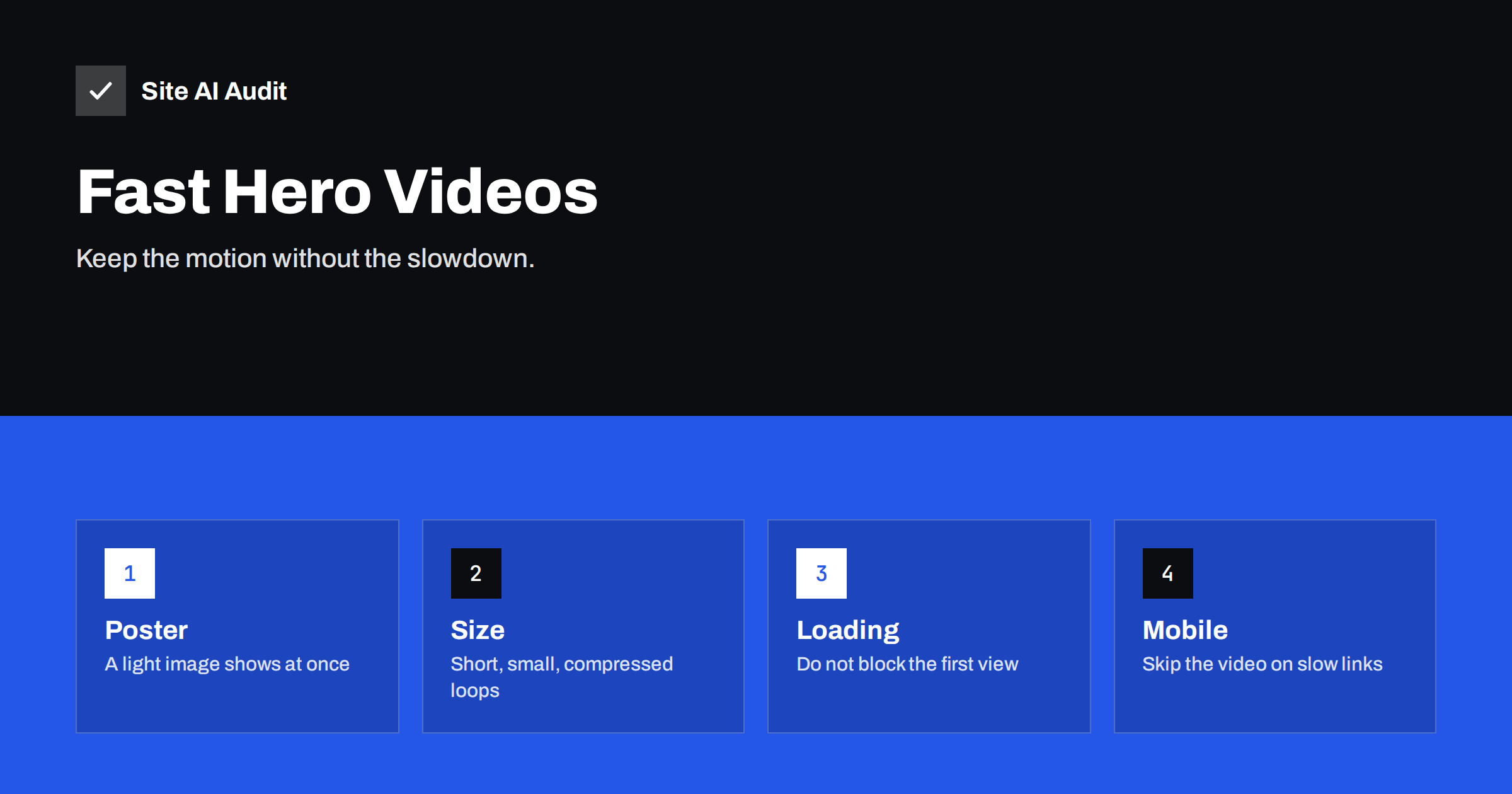
Short answer: A background video in the top section of a page is one of the heaviest things a small business site can load. It can delay the largest visible element, use mobile data and compete with everything else on the page. To keep it fast, use a short, well-compressed loop with no sound, show a light poster image instantly, avoid loading the video until the page is usable, and consider a still image on phones and slow connections.
Why hero videos cause speed problems
A hero section is the first large area a visitor sees. Designers like to fill it with a silent, looping video because it feels alive and modern. The cost is easy to underestimate. A video file is often many times larger than the whole rest of the page, and the browser starts downloading it at the moment when it should be busy with the content that visitors need first.
The problems appear in several places at once:
- Page weight. A few seconds of video can weigh several megabytes. On a mobile connection, that is a noticeable wait and a real cost to visitors with limited data plans.
- Competition for bandwidth. While the video downloads, fonts, images and scripts have to share the same connection, so everything arrives later.
- Largest Contentful Paint. If the video or its poster image is the largest element in the first view, its loading time becomes your LCP. Chrome can treat a video poster image as an LCP candidate.
- Processor and battery use. Decoding and drawing video continuously keeps a phone busy, and cheaper phones can stutter while scrolling.
The same visitors who might be impressed by the motion are the ones most likely to leave if the page takes too long to appear. Our article on website speed and conversions explains how delays turn into lost enquiries.
Decide whether you need a video at all
Before you optimise, ask what the video does for the visitor. A video that shows your product in use, your premises or your team at work may add trust. A generic stock loop of people at laptops rarely does, and it usually delivers little beyond decoration.
Consider these alternatives, which keep the visual impact at a fraction of the cost:
- A single high-quality image, compressed in a modern format. See WebP, AVIF and JPEG compared.
- A very short loop of a few seconds with a small file size.
- A lightweight CSS animation or a vector graphic that animates a single element.
- A video that starts only when the visitor clicks a play button further down the page.
If the answer is still a background video, the rest of this article shows how to make it behave.
Keep the file small
File size is the biggest lever. Aim for the smallest file that still looks good behind text, since the video is background, not the main content.
- Keep it short. A loop of five to ten seconds is usually plenty. Longer clips add weight without adding value.
- Remove the audio track. Background videos play muted, so the sound is wasted bytes. Export the file without audio.
- Reduce the resolution. A full-width hero rarely needs more than 1280 or 1920 pixels of width, and a version for phones can be much smaller.
- Lower the frame rate and bitrate. Twenty-four or twenty-five frames per second look fine for ambient footage. Choose a bitrate that keeps the quality acceptable behind a dark overlay.
- Use efficient formats. An MP4 file with the widely supported H.264 codec works everywhere. A WebM version can be smaller in browsers that support it. List the smaller format first and the MP4 as a fallback.
- Add an overlay. A semi-transparent layer behind the text lets you compress harder, since small artefacts become invisible.
As a rough target, many sites aim for a hero video of a couple of megabytes at most. Test the result on a throttled mobile connection, not on your office broadband.
Use a poster image so that something appears at once
The poster attribute of the video element names an image that the browser displays until the video is ready. It gives visitors a complete-looking first view in a fraction of a second and avoids a black box or an empty gap.
- Make the poster the first frame, or a representative frame, of the video, so that the switch is smooth.
- Compress it well. It is likely to be your LCP element, and its speed is what the metric measures. Our guide to improving Largest Contentful Paint describes how to prioritise it.
- Preload the poster image and give it high priority, as explained in our articles on preload and preconnect and the fetchpriority attribute.
- Set the width and height or an aspect ratio of the hero area, so that nothing moves when the video appears. See how to fix layout shift.
Control how and when the video loads
The default behaviour of a video element may be to download a large part of the file right away. You can change that with a few attributes and a little script.
- Use the attributes for muted, autoplay, loop and inline playback, since browsers allow autoplay only for muted video, and phones need the inline setting to avoid a full-screen player.
- Set
preloadto a small value such as metadata, so that the browser does not fetch the whole file before it is needed. - Delay the real video source until after the page has loaded or until the browser is idle. The poster covers the gap.
- Pause the video when it scrolls out of view. This saves processor time, and some visitors will not scroll back.
- Do not start several videos at the same time on one page.
Many page builders include a background video option that ignores all of these points. If yours does, check the network panel in your browser to see how much data is downloaded, and consider replacing it with a custom setup.
Treat phones and slow connections differently
A phone on a mobile network is where a hero video hurts most. Most visitors do not notice a missing background video, but they all notice a slow page.
- Show only the poster image on small screens and load the video only on larger ones.
- Respect the browser setting for reduced data use, where it is available to your code, and skip the video for those visitors.
- Honour the preference for reduced motion. Visitors who choose it in their system settings should see a still image. It is also an accessibility matter.
- Offer a visible pause button if the motion lasts longer than a few seconds, so that visitors can stop it.
Our guide to why websites are slow on mobile lists other typical causes that add to this problem.
Measure the effect before and after
Test the page with and without the video, and compare the results. Look at the Largest Contentful Paint, the total page weight and the time until the page becomes responsive. Use a mobile profile with network throttling, repeat the test several times and compare the median. The PageSpeed Insights report shows the LCP element and tells you whether it is the video poster.
Check real visitor data as well. If most of your traffic comes from phones, the Core Web Vitals report in Search Console reflects what they experience. Remember that changes take a few weeks to appear there.
What Site AI Audit can and cannot tell you
Site AI Audit measures your website the way Google does: the PageSpeed score, Core Web Vitals such as LCP, CLS and INP, server response time, compression and page weight. If a hero video makes a page heavy or slows the main content on mobile, those numbers show it. It does not judge whether the video is worth having from a design point of view, and it does not rewrite the video file for you. You can run a free check of your website or see the plans.
Related reading
- How to Embed Videos Without Slowing Down Your Website
- How to Improve Largest Contentful Paint (LCP) on Any Website
- Page Weight: How Heavy Is Too Heavy and How to Trim It
- Why Your Website Is Slow on Mobile and How to Fix It
The bottom line
A hero video is a luxury that visitors pay for with their time and data. If you keep it, make it short and small, give it a light poster image, delay its download and skip it on phones and slow connections. Then measure the result, and keep the video only if the page still loads quickly.
BUJ
Does a background video hurt SEO?
Not directly, but it can slow the page, which affects Core Web Vitals and visitor experience. A well-optimised video with a fast poster image has little effect, while a heavy one can lower your scores.
What is a good size for a hero video?
Smaller is better. Many sites aim for a couple of megabytes at most, with a short loop, no audio track and a resolution suited to the layout. Test on a throttled mobile connection to see what visitors experience.
Should I host the video on a video platform or on my own server?
Embedded players load extra scripts and are built for viewing, not for background loops. For a silent looping background, a small self-hosted file with a poster image is usually lighter, but use a content delivery network if you have many visitors.
Why does my video not autoplay on phones?
Browsers allow autoplay only for muted videos, and phones need the inline playback attribute to avoid a full-screen player. Some phones also block autoplay in battery saving or data saving modes.
Can I use an animated GIF instead?
A GIF is usually much larger than a video with the same content, so it is a poor choice. Our article on replacing animated GIFs with video explains the savings. A short, compressed video or a still image is better.