ENEnglish
 LTLietuviškai
 DEDeutsch
 FRFrançais
 RUРусский
 ESEspañol
 PLPolski
 ITItaliano
 UKУкраїнська
 CSČeština
 PTPortuguês
 JA日本語
JA日本語 LVLatviešu valoda
 ETEesti
 HUMagyar
 IDBahasa Indonesia
 TRTürkçe
 HIहिन्दी
 ELΕλληνικά
 ARالعربية
 THไทย
THไทย VITiếng Việt
 RORomână
 MSBahasa Melayu
 BNবাংলা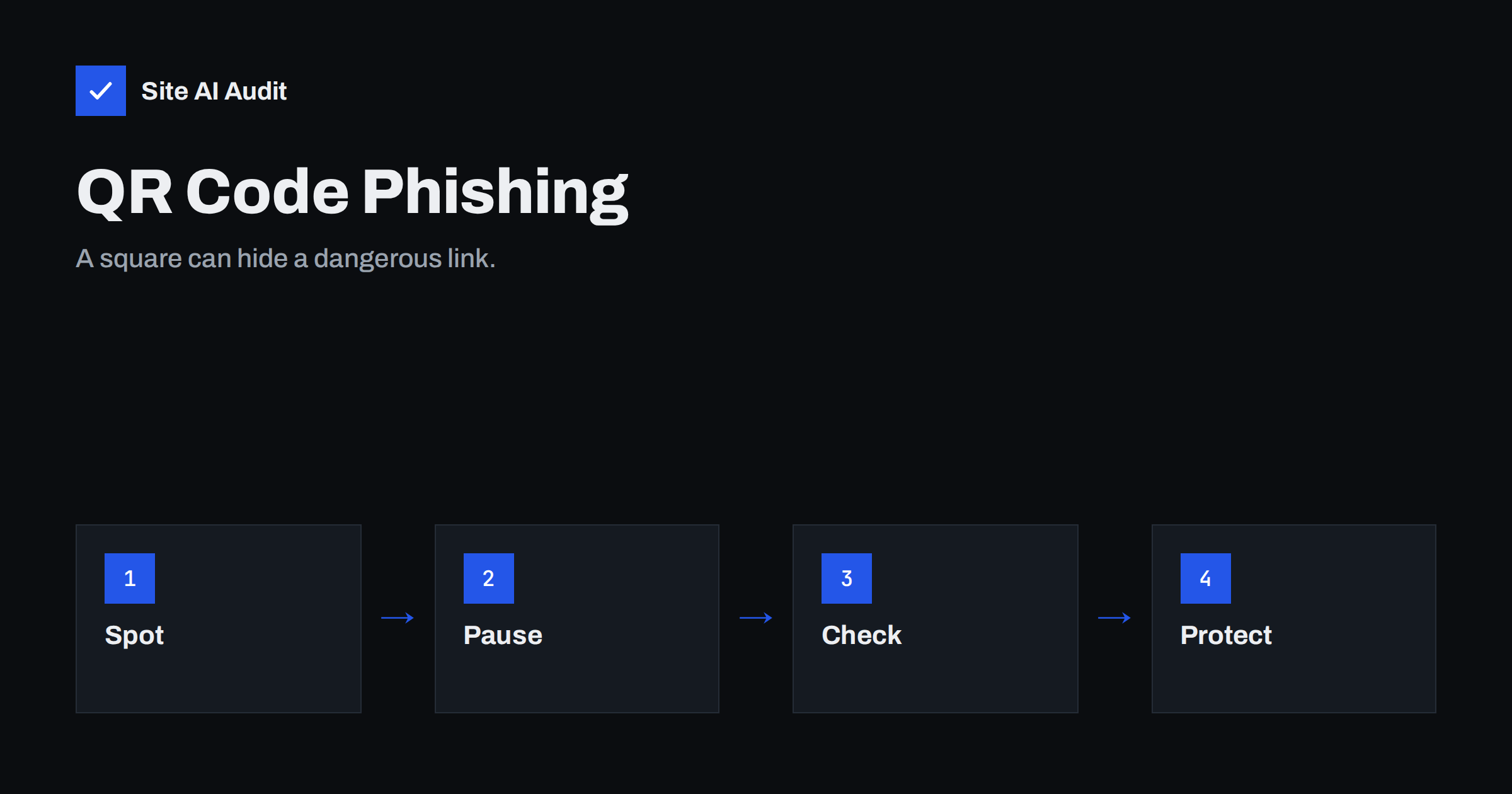
Short answer: QR code phishing, often called quishing, hides a malicious web address inside a QR code that arrives in an email, a PDF or a printed notice. Because the link is an image rather than text, some filters cannot read it, and the victim scans it with a phone that has fewer protections than a work computer. Defend yourself with clear staff habits, e-mail filtering that can decode images, multi-factor sign-in and strong authentication of your own domain, and avoid sending QR codes yourself for sensitive actions.
What quishing is
A QR code is a square pattern that stores a short piece of data, most often a web address. A phone camera reads it and offers to open the page. That convenience is exactly why attackers use it. A message that says “scan to confirm your account” or “scan to see the invoice” looks tidy, and the address behind it stays hidden until the moment of scanning.
The word quishing combines QR and phishing. The goal is the same as in any phishing attack: lead the victim to a fake page that collects a password, a payment card or a verification code. The only difference is the delivery method. The attacker replaces a clickable link with a picture of one.
Why it slips past defences
Traditional e-mail security reads the text of a message and checks every link against lists of known bad addresses. A link that lives only inside an image is harder to extract. Some tools now decode QR codes, but not all of them do, and attackers keep changing the format of the images to avoid detection.
- Images are not text. A simple scanner sees a picture, not an address. Messages made mostly of images have long been treated with suspicion, as the article on image-only emails and spam filters explains.
- The scan happens elsewhere. The victim picks up a personal phone, which may not have the same web filtering or protection as the work computer.
- There is no hover. On a computer, you can place the mouse over a link to see where it goes. A QR code gives no such preview before you scan.
- It looks modern and neutral. People are used to QR codes in restaurants and parking meters, so they trust them more than they should.
Typical scenarios
Attackers adapt the story to the audience, but a few themes repeat.
- Account security notices. “Your multi-factor sign-in expires, scan this code to renew.”
- Document sharing. “A document is waiting for you, scan to open it.”
- Payments and invoices. “Scan to pay,” often with a fake invoice. This pairs well with the tactics described in protecting your business from invoice fraud.
- Delivery and parcel messages. “Scan to reschedule your delivery.”
- Human resources updates. “Scan to view the new benefits plan.”
- Printed stickers. A fake code placed over a real one on a poster, a parking sign or a menu.
Messages sometimes arrive as a PDF or a Word file attachment that contains the code, which adds another layer between the filter and the link.
Warning signs for staff and customers
Training works best when it gives people a short list to remember.
- The message is unexpected. You did not ask for a document, a payment or a security change.
- It pushes you to use a phone. A sentence like “scan with your mobile for faster access” is a red flag, since it moves you away from protected devices.
- Urgency or threat. “Your account will be closed in one hour.”
- The sender looks slightly wrong. The display name is familiar, but the real address belongs to another domain, as in lookalike domain attacks.
- The page after the scan asks for a password. Stop and close it. Reach the service by typing its known address or by using its official app.
- The address after the scan is unfamiliar. Most phones show the destination before opening it. Read it.
What organisations can do
Because quishing combines technology and human habits, you need both kinds of defence.
- Use filtering that reads images. Ask your provider whether it decodes QR codes in message bodies and attachments, and whether it can rewrite or block the destination.
- Require strong sign-in. Multi-factor authentication limits what a stolen password can do. Methods that are resistant to phishing, such as passkeys, help even more.
- Protect work data on phones. If staff use personal phones for work accounts, apply device management and web filtering where possible.
- Give a simple reporting route. A button or a single address for suspicious messages means that people report instead of ignoring.
- Run short, realistic exercises. A simulated message with a harmless code teaches more than a long policy.
- Set a rule for payments. Money and bank details are never changed on the strength of a scanned code or an e-mail alone.
Protect your own brand and domain
Attackers often pretend to be a company that customers already trust. You cannot stop them from writing your name, but you can make exact spoofing of your domain much harder. Publish SPF and DKIM, and enforce DMARC so that messages that fail authentication are rejected or quarantined. The guide to stopping e-mail spoofing of your domain explains the steps in order.
Also think about how you communicate. If your genuine e-mails train customers to scan codes to log in or to pay, you make the attacker’s job easy. Prefer simple text links on your own domain, show the full address in text next to any code, and avoid URL shorteners that hide the destination. State clearly in your messages what you will never ask for, for example a password or card number by e-mail.
Printed codes and stickers
Not every malicious code arrives by e-mail. Attackers also stick their own code over a genuine one on a poster, a flyer, a parking machine or a restaurant table. The victim sees a familiar place and scans without a second thought. If your business displays QR codes in public, such as on menus, shop windows or event signs, check them regularly and look for stickers placed on top of yours.
A few simple habits lower the risk. Print the web address in plain text under every code, so that people can compare it with what their phone shows. Use a short address on your own domain rather than a service that hides the destination. Print codes directly on the material instead of using removable labels, where possible. And tell customers where to look for an official address if they doubt a code. These steps cost little and protect both your visitors and your name.
What to do if someone scanned a bad code
- Do not enter anything more. Close the page.
- Change the password of any account the person typed in, starting with the main e-mail account, and sign out of other sessions.
- Tell the right people at once: the IT contact, the e-mail provider and, for card data, the bank.
- Check for new rules. Attackers often add a forwarding rule in the mailbox. Look at filters and connected apps.
- Warn colleagues who may have received the same message.
Afterwards, learn from the incident without blaming the person. Ask where the message came from, why it looked convincing and which control could have stopped it. Then adjust the filter, the training or the sign-in rules. People who fear punishment tend to hide mistakes, and a hidden mistake gives the attacker more time.
How Site AI Audit helps
Site AI Audit does not scan your inbox or block phishing messages. What it checks on your domain is the e-mail authentication that makes it harder for others to pretend to be you, together with SSL, security headers and the health of your website, with fixes explained in plain words and ranked by impact. The first check is free, covers up to 50 pages and needs no sign-up. You can run a free check of your website or see the plans for regular monitoring.
Related reading
- Email Spoofing: How to Stop People Sending Mail as Your Domain
- Phishing Pages Hosted on Your Website: Find and Remove Them
- Links in Emails: Tracking Domains, Shorteners and Deliverability
- DMARC Explained: Policies, Alignment and a Safe Rollout
The bottom line
Quishing works because it moves the dangerous link out of reach of simple filters and into a phone camera. The answer is not to ban every QR code, but to build habits and controls around them: question unexpected codes, read the address before opening it, use multi-factor sign-in, filter messages that contain images and authenticate your own domain. A calm routine is stronger than any single tool.
DUK
Is every QR code in an email dangerous?
No, but unexpected ones deserve caution. If a code arrives from someone you do not know, or pushes you to act quickly, do not scan it. Contact the sender through a channel you already trust.
Can my phone tell me if a QR code is safe?
Phones usually show the destination address before opening the page. That helps, but it cannot prove that the page is honest. Read the address and be careful with unfamiliar sites.
Why do attackers prefer QR codes?
They hide the link inside an image, which some filters cannot read, and they move the victim to a personal phone with fewer protections. They also look familiar and harmless.
Does DMARC stop quishing?
It helps against messages that pretend to come from your exact domain, but attackers can still use other addresses. DMARC is one important layer, not the whole defence.
Should my business stop using QR codes?
Not necessarily. Use them for low-risk tasks, show the full destination in text and avoid using them for logins or payments in e-mails. Tell customers what you will never ask for.