 ENEnglish
 LTLietuviškai
 DEDeutsch
 FRFrançais
 RUРусский
 ESEspañol
 PLPolski
 ITItaliano
 UKУкраїнська
 CSČeština
 PTPortuguês
 JA日本語
JA日本語 LVLatviešu valoda
 ETEesti
 HUMagyar
 IDBahasa Indonesia
 TRTürkçe
 HIहिन्दी
 ELΕλληνικά
 ARالعربية
 THไทย
THไทย VITiếng Việt
 RORomână
 MSBahasa Melayu
 BNবাংলা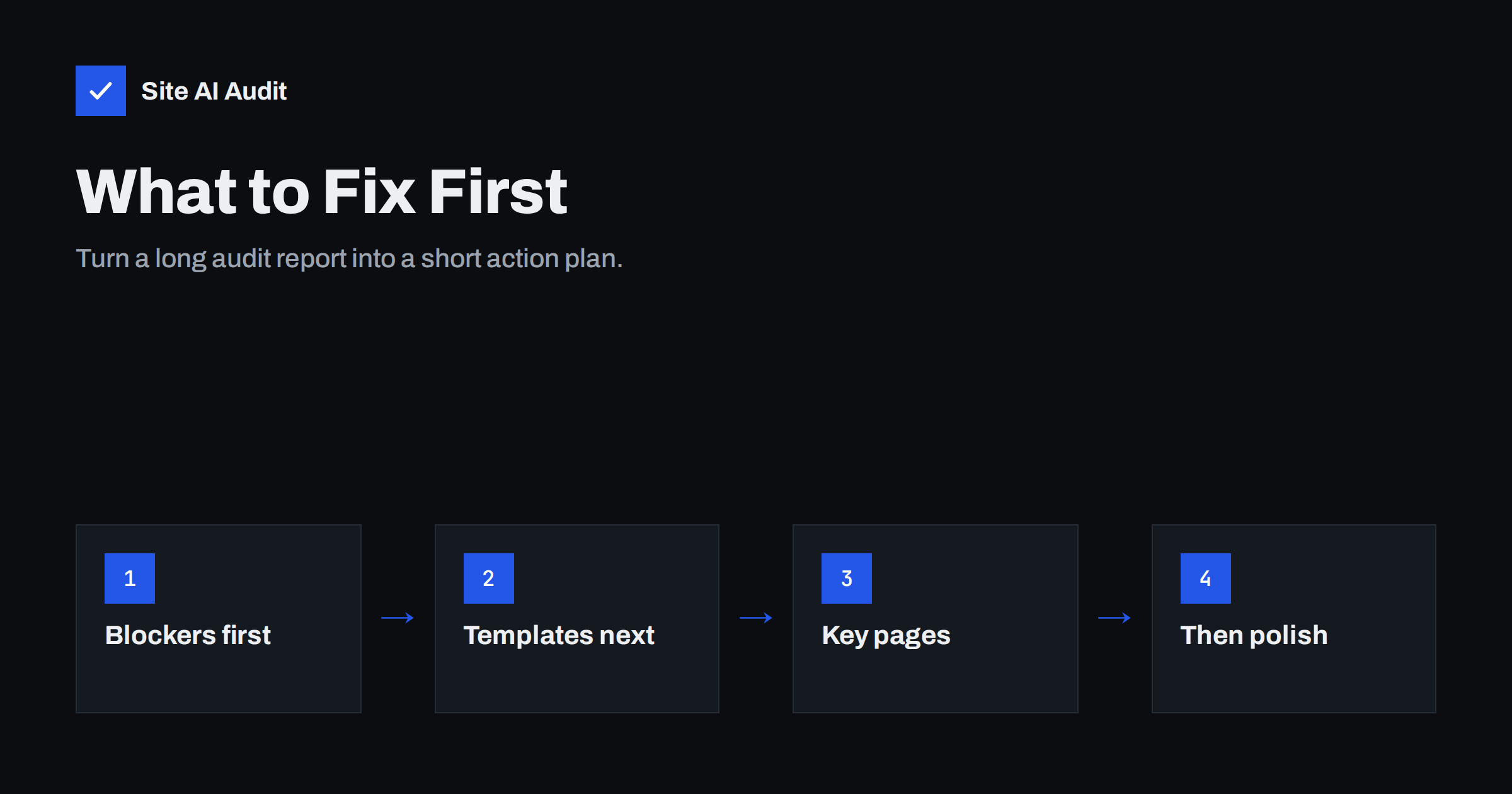
Short answer: Prioritise SEO audit findings by impact and effort. Fix blockers first, meaning anything that hides pages from search or breaks the site, such as noindex on key pages, robots.txt blocks, expired certificates and server errors. Next fix template-level issues that affect many pages at once, then problems on your most valuable pages, and finally smaller polish items such as missing descriptions or alt text on minor pages. A short, ordered plan that gets done beats a long list that does not.
Why audit reports feel overwhelming
The first audit of a website often returns a long list: dozens of findings, some marked critical, some warnings, some notices. Many owners either try to fix everything at once or give up. Both are understandable, and both waste effort.
Not all findings are equal. A single noindex tag on your main service page can cost more visibility than a hundred missing image descriptions on old blog posts. And a single change to a template can resolve hundreds of findings at once. The skill is not fixing everything; it is fixing the right things in the right order.
Two questions for every finding
For each item in the report, ask:
- How much does it matter? Does it stop pages from appearing in search, break the site for visitors, or affect important pages? Or is it a minor improvement on a page few people see?
- How hard is it to fix? Is it a setting, a template change, a quick content edit, or a project that needs a developer and testing?
Plot the answers mentally on a simple grid:
| Low effort | High effort | |
|---|---|---|
| High impact | Do immediately | Plan and schedule soon |
| Low impact | Batch together when convenient | Leave for later or skip |
The top-left box is where quick wins live: a ticked setting, a wrong robots.txt line, a missing redirect for a popular old URL.
Priority 1: Blockers and emergencies
These issues remove pages from search or break the site for visitors. Fix them the same day if you can:
- noindex on the home page or important pages;
Disallow: /or other rules in robots.txt blocking key content;- canonical tags pointing all pages to the home page or to a staging domain;
- an expired or invalid SSL certificate, or one expiring within days;
- server errors (5xx) or very slow responses on key pages;
- redirect loops that make pages unreachable;
- the site or key pages returning 404;
- security warnings or manual actions in Search Console.
Priority 2: Template and site-wide issues
Many findings come from one cause repeated across the site. Fixing the cause at the template or setting level is the most efficient work you can do:
- every page sharing the same title or description because of a theme setting;
- the logo marked as H1 on every page;
- HTTP, HTTPS, www and non-www versions all serving content instead of redirecting to one;
- broken links in the menu or footer, repeated on every page;
- images in the header or footer without alt text;
- a sitemap full of redirects, noindex pages or staging URLs;
- missing security headers or e-mail authentication records, which are set once for the whole domain.
When you see the same finding on dozens of pages, look for the template or setting behind it before editing pages one by one.
Priority 3: Your most valuable pages
Next, focus on the pages that matter most to your business: the home page, main service or category pages, best-selling products, contact and location pages, and the articles that bring the most visitors. For each, check and fix:
- unique, specific title and meta description;
- one clear H1 and a logical heading outline;
- broken links and redirects in the content;
- alt text on meaningful images;
- mobile speed, especially the main image and scripts;
- thin or outdated content.
Use Search Console and analytics to confirm which pages matter. Often it is a short list of ten to thirty pages, even on larger sites.
Priority 4: Content and structure improvements
With technical foundations in place, move to improvements that take longer but build value:
- expanding thin service and category pages;
- merging overlapping articles and redirecting the old URLs;
- improving internal links to key pages;
- adding structured data where it fits;
- refreshing outdated guides.
Priority 5: Polish and minor items
Finally, batch the small items: missing descriptions on old posts, alt text on decorative images in archives, slightly long titles, minor redirect chains from old external links. They are worth doing eventually, but they should never delay anything above.
Example: prioritising a real-looking report
Imagine an audit of a 40-page site for a home cleaning company returns 31 findings. Sorted by cause, they look like this:
- The SSL certificate expires in nine days, and automatic renewal is off. Priority 1: renew and switch on auto-renewal today.
- The “Office cleaning” page, the second most important service, carries a noindex tag left over from a redesign. Priority 1: remove it and request indexing.
- Eighteen pages share the title “Sparkle Cleaning”. The theme outputs the site name as the title for every page. Priority 2: fix the setting once, then write proper titles for the main pages.
- The footer links to an old “Prices” page that returns 404, which appears on all 40 pages. Priority 2: update the footer link and redirect the old URL to the current pricing page.
- The home page hero image takes several seconds to load on mobile. Priority 3: compress it and load it first.
- Four service pages have only a few sentences. Priority 4: expand them over the coming weeks.
- Six old blog posts are missing meta descriptions and alt text. Priority 5: batch when time allows.
Thirty-one findings become seven tasks, two of which are done on day one. That is what a usable plan looks like.
Findings you can often ignore
Some audit findings are informational or depend on context:
- noindex on thank-you pages, internal search or cart pages, which is usually intentional;
- redirects that exist for good reasons, such as old URLs after a restructure;
- “title slightly too long” warnings on pages where the important words are at the start;
- external links to sites that block automated checks, which may appear broken but work in a browser.
Check them once, confirm they are intended, and move on.
Turning the report into a plan
- Group findings by cause, not by page. Ten duplicate titles caused by one setting are one task.
- Assign each task a priority from 1 to 5 using the categories above.
- Assign an owner: you, a colleague, the developer or the hosting company.
- Set a date for priority 1 and 2 items, ideally within a week or two.
- Fix, then re-check. Run the audit again to confirm the finding is gone and nothing new appeared.
- Log what you changed, with dates, so later changes in traffic can be explained.
- Schedule the next audit, so the plan becomes a routine.
Measuring whether the fixes worked
After each round of fixes, look for three kinds of evidence. First, the re-run audit should show the finding gone and no new ones introduced. Second, Search Console should show affected pages moving into the indexed group, and fewer errors in the Page indexing report, usually within a few weeks. Third, over the following one to three months, clicks and impressions for the pages you worked on should hold steady or improve. If nothing changes, revisit whether the pages you fixed were the ones that mattered most.
When to get help
Some fixes are simple settings and content edits. Others involve server configuration, redirect rules, templates or DNS, where a mistake can take the site offline. It is sensible to ask a developer or your hosting provider for help with those, especially for priority 1 and 2 items. Give them the specific finding, the affected pages and the suggested fix from the report; it saves time and money.
How Site AI Audit helps you prioritise
Site AI Audit ranks every finding by impact and marks its severity, so the report already starts with what matters most. Each finding explains in plain words why it matters, lists the affected pages and describes how to fix it. The free check includes full instructions for the three most important findings; paid plans unlock every detail and unlimited re-checks to confirm each fix. If you prefer, the report’s “Fix it for me” option asks Internet Solutions for an estimate. Run a free check or see the plans.
Related reading
- SEO Audit Checklist for Small Business Websites
- How Often Should You Audit Your Website’s SEO?
- Common SEO Mistakes Small Businesses Make (and How to Fix Them)
- The Noindex Tag: When to Use It and How to Check It
The bottom line
An audit report is a list of possibilities, not a list of obligations. Fix blockers that hide pages or break the site first, then template-level issues that repeat across pages, then your most valuable pages, then content improvements, and finally minor polish. Group findings by cause, assign owners and dates, re-check after fixing, and repeat regularly.
DUK
What should I fix first after an SEO audit?
Anything that stops important pages from appearing in search or makes the site unusable: noindex on key pages, robots.txt blocks, certificate problems, server errors and redirect loops.
Do I need to fix every audit warning?
No. Some warnings are intentional or minor. Focus on findings that affect important pages or many pages at once, and batch small items for later.
How long does it take to fix audit findings?
Blockers and settings can often be fixed in minutes. Template changes may take hours. Content improvements are ongoing work over weeks or months.
Why do the same findings appear on many pages?
Usually because they come from a template, theme setting or site-wide configuration. Fixing that single source resolves all the repeated findings.
Should I re-run the audit after fixing issues?
Yes. A re-check confirms that fixes worked and did not create new problems, and it gives you an updated list for the next round.


