 ENEnglish
 LTLietuviškai
 DEDeutsch
 FRFrançais
 RUРусский
 ESEspañol
 PLPolski
 ITItaliano
 UKУкраїнська
 CSČeština
 PTPortuguês
 JA日本語
JA日本語 LVLatviešu valoda
 ETEesti
 HUMagyar
 IDBahasa Indonesia
 TRTürkçe
 HIहिन्दी
 ELΕλληνικά
 ARالعربية
 THไทย
THไทย VITiếng Việt
 RORomână
 MSBahasa Melayu
 BNবাংলা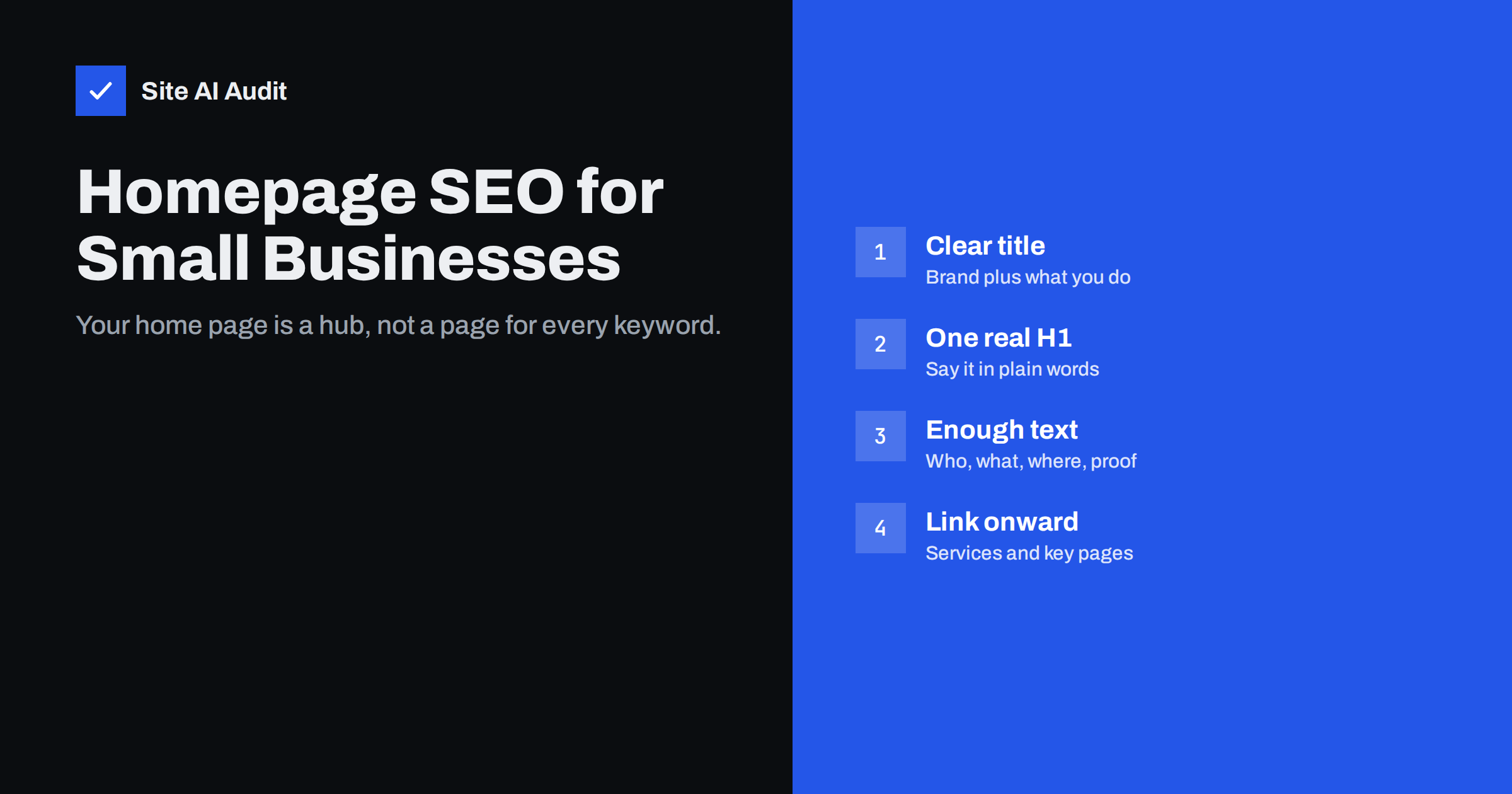
Short answer: A home page should tell visitors and search engines, in plain words, who you are, what you offer and where, and then lead them to the pages that go deeper. Give it a title that combines your brand with your main service, a single clear H1, a few hundred words of real text, visible links to your main service or category pages and structured data for your organisation. Do not try to make the home page rank for every keyword; let dedicated pages do that.
What the home page does in search
On most small business websites the home page is the strongest page. Other sites link to it more than to anything else, and people searching for your business by name almost always land on it. That gives it three jobs in search:
- Answer brand searches. When someone searches for your company name, the home page should appear first, with a clear title, a useful description and, ideally, sitelinks to your main sections.
- Rank for your broadest, most important topic. For a local plumber that may be “plumber in [town]”; for a software company, the product category.
- Pass visitors and authority onward. Links from the home page help search engines discover and value your key pages, and help visitors reach them.
What it cannot do well is rank for twenty different services at once. That is the job of dedicated service, product or category pages, each focused on one topic.
The title tag: brand plus what you do
The home page title is often wasted. “Home”, “Welcome” or just the company name tell searchers nothing unless they already know you. A better pattern is your main service and location, followed by the brand, or the other way round if your brand is well known:
Emergency Plumber in Leeds | Smith & Sons PlumbingAcme Accounting – Bookkeeping and Tax for Small Businesses
Keep it roughly 50–60 characters so it is not cut off, and make it read naturally rather than as a list of keywords. Search engines sometimes rewrite titles that look stuffed or do not match the page. The full method is in our guide on how to write title tags.
Also check how Google shows your site name and favicon above the title in results. They come from separate signals, including structured data, and the article on getting your site name and favicon right in Google explains how to control them.
The H1 and the first screen
Many home pages open with a large slogan such as “Excellence in every detail” or “Your partner for the future”. It may suit the brand, but it tells neither visitors nor search engines what the business actually does.
Use one H1 that says, in plain words, what you offer. A slogan can stay as supporting text. The first screen should answer three questions within a few seconds:
- What do you do?
- For whom, and where?
- What should I do next? (Call, get a quote, browse the shop.)
Avoid putting that key message only inside an image or a rotating slider. Text in images cannot be read reliably by search engines, and sliders often hide the message behind animation while slowing the page down. See the hidden cost of hero sliders for the performance side.
How much text a home page needs
There is no minimum word count for rankings, but a home page with only a slogan, three icons and a contact button gives search engines very little to understand. A few hundred words of genuinely useful text usually works well. It does not have to be one block; it can be spread across sections:
- A short introduction to the business and its main service.
- Brief summaries of each main service or product category, each linking to its own page.
- The area you serve, if you are a local business, with your address or service region.
- Proof: years in business, certifications, notable work or genuine customer reviews.
- Answers to two or three questions every new customer asks.
Write for a person deciding whether to contact you. That text naturally contains the words people search for, without keyword stuffing.
Linking from the home page
Because the home page usually has the most links pointing to it, the links on it carry weight. Use them deliberately.
- Link to each main service, product category or location page from the body, not only from the menu, with descriptive anchor text such as “boiler repair” rather than “learn more”.
- Keep the main navigation focused. A menu with 80 links dilutes attention and confuses visitors.
- Link to your most useful guides or recent articles if they help new visitors.
- Make sure every important page can be reached within a few clicks from the home page.
Our internal linking guide explains how to plan links across the whole site, and the article on service pages that get found shows what those destination pages need.
Structured data and technical basics
A few technical points matter more for the home page than for any other page.
- Organization or LocalBusiness structured data. Describe your business name, logo, address, phone number and social profiles in JSON-LD. For local businesses, the LocalBusiness type with opening hours is especially useful. The structured data beginner guide has examples.
- WebSite structured data. It helps Google choose the site name shown in results.
- One address for the home page.
http://,https://, with and withoutwww, and/index.phpshould all redirect to one version, with a canonical tag pointing to it. - Indexable. Check that the home page does not carry a leftover
noindexfrom development and is not blocked in robots.txt. - Fast on mobile. The home page is often the heaviest page, with large images and video. Its Largest Contentful Paint should be under 2.5 seconds for most visitors.
Common home page SEO mistakes
| Mistake | Why it hurts | Fix |
|---|---|---|
| Title is just “Home” | Tells searchers nothing | Brand plus main service and location |
| Slogan as the only H1 | Topic is unclear | Plain-language H1 about what you do |
| Key text inside images or sliders | Not reliably read; slow | Real HTML text in the first screen |
| Trying to rank for every service | Competes with your own service pages | Summaries on home, depth on service pages |
| Almost no text | Little for search engines to understand | A few hundred useful words |
| Several URL versions | Split signals, duplicate content | Redirects and a canonical tag |
| Leftover noindex after launch | Home page disappears from search | Check indexing settings after every launch |
The fourth mistake deserves attention. When the home page and a service page both target the same phrase, they can compete, and search engines may show the wrong one. Our guide to keyword cannibalization explains how to spot and resolve this.
A quick home page checklist
Use this list after a redesign, a new theme or any major change to the home page. It takes about fifteen minutes.
- Search for your brand name and check the title, description and site name shown in results.
- View the page source and confirm there is exactly one H1 and that it describes what you do.
- Confirm the title is unique and roughly 50–60 characters long.
- Read the first screen on a phone: is it clear what you offer and what to do next?
- Check that every main service or category is linked from the body with descriptive text.
- Test the structured data with a rich results testing tool and fix any errors.
- Type the address with and without
wwwandhttpsand confirm all versions end on one URL. - Inspect the home page in Search Console to confirm it is indexed and not blocked.
- Run a speed test on mobile and look at the Largest Contentful Paint element.
How Site AI Audit helps
Site AI Audit crawls your home page and up to 50 pages on the free check, and lists title, description, heading and alt text problems, broken links, redirects and indexing rules such as noindex, along with speed, SSL, security headers and e-mail authentication. Every finding is explained in plain words and ranked by impact. You can run a free website check to see how your home page is doing.
Related reading
- Local SEO Basics: How Small Businesses Get Found Nearby
- Heading Tags for SEO: How to Use H1, H2 and H3 Properly
- Meta Descriptions: What They Do and How to Write Them
The bottom line
A good home page says clearly who you are, what you do and where, then sends visitors and search engines to the right deeper pages. Give it a descriptive title, a plain-language H1, useful text, deliberate internal links, organisation structured data and a single, indexable, fast URL. Leave detailed targeting to dedicated pages, and the home page and those pages will support each other instead of competing.
DUK
What should the home page title be?
Combine your brand with your main service and, for local businesses, your location, in about 50 to 60 characters. Avoid titles like “Home” or “Welcome” that say nothing to new searchers.
How many words should a home page have?
There is no fixed number, but a few hundred words of useful text usually works well. It should explain what you do, for whom, where, and why customers can trust you.
Should my home page target my main keyword?
It can target your broadest, most important topic. Specific services and products should have their own pages, so the home page does not compete with them.
Is a slider bad for home page SEO?
Sliders often hide the key message behind animation, use text inside images and slow the page. A single clear hero with real HTML text usually works better for visitors and search.
Why does Google show a different title for my home page?
Google may rewrite titles that are vague, stuffed with keywords or do not match the page. A clear, descriptive title that reflects the visible H1 is less likely to be changed.


