 ENEnglish
 LTLietuviškai
 DEDeutsch
 FRFrançais
 RUРусский
 ESEspañol
 PLPolski
 ITItaliano
 UKУкраїнська
 CSČeština
 PTPortuguês
 JA日本語
 LVLatviešu valoda
 ETEesti
 HUMagyar
 IDBahasa Indonesia
 TRTürkçe
 HIहिन्दी
 ELΕλληνικά
 ARالعربية
 THไทย
 VITiếng Việt
 RORomână
 MSBahasa Melayu
 BNবাংলা
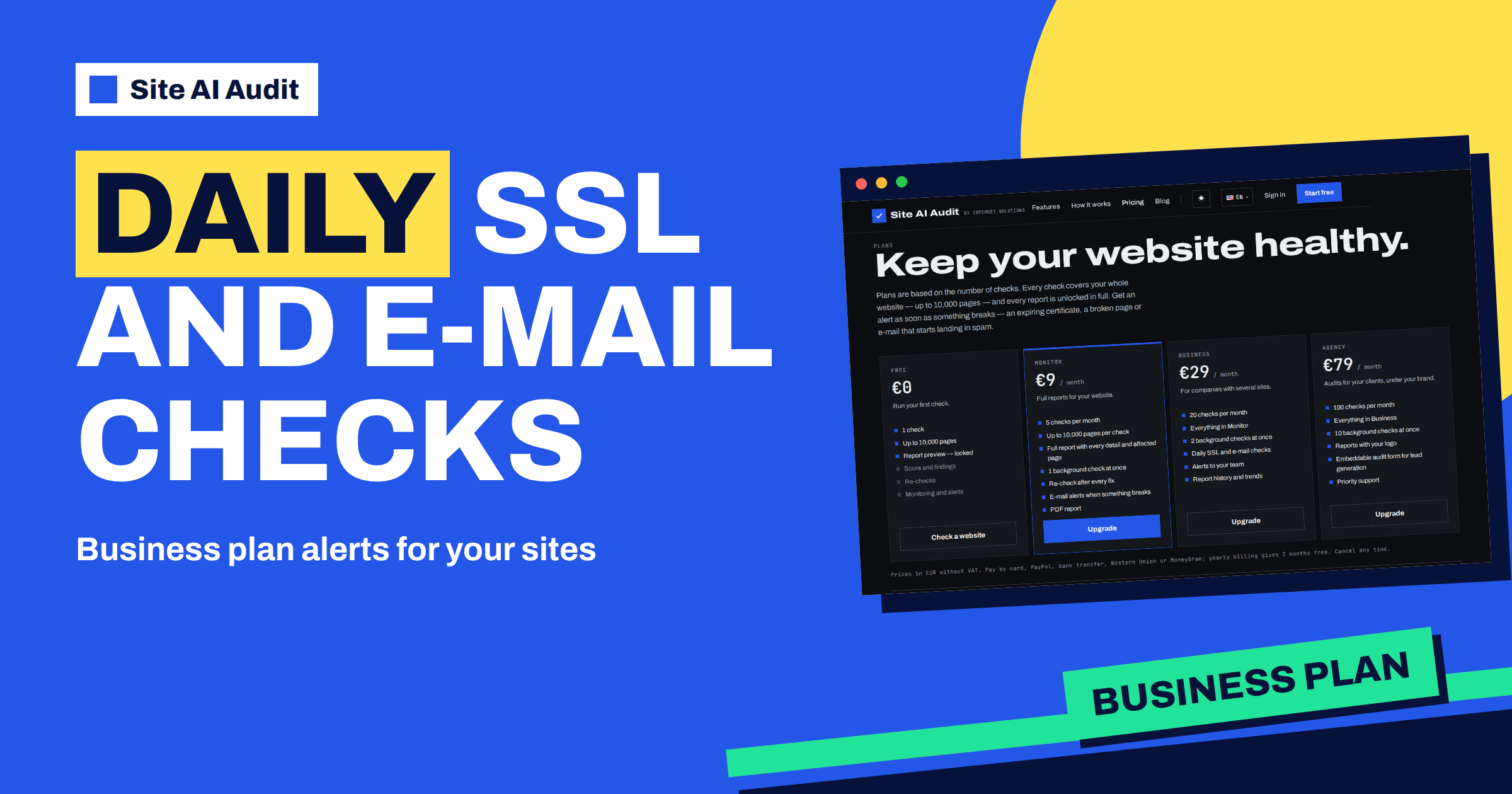
Short answer: The Business plan of Site AI Audit costs €29 a month and includes 20 checks per month, everything in the Monitor plan, 2 background checks at once, daily SSL and e-mail checks, alerts to your team and report history with trends. The daily checks are the main difference: a certificate that is about to expire or an e-mail record that disappears is noticed within a day, not at the next full audit that someone remembers to start.
Who the Business plan is for
On the pricing page the plan is described as “For companies with several sites”. That describes a business where a website is no longer one person’s hobby. There is a company site, perhaps an online shop and a few campaign pages, and more than one person who would suffer if something broke: the marketing manager, the person who looks after the server and the owner. A single owner can use Monitor for one site. A team usually needs more checks, a shared view of the results and a quicker warning when something changes.
The page limit is the same on every plan: up to 10,000 pages per check. The plans differ by the number of checks per month and by what comes with them. Business sits in the middle: 20 checks a month, between 5 on Monitor and 100 on Agency.
What is included, in the plan’s own words
According to the live pricing page, Business includes:
- 20 checks per month, each covering the whole website.
- Everything in Monitor: the full report with every detail and affected page, re-check after every fix, e-mail alerts when something breaks and a PDF report.
- 2 background checks at once, so two audits can run at the same time instead of waiting in a queue.
- Daily SSL and e-mail checks.
- Alerts to your team.
- Report history and trends.
Prices are in euros without VAT, and yearly billing gives two months free. Unused checks do not carry over to the next month.
What the daily checks look at
It helps to be exact here. The daily checks are not a full audit every day. They cover two specific things that tend to fail without warning: the SSL certificate and the e-mail records of your domain. The daily check looks at whether the certificate is valid and how many days it has left, and whether your SPF and DMARC records are still there. It is designed to warn you about changes, not to repeat the same message every day: you are alerted when the certificate stops being valid, when it reaches 14, 7, 3 and 1 days before expiry, and when an SPF or DMARC record that was present has disappeared.
The reason for choosing these two is how they fail. A certificate does not break because of anything you did. It simply reaches a date. An e-mail record can vanish when someone changes DNS provider, edits the zone or moves the mail to a new service. Neither failure leaves a visible trace on your pages, so nobody notices until customers complain: a browser warning for the first, spam folders or bounced messages for the second. A daily look shortens that gap from weeks to a day.
Why a daily look matters for e-mail
E-mail problems are especially quiet. If an SPF record is replaced by a wrong one, your messages still leave your server. They just start landing in spam, and nobody tells you. The audit’s e-mail findings, such as “No SPF record”, “More than one SPF record”, “No DMARC record” and “SPF needs N DNS lookups (limit is 10)”, are the usual signs. Daily checks watch for these changes between full audits. If your company sends quotes, invoices or order confirmations by e-mail, that matters directly for revenue. The article on DNS propagation and TTL explains why mistakes in DNS can take hours to appear and to disappear.
チームへのアラート
Monitor sends e-mail alerts when something breaks. Business adds alerts to your team, which means the warning does not depend on one person’s inbox. This matters in practice. The founder who set up the site two years ago is not the person who is on holiday when the certificate expires. When several people receive the alert, someone acts. It is a good idea to decide in advance who owns each type of problem: certificates and DNS to the person who manages hosting, content findings to the person who edits the site.
レポート履歴と推移
A single report is a snapshot. A history shows direction. With Business you can see how the score and the findings change from one check to the next, which answers questions that otherwise lead to arguments: did the redesign make the site faster, did the new plugin add findings, are we fixing issues faster than we create them? A downward trend after a deployment points at the deployment. An upward trend after a month of fixes is something you can show a manager or a client.
How to spend 20 checks a month
Twenty checks sounds like a lot, but they go quickly when several people use them. A practical split for a company with three sites:
- One baseline check per site at the start of the month: three checks.
- Re-checks after each round of fixes: perhaps six to nine checks.
- A check after every significant change, such as a redesign, a migration or a new plugin: a few more.
- A reserve for emergencies, such as a sudden ranking drop.
Because every check is started by someone pressing the button, nothing is used up automatically. If you have many more sites, look at the Agency plan, which includes 100 checks, or read the article on client reports with your logo.
Business or Monitor?
Choose Monitor if you have one site, one person responsible and a moderate need for checks. Choose Business when you need any of these: more than five checks a month, daily SSL and e-mail monitoring, alerts that reach several people or a history of results. The difference in price is €20 a month, which is small compared with a single day of lost sales caused by an expired certificate. For the details of every plan side by side, see the pricing page.
What the daily checks do not do
It is worth being realistic about what the daily checks are for. They do not crawl your pages, so they will not tell you about a broken link, a missing title or a slow image. They are not an uptime monitor either, so they will not tell you that your site is down. They watch two things that can quietly break, the certificate and the mail records, and they tell you when something changes. Content, speed and the rest of the SEO and security findings still come from a full check, which is why the 20 checks a month matter as much as the daily alerts.
A simple routine for a team
Teams get the most from the plan when they agree on a rhythm. A common one is a full check at the start of each month to find new findings, a re-check after each round of fixes to confirm them, and a full check after any release that touches templates, plugins or DNS. The daily checks fill the gaps between those moments, and the history shows whether the rhythm is working.
A worked example
A regional furniture company has a main site, an online shop and a landing page for a seasonal campaign. The marketing manager, the owner and an external IT contractor receive the alerts. In October the contractor moves the e-mail to a new provider and forgets to copy the SPF record. The daily e-mail check notices the missing record the next day, the team is alerted, and the contractor restores it within hours. Before the Business plan, the same change had gone unnoticed for a month and the company’s quotes had been landing in spam. The history of reports later shows the same week as a dip in the e-mail score, followed by recovery, which the owner uses to decide to keep the plan.
To start, check your website with Site AI Audit. The check needs a free account, and the Business plan unlocks the full report and the daily checks.
Related reading
- Changing DNS Provider Without Breaking Your Email
- How to Automate SSL Renewal With Certbot (and Verify It Works)
- Website Uptime Monitoring: How to Know Your Site Is Down First
- Site AI Audit Email Checks: SPF, DKIM, DMARC and MX
The bottom line
The Business plan suits companies where several people depend on the website. It adds 20 checks a month, daily SSL and e-mail checks, alerts to your team and report history to what Monitor offers. Use the daily checks to catch the quiet failures and the full checks to confirm each round of fixes.
FAQ
How much does the Business plan cost?
It costs €29 a month, in euros without VAT. Yearly billing gives two months free, and you can cancel at any time.
Are the daily checks full audits?
No. They cover the SSL certificate and the SPF and DMARC records. A full audit starts when someone presses the button and counts as one of your monthly checks.
How many people can receive alerts?
The pricing page lists alerts to your team as part of the plan. If you need more detail about who receives them, ask through the contact page of the site before you subscribe.
Do unused checks carry over?
No. Unused checks do not carry over to the next month.
Can I upgrade from Monitor later?
Yes. You can change or cancel your plan at any time, and your reports stay in your account.


