 ENEnglish
 LTLietuviškai
 DEDeutsch
 FRFrançais
 RUРусский
 ESEspañol
 PLPolski
 ITItaliano
 UKУкраїнська
 CSČeština
 PTPortuguês
 JA日本語
JA日本語 LVLatviešu valoda
 ETEesti
 HUMagyar
 IDBahasa Indonesia
 TRTürkçe
 HIहिन्दी
 ELΕλληνικά
 ARالعربية
 THไทย
THไทย VITiếng Việt
 RORomână
 MSBahasa Melayu
 BNবাংলা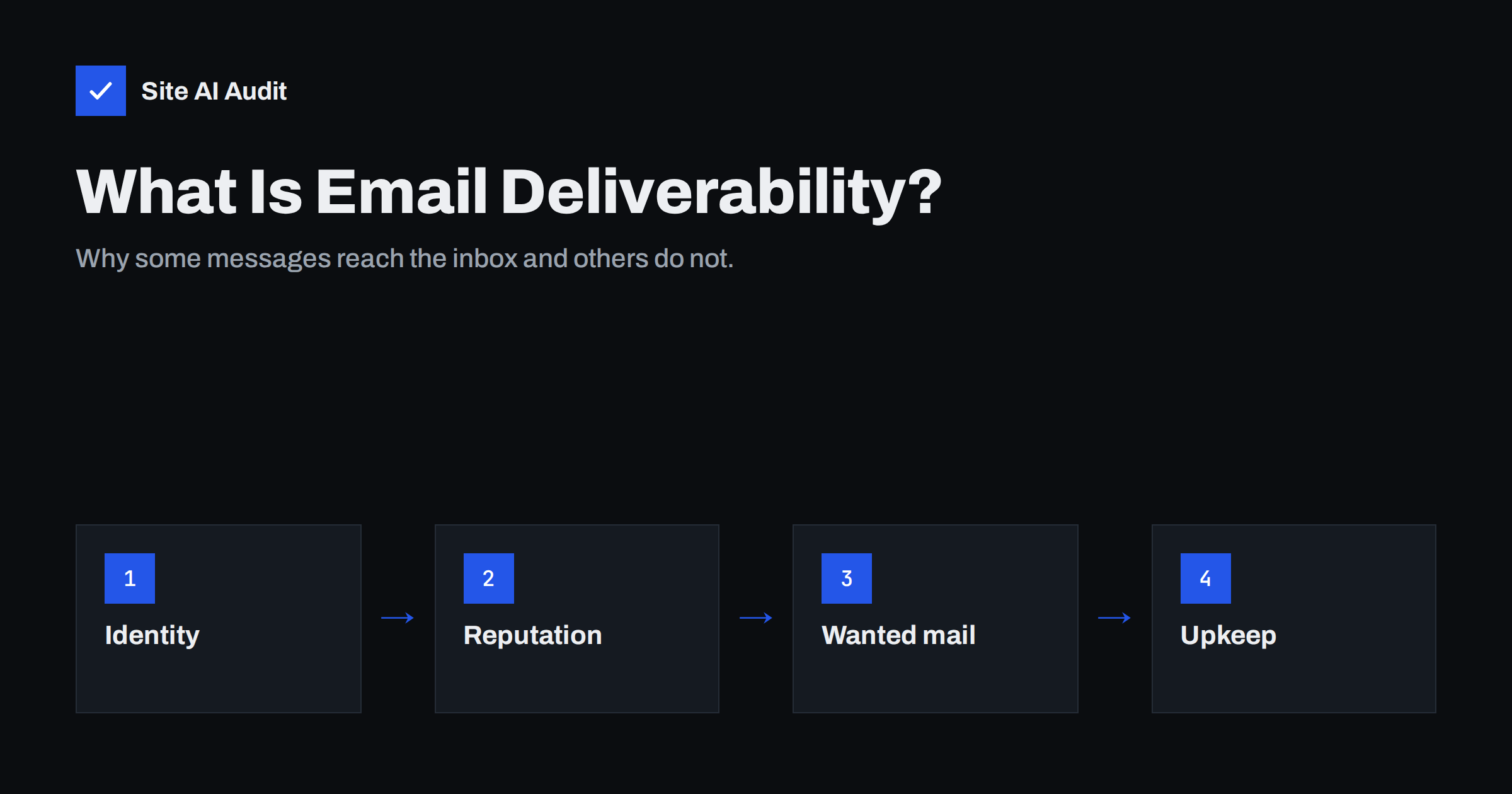
Short answer: E-mail deliverability is the ability of your messages to reach recipients’ inboxes rather than their spam folders or being rejected. It depends on three things: whether your domain proves its mail is genuine (through SPF, DKIM and DMARC records), what reputation your domain and sending servers have built, and whether recipients want and engage with your mail. It matters for every business that e-mails customers, not just for newsletters, because quotes, invoices and password resets are subject to the same filters.
Why a business owner should care
Many owners think of e-mail deliverability as a marketing topic, relevant only to newsletters. In reality, the same filters decide the fate of every message your business sends: a quote to a new client, an invoice, a booking confirmation, a reply to a complaint, a password reset from your website. When those land in spam, the costs are concrete: lost deals, late payments, support calls and customers who think you ignored them.
The frustrating part is that deliverability problems are mostly invisible from your side. Your sent folder looks normal. No error appears. The only symptom is silence, or a customer mentioning weeks later that your e-mail was in their junk folder.
The good news is that the most common causes are well understood and usually quick to fix once someone looks.
What happens to a message after you press send
- Your mail provider sends the message to the recipient’s mail server.
- The receiving server checks who you are. It looks up records in your domain’s DNS to see whether your provider is allowed to send for you and whether the message carries your domain’s digital signature.
- It checks your reputation. Has mail from your domain and your provider’s servers been wanted in the past, or reported as spam?
- It looks at the message. Links, formatting and content are considered, usually with less weight than people expect.
- It decides: reject the message, deliver it to spam, or deliver it to the inbox.
Steps 2 and 3 carry the most weight for most businesses, and both can be influenced. All of this happens in a fraction of a second, for every single message, and each mailbox provider applies its own rules. That is why a message can reach the inbox at one provider and the spam folder at another on the same day.
Part 1: proving your identity
E-mail was designed without any way to check who really sent a message. Three standards, all published as records in your domain’s DNS, add that check:
- SPF lists the servers allowed to send mail for your domain.
- DKIM adds a digital signature to each message, which receivers verify with a key published in your DNS.
- DMARC ties those checks to the address your recipients see and tells receivers what to do with mail that fails, for example reject it if a criminal is impersonating you.
Large mailbox providers such as Gmail, Yahoo and Outlook.com now expect these records, and require them from senders of large volumes. A domain without them starts every message at a disadvantage, and anyone can send mail pretending to be from it.
Part 2: reputation
Mailbox providers remember how their users have reacted to your mail. Signals that build a good reputation include recipients opening, replying to and keeping your messages. Signals that damage it include spam complaints, mail sent to addresses that do not exist, and sudden, unusual bursts of volume.
Reputation behaves a little like a credit score. It is built slowly through consistent good behaviour, it can drop quickly after one bad episode, and recovering takes time. That is why a single campaign to an old, forgotten list can cause problems for weeks, including for everyday mail sent from the same domain.
Reputation is attached to your domain and to the servers that send your mail. If you use a large provider for everyday mail, its servers usually have a good reputation, and your own domain’s history becomes the main factor. If your website sends mail directly from a shared web server, you inherit whatever reputation that server has, which is often poor.
Part 3: sending mail people want
The simplest deliverability rule is also the most important: send mail to people who expect it. In practice:
- only add people to newsletters when they have clearly agreed;
- make unsubscribing easy, so unhappy readers leave instead of reporting spam;
- remove addresses that bounce;
- stop mailing people who have not engaged for a long time;
- use a recognisable sender name and honest subject lines.
Content still matters, but modern filters care far more about who you are and how recipients react than about individual words.
Common myths about getting into the inbox
- “Avoid the word free and you will be fine.” Filters used to rely on word lists. Today they weigh identity, reputation and recipient behaviour far more heavily. Honest wording still helps, mainly because misleading subjects cause complaints.
- “Our mail provider handles all of this.” Providers handle their own servers, but records in your domain’s DNS, the tools you connect and the lists you send to are your responsibility.
- “If mail isn’t bouncing, it’s arriving.” A message in the spam folder counts as delivered. Bounces show only the most obvious failures.
- “A new domain will fix our spam problem.” A new domain starts with no reputation at all, and if the underlying list or setup problems remain, it will end up in the same place.
- “Deliverability is a one-time setup.” Records, tools and lists change constantly. Setups that worked last year often break after a website rebuild or a new software subscription.
Who is involved in your deliverability
In a small business, e-mail touches more people and suppliers than it seems. The domain registrar or DNS host holds the records. The mailbox provider sends everyday mail. The web developer or agency controls how the website sends notifications. The marketing team or an external agency runs newsletters. The accounting or booking software sends invoices and confirmations. Each of them can break deliverability without the others noticing.
Naming one person as responsible for e-mail health, even if that person mostly coordinates others, is one of the most effective improvements a small business can make. That person keeps the list of sending tools, checks the records after changes and is the first contact when a customer reports missing mail.
The most common problems in small businesses
| Problem | Typical symptom | Usual fix |
|---|---|---|
| Missing or broken SPF | Mail to Gmail or Outlook lands in spam | Publish one correct SPF record |
| DKIM never switched on | Mail passes some checks but not others | Enable signing in the mail provider |
| No DMARC | Criminals can send mail as your domain | Publish DMARC, then enforce it |
| Website sends mail directly | Contact form and order e-mails missing | Send through an authenticated service |
| Marketing tool not authenticated | Newsletters in spam, DMARC failures | Set up custom domain authentication |
| Old or bought lists | Bounces, complaints, blocklisting | Confirmed opt-in and list cleaning |
Where to start
- Check your domain’s records. Are SPF, DKIM, DMARC and MX published and correct?
- Send yourself a test. From your mailbox and from your website’s contact form, send to a Gmail address and check “Show original”: SPF, DKIM and DMARC should all say PASS.
- List every system that sends mail as your business, such as the shop, invoicing and newsletter tools, and make sure each is authenticated.
- Review your newsletter practices against the list in Part 3.
- Keep checking, because website rebuilds, DNS moves and new tools regularly break working setups.
Site AI Audit was built to answer the first question quickly. It checks your website’s SEO, speed, SSL and security, and your domain’s e-mail authentication, including SPF with its lookup limit, DKIM, DMARC and MX records, and explains every finding in plain words ranked by impact. A free check takes a couple of minutes; paid plans keep checking and alert you when something breaks.
Related reading
- SPF vs DKIM vs DMARC: What Each One Does and Why You Need All
- Why Are My Emails Going to Spam? 12 Causes and Fixes
- Email Deliverability Checklist: 20 Checks for Small Businesses
- Email Deliverability vs Delivery Rate: What’s the Difference?
The bottom line
Deliverability decides whether your e-mail is seen. It rests on proving your identity with SPF, DKIM and DMARC, building a good reputation, and sending mail people want. Most small-business problems come from a missing record, an unauthenticated website or tool, or an old list, and all of them can be found and fixed with a few checks.
FAQ
What is e-mail deliverability in simple terms?
It is whether your e-mails reach the recipient’s inbox instead of the spam folder or being rejected.
Does deliverability matter if I do not send newsletters?
Yes. Quotes, invoices, replies and website notifications pass through the same filters, and they are often the messages that matter most.
What are SPF, DKIM and DMARC?
They are DNS records that prove your e-mail is genuine: SPF lists allowed servers, DKIM signs messages and DMARC connects both to the visible sender and sets a policy for failures.
How do I know if my e-mails go to spam?
Send tests to Gmail and Outlook.com accounts, check the folder and the authentication results in the message source, and ask a few customers to tell you where your messages arrive.
Can I fix deliverability myself?
Many fixes are DNS records and settings you or your web developer can change. Complex cases, such as blocklistings or large senders’ reputation problems, may need specialist help.
How long does it take to improve deliverability?
Technical fixes take effect within hours to a day. Reputation improvements take weeks of consistent, wanted sending.


