ENEnglish
 LTLietuviškai
 DEDeutsch
 FRFrançais
 RUРусский
 ESEspañol
 PLPolski
 ITItaliano
 UKУкраїнська
 CSČeština
 PTPortuguês
 JA日本語
JA日本語 LVLatviešu valoda
 ETEesti
 HUMagyar
 IDBahasa Indonesia
 TRTürkçe
 HIहिन्दी
 ELΕλληνικά
 ARالعربية
 THไทย
THไทย VITiếng Việt
 RORomână
 MSBahasa Melayu
 BNবাংলা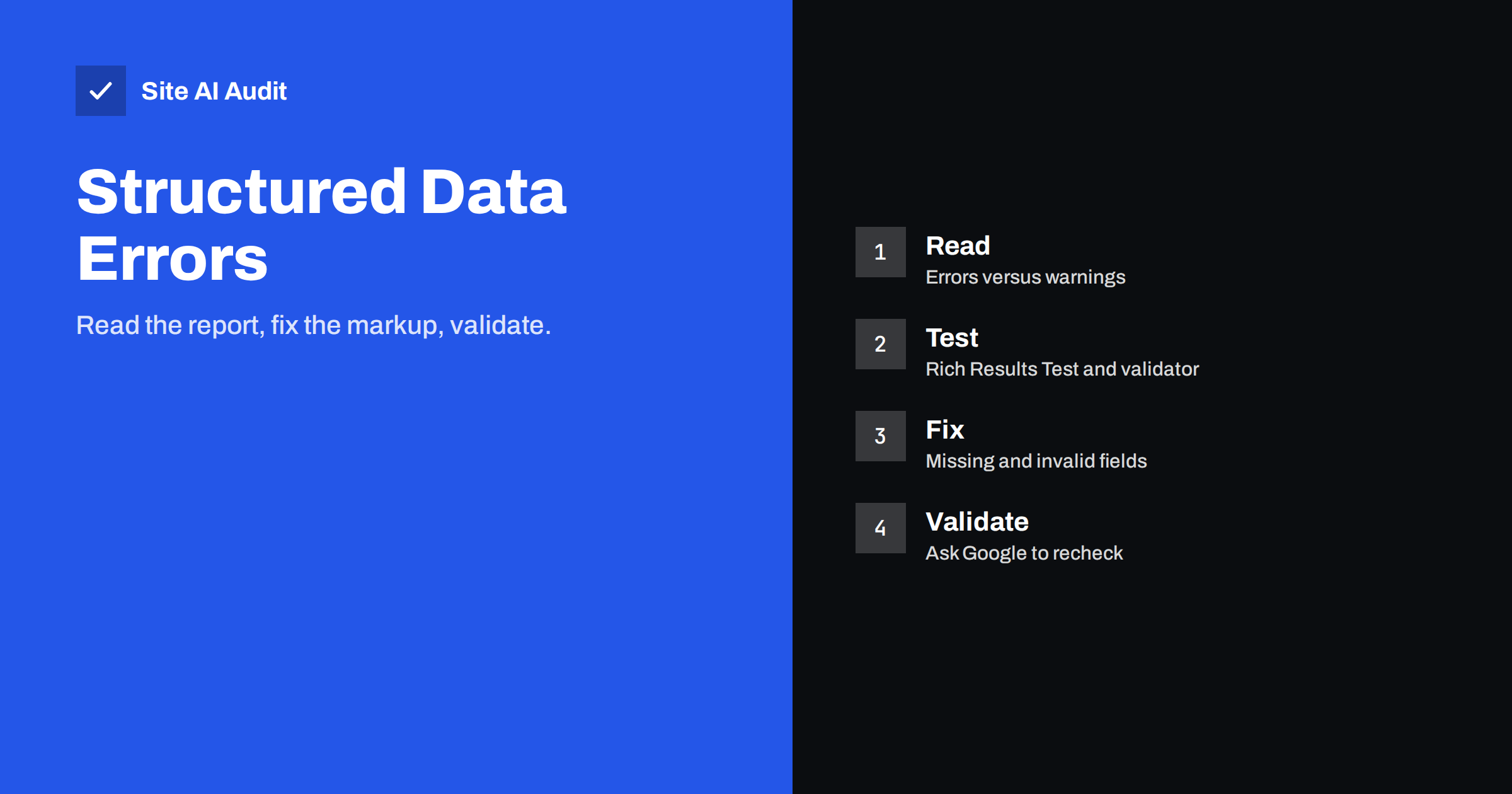
Short answer: Structured data errors appear in Search Console when your markup is missing a required property or has a value that does not match what Google expects. Errors make a page ineligible for the related rich result, while warnings are optional improvements. Open the report, inspect an affected URL, fix the markup in your theme or plugin, test it, and then use the validate fix button to ask Google to recheck.
What structured data errors mean
Structured data is extra code, usually JSON-LD, that describes what a page is about: a product, an article, a recipe, a business or a list of questions. Search engines read it to understand the page and, in some cases, to show richer search results such as review stars, prices or breadcrumb paths. If you are new to the topic, start with our beginner guide to structured data for small business websites.
Search Console checks the markup it finds on your pages and groups the results into reports under the Enhancements section, one per type, for example products, breadcrumbs or videos. Each report separates items into three states: valid, valid with warnings and invalid. Invalid items have at least one error.
- Error. A required property is missing or a value is not valid. The page is not eligible for that rich result until it is fixed.
- Warning. A recommended property is missing. The page can still be eligible, but the result may be less complete.
- Valid. Google could read the markup. This does not guarantee a rich result, because Google decides what to show for each query.
Only the types that Google supports for rich results appear in Search Console. Other types of markup can still be useful, but you will not see them reported there.
Where to find the reports
In Search Console, open the Enhancements section in the left menu. The types shown depend on what Google has found on your site. If you have no markup of a supported kind, there is no report at all. You will not see a problem, because nothing was detected.
- Open a report and look at the chart for errors, warnings and valid items over time.
- Below the chart, read the list of reasons, for example a missing field called name or an invalid value type.
- Click a reason to see the affected URLs.
- Open one URL and use the inspection panel. The URL Inspection tool lets you test the live page and view the detected markup.
A sudden jump in errors usually follows a theme update, a plugin change or a template edit. Check what changed on the date the chart moves.
Test before you change anything
Two free tools help you test markup. The Rich Results Test from Google shows whether a page or a code snippet is eligible for rich results and lists errors and warnings per item. The Schema Markup Validator at validator.schema.org checks general Schema.org syntax, even for types that Google does not use for rich results.
Testing a live URL shows what a crawler would see after scripts have run. Testing a pasted snippet is useful while you are editing, before you publish. Use both: the snippet to fix the logic, and the URL to confirm that your theme or plugin outputs the same thing.
The most common errors and fixes
- Missing required field. A product without a name or an offer without a price. Add the field to the template, or fill in the field in the plugin settings.
- Invalid value type. A price written as “$19,90” instead of a number such as 19.90 with a separate currency code, or a date in a local format instead of the ISO format.
- Invalid URL. A relative link, a link with spaces or a link that does not resolve. Use full, working addresses where the property asks for a URL.
- Syntax error. A missing comma, an extra comma at the end of a list, or an unescaped quotation mark inside text. JSON is strict, and one stray character breaks the whole block.
- Duplicate markup. A theme and an SEO plugin both output the same type, so the page has two conflicting products or two organisations. Turn one source off.
- Markup that does not match the page. Marking up prices, reviews or events that visitors cannot see on the page. Google can issue a manual action for misleading markup, as we describe in our article on manual actions in Search Console.
- Review problems. Self-serving reviews for your own business, or a rating with no review count. Follow Google’s review snippet guidelines closely.
- Image problems. A missing or tiny image, or one that is blocked by the robots.txt file so Google cannot fetch it.
Fixing errors in WordPress and other CMS platforms
Most small sites create markup automatically, through the theme, an SEO plugin or a shop plugin. That is good, because you do not need to write code, but it also means the fix often lives in a setting.
- Check which plugin creates the markup for the affected type, then look for missing fields in its settings: a logo, a business name, a default image or a product brand.
- If a page type is generated from a custom field, make sure the field is filled in for every page.
- If two sources output the same type, keep the more complete one and disable the other.
- If you add JSON-LD by hand, place it in the page template or a header field, and validate every change before you save it.
When the markup needs a value that your CMS does not have, such as a product’s brand or availability, add the data to the product first. Do not invent a value only to silence the report.
Validate the fix and wait
After you fix the template, open the report and click the reason you fixed. Use the button to validate the fix. Google then rechecks the affected URLs and reports progress as pending, passed or failed. The check can take days or longer on a large site, so do not repeat the request every day.
If validation fails, the report lists the URLs that still have the problem. Fix those, which often use a different template, and start again. Meanwhile, you can speed things up by inspecting an important URL and requesting indexing, but remember that this is a request, not a guarantee.
Keep errors from coming back
- Test a sample page of each template after every theme or plugin update.
- Keep a short list of which plugin or template is responsible for each type of markup.
- Do not copy markup from another site. Prices, names and ratings must describe your own page.
- Check the Enhancements reports monthly, or turn on email notifications from Search Console.
- Keep markup in the HTML that is delivered to the browser where possible. If it is added by scripts, make sure Google can render them, as explained in our JavaScript SEO basics.
What Site AI Audit can and cannot tell you
Site AI Audit crawls up to 50 pages and reports on titles and descriptions, headings, alt texts, broken links, redirects, the sitemap, robots.txt and noindex tags. It does not test structured data types or tell you whether a page is eligible for a rich result. For that, use Search Console and the Rich Results Test. What the audit does help with is the technical foundation, such as pages that are blocked or redirected, which can stop markup from being read at all. You can run a free check of your website or look at the plans.
Related reading
- Structured Data for Small Business Websites: A Beginner Guide
- URL Inspection Tool in Search Console: How to Use It
- Breadcrumbs for SEO: Why They Help and How to Add Them
- How to Set Up Google Search Console for a Small Business
The bottom line
Treat structured data errors as a to-do list, not an emergency. Find the reason in the Enhancements report, test the affected page, fix the template or plugin setting, and validate. Keep the markup honest and in line with what visitors see, and check it again after every theme or plugin change.
FAQ
Do structured data errors hurt my rankings?
Google has said that structured data is not a direct ranking factor. Errors can stop a page from qualifying for a rich result, which may reduce clicks. Misleading markup can lead to a manual action, which is more serious, so keep it accurate.
What is the difference between an error and a warning?
An error means a required property is missing or invalid and the page is not eligible for that rich result. A warning means a recommended property is missing. The page may still be eligible, but adding the field can make the result more complete.
How long does validation take?
It depends on the number of affected pages and how often Google crawls your site. Small sites may see results within a few days, while larger sites can wait for weeks. Avoid restarting validation unless you have made further changes.
Why does the report show errors for pages that look fine?
The markup is invisible to visitors, so a page can look perfect and still contain faulty code. Check the page with the Rich Results Test, and look for duplicate markup from a theme and a plugin, or for fields that are empty on that particular page.
Do I need structured data on every page?
No. Add it where it describes the content accurately and where a supported rich result could help, such as products, articles, breadcrumbs or business details. It is better to have a few correct items than many incomplete ones.