ENEnglish
 LTLietuviškai
 DEDeutsch
 FRFrançais
 RUРусский
 ESEspañol
 PLPolski
 ITItaliano
 UKУкраїнська
 CSČeština
 PTPortuguês
 JA日本語
JA日本語 LVLatviešu valoda
 ETEesti
 HUMagyar
 IDBahasa Indonesia
 TRTürkçe
 HIहिन्दी
 ELΕλληνικά
 ARالعربية
 THไทย
THไทย VITiếng Việt
 RORomână
 MSBahasa Melayu
 BNবাংলা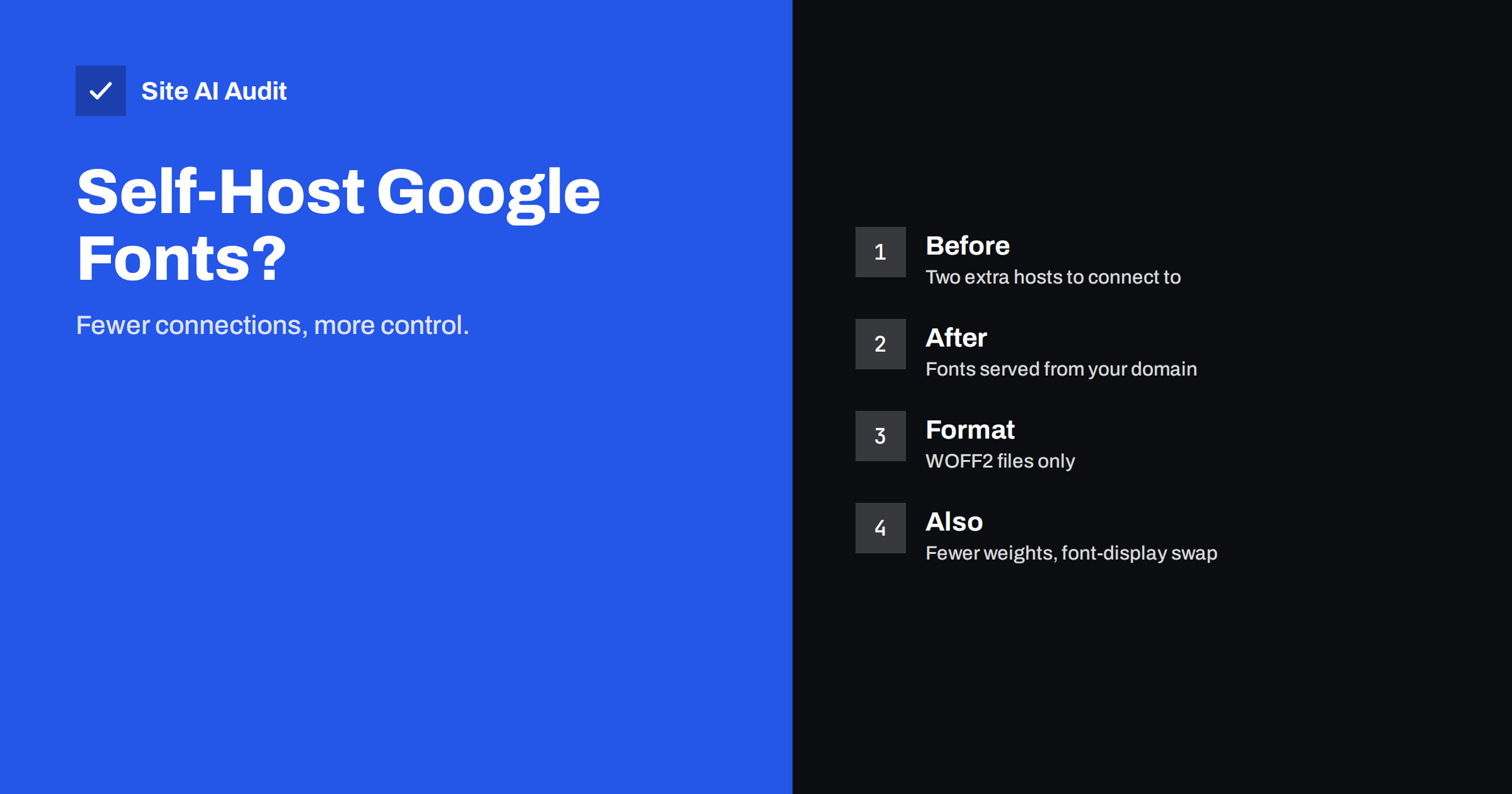
Short answer: Self-hosting Google Fonts usually makes a page slightly faster, because the browser no longer has to contact two extra servers before it can show your text. The gain is real but modest, so it only pays off if you also use few font files, the modern WOFF2 format, a sensible loading setting and good caching. Choosing fewer fonts and weights almost always saves more than changing where they come from.
How Google Fonts normally load
When you add a Google font with the standard snippet, the browser first requests a small stylesheet from one Google host. That stylesheet says which font files are needed and where they live. The browser then requests the files themselves from a second Google host. So before your headline can appear in the right typeface, the browser must set up connections to two additional hosts: look up each name, open a connection and secure it.
On a fast desktop connection this is a few dozen milliseconds. On a mobile network with high latency it can be several hundred, and it happens before the font download even begins. Because text cannot be drawn in the right font until the file arrives, the delay can push back the moment your main content appears, which affects the measure described in our guide to Largest Contentful Paint.
Why self-hosting can be faster
If the font files sit on your own domain, the browser already has a connection open to it. There is no extra name lookup and no new secure connection to set up, and the font requests can share the connection that is delivering your page. This is especially helpful with modern protocols that let many files travel over one connection, as explained in our comparison of HTTP/2 and HTTP/3.
Self-hosting also gives you control over details that matter:
- Caching: you decide how long browsers keep the files. Fonts rarely change, so a long cache lifetime is safe. See our guide to browser caching and Cache-Control.
- Preloading: you can tell the browser to fetch the most important font file early.
- Subsetting: you can include only the characters your site really needs.
- Stability: your page does not depend on a third-party service for rendering text.
A common myth about shared caching
Years ago, people argued that Google Fonts were faster because visitors probably already had the file cached from another website. That argument no longer holds. Modern browsers keep a separate cache for each website, so a font downloaded for one site is not reused on another. The old shared-cache benefit has disappeared, which removes one of the main reasons to keep loading fonts from a third party.
How to self-host properly
- Decide which fonts and weights you really use. Look at your design and list each family, weight and style in use. Remove anything unused.
- Download the font files. Google Fonts are published under open licences that allow you to host them yourself, but check the licence shown for the specific family you choose. Use WOFF2, which is supported by all current browsers and is much smaller than older formats. Other formats are rarely needed now.
- Upload them to your own server in a clear folder, and write the font-face rules in your stylesheet with the correct file paths.
- Set font-display. The value swap shows text immediately in a fallback font and swaps in the real one when it arrives. Our guide to web font loading describes the trade-offs of each value.
- Preload only the critical file, usually the main text font in the regular weight. Preloading too many files competes with other important resources. A preloaded font needs the crossorigin attribute even when it is on your own domain. Our guide to preload, preconnect and prefetch explains the details.
- Set a long cache lifetime on the font files, so repeat visitors do not download them again.
- Remove the old Google snippet and any connection hints for it, so that visitors’ browsers no longer contact those hosts.
On WordPress, many themes and builders load Google Fonts in several places at once. Check the page source after the change, because a leftover link in a theme file or a plugin can load the same fonts a second time and cancel the benefit.
Reduce the size before you move it
The biggest savings come from sending less data. Each weight and style is a separate file, so using regular, italic, bold and bold italic of two families means eight files. Often a design looks the same with two or three. Variable fonts, which contain a range of weights in one file, can replace several static files, but a variable file can also be larger than the two weights you needed, so compare the real sizes.
Subsetting means keeping only the character sets you need. A site written in English may not need Cyrillic or Vietnamese characters. Google’s own stylesheet already splits fonts by script, so the browser downloads only what a page uses; when you self-host, you take over this job and should keep the same idea. Do not remove characters you may need, though, such as the accented letters in names, currency symbols or quotation marks.
Finally, consider whether you need a custom font at all. System fonts load instantly and cost nothing, which is why they are a fair choice for body text on very fast sites. Our guide to a performance budget shows how to set a limit for the total weight of fonts and other resources.
Avoid layout shifts when fonts swap
When a fallback font is replaced by the real one, text can change width and push other content around. This is a layout shift and counts against your score, as explained in our guide to Cumulative Layout Shift. To reduce the jump, pick a fallback font with similar proportions, and use the size-adjust and related descriptors in your font-face rule when your tools support them so the fallback occupies nearly the same space. Preloading the main font also shortens the period when the fallback is visible.
When self-hosting may not be worth it
If your pages already load quickly, use a single font file, and your site is served from a good content delivery network, the difference may be too small to measure. Moving fonts costs time and creates a small ongoing duty: you must update the files yourself if the designer releases a new version. In that case, a simpler step may be better, such as adding a connection hint for the font hosts and setting font-display to swap.
Measure before and after instead of assuming. Test a typical page on a throttled mobile profile several times and compare the median results. Our article on speed test tools helps you pick tools, and our guide to reading a waterfall chart shows exactly when the font requests start and finish.
Check your setup after the change
After you switch, open the page in your browser’s developer tools and look at the network list filtered to fonts. You should see only your own domain, a small number of WOFF2 files, and a long cache lifetime in the response headers. If you still see requests to Google’s hosts, something in your theme, a plugin or an embedded widget is loading fonts separately; find it and remove or configure it.
Also look at the page on a real phone with a slow connection. Watch whether text appears at once in the fallback font and then changes, whether the change is noticeable, and whether any text stays invisible for a long moment. Check every font style the page uses, including bold and italic, because a missing file makes the browser invent a fake bold or italic that looks wrong. Fix any gaps, then repeat the speed test and keep the results as a baseline for future changes.
How Site AI Audit helps
Site AI Audit includes a Google PageSpeed check with mobile speed and Core Web Vitals such as LCP and CLS, plus server response time, compression and page weight. If font loading holds back your main content, those measures show the effect, and the report gives a plain-language fix. It does not rewrite your font files, so you still make the change yourself. You can run a free check of your website or see the plans.
Related reading
- Web Font Performance: How to Load Fonts Without the Wait
- Preload, Preconnect and Prefetch: Resource Hints Explained
- How Third-Party Scripts Slow Down Your Website (and Fixes)
- Browser Caching Explained: How to Set Cache-Control Headers
The bottom line
Self-hosting Google Fonts removes two extra connections and gives you control over caching and preloading, which usually makes text appear a little sooner. Do it with WOFF2 files, few weights, font-display swap and a long cache lifetime, and check that no old snippet remains. Remember that using fewer fonts helps even more than moving them.
FAQ
Is self-hosting Google Fonts allowed?
Google Fonts are published under open licences that allow self-hosting, but check the licence shown for each family before you use it.
Will self-hosting fonts improve my PageSpeed score?
It often helps a little, especially on mobile where connection setup is slow. The size and number of font files matters more than their location.
Which font format should I use?
WOFF2. It is small and supported by all current browsers, so older formats are rarely needed.
Do I need to preload every font file?
No. Preload only the one or two files used for the main content above the fold, otherwise they compete with other important resources.
Can I still update the fonts later?
Yes, but you must download and replace the files yourself, because self-hosted fonts do not update automatically.