ENEnglish
 LTLietuviškai
 DEDeutsch
 FRFrançais
 RUРусский
 ESEspañol
 PLPolski
 ITItaliano
 UKУкраїнська
 CSČeština
 PTPortuguês
 JA日本語
JA日本語 LVLatviešu valoda
 ETEesti
 HUMagyar
 IDBahasa Indonesia
 TRTürkçe
 HIहिन्दी
 ELΕλληνικά
 ARالعربية
 THไทย
THไทย VITiếng Việt
 RORomână
 MSBahasa Melayu
 BNবাংলা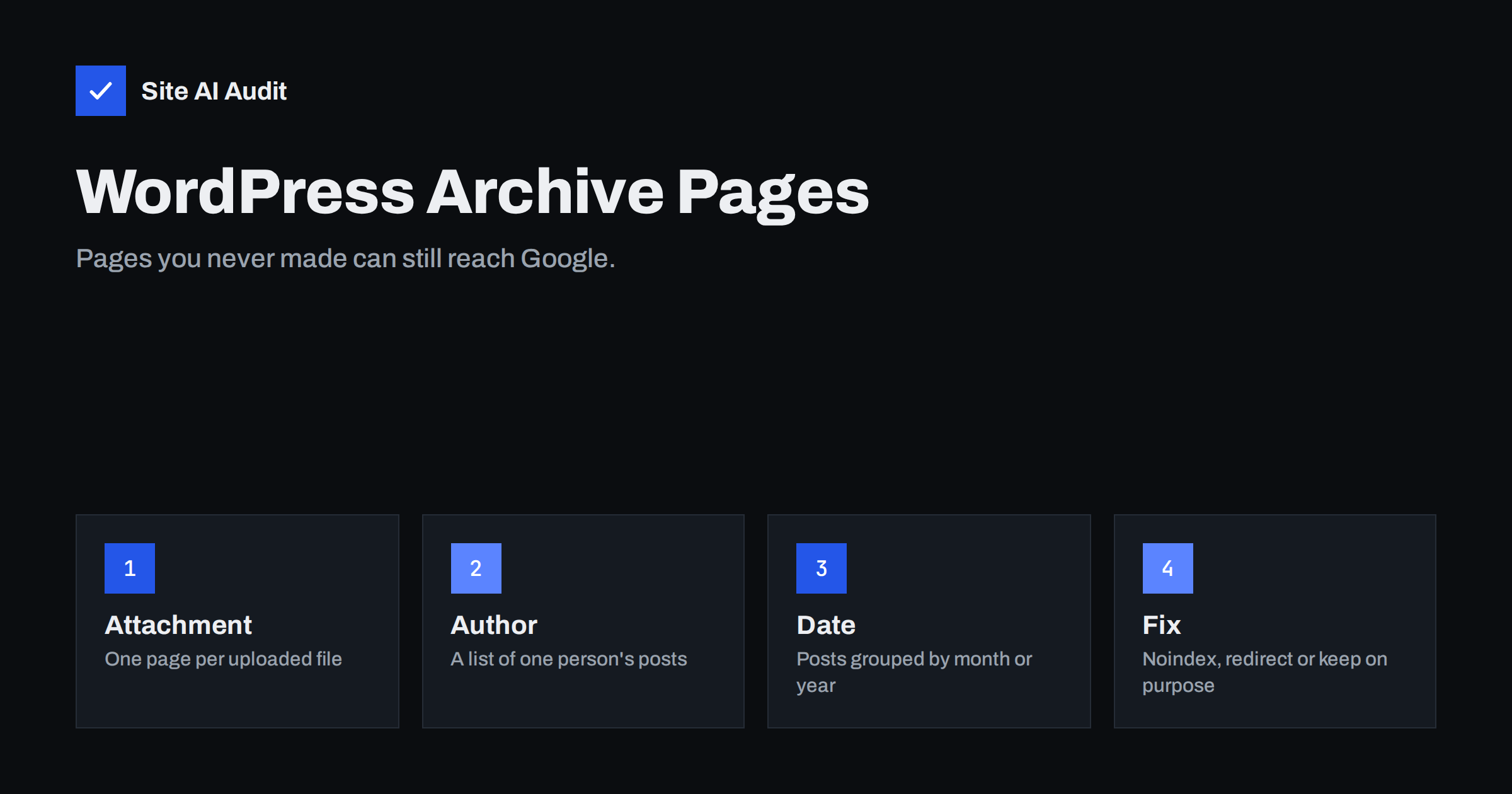
Short answer: WordPress automatically builds several kinds of archive pages from your content: attachment pages for media files, author archives and date archives. On many sites they add no value, repeat content that already exists elsewhere and fill the index with thin pages. Decide for each type whether it deserves to be found in search. If not, use noindex or a redirect rather than blocking the pages in robots.txt.
Why WordPress creates pages you never wrote
WordPress is built around the idea that content can be grouped in many ways. When you publish a post, the system does not only create the post itself. It also creates lists that show that post: a category list, a tag list, a list by author and a list by date. Each list has its own address, its own title and its own place in the sitemap or in internal links.
These automatic pages are useful on a large news site with many writers. On a small business website with one or two authors, most of them simply repeat the blog home page in a different order. Search engines can find them through your menus, your footer, your post bylines and your sitemap, and then have to decide which version of the content to show. That is the root of the problem.
Attachment pages: one page for every image
Every file you upload to the media library can get a page of its own. That page usually contains one image, a title taken from the file name and almost no text. If you have uploaded hundreds of images, you may have hundreds of near-empty pages that Google can crawl.
These pages cause two problems. They count as thin content, which we describe in our guide to fixing thin content. They can also rank in search for the image itself and send visitors to a bare page instead of your article. Visitors who land there usually leave at once.
Recent WordPress versions turned attachment pages off by default for new sites, with a setting that controls the behaviour. Sites created years ago may still have them active, and some themes or plugins switch them back on. The safe approach is to check one of your own images: open the media library, view the attachment page link and see whether a page loads.
The usual fix is to redirect the attachment page to the post where the image is used, or to the image file itself. Most SEO plugins offer this as a single option. Avoid sending every attachment page to the home page, because search engines may treat that as a soft error.
Author archives: useful or just a copy of the blog?
An author archive lists every post written by one user, at an address that contains the author name or user name. The right choice depends on your site:
- One author. The archive shows exactly the same posts as the blog home page. It is a duplicate. Set it to noindex or redirect it to the blog page.
- A few authors with real profiles. If each author has a biography, a photo and a clear area of expertise, the archive can work as a profile page that supports trust. Keep it indexable and add a short, unique introduction.
- Many authors who write about one topic. The archives add little. Keep them out of the index and rely on categories instead.
There is also a security side. Many sites show the login name in the author address, which makes it easy to guess usernames. We explain this in the article on WordPress user enumeration. If you keep author pages, make sure the visible address uses a display name rather than the login name.
Date archives: the least useful pages
Date archives group posts by year, month or day, at addresses such as a year and month in the path. Almost nobody searches for “posts from March”. Visitors do not use them, and they repeat excerpts that already exist on other pages. On a blog with several years of posts, date archives can create dozens or hundreds of extra addresses.
For most sites, the best choice is to set all date archives to noindex or to disable them. Keep them only if your content is truly organised by date, such as a news or event site, and even then the main benefit is for visitors who browse, not for search.
Noindex, redirect or robots.txt: which tool to use
There are three ways to deal with unwanted archive pages, and they behave very differently:
- Noindex. The page stays available to visitors but asks search engines to leave it out of results. This is the best choice for archives that are useful for browsing but not for search. Read more in our guide to the noindex tag.
- Redirect. The page no longer exists as a separate address and visitors go to a better one. Use this for attachment pages, where there is no reason to keep the empty page.
- Robots.txt block. This stops crawling but does not remove pages from the index, and it prevents Google from seeing a noindex tag on the same page. It is usually the wrong tool here. The difference is explained in robots.txt versus noindex.
Whichever method you choose, also remove the unwanted pages from your XML sitemap. A sitemap that lists noindex pages sends mixed signals. Most SEO plugins handle this automatically when you change the setting for an archive type.
How to find out what you currently have
Start with a simple check in Google Search Console. Open the page indexing report and look at the list of indexed addresses. Patterns such as an author name, a year and month, or a long image file name tell you which archive types are in the index. A site search in Google with your domain name and one of those patterns can confirm it.
Next, open your sitemap file. If it lists author archives, attachment pages or date archives, your SEO plugin is offering them to search engines. Then check your theme: some themes show “posted in March 2026” links on every post, which leads crawlers straight into date archives.
If the number of indexed archive pages is large compared with your real posts and pages, the cleanup matters. Our article on cleaning up index bloat shows how to do it in order, without removing pages that matter.
A safe setup for most small business sites
For a typical company blog, this configuration works well:
- Redirect attachment pages to the post that uses the file.
- Noindex author archives when there is one author or when profiles are not developed.
- Noindex or disable date archives.
- Keep categories indexable if each has an introduction and a clear topic, and review tags separately, as described in category and tag pages for SEO.
- Remove every noindex page from the XML sitemap.
- Check the results in Search Console after a few weeks.
Make the change in one place, in your SEO plugin settings, and test one example of each page type afterwards. Open the page, view the source and confirm that the robots tag says noindex or that the redirect works.
Keep one more point in mind: the cleanup is not a one-time task. Themes and plugins change behaviour after updates, and a new SEO plugin or a theme switch can bring archive pages back or change their settings. After every major change to your site, repeat the quick check. Open one image page, one author page and one date address, and confirm that each behaves as you decided.
It also helps to write your decisions down in a short note: which archive types are indexed, which are noindex, and which are redirected. When a developer, an agency or a new colleague takes over the site, that note prevents accidental changes and saves hours of guessing. If you manage several websites, use the same default setup for all of them and note every exception with a reason.
Finally, do not forget internal links. If your menu, footer or post template links to date archives or author pages, crawlers will keep finding them. Removing those links, or pointing them to better pages, reduces the number of weak addresses that search engines have to evaluate and keeps the focus on the pages that bring you customers.
What Site AI Audit can and cannot tell you
Site AI Audit crawls up to 50 pages of your site and reports on titles, descriptions, headings, broken links, redirects, the sitemap, robots.txt and noindex settings. If archive pages are linked from your content, they can appear in that crawl, and the report can help you notice thin or duplicate titles. It does not know your intentions, so you decide which archive types to keep. You can run a free check of your website or look at the plans.
Related reading
- Category and Tag Pages in SEO: Index, Improve or Noindex?
- Duplicate Content in SEO: Common Causes and How to Fix Them
- WordPress SEO Basics: Settings to Check on Every Site
- Index Bloat: How to Find and Remove Unwanted Pages from Google
The bottom line
WordPress archive pages are created automatically, and most of them are not meant for search. Redirect attachment pages, noindex date archives, and keep author archives only when they present a real person. Use noindex or a redirect instead of robots.txt, and keep the sitemap in line with your choices.
FAQ
Should I noindex all archive pages in WordPress?
Not all of them. Date archives and attachment pages are rarely worth indexing. Category pages can be valuable when they have a clear topic and an introduction. Author archives depend on whether your authors have real profiles.
Will noindex on archives hurt my rankings?
No. The posts and pages themselves stay indexed and keep their rankings. Removing thin archive pages usually helps, because search engines spend more time on your real content.
Is it safe to redirect attachment pages to the post?
Yes, and it is the standard fix. Send each attachment page to the post where the image appears. If an image is not used in any post, redirecting to the file itself is a reasonable alternative.
Why do author pages show the login name?
By default WordPress builds the author address from the user name. You can change the display name and the address in many themes and plugins, or turn off author pages when you have a single author.
How long does it take for Google to drop archive pages?
It can take several weeks, depending on how often Google visits those pages. Keep the pages crawlable while noindex is in place, so that Google can see the instruction.