ENEnglish
 LTLietuviškai
 DEDeutsch
 FRFrançais
 RUРусский
 ESEspañol
 PLPolski
 ITItaliano
 UKУкраїнська
 CSČeština
 PTPortuguês
 JA日本語
JA日本語 LVLatviešu valoda
 ETEesti
 HUMagyar
 IDBahasa Indonesia
 TRTürkçe
 HIहिन्दी
 ELΕλληνικά
 ARالعربية
 THไทย
THไทย VITiếng Việt
 RORomână
 MSBahasa Melayu
 BNবাংলা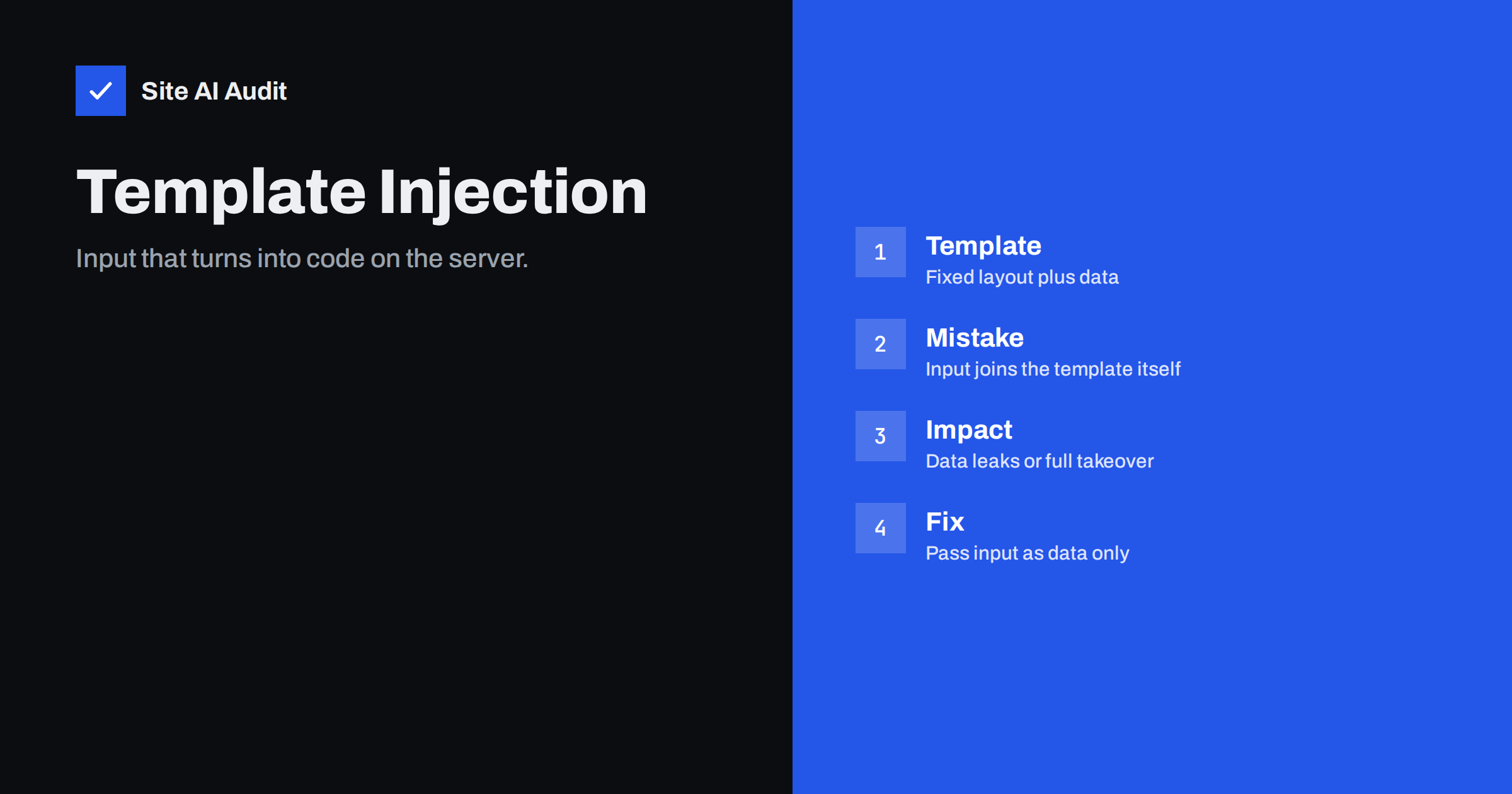
Short answer: Server-side template injection, or SSTI, is a flaw that appears when a web application builds a template from text that a visitor controls. Template engines are designed to run small instructions, so the server may then run what the visitor wrote. The result ranges from leaked settings to full control of the server. It is prevented by treating user input only as data that is placed into a fixed template, never as part of the template itself.
What a template engine does
Most dynamic websites use templates. A template is a page layout with gaps, for example “Hello, NAME, your order ORDER_NUMBER has shipped”. The application fills the gaps with real values and produces the final page or email. Engines such as Twig, Jinja2, Smarty, Freemarker, Liquid and Handlebars do this job in different languages.
To be useful, template engines also support small instructions inside the template: loops, conditions, filters and in many cases access to variables and functions. Developers write these instructions. The engine runs them on the server before the page is sent. That power is the source of the problem.
How the vulnerability arises
Safe use means that the template is fixed and the visitor’s text is passed in as a value. In that case, if a visitor types something that looks like an instruction, the engine prints it as plain text.
The vulnerable pattern is different. The application takes text from the visitor and puts it into the template source before the engine processes it. Imagine a feature that lets a user write a custom greeting for a newsletter, an invoice note or a profile page, and the application pastes it into the template string. The engine now sees the visitor’s text as part of the template, and any instruction in it is carried out.
This is the same family as the injection flaws you may already know. In SQL injection the input becomes part of a database command. In command injection it becomes part of an operating system command. In template injection it becomes part of the template. The root cause is always the same: data and instructions are mixed.
How testers find it
A security tester usually starts with a harmless test. They enter a short arithmetic expression, written in the syntax of common template engines, into a field that is echoed back, such as a name, a search box, an error message or an email preview. If the response contains the calculated result instead of the original text, the input is being evaluated. Different engines give different results for a few probing values, which lets the tester identify which engine is in use.
Automated scanners do the same on a large scale. They try the same small test on every form and parameter they can find. A website with a template flaw can therefore be discovered quickly, even if nobody is targeting it personally.
Why it is serious
The impact depends on the engine and its configuration, but the range is wide.
- Information disclosure. The attacker may read configuration values, environment variables, internal paths and secrets that the template can reach. Our guide to exposed environment and backup files shows why secrets in those places are valuable.
- Data access. Objects passed to the template, such as user records or orders, may be readable.
- Remote code execution. In many engines, template instructions can be chained to reach the underlying programming language. That can mean running commands on the server, writing files and installing a backdoor. See our article on web shells and backdoor removal for what comes next.
- Lateral movement. From a compromised server, an attacker can attack the database, other sites on the same host or internal services.
Because the code runs on the server, normal browser protections do not help. This is why SSTI is grouped with the most severe web vulnerabilities.
A harmless illustration
Consider an online shop that lets customers add a gift message. In the safe version, the shop has a fixed email template with a gap for the message. A customer who types a strange line of symbols receives exactly that line in the email, and nothing else happens.
In the unsafe version, the developer builds the email by joining the fixed text and the customer’s message into one string, then hands the whole string to the template engine. Now a line of symbols that matches the engine’s syntax is no longer text. The engine reads it as an instruction and runs it. The customer did not break into anything; the shop invited the input into the place where instructions live.
The two versions can look identical on the screen during normal use, which is why the flaw survives testing by people who only type ordinary messages. Only a review of how the template is built, or a test with syntax characters, reveals the difference.
Where it hides in small business sites
The problem is not limited to custom applications. It tends to appear wherever someone can edit text that is later processed by a template engine:
- email template editors in a CRM, newsletter or shop system that let staff or customers customise messages,
- page, snippet or widget editors in content management systems that allow template syntax,
- custom invoice, PDF or report templates,
- error pages and “preview” features that echo input,
- plugins or themes that render user-supplied strings with a template engine.
Most WordPress themes use PHP files, not a separate template engine, so the classic form is less common there. It does appear in systems built on Twig, Jinja2 or similar engines, and in plugins that add their own template language. If you run such software, keeping it updated is the first defence. Abandoned add-ons are a frequent weak point; see our article on abandoned WordPress plugins.
How to prevent template injection
- Never build templates from user input. Keep the template fixed and pass the visitor’s text as a variable. This single rule removes the problem in most cases.
- If users must edit templates, use a restricted language. Logic-less engines, such as Mustache-style templates, only substitute values and do not run code.
- Use the sandbox mode of your engine when it exists, and limit which objects, functions and filters templates can reach. Treat the sandbox as an extra layer, not as the only one.
- Escape output for the place it appears. This prevents related issues such as cross-site scripting, though it does not stop injection into the template itself.
- Run with least privilege. The web application should not run as an administrator, and it should not hold secrets it does not need.
- Update the engine and the framework. Many past vulnerabilities were fixed by version updates.
- Test. Include template syntax in your security tests for every field that is echoed back, and ask for a code review of any place where strings are concatenated into templates.
A web application firewall can block the obvious test strings, but it is not a fix, because attackers have many ways to disguise input. Our guide to the web application firewall explains what it can and cannot do.
What to do if you suspect a flaw
If a developer or scanner reports template injection, treat it as urgent. Disable the affected feature if possible, rotate any secrets the application could read, review recent logs for unusual requests and file changes, and ask your developer to fix the code rather than filter the input. After the fix, test again with the same input that found the problem. If you find signs of compromise, follow the steps in our hacked website recovery guide.
What Site AI Audit can and cannot tell you
Site AI Audit checks the security basics of your site from the outside: the SSL certificate and its expiry, the HTTP to HTTPS redirect, security headers and exposed software versions. It does not test forms or probe your application for injection flaws, so template injection needs a code review or a dedicated security test. It can show whether your site reveals the software and versions it runs, which is information attackers use to choose their methods. You can run a free check of your website or see the plans.
Related reading
- SQL Injection Explained: How Sites Get Breached and Protected
- Command Injection Explained: How to Keep Servers Safe
- Cross-Site Scripting (XSS) Explained for Website Owners
- Website Security Audit Checklist: What to Check and in What Order
The bottom line
Template injection turns a feature meant to format text into a way to run code on your server. The cure is straightforward: keep templates fixed, pass user input only as data, use restricted template languages when users must customise content, and keep engines updated. If a tool reports the flaw, fix it at the source and check for signs of compromise.
FAQ
Is SSTI the same as cross-site scripting?
No. Cross-site scripting runs code in the visitor’s browser. Template injection runs code on your server, which usually makes it far more dangerous.
Can a WordPress site have template injection?
Core WordPress themes use PHP files, so the classic form is rare. Plugins, page builders or add-ons that render user text with a template engine can introduce it, so keep them updated.
Does escaping output prevent it?
Escaping protects the page that is displayed but not the template itself. The input must never become part of the template source.
Can a firewall stop it?
A firewall may block simple test strings, but attackers can disguise input. Fix the code rather than relying on filtering.
How do I know if my site is affected?
Ask your developer to check for places where user text is added to a template, or run a professional security test on forms and previews.