ENEnglish
 LTLietuviškai
 DEDeutsch
 FRFrançais
 RUРусский
 ESEspañol
 PLPolski
 ITItaliano
 UKУкраїнська
 CSČeština
 PTPortuguês
 JA日本語
JA日本語 LVLatviešu valoda
 ETEesti
 HUMagyar
 IDBahasa Indonesia
 TRTürkçe
 HIहिन्दी
 ELΕλληνικά
 ARالعربية
 THไทย
THไทย VITiếng Việt
 RORomână
 MSBahasa Melayu
 BNবাংলা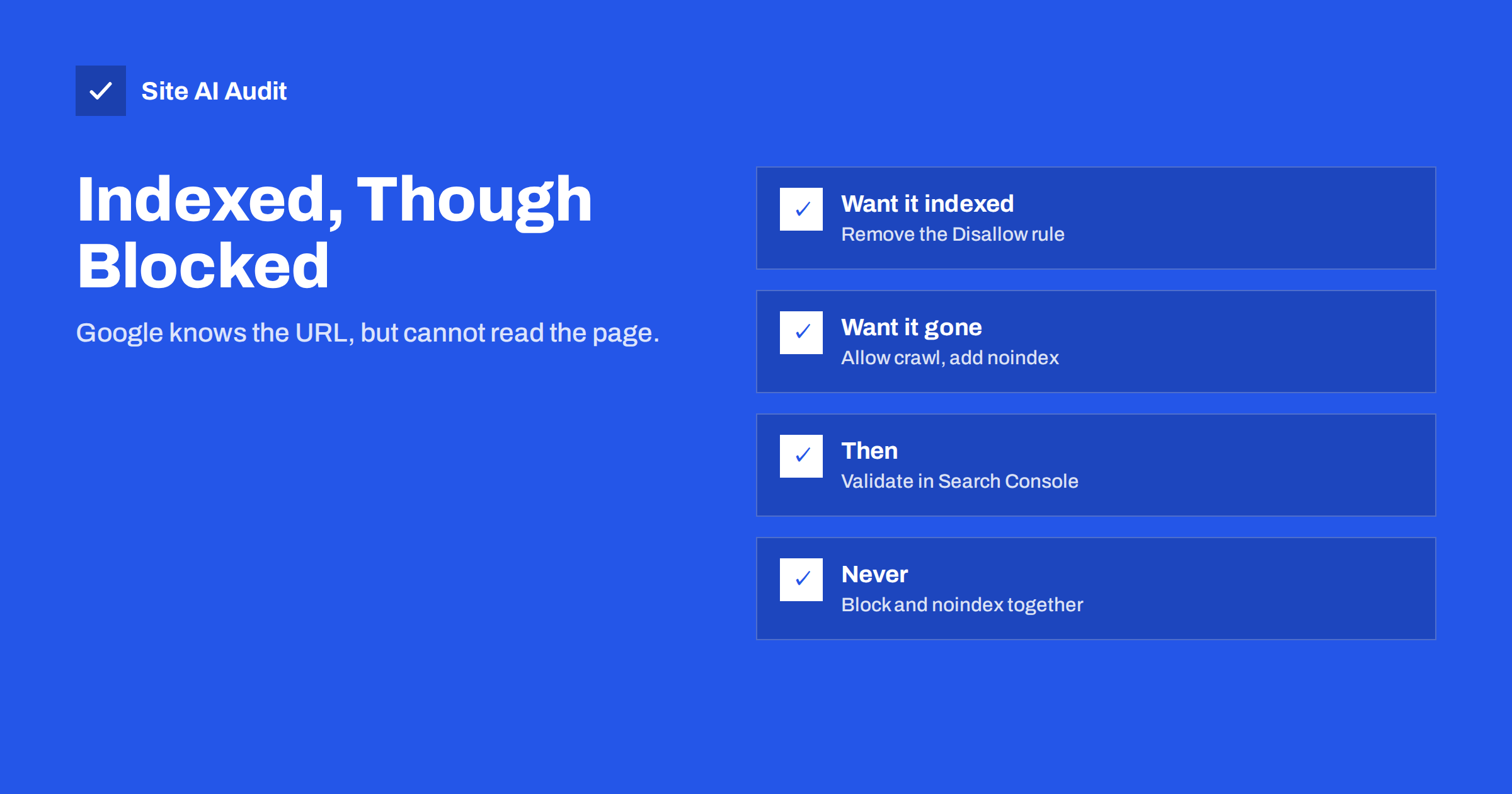
Short answer: “Indexed, though blocked by robots.txt” means Google has added a URL to its index even though your robots.txt file stops Googlebot from crawling it. Google found links to the page and indexed the address without being able to read the content. If you want the page in search, remove the blocking rule. If you want it out of search, allow crawling and add a noindex tag, because Google can only see a noindex on pages it is allowed to crawl.
Why Google indexes pages it cannot crawl
Robots.txt controls crawling, not indexing. A Disallow rule tells Googlebot not to fetch a URL, but it does not tell Google to forget that the URL exists. When other pages, on your site or elsewhere, link to a blocked URL, Google knows about it. If enough signals suggest that the URL is relevant, Google may show it in results anyway, usually with no description or a note that no information is available for the page.
That is exactly what this status reports. Search Console lists it in the Page indexing report as a warning, because the result is rarely what the site owner wants: either the page should be fully indexed with its real content, or it should not appear at all. Our guide on robots.txt versus noindex explains the difference between the two controls in more detail.
Decide first: should this page be in Google?
Open the report, look at the example URLs and sort them into two groups.
Pages you want in search. Product pages, articles, category pages or landing pages that were blocked by mistake, often through a rule that is broader than intended, such as Disallow: /shop that also blocks /shop-guide/, or a rule left over from a staging site.
Pages you do not want in search. Internal search results, filter and sort URLs, cart and checkout pages, account pages, print versions, tracking parameters and admin paths. Blocking these was intentional, but because they are linked, Google indexed some of them anyway.
The fix is different for each group, and applying the wrong one makes things worse.
Fix A: the page should be indexed
- Find the rule that blocks it. Open
yourdomain.com/robots.txtand check whichDisallowline matches the URL. Remember that rules match by prefix:Disallow: /pblocks everything starting with/p, including/pricing/and/products/. - Change or remove the rule. Make it more specific, add an
Allowrule for the path you want crawled, or delete the line entirely. - Test the URL. Use the URL Inspection tool’s live test to confirm that crawling is allowed and that the page can be fetched and rendered.
- Request indexing for important pages and click “Validate fix” in the report.
Also check that the page itself does not carry a noindex tag, a canonical pointing elsewhere or a redirect. Once Google can crawl it, these signals take effect.
Fix B: the page should not be indexed
This is the counter-intuitive one. To remove a page from Google, you usually have to let Google crawl it:
- Add a noindex signal to the page. Use
<meta name="robots" content="noindex">in the HTML, or theX-Robots-Tag: noindexHTTP header for files such as PDFs. Our guide to the noindex tag shows both options. - Remove the robots.txt block for those URLs, so that Googlebot can fetch them and see the noindex.
- Wait for recrawling. As Google recrawls the URLs, it drops them from the index.
- Optionally block again later. Once the pages have left the index, you can reintroduce a robots.txt rule to save crawl activity. But if new links point to the URLs, the same problem can return, so for most small sites it is simpler to keep noindex in place and leave crawling open.
If the page should not exist at all, return 404 or 410 instead. If it is a duplicate of another page, a redirect or a canonical tag may be the better tool, as explained in our guide on canonical tags.
For URLs that must be hidden quickly, such as private documents that leaked into search, use the Removals tool in Search Console as a temporary measure, and protect the content with a password. Robots.txt is public and is not a security control; anyone can read it and see which paths you consider sensitive.
Reduce the links that lead Google to blocked URLs
Google indexes blocked URLs because it finds links to them. Fewer links mean fewer such entries:
- Do not list blocked or noindexed URLs in your XML sitemap. A sitemap says “please index this”, which contradicts the block.
- Check internal links from menus, footers and templates. Filter links, login links and cart links are often present on every page.
- Use clean URLs for internal links instead of versions with tracking or session parameters.
- For faceted navigation, decide which filter combinations deserve indexable pages and keep the rest from being linked in crawlable form. Our article on URL parameters and SEO goes deeper.
Special cases: files, admin paths and other sites’ links
PDFs and other files. Documents such as price lists, brochures or manuals are often blocked by a rule on a downloads folder, yet linked from many pages. Google can index their URLs without reading them. Files cannot carry a meta tag, so if they should leave search, allow crawling and send the X-Robots-Tag: noindex header for them from the web server. If they should be found, unblock the folder and give each file a descriptive name and a linking page with context.
Admin and login paths. WordPress sites commonly block /wp-admin/. Google sometimes reports a few such URLs, for example admin-ajax.php, as indexed though blocked. This is usually harmless; these URLs rarely appear for real searches. Do not unblock the admin area just to clear the warning. Leave it as it is unless a login page actually shows up for searches about your brand.
Links from other websites. You cannot remove external links to old or blocked URLs, but you control what those URLs return. A redirect to the right page, a 410 for content that is gone or a noindex on a crawlable page all give Google a clear answer, while a robots.txt block leaves the question open indefinitely.
Large numbers of URLs. If the report lists thousands of parameter URLs, fix the pattern, not each URL. Change the template that generates the links, then let the report catch up over the following weeks.
Common robots.txt mistakes that cause this status
- Staging rules on the live site. A
Disallow: /copied from a development copy blocks everything. Google keeps showing known URLs without descriptions. - Blocking resource folders. Blocking CSS or JavaScript folders does not cause this status directly, but it can stop Google from rendering pages correctly.
- Wildcards that match too much. A pattern such as
Disallow: /*?blocks every URL with a parameter, including paginated or translated pages that may rely on parameters. - Case and trailing slash confusion. Paths in robots.txt are case sensitive.
/Blog/and/blog/are different paths. - Rules for the wrong user agent. A group for one crawler does not apply to another. Googlebot follows the most specific group that matches it and ignores the rest.
After every change to robots.txt, check a handful of important URLs with the URL Inspection tool. Google caches robots.txt, usually for up to a day, so changes are not visible instantly.
How Site AI Audit helps
Site AI Audit reads your robots.txt at the start of every audit. It reports a critical finding when robots.txt blocks the whole site, a notice when the file is missing or does not list your sitemap, and a warning when no XML sitemap is found. During the crawl it also lists pages that carry a noindex rule, including a critical finding if the home page does, so you can compare what you block, what you noindex and what you want indexed. Our crawler, SiteAuditBot, respects your robots.txt itself. You can run a free check, and the pricing page lists the plans with re-checks.
Related reading
- Robots.txt Explained: A Beginner’s Guide With Safe Examples
- Why Is My Page Not on Google? A Step-by-Step Checklist
- Staging Site Indexed by Google? How to Fix and Prevent It
- XML Sitemaps Explained: How to Create and Submit One
The bottom line
“Indexed, though blocked by robots.txt” is Google telling you that it knows a URL but cannot read it. Decide for each URL whether it belongs in search. If it does, remove or narrow the blocking rule. If it does not, let Google crawl the page and give it a noindex tag, or return 404 or 410 for pages that should not exist. Keep blocked URLs out of sitemaps and internal links, and test every robots.txt change with the URL Inspection tool.
FAQ
Is “Indexed, though blocked by robots.txt” an error?
It is a warning. It shows that a URL is in Google’s index without its content being readable, which is rarely what you want. Whether you need to act depends on whether the page should be in search.
Can I use robots.txt and noindex together?
Not on the same URL if you want it removed. When robots.txt blocks crawling, Google cannot see the noindex tag, so the page can stay indexed.
Why does Google show my blocked page without a description?
Because it cannot crawl the page, it has no content to build a snippet from. It knows the URL from links and shows only the address or the link text.
How long does it take to fix?
After you change robots.txt or add noindex, Google needs to recrawl the URLs. That usually takes days to a few weeks, depending on how often your site is crawled.
Should I put blocked URLs in my sitemap?
No. A sitemap should list only pages you want indexed and that Google may crawl. Including blocked URLs sends contradictory signals.