ENEnglish
 LTLietuviškai
 DEDeutsch
 FRFrançais
 RUРусский
 ESEspañol
 PLPolski
 ITItaliano
 UKУкраїнська
 CSČeština
 PTPortuguês
 JA日本語
JA日本語 LVLatviešu valoda
 ETEesti
 HUMagyar
 IDBahasa Indonesia
 TRTürkçe
 HIहिन्दी
 ELΕλληνικά
 ARالعربية
 THไทย
THไทย VITiếng Việt
 RORomână
 MSBahasa Melayu
 BNবাংলা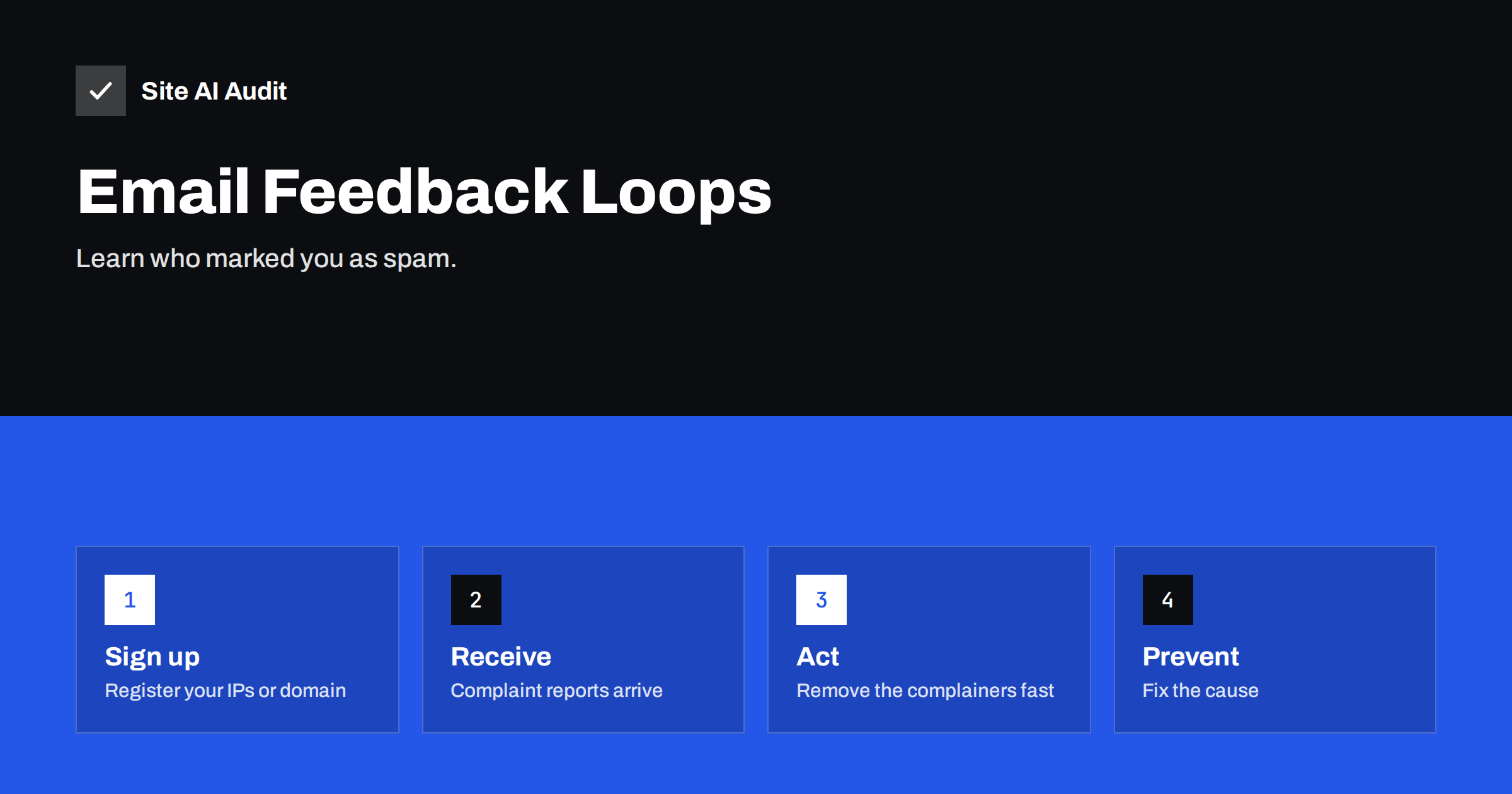
Short answer: An email feedback loop (FBL) is a service where a mailbox provider sends you a report each time one of its users marks your message as spam. You register your sending IP addresses or domain with the provider, receive the reports in a standard format, and remove the people who complained from your list at once. Not every provider offers one, and Gmail works differently, but where FBLs exist they are the most direct view of how recipients feel about your mail.
What a feedback loop is
When a person clicks “Report spam” or “Junk” in a mail app, the provider records it and uses the signal to judge your mail. A feedback loop passes some of that information back to you. Instead of guessing why your open rates have dropped, you get a message that says: this recipient complained about that message from your server.
Complaints are one of the strongest signals in email reputation. A small number are normal, and a rising number means your mail is unwanted, too frequent or hard to unsubscribe from. Feedback loops let you act on every single complaint instead of waiting for a general decline in delivery. They complement other tools such as Google Postmaster Tools and Microsoft SNDS, which show aggregated data.
How the reports look
Most feedback loops use the Abuse Reporting Format, or ARF. A report is an email with a short human-readable part, a machine-readable part that says the type is “abuse”, and a copy of the original message or its headers. From that you can see the date, the sending IP address, the message identifier and, in many cases, enough of the original to find the campaign.
Providers differ in what they include. Some hide the recipient’s address to protect privacy and send an anonymised token instead. For that reason, put your own identifier into every message, for example a custom header or a unique value inside the List-Unsubscribe link. When a report arrives, you can then match it to the right subscriber without needing the visible address.
Which providers offer feedback loops
Programs change over time, so check each provider’s current sender pages before you rely on this list. In general:
- Yahoo runs a complaint feedback loop for senders who sign their mail with DKIM and register their domain.
- Microsoft offers a junk mail reporting program for Outlook.com and Hotmail, which is linked to the SNDS portal where you register your IP addresses.
- Several internet providers and smaller mailbox services offer their own programs, usually through a sign-up form.
- Gmail does not send per-message complaint reports to senders. Instead, it shows a spam rate in Postmaster Tools, and large senders can use the Feedback-ID header to get grouped data.
If you send through an email service provider, ask whether it already processes feedback loops for you. Most do on their shared IP addresses and remove complainers automatically, which is one reason that many small senders never need to configure anything themselves.
How to set up a feedback loop
If you send from your own server or dedicated IP addresses, set up your own receiving process:
- Create a mailbox for reports. Use a dedicated address on a domain you control, for example
fbl@your domain, and make sure it can receive many automatic messages. - Prepare authentication. Providers expect valid SPF, DKIM and a reverse DNS name that matches your sending host. See reverse DNS for email.
- Register with each provider. Follow the provider’s sign-up page. You normally prove control of the IP block or domain, and the provider confirms by email.
- Process reports automatically. Parse the ARF message, find the subscriber and add that address to a suppression list without delay.
- Review the pattern. Look at which campaign, segment or source produces the most complaints, not only at individual addresses.
If you only send occasionally and use a shared sending service, stay with the provider’s own handling and look at the complaint figures it shows you.
What to do when a complaint arrives
The rule is simple: stop sending to that person. A complaint is a clear request, even if the recipient used the wrong button instead of the unsubscribe link. Continuing to mail them damages your reputation and may break local law.
- Add the address to a suppression list that covers all your lists and tools, not only the one that sent the message.
- Keep the record, with the date and the campaign, in case you need to show your process.
- Do not reply or argue. The report is an automated signal.
- Check the source. If the address joined recently, review the sign-up form. If it joined years ago, your list may be stale.
Our guide to email list hygiene describes how to clean the rest of the list before it creates more complaints.
Reduce the complaints themselves
A feedback loop shows the problem, it does not solve it. The usual causes are the same everywhere:
- Recipients do not remember signing up. Send a welcome email quickly, use a recognisable sender name and consider double opt-in.
- Too many emails. Let subscribers choose how often they hear from you.
- Hard-to-find unsubscribe. Put a clear link in the footer and add the one-click header described in one-click unsubscribe. Our article on reducing spam complaints gives more tactics.
- Irrelevant content. Segment your audience so that people receive what they asked for.
Remember that a complaint is not only a technical event but also a message from a person who felt your email was unwelcome. Treat the numbers with that in mind. Large mailbox providers have published targets for senders. A spam rate under 0.1 percent is the figure to aim for, and 0.3 percent is the level you should never reach. The Gmail and Yahoo bulk sender rules explain these limits.
An example workflow for a small sender
Theory is easier to follow with a concrete case, so here is one.
Imagine a shop that sends a weekly newsletter and order emails from its own mail server. A practical routine could look like this:
- Every message carries a custom header with a random subscriber token and the campaign name, and the unsubscribe link contains the same token.
- Reports from the providers arrive at one mailbox. A small script reads each one, extracts the token and marks that subscriber as “complained” in the customer database.
- The mailing tool excludes everyone with that mark, in every list, from the next send.
- Once a week the owner looks at a one-line summary: how many complaints, from which campaign and which sign-up source.
- If one campaign produces far more complaints than usual, the team reviews the subject line, the frequency and the segment before sending again.
The routine takes little time once it is automated, and it creates a record that is useful when a provider asks what you do about complaints. It also keeps order emails separate from marketing: transactional messages such as receipts should come from a different stream or subdomain, so that a marketing complaint cannot damage the reputation of mail that customers expect.
Limits of feedback loops
Feedback loops are valuable, but they do not show everything. Only users who click the spam button generate a report, and many people simply delete or ignore messages you send. Some providers do not offer reports at all, and some report only for larger volumes. Complaints also differ by provider and audience, so a quiet feedback loop does not prove that all is well.
Use them together with other signals: bounce rates, unsubscribe rates, engagement, spam trap hits and blocklist checks. If delivery drops while the feedback loop is quiet, look at authentication and content, using our email deliverability checklist.
How Site AI Audit helps
Site AI Audit does not receive or read feedback loop reports. It checks the DNS foundation that mailbox providers examine first: whether SPF and DMARC records exist, whether SPF stays within the lookup limit, whether DKIM keys are found at common selectors, and whether the domain has MX records. Good authentication is also a condition for joining some feedback loop programs. You can run a free check, and the pricing page lists plans with monitoring and re-checks.
Related reading
- Shared vs Dedicated IP for Email: Which One Do You Need?
- Emails Going to Junk in Outlook and Hotmail? How to Fix It
- Why Are My Emails Going to Spam? 12 Causes and Fixes
- Email Bounce Codes Explained: Hard vs Soft Bounces and Fixes
The bottom line
A feedback loop turns anonymous complaints into specific actions. Register where programs exist, parse the reports automatically, suppress every complainer and look for the cause in your sign-up process and sending habits. If you use a sending service, confirm that it handles complaints for you and keep an eye on the rates it reports.
FAQ
Does Gmail have a feedback loop?
Gmail does not send per-message complaint reports. It reports your spam rate in Postmaster Tools, and large senders can use the Feedback-ID header to get grouped information.
Do I need a feedback loop if I use a newsletter service?
Usually not. Most services process feedback loops on their own IP addresses and remove complainers automatically. Check your account’s complaint rate and read the provider’s guidance.
What does ARF stand for?
ARF is the Abuse Reporting Format, a standard for reporting email abuse. Feedback loop messages usually follow it, which lets software read and process them automatically.
Should I unsubscribe someone who complained?
Yes, immediately and permanently. Add the address to a suppression list shared by all your sending tools so that no campaign reaches them again.
What is a normal complaint rate?
Lower is better. Large mailbox providers advise keeping the spam rate below 0.1 percent and never reaching 0.3 percent. Many well-run lists stay far below these limits.