ENEnglish
 LTLietuviškai
 DEDeutsch
 FRFrançais
 RUРусский
 ESEspañol
 PLPolski
 ITItaliano
 UKУкраїнська
 CSČeština
 PTPortuguês
 JA日本語
JA日本語 LVLatviešu valoda
 ETEesti
 HUMagyar
 IDBahasa Indonesia
 TRTürkçe
 HIहिन्दी
 ELΕλληνικά
 ARالعربية
 THไทย
THไทย VITiếng Việt
 RORomână
 MSBahasa Melayu
 BNবাংলা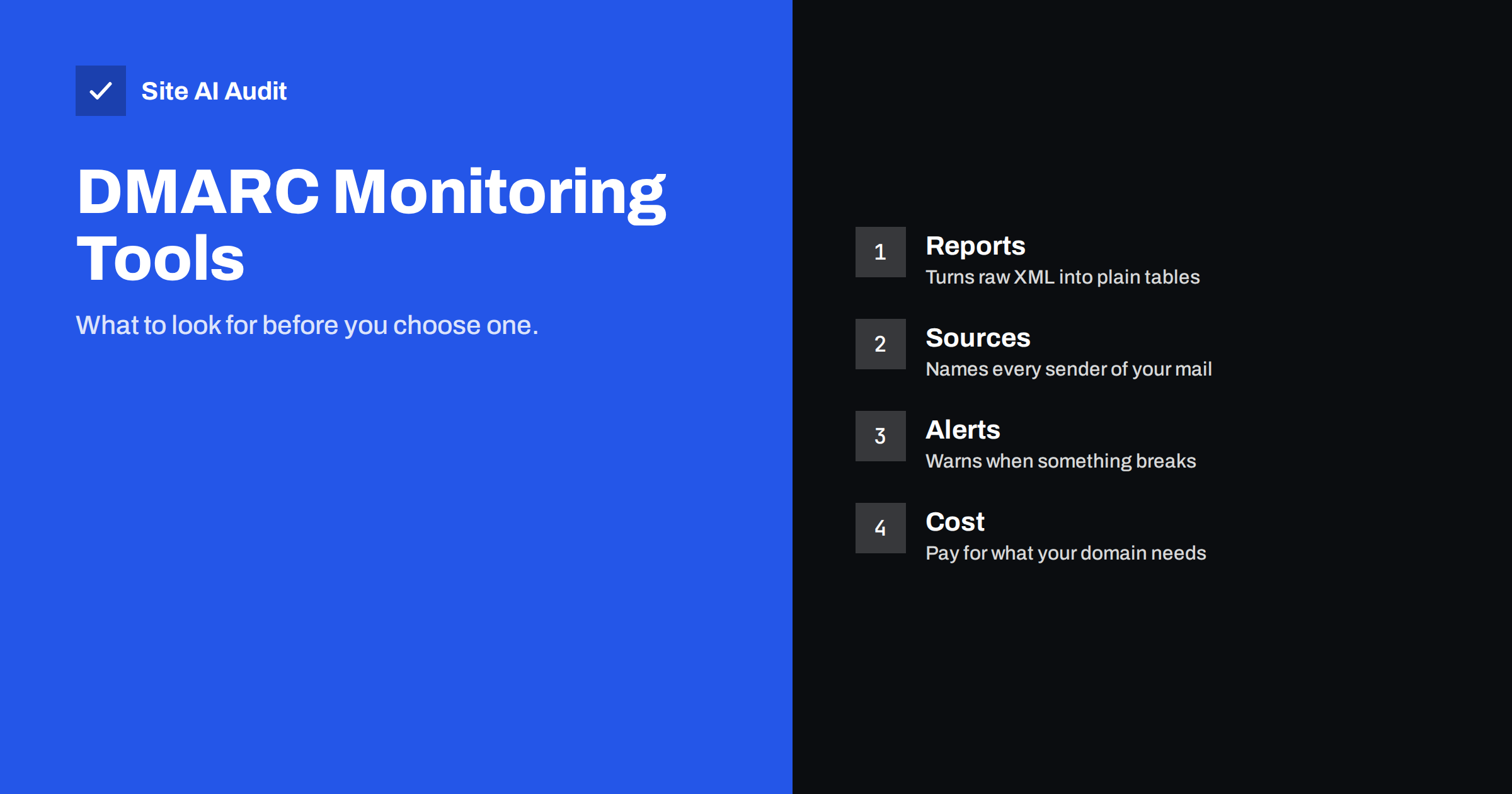
Short answer: A DMARC monitoring tool collects the aggregate reports that mailbox providers send about your domain and turns the raw XML into readable tables. A good one shows every service sending mail in your name, whether each passes SPF and DKIM with alignment, and alerts you when something changes. For a small domain, clear reports, source labels and simple alerts matter far more than a long feature list.
Why raw DMARC reports need a tool
When you publish a DMARC record with a reporting address, mailbox providers begin sending daily aggregate reports to it. Each report is a compressed XML file that lists the IP addresses that sent mail using your domain, how many messages each one sent and how those messages fared in SPF, DKIM and DMARC checks.
The information is exactly what you need, but the format is hostile. A busy domain can receive dozens of files a day from different providers, each with hundreds of lines. You can read one file by hand to learn the structure, and our guide on how to read DMARC aggregate reports explains the fields. Reading them every day is not realistic.
A monitoring tool receives the reports for you, parses them, combines them across providers and presents one view: who is sending mail as your domain, how much, and with what result. That view is what lets you move safely from a monitoring policy to a stricter one.
What a monitoring tool does behind the scenes
- It provides a reporting address. You add that address to the
ruatag of your DMARC record, or your own mailbox collects reports and forwards them. - It parses and stores the files. Reports arrive as attachments in several formats, and the tool normalises them.
- It groups results. Sending IPs are matched to organisations or services, so you see “your newsletter provider” rather than a bare address.
- It shows trends. You can see whether the share of passing mail is rising and which sources still fail.
- It notifies you. A new unknown sender or a sudden spike in failures triggers an alert.
If your reports go to an address on a different domain, that domain has to authorise it. Most hosted tools explain this step, and our article on external report authorization covers the technical detail.
Features that actually matter
Marketing pages list many features. These are the ones that make a real difference when you manage a normal business domain:
- Readable source names. A report that only lists IP addresses is not much better than the raw file. Look for tools that identify common mail services and let you label your own servers.
- Clear pass and fail views. You want to see SPF and DKIM results, and whether each is aligned with the visible From domain. Alignment is the part people most often misunderstand, as we describe in our article on relaxed and strict alignment.
- Alerts you can control. Alerts should be useful, not constant. A message when a new sender appears or when failures pass a threshold is enough.
- Subdomain support. Many organisations send from several subdomains. The tool should show results per subdomain as well as for the whole domain.
- Data retention. Check how long reports are kept. Several months of history are valuable when you investigate a problem.
- Export. You should be able to download your data if you change tools later.
Features you can often skip
Some features are useful for large organisations but add cost without helping a small domain.
- Forensic reports. Failure reports can contain details of individual messages, and many providers do not send them at all. Our guide on DMARC failure reports explains why they are limited, and why privacy rules make them awkward.
- Dozens of user seats and role levels. A small team rarely needs them.
- Threat feeds and brand protection add-ons. They are separate services and not part of what DMARC monitoring requires.
- Unlimited domain bundles. They matter only when you manage many domains. A handful of domains is a different price class from hundreds.
Free options, hosted tools and self-hosting
There are three broad routes, and each has trade-offs.
- Free hosted services. Some providers offer a free plan for a limited number of domains or a limited report volume. They are a good start for a small business. Check what happens when you pass the limit and how the provider uses your data.
- Paid hosted services. Fees usually depend on the number of domains and the volume of messages. They add alerts, longer retention and support.
- Self-hosted parsers. Open-source tools can read reports from a mailbox and display them. They cost nothing to license, but you maintain the server, store the data and keep the software updated.
Choose according to your skills and time, not only the price. A tool you never open does not protect your domain.
Questions to ask before you sign up
- Which report formats and which providers does the tool support?
- Where is the data stored, and can I delete it?
- Does it work with subdomains and with several domains in one account?
- How are sending sources identified, and can I label them myself?
- What exactly triggers an alert, and can I turn alerts down?
- How long is data kept?
- Can I export everything?
- What does the price depend on, and what happens if my volume grows?
Using the tool to reach a stricter policy
The point of monitoring is to reach enforcement safely. The usual path is to start with a policy of p=none, collect reports for a few weeks and identify every legitimate sender. Fix each one that fails, for example by adding its SPF record or turning on DKIM signing. Then move to quarantine, watch for problems and finally to reject. Our guide on moving DMARC to reject describes the steps in detail.
The tool is most valuable in the first weeks, when you discover forgotten senders such as an old billing system, a survey tool or a server in a back office. After that, it acts as an early warning system for changes and abuse.
Common mistakes when starting out
Most problems with DMARC monitoring come from a few predictable habits, and they are easy to avoid once you know them.
- Sending reports to a personal mailbox. Aggregate reports can fill an inbox within days. Use a dedicated address or a tool that receives them for you, so that people do not start ignoring or filtering them.
- Moving to enforcement too early. A policy of reject before you know all your senders can block real invoices, password resets or contact form messages. Monitor first and tighten only when the tables show that every legitimate source passes.
- Forgetting subdomains. A marketing platform may send from a subdomain with its own records. If you only look at the main domain, you miss those senders and their failures.
- Ignoring small senders. A tiny volume from an unknown source can be an old system that still sends receipts, or it can be someone spoofing your domain. Investigate each unfamiliar source at least once and label it.
- Treating the first week as the full picture. Some mail is only sent monthly or seasonally, such as statements, renewal notices or annual campaigns. Keep watching long enough to catch those.
- Not assigning ownership. Decide who reads the alerts and who can change the DNS records. Without a named person, issues stay open for months.
A short monthly review is usually enough after the first setup. Open the dashboard, look at the share of passing mail, check for new sources and confirm that the alerts still reach the right person. It takes only a few minutes and keeps your domain protected as your tools and suppliers change over time.
What Site AI Audit can and cannot tell you
Site AI Audit checks the email setup of your domain from the outside: SPF and its lookup limit, DKIM signatures, the DMARC policy and MX records. It can tell you whether a DMARC record exists and which policy it sets, which is the first step before choosing a monitoring tool. It does not receive or read your DMARC reports, so it does not replace a monitoring tool. You can run a free check of your domain or see the plans.
Related reading
- How to Read DMARC Aggregate Reports Without Getting Lost
- DMARC Failure Reports (ruf): What They Show and Their Limits
- DMARC Policy: How to Move From p=none to Reject Safely
- DMARC Explained: Policies, Alignment and a Safe Rollout
The bottom line
A DMARC monitoring tool turns unreadable reports into decisions. Pick one that names your senders, shows alignment clearly and sends alerts you can live with. Skip the extras you will not use, collect data for a few weeks and then tighten your policy step by step.
FAQ
Do I need a DMARC monitoring tool?
You can read reports by hand for a very small domain, but it is slow. A tool becomes valuable as soon as several services send mail for you, because it shows which senders pass and which fail without reading XML files.
Are free DMARC tools good enough?
For a small business with one or a few domains, often yes. Check the report volume limit, the retention period and how your data is used. Move to a paid plan only when you need features such as longer history or more domains.
What is the rua tag?
It is the part of your DMARC record that says where aggregate reports should be sent. It contains a mailto address. A monitoring tool gives you an address to use there, or you point it at your own mailbox.
How long should I monitor before enforcing?
Most organisations collect reports for several weeks, long enough to see every regular sender such as monthly invoices or seasonal campaigns. Move to enforcement only after every legitimate source passes.
Can a monitoring tool fix my email problems?
It shows what is wrong, but it does not change your DNS. You still add or correct SPF and DKIM for each sender yourself, or ask the sender’s support for the right records.