ENEnglish
 LTLietuviškai
 DEDeutsch
 FRFrançais
 RUРусский
 ESEspañol
 PLPolski
 ITItaliano
 UKУкраїнська
 CSČeština
 PTPortuguês
 JA日本語
 LVLatviešu valoda
 ETEesti
 HUMagyar
 IDBahasa Indonesia
 TRTürkçe
 HIहिन्दी
 ELΕλληνικά
 ARالعربية
 THไทย
 VITiếng Việt
 RORomână
 MSBahasa Melayu
 BNবাংলা
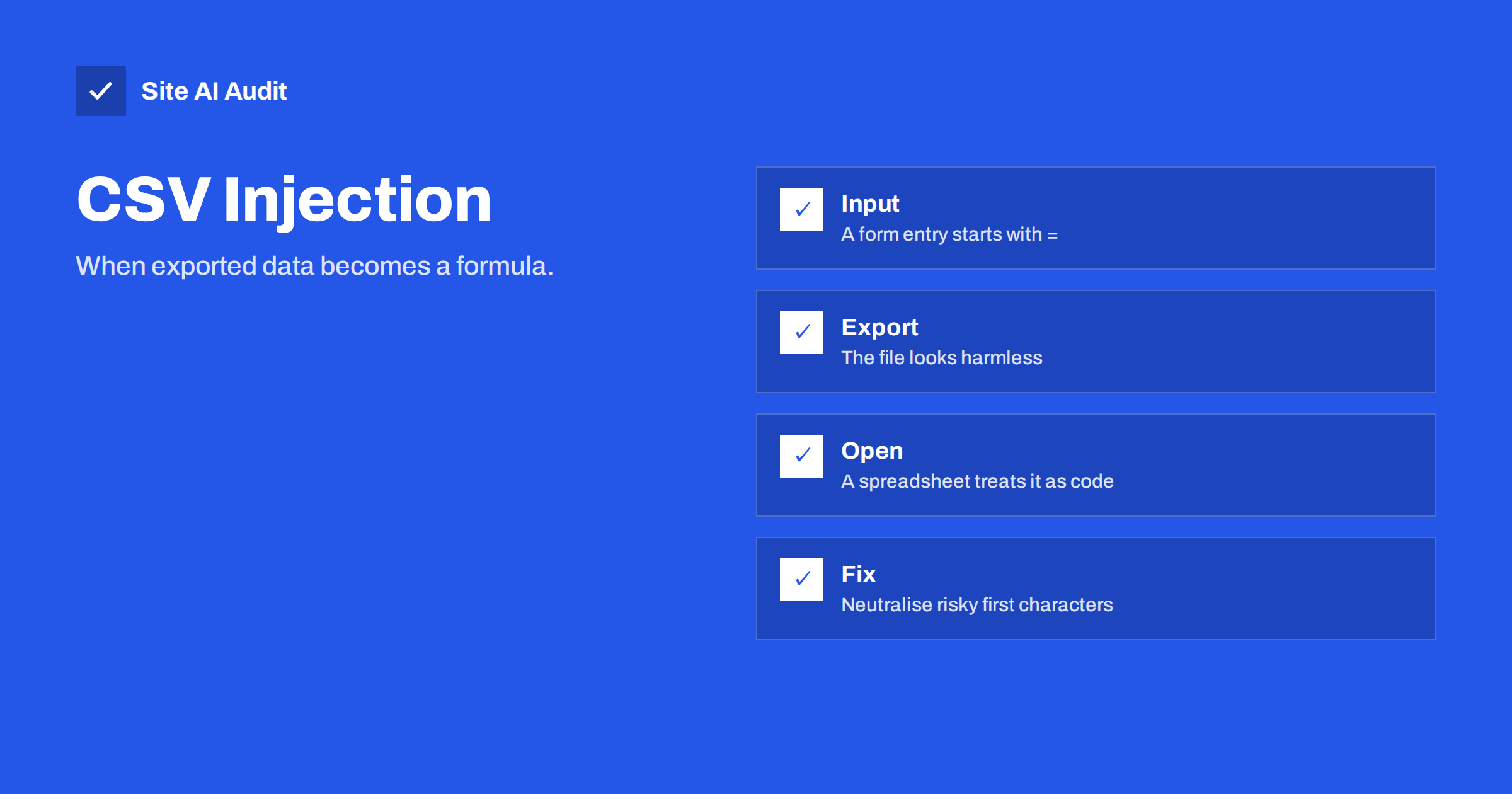
Short answer: CSV injection, also called formula injection, happens when text typed into a website form is later exported to a spreadsheet file and begins with a character such as =, +, – or @. The spreadsheet may read it as a formula instead of plain text. Prevent it by neutralising those first characters when you create exports, and by teaching staff to treat downloaded files with care.
What CSV injection is
A CSV file is a plain text table: values separated by commas, one row per line. Websites create these files all the time. A shop exports orders, a contact form plugin exports messages, a membership site exports user lists. Staff then open the file in Excel, LibreOffice or Google Sheets to read it or to work with it.
The attack uses a feature that spreadsheets have always had. When a cell begins with an equals sign, a plus, a minus or an at sign, the program may read what follows as a formula. If an attacker types such a value into a name or message field on your site, it travels quietly through your database into your export. It stays harmless text on the website, and it comes alive only when a person opens the file in a spreadsheet.
What an attacker can do
The impact varies with the program, its settings and the version, and modern spreadsheet software shows warnings for the most dangerous actions. Even so, the possible results are worth knowing.
- Data leakage. A formula can build a web address that includes the content of other cells and fetch it from a server that the attacker controls. The data in the sheet, such as customer details, may leave the building.
- Deceptive content. A formula can create a link or a message that looks trustworthy and sends the reader to a phishing page.
- Running commands on older setups. Some older or poorly configured programs allow formulas to start other programs after the user accepts a prompt. Many people click “yes” without reading.
- Changed numbers. A formula can alter totals and reports, which damages trust in the file even when no theft occurs.
Some software vendors regard this as a user-side issue, because the file is behaving as designed. That is why the website that creates the file should protect its users.
Where it appears on a normal website
Any place where visitors type text that staff later export is a possible entry point.
- Contact and enquiry forms with stored entries.
- Online shop orders: name, company, address and order notes.
- User registration and profile fields, such as display name and biography.
- Newsletter sign-ups and event registrations.
- Comments, reviews and support tickets.
- Survey and quiz results.
Attackers can use automated bots to fill forms with test values, as described in the article on contact form spam. If an entry is stored, it will be in the next export. Because the person who exports the data is often an administrator or a manager, the target is a trusted account.
How to prevent it in exports
The correct place to defend is the export, not the form. If you reject every value that begins with a dash on the form, you will block real people. A phone number can begin with a plus sign, and a name can begin with a hyphen. Instead, leave the stored data as it is and neutralise it when you write the file.
- Prefix risky cells. If a value starts with =, +, – or @, or with a tab or carriage return character, add a single quotation mark in front of it. Spreadsheets then treat the cell as text.
- Quote all text fields. Put values inside double quotation marks and escape any double quotes inside them, as the CSV format requires.
- Set the cell type. If you create XLSX files with a library, write user-supplied text as a string cell, never as a formula cell.
- Test the result. Create a test entry that begins with an equals sign and a harmless function, export it and open the file. The cell should show the text, not a result.
- Ask your plugin or developer. If a plugin creates the export, check its changelog and settings for formula protection. If it has none, report it to the author, or use another method.
Be aware that the prefix technique changes the text slightly for the person reading the file. That is a small cost for safety, and the original value remains in the database.
Safe habits for staff
Technical protection does not cover every file that arrives from outside your site, so a few habits matter.
- Treat exports as untrusted. A file that contains user input can contain hostile input.
- Read the prompts. If a spreadsheet asks whether to enable external content, links or data connections, answer no unless you know why it asks.
- Use a safe viewer when possible. A simple text editor, or an import wizard that treats all columns as text, shows the raw values without running anything.
- Keep software current. Updates add protections and warnings.
- Limit who can export. Only people who need the data should have the permission, in line with the principle explained in the guide to least privilege for website accounts.
- Delete exports after use. Files with personal data should not stay in download folders or e-mail attachments.
Related injection problems
CSV injection belongs to a family of flaws in which data is treated as instructions. In a web page the same idea is cross-site scripting, covered in the guide to XSS. In a database it is SQL injection. In an email form it can be header injection, and on a server command injection. Each has the same cure: do not mix untrusted text with something that interprets it, or neutralise the text for the place where it will be used. Thinking about where data will travel next is the habit that protects you in all these cases.
A simple example from a small shop
Imagine a small online shop. A visitor places an order and, in the company name field, types a value that begins with an equals sign followed by a function that builds a web address from the customer’s other details. The order is accepted and stored like any other. Weeks later, the shop owner exports all orders for the accountant and opens the file in a spreadsheet. If the spreadsheet runs the function, it may try to contact an outside server and send information from the sheet with the request. Often a warning appears, but the owner is busy and presses the button that makes it go away.
Nothing on the website was broken. The order form worked, the database held a harmless string and the export did what exports do. The harm came from the last step, and so the fix belongs in the last step too. When the export tool writes that cell, it adds a quotation mark in front of the text, and the spreadsheet shows the company name exactly as typed. The accountant receives a clean file, and the shop keeps all the data. That small prefix is the whole defence, and it takes a developer only a few minutes to add.
Common mistakes
- Blocking characters in the form. This rejects valid names and numbers, and it does not help if the data already exists.
- Escaping only the first column. The value in any column can be hostile.
- Trusting the file extension. A file called .csv is still opened by a spreadsheet program on a double click.
- Believing that only large sites are targeted. Automated bots fill small forms too.
- Sending exports by email without thinking. The recipient opens the file in their own spreadsheet and may be less careful than you.
- Forgetting imports. Files that you import into your website can also carry harmful values. Validate what you load, in line with the website security audit checklist.
How Site AI Audit helps
Site AI Audit does not test your exports or forms for CSV injection. It checks the public side of your site: the SSL certificate and its expiry date, the redirect from HTTP to HTTPS, security headers and exposed software versions, and it also reviews SEO, speed and e-mail authentication. Use it for the basics, and review your exports separately. The first check is free, covers up to 50 pages and needs no sign-up. You can run a free check of your website or see the plans for weekly monitoring and alerts.
Related reading
- Cross-Site Scripting (XSS) Explained for Website Owners
- Email Header Injection: How Contact Forms Get Abused for Spam
- Contact Form Spam: How to Stop Bots Without Losing Leads
- Website User Accounts: Least Privilege for Admins and Staff
The bottom line
A spreadsheet export is a place where harmless website text can become active. Neutralise risky first characters when you create the file, keep the original data intact and teach the people who open exports to be careful. It is a small change that closes a surprising gap.
FAQ
Is CSV injection the same as SQL injection?
No. SQL injection attacks a database through your site. CSV injection attacks the person who opens an export in a spreadsheet.
Which characters are risky at the start of a cell?
The equals sign, plus, minus and at sign are the main ones. Tab and carriage return characters at the start can also cause trouble.
Does opening the file in a text editor protect me?
Yes. A plain text editor shows the characters without running formulas. The danger appears when a spreadsheet program interprets the cells.
Should I strip these characters when users type them?
No. Real names and phone numbers may begin with them. Protect the export instead and keep the stored data unchanged.
Do WooCommerce and form plugins protect against it?
Some do and some do not. Check the plugin’s documentation, and test an export with a harmless formula entry.