ENEnglish
 LTLietuviškai
 DEDeutsch
 FRFrançais
 RUРусский
 ESEspañol
 PLPolski
 ITItaliano
 UKУкраїнська
 CSČeština
 PTPortuguês
 JA日本語
JA日本語 LVLatviešu valoda
 ETEesti
 HUMagyar
 IDBahasa Indonesia
 TRTürkçe
 HIहिन्दी
 ELΕλληνικά
 ARالعربية
 THไทย
THไทย VITiếng Việt
 RORomână
 MSBahasa Melayu
 BNবাংলা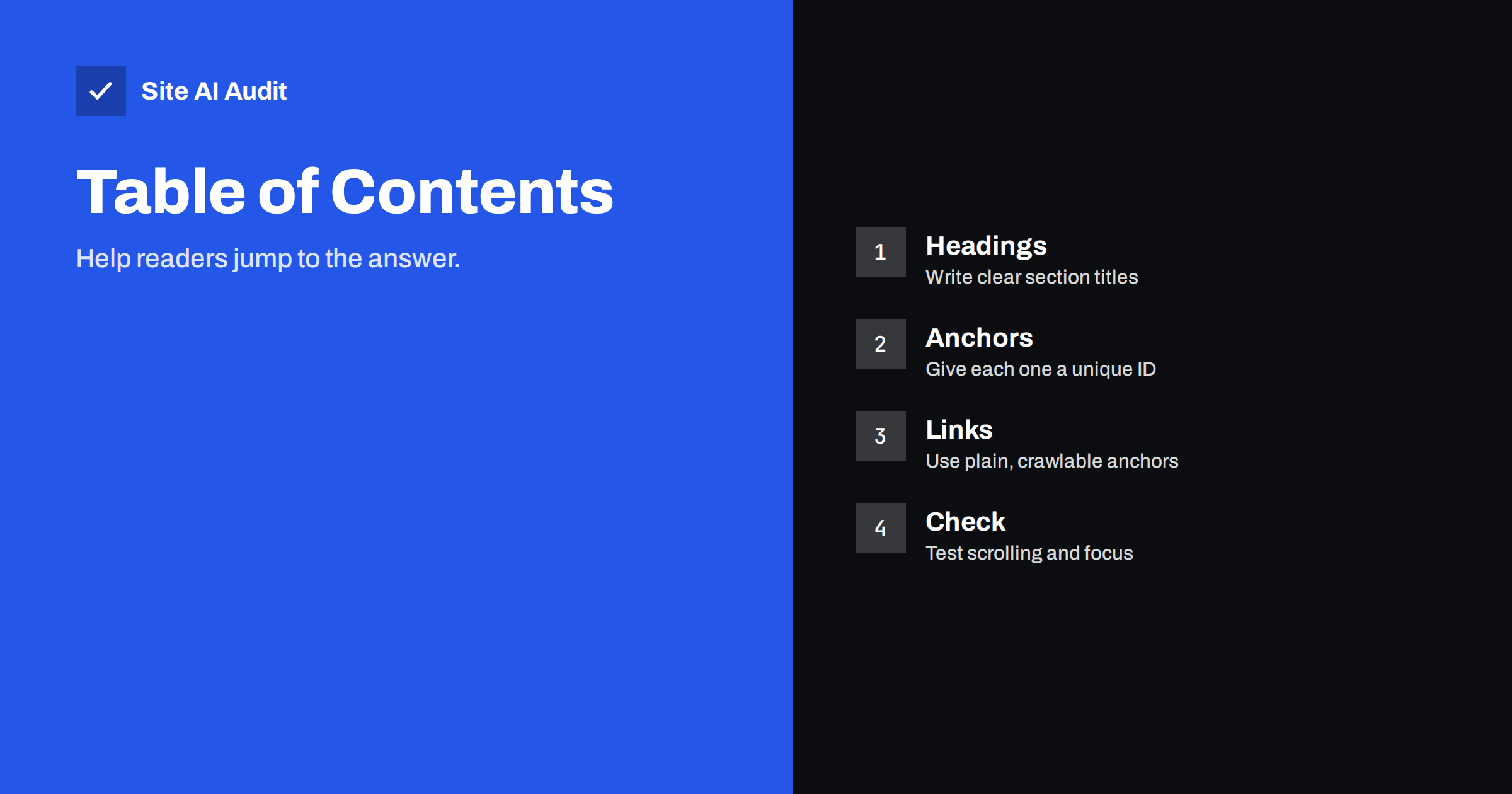
Short answer: A table of contents is not a ranking factor, but it helps visitors find the right part of a long page, and clear anchor links can sometimes appear under your result in Google as “jump to” links. Build it from your real headings, use plain links that point to unique IDs, keep it short, make sure sticky headers do not hide the target, and add it only where the page is long enough to need one.
What a table of contents does
A table of contents is a list of links near the top of an article. Each link points to a heading further down the same page. When a reader clicks one, the browser scrolls straight to that section. The part of the web address after the hash sign, called the fragment, tells the browser where to go, and the page itself does not reload.
The idea is as old as printed books, and it solves the same problem. Long pages are hard to scan. A visitor who arrives with a precise question, such as how much a service costs or how to fix an error code, wants to reach that part without scrolling through everything else. A table of contents gives them a map.
Does it help rankings?
There is no evidence that adding a table of contents raises a page in the results by itself, and search engines do not publicly list it as a ranking factor. Its value lies elsewhere.
- Better usability. Readers find answers faster, stay longer on useful pages and are less likely to give up. Pages that satisfy people tend to perform better over time, although that effect is indirect.
- Clearer structure for crawlers. Links to headings reinforce how the page is organised. Software can see the sections and their names at the top of the page.
- Possible jump links in search results. Google sometimes shows links beneath a result that lead to sections of the page, labelled with phrases such as “jump to” or listed as separate lines. These appear automatically when the page has clear sections and anchors, and Google gives no guarantee that they will show for any page.
Treat the table of contents as a tool for visitors, with possible side benefits. If you add it only to chase a special search result, you may be disappointed.
When to use one
Not every page needs it. A short article with three headings is easy to read from top to bottom, and a list of links on top only pushes the real text further down.
- Good candidates: long guides, tutorials, comparisons, glossaries, legal documents, documentation and help articles with many topics.
- Poor candidates: short news items, landing pages designed for a single action, product pages and contact pages.
- A rule of thumb: consider one when the page needs more than a few screens of scrolling and has at least four or five meaningful headings.
On a home page or a conversion-focused page, use a simple menu instead. The structure advice in the guide to heading tags applies to both.
How to build one that works
- Start with good headings. A table of contents is only as useful as the headings behind it. Write them as clear phrases that describe the content, and use a logical order of levels, one H1 and then H2 for main sections.
- Give every heading a unique ID. The ID is the anchor. Use short, readable text such as “pricing” or “common-errors”, without spaces. Two headings with the same ID make one link fail.
- Use ordinary links. Each item should be a standard anchor element with a fragment, such as a link to #pricing. Avoid buttons or scripts that fake the scroll without a real link, because crawlers and assistive technology rely on real links.
- Put the list near the top. Place it after the introduction or the short answer, not before the first sentence.
- Keep the list brief. Include main sections, and add a second level only when the page is very long.
- Use a navigation landmark with a label. A nav element with a name such as “On this page” helps screen reader users reach it quickly.
Many WordPress SEO plugins and block editors can generate the list and the IDs automatically. Check what the plugin produces in the page source, not only what it shows on screen.
Common problems
- Sticky headers hide the heading. When a fixed menu covers the top of the screen, the target heading ends up behind it. Fix this with a scroll margin on the headings so the browser leaves space.
- Links created only by JavaScript. If the list appears after a script runs, crawlers may not see it, and the page may flash or shift. Prefer a list built on the server.
- Changing IDs. When an automatic tool builds IDs from the heading text, editing a heading changes the ID and breaks saved links. Set IDs by hand for important sections.
- Too long a list. Fifteen items near the top push the real content below the fold and overwhelm the reader.
- Wrong order or missing sections. The list must match the actual headings in the same order.
- Hidden content. Links to sections inside closed tabs or accordions may not work as expected. Read the notes in tabs and accordions and hidden content first.
- Layout shifts. A list inserted late can push the page down. Reserve space or render it with the page.
Jump links in search results
When Google decides to show section links under a result, it picks them from the page structure. Pages that tend to qualify are long, with clear headings and anchors that lead to the sections. You cannot force the result, and it may appear for some searches and not for others. Compare this with the ordinary sitelinks that appear for brand searches, discussed in how to influence Google sitelinks.
You can raise your chances in an honest way: use descriptive headings, give them IDs, link to them from a visible list, and write the content so that each section answers one question. Do not hide the sections or stuff the headings with keywords. A fragment address is not a separate page, so search engines treat a link with a hash as the same page, and canonical tags do not change that.
Accessibility and usability
A table of contents is also an accessibility aid. Keyboard users can jump straight to a section, and screen reader users can list the links on the page. Make sure that focus moves to the target, that the link text makes sense on its own and that the list does not rely on colour alone to show the current section. If you highlight the current section as the reader scrolls, keep the effect subtle. These details align with the points in how accessibility and SEO overlap.
Also think about mobile screens. A long list at the top of a small screen can take more than one screenful. Collapse it behind a clear toggle, or show only the main sections. Test it with a thumb, because tap areas that are too small cause mistakes.
A final practical point concerns maintenance. When you update an old article, review its table of contents at the same time. New sections need new entries, removed sections need their entries deleted, and renamed headings may need new IDs. Check that links you shared earlier, for example in newsletters or social posts, still land on the right section. A quick click through every item on the list takes one minute and catches most errors before readers do.
How Site AI Audit helps
Site AI Audit does not build tables of contents. It reviews the foundations that a good page depends on: titles and descriptions, heading structure, broken links, redirects, the sitemap, robots.txt and noindex rules, along with speed, SSL, security headers and e-mail authentication, in plain words and ranked by impact. The first check is free, covers up to 50 pages and needs no sign-up. You can run a free check of your website or see the plans for regular monitoring.
Related reading
- Heading Tags for SEO: How to Use H1, H2 and H3 Properly
- Blog Post SEO Checklist: What to Check Before You Publish
- Featured Snippets: How to Format Content Google Can Quote
- Internal Linking for SEO: A Practical Guide for Small Sites
The bottom line
A table of contents will not lift a weak page, but it makes a long, good page easier to use, and it may help Google show section links. Build it from clear headings and unique IDs, use ordinary links, keep the list short, leave room for sticky headers and test it on a phone. Use it where length justifies it, and leave it out where it only gets in the way.
GYIK
Is a table of contents a Google ranking factor?
No official statement says so. Its benefit is usability, with a possible chance that Google shows jump links in the results for pages with clear anchors.
How do I get jump links to appear in Google?
You cannot force them. Use clear headings with IDs, link to them from a visible list and write focused sections. Google decides whether to show them.
Should the table of contents be collapsed?
On mobile it can be, if the toggle is clear and the links remain real anchors in the HTML. Keep the list crawlable and easy to reach.
Can a table of contents slow down my page?
A simple list of links is tiny. Problems come from heavy scripts that build it late, which can cause layout shifts. Prefer a list rendered with the page.
Does a hash link create a duplicate page?
No. The part after the hash is not treated as a separate page, so it does not cause duplicate content. Search engines see it as the same address.