ENEnglish
 LTLietuviškai
 DEDeutsch
 FRFrançais
 RUРусский
 ESEspañol
 PLPolski
 ITItaliano
 UKУкраїнська
 CSČeština
 PTPortuguês
 JA日本語
JA日本語 LVLatviešu valoda
 ETEesti
 HUMagyar
 IDBahasa Indonesia
 TRTürkçe
 HIहिन्दी
 ELΕλληνικά
 ARالعربية
 THไทย
THไทย VITiếng Việt
 RORomână
 MSBahasa Melayu
 BNবাংলা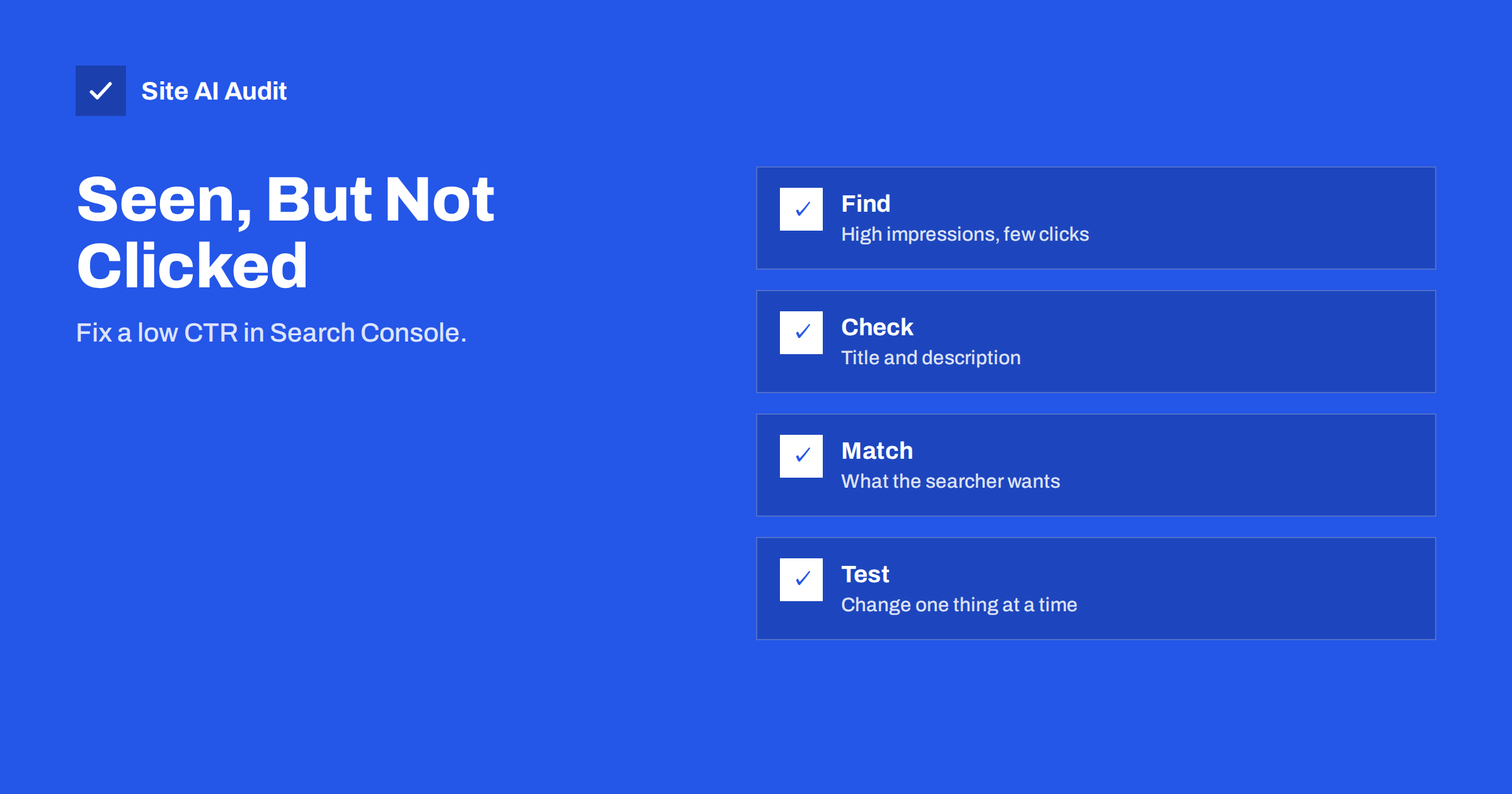
Short answer: Click-through rate (CTR) is the share of impressions that turn into clicks. A low CTR on a page that already ranks on the first page usually means the title, description or promise does not match what searchers want. Find such pages in the Search Console performance report, rewrite the title and description for the main query, check what the results above you offer, change one thing at a time and judge the result after several weeks.
What CTR means
When your page appears in Google results, that is an impression. When someone clicks, that is a click. CTR is clicks divided by impressions, shown as a percentage. If your page was shown 1,000 times and got 30 clicks, its CTR is 3 percent.
There is no single good number. CTR depends strongly on position: results at the top get a much larger share of clicks than those lower on the page. It also depends on the type of search. A search for your own brand name has a very high CTR, while a broad question with an answer box, a map and several ads gets fewer clicks for ordinary results. So do not compare a pair of pages blindly. Compare each page with what would be expected for its position and query.
Where to find the problem
Open the Performance report in Search Console. Our guide to the Search Console performance report explains the screen. To find low-CTR opportunities:
- Choose a period of at least three months, to smooth out ups and downs.
- Turn on the CTR and average position columns.
- Open the Pages tab and sort by impressions, highest first.
- Look for pages with many impressions, an average position in the top ten and a CTR that looks low next to similar pages on your site.
- Click such a page and open the Queries tab to see which searches show it.
Pages in positions 1 to 10 with a weak CTR are the best candidates, because they are already visible. A few extra clicks from many impressions cost far less than winning a new ranking from nothing.
Check for a technical reason first
Before you rewrite anything, rule out some causes that have nothing to do with wording:
- Branded and non-branded mix. Separate searches containing your brand from the rest, because they behave very differently.
- Averages that hide the truth. The average position can mix a page ranking first for one query and 40th for another. Look at the query level.
- Search features. If an answer box, video row or map takes the space, a lower CTR may be normal. See featured snippets.
- Wrong keyword. The page may appear for a search it is not meant to answer. That is an intent problem, not a snippet problem.
- Cannibalisation. Two of your pages may compete for the same query and split the clicks. Read how to fix keyword cannibalization.
Match the page to the search intent
A searcher clicks when the result appears to answer their question. Look at the main query and ask: does the person want a definition, a how-to guide, a price, a comparison or a place to buy? If your title promises a “complete guide” but the person wants a quick price, the result is ignored. The topic is covered in search intent explained.
Search for the query yourself, in a private window, and read the first results. What do they have in common? Which words do they use? What do they promise that you do not? This helps you see how your result looks next to the others.
Improve the title
The title is the main thing a searcher reads. Practical rules:
- Put the main topic first, in the words people actually use.
- Keep it to roughly 50 to 60 characters, so it is not cut off.
- Promise a clear benefit or a specific answer: a number, a result, a solution.
- Be honest. Clickbait raises clicks once and increases quick returns to the results page.
- Avoid repeating the same pattern on every page; a list of near-identical titles looks automatic.
- Add the brand at the end only if space allows.
Our guide to title tags goes deeper. Keep in mind that Google sometimes shows a different title from the one you wrote, as explained in why Google rewrites title tags. If your page is rewritten often, the original may not match the page’s heading or the query, so check that they agree.
Improve the description
The meta description does not directly change rankings, but it often becomes the text under your title, and it influences the click. Write about 120 to 160 characters, answer the question in the first part, and finish with a reason to click. Include the main query naturally, since matching words may be highlighted. Make each description unique. More tips are in the meta descriptions guide.
Google may choose a different snippet from the page when it thinks that fits the search better. That is normal. A clear first paragraph on the page helps, because it is a likely source for the snippet.
Examples of weak and better titles
Imagine a page about a service that appears for the search “boiler repair cost”. A weak title is “Services | Company Name”: it says nothing about the query. A better one is “Boiler Repair Cost: What You Will Pay and Why”. It starts with the topic, signals a concrete answer and is short enough to display in full. The same logic applies to a blog post: “Tips” becomes “7 Ways to Cut Your Page Load Time Today”, provided the article really contains seven ways.
For a description, replace a vague “We offer many services at good prices” with a sentence that answers the query and invites the click: “See typical boiler repair prices, what affects them and how to avoid paying twice.” Facts and clear wording beat slogans.
When not to chase CTR
Not every low number is a problem. A page that answers a question in the result itself, such as a phone number or an opening time, may earn few clicks and still satisfy the searcher. Pages that rank for many loosely related queries will always show a low average CTR. Spend your effort where a click has value for you: service pages, product pages and guides that lead to a contact or a sale.
Make the result look richer
A result with extra detail stands out. Possible additions:
- Breadcrumbs, which replace the plain address with a readable path. See breadcrumbs for SEO.
- Structured data such as ratings for products, which may be displayed when Google decides they qualify. Read structured data for small businesses. There is no guarantee that any markup produces a rich result.
- A site name and icon, which help recognition; see site name and favicon in Google.
- Fresh content. An outdated page with an old year in the title looks stale. Update the article itself, not only the date, following how to update old content.
Run changes like an experiment
- Record the starting point. Note the date, clicks, impressions, CTR and position of the page.
- Change one thing. Update the title first, or the description, not both at once, so you know what worked.
- Wait. Google needs time to crawl the page and update the result. Give it at least two to four weeks.
- Compare equal periods. Compare the same number of days and, if possible, the same weekdays, and remember seasonal changes.
- Keep what works. If CTR rises, keep it. If not, return to the old version or try another idea.
Impressions also change over time for reasons you do not control, so look at CTR together with position. If clicks fall while the position drops, the cause is ranking, not wording; see how to diagnose a traffic drop.
What Site AI Audit can and cannot tell you
Site AI Audit crawls up to 50 pages and lists problems in titles, descriptions and headings, such as missing, too long or duplicated ones, with a plain-language fix. It does not see your Search Console data, so it cannot tell which pages have a low CTR. Use it to find weak snippets across the site, and use Search Console to decide which to fix first. Run a free check or look at the plans.
Related reading
- Why Is My Page Not on Google? A Step-by-Step Checklist
- Technical SEO vs On-Page SEO vs Off-Page SEO: The Differences
- How Often Should You Audit Your Website’s SEO?
The bottom line
A low CTR is a chance, not a disaster: your page is already visible, but the result does not persuade. Find pages with many impressions and few clicks, check intent and technical causes, then improve the title and the description one step at a time, and measure over several weeks.
GYIK
What is a good CTR in Google Search Console?
There is no universal figure. CTR depends on position, type of query and search features. Compare a page with others at a similar position and with its own earlier results.
Do title changes affect rankings?
A title helps Google understand the page, so large changes can move rankings slightly. A better title mostly improves clicks, and that is your goal here. Keep the main topic in the title.
How long should I wait after changing a title?
Wait at least two to four weeks. Google must recrawl the page and update the result, and you need enough data to compare.
Why does Google show a different title from mine?
Google may rewrite a title when it is too long, too generic, stuffed with keywords or does not match the page. Make the title, the main heading and the content agree.
Can I improve CTR without changing rankings?
Yes. A clearer title and description, breadcrumbs and a fresher page can raise clicks at the same position. That is why low-CTR pages in the top ten are a good place to start.