ENEnglish
 LTLietuviškai
 DEDeutsch
 FRFrançais
 RUРусский
 ESEspañol
 PLPolski
 ITItaliano
 UKУкраїнська
 CSČeština
 PTPortuguês
 JA日本語
JA日本語 LVLatviešu valoda
 ETEesti
 HUMagyar
 IDBahasa Indonesia
 TRTürkçe
 HIहिन्दी
 ELΕλληνικά
 ARالعربية
 THไทย
THไทย VITiếng Việt
 RORomână
 MSBahasa Melayu
 BNবাংলা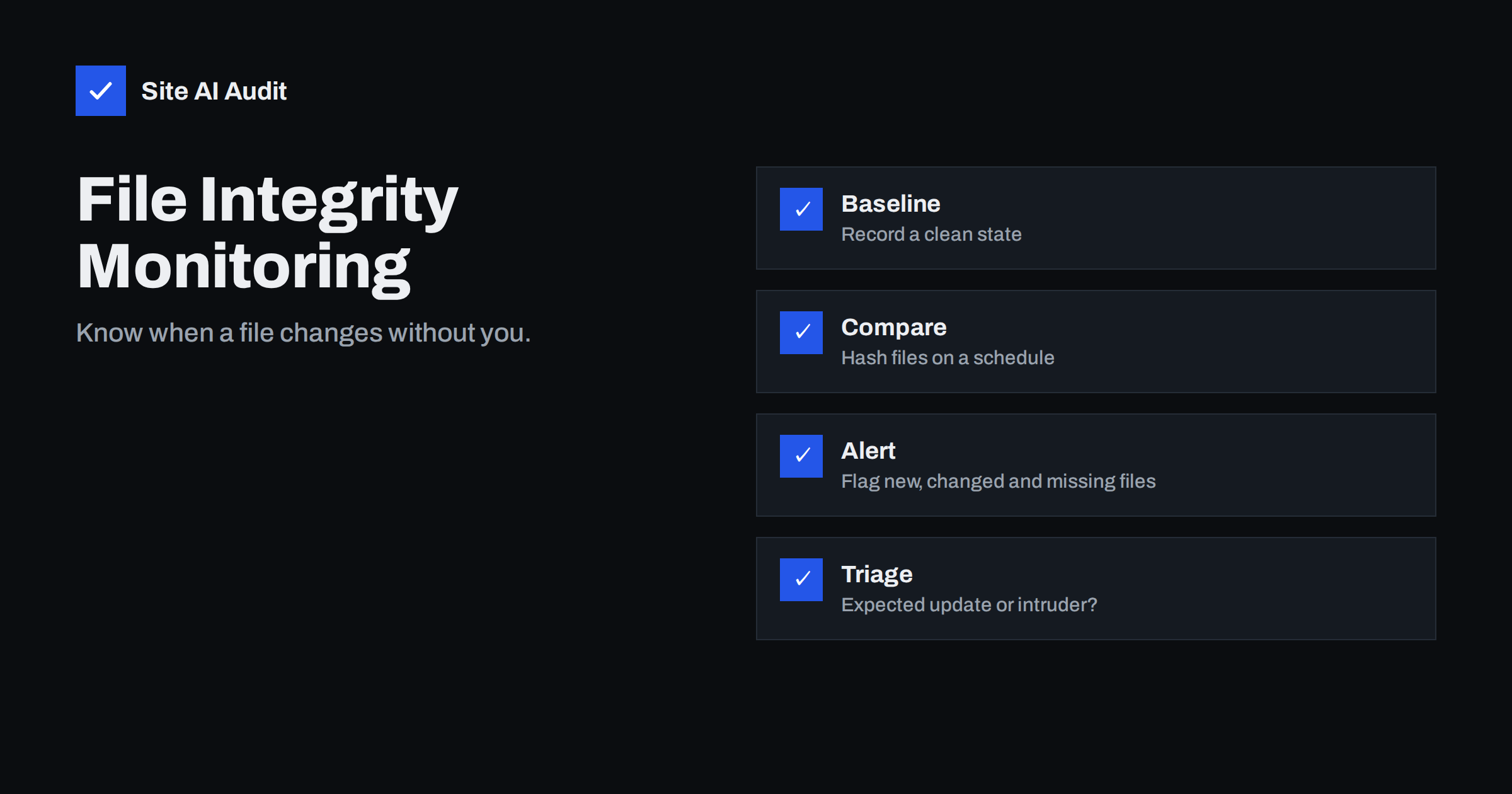
Short answer: File integrity monitoring means recording a fingerprint of every important file on your website while it is clean, then checking those fingerprints on a schedule and raising an alert when a file is added, changed or removed without a reason. It will not stop an attack, but it turns a break-in that could stay hidden for months into one that you notice within a day.
What file integrity monitoring is
A website is a collection of files: the core software, themes, plugins, uploads and configuration. When a site is hacked, the attacker usually needs to leave something behind: a backdoor to return through, a script that sends spam, injected code in a theme file or a changed setting. Each of those is a file that was added or modified.
File integrity monitoring detects exactly that. First, a tool reads every file and records a fingerprint, called a hash, which is a short string that changes if even one character of the file changes. That list is the baseline. Later the tool reads the files again, compares the new fingerprints with the baseline and reports differences: files that are new, files that changed and files that disappeared.
Why it catches problems that other checks miss
Many attacks stay invisible to visitors. A backdoor file does not change how the site looks. A script that only runs when a search engine visits does not show up in a quick manual check. Scanners that look for known malware signatures can miss new variants, and an owner who rarely looks at the files cannot tell what is normal.
Integrity monitoring does not need to recognise the malware. It only needs to notice that something changed. That makes it useful against unknown threats, as well as against the quiet changes that follow a stolen password or an outdated plugin. It also helps with honest mistakes, such as a developer editing a live file and forgetting to tell anyone.
Which files matter most
Not all files deserve the same attention. Some should almost never change, and a change there is a strong signal. Others change constantly and would flood you with noise.
- Core software files. They change only during updates. Any other change is suspicious.
- Configuration files. The main settings file, server configuration such as .htaccess and any file that holds database access or keys. See wp-config.php security hardening for why this file is a prime target.
- Theme and plugin files. They change when you update or edit them, and each change should be explainable.
- The uploads folder. It is meant for images and documents, not for code. A PHP file there is a classic sign of a backdoor, as explained in blocking PHP execution in uploads.
- Files in the web root. New files with random names or names that imitate system files deserve a look.
Cache folders, logs, backups and temporary files change all the time and are usually excluded from monitoring.
Ways to do it
You do not need an expensive system. The right method depends on how technical you are and how your site is hosted.
Built-in checks for WordPress
WordPress has a command line tool, WP-CLI, that can compare core files with the official checksums and report anything modified or unexpected. A similar command exists for plugins from the official directory. These checks cover only software that has public checksums, not your own custom code, but they are free and fast.
Security plugins
Many security plugins include a file change scanner that compares your files with the official versions or with an earlier scan and e-mails a report. They are the easiest choice for most owners. Check that the scan runs on a schedule and that the alert goes to someone who reads it.
Version control and deployment
If you deploy the site from a version control system, the live files should match the repository. A routine that reports any difference between the server and the repository gives you integrity monitoring almost for free, and it also catches unrecorded manual edits.
Host and server tools
Some hosting companies run their own scanners, and servers can run tools that watch files in real time. If you manage your own server, a script that stores checksums and compares them each night is simple and effective. Keep the baseline and the script away from the web folder, so that an intruder cannot rewrite them.
Setting up a good baseline
A monitor is only as good as its starting point. If you record the baseline on a site that is already infected, the malware becomes the normal state. Take the baseline right after a clean installation or after a verified clean-up, and store it somewhere that the web server cannot write to.
Update the baseline after every planned change, such as a software update, so that the next scan reports only what is new. Many tools do this with one command. Without that step, every scan after an update shows a long list of changes, people stop reading it and the system loses its value.
Handling alerts without panic
An alert is a question, not a verdict. Most changes will be harmless, and the skill is in sorting them quickly. A simple routine helps:
- Match it to a known action. Did you or your developer update something at that time? If yes, the change is expected.
- Look at the file. Is it in a place where it belongs? A new file in the uploads folder with a code extension is far more serious than a changed language file.
- Compare with a clean copy. Download the official version of the plugin or theme and compare it with the live file. Differences that contain encoded text, long unreadable strings or calls to unknown domains are a red flag.
- Check the logs. Look at who logged in and what was requested around the time of the change. The advice in how to read access logs helps.
- Act on real findings. If the change is malicious, follow the steps in web shell and backdoor removal and hacked website recovery steps.
Limits you should know about
File monitoring does not cover everything. Many attacks change the database and not the files, for example by injecting spam links into posts or creating a new administrator. A site can be fully compromised without a single file changing if the attacker works through stolen credentials. Monitoring also reports after the fact: it tells you that a change happened, not that it was prevented.
For this reason it works best as one layer among several. Combine it with strong passwords and two-factor login, correct file permissions as described in file permissions on a web server, regular updates, working backups and logs that show who did what. The overview in logging and monitoring for small sites shows how these parts fit together.
A practical starter plan for a small site
If all of this sounds like a lot, start small. In the first hour, check that your core files match the official versions, remove plugins and themes you do not use and look at the uploads folder for files that should not be there. In the first week, switch on a scheduled file change scan in a security plugin or ask your host whether they offer one, and make sure that the alert goes to an address that someone reads.
Over the next month, write down who updates the site and when, so that expected changes are easy to recognise, and test your process once by changing a harmless file on a staging copy and confirming that the alert arrives. A monitor that has never been tested is a hope, not a control. Once the routine works, it takes only minutes per week, and it gives you something that you cannot get after a break-in: a clear record of what changed and when.
How Site AI Audit helps
Site AI Audit does not read the files on your server, so it is not a file integrity monitor. It checks what can be seen from outside: SSL certificate and expiry, the HTTP to HTTPS redirect, security headers, exposed software versions, broken links and e-mail authentication, each with a plain-language fix. These checks cover a different layer, and some of them, such as exposed software versions, make a break-in easier when they are left unfixed. The Monitor plan repeats the check every week and sends e-mail alerts when something breaks. You can run a free check of your website or see the plans.
Related reading
- 9 Signs Your Website Has Been Hacked (and How to Check)
- Japanese Keyword Hack: How to Find and Remove SEO Spam Pages
- Website Backup Strategy: How to Back Up So You Can Restore
- WordPress Security Checklist: 20 Steps That Actually Matter
The bottom line
Intruders almost always leave files behind, and a simple comparison against a clean baseline can reveal them. Record the baseline on a clean site, scan on a schedule, exclude noisy folders, update the baseline after planned changes and treat each alert as a question to answer. File monitoring is not a complete defence, but it gives you the thing most hacked sites lack: early warning.
GYIK
What is a file hash?
It is a short string calculated from a file’s contents. If the file changes by even one character, the hash changes, so comparing hashes shows whether a file differs from the baseline.
How often should I scan?
Daily is a good rule for most small sites. High-risk or busy sites may scan more often, and the key is that alerts reach a person who acts on them.
Will updates cause false alarms?
Yes, if you do not refresh the baseline after planned updates. A routine of update, verify and re-baseline keeps the alerts meaningful.
Is a malware scanner the same thing?
No. A scanner looks for known bad patterns, while integrity monitoring looks for any unexpected change. Using both gives better coverage than either alone.
Can file monitoring detect database hacks?
Not by itself. Injected posts or new users are stored in the database, so you also need to review users, content and logs.