ENEnglish
 LTLietuviškai
 DEDeutsch
 FRFrançais
 RUРусский
 ESEspañol
 PLPolski
 ITItaliano
 UKУкраїнська
 CSČeština
 PTPortuguês
 JA日本語
JA日本語 LVLatviešu valoda
 ETEesti
 HUMagyar
 IDBahasa Indonesia
 TRTürkçe
 HIहिन्दी
 ELΕλληνικά
 ARالعربية
 THไทย
THไทย VITiếng Việt
 RORomână
 MSBahasa Melayu
 BNবাংলা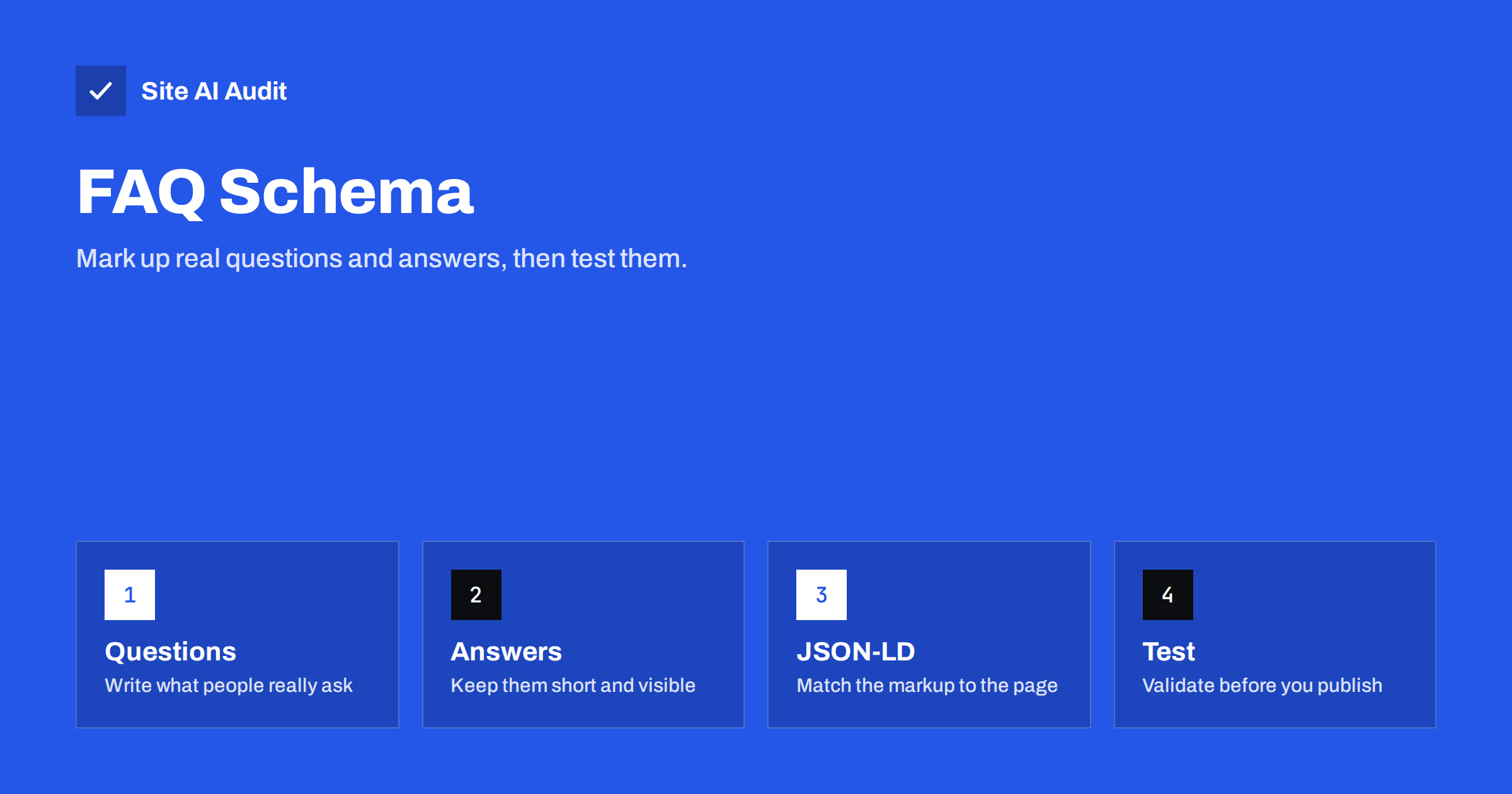
Short answer: FAQPage structured data tells search engines which parts of a page are questions and which are answers. Since August 2023, Google has shown the expandable FAQ result only for well-known government and health websites, so most small sites should no longer expect it. The markup is still valid, it is still harmless when done correctly, and it can help machines understand the page. Add it only when the questions and answers are fully visible on the page, and test it before you publish.
What FAQ schema is
Structured data is a block of code that describes a page in a format that software can read without guessing. FAQ schema uses the FAQPage type from the shared vocabulary at schema.org. It lists a set of questions, and for each question one accepted answer. The code does not change how the page looks to visitors. It sits in the background, next to the normal text.
Most sites add it as JSON-LD, a small script block that holds the data in a tidy list. Google recommends this format because it is separate from the visible HTML and is easy to edit. If structured data is new to you, the guide to structured data for small business websites explains the basic idea and the most useful types.
What changed for rich results
For several years, a page with valid FAQ markup could show extra lines under its search result, with each question opening to reveal the answer. Many sites used it to take more space on the results page. In August 2023, Google announced that it would show this result mainly for well-known, authoritative government and health websites. For other sites, the expandable questions stopped appearing.
This does not mean that the markup is wrong or forbidden. It means the visual bonus is gone for most sites, and nobody can promise that it will come back. If you added FAQ markup only to get the extra space in search results, the benefit has largely ended. If you also want your questions to be easy for software to understand, the markup still serves that purpose.
Should you still add it?
The honest answer is that it depends on your reasons. Think about it like this.
- It does no harm when it is correct. Valid markup that matches the visible page is safe to keep.
- It may help machines read the page. Search engines and other tools can use structured data to understand what a page contains, even when no special result is shown. There is no guarantee of that, so treat it as a small extra, not a reason to rewrite anything.
- It is not a ranking trick. Google does not rank a page higher only because it has FAQ markup.
- It takes little effort. If your page already has a real FAQ section, adding the code takes a few minutes with the right plugin or a short script.
Do not invent questions only to carry markup. A page with a padded list of weak questions reads badly for visitors, and that matters far more than the code behind it.
Rules your FAQ must follow
Search engines publish guidelines for this type, and breaking them can lead to the markup being ignored or to a manual action for spammy structured data.
- Show everything on the page. Every question and answer in the code must also be visible to visitors. Hidden text, or text that appears only in the code, is not allowed.
- Use it for real questions with one answer. The page itself must provide the answers. If visitors can submit many different answers, as in a forum, a different type applies.
- Do not use it for advertising. Answers should inform. A list of questions whose only purpose is to push a product breaks the guidelines.
- Do not repeat the same FAQ on many pages. If the same block appears on every page of the site, the markup adds nothing, and it can look like an attempt to game the results.
- Keep the text honest. Do not promise things that you do not offer. Wrong claims in answers can mislead both people and machines.
What makes a good question and answer
Start from real questions. Look at the e-mails your customers send, the questions they ask on the phone, and the searches in Search Console that contain words such as how, why, can and does. Each question should be one that a visitor would honestly want answered on this particular page.
Write the answer so that it makes sense on its own. The first sentence should give the answer, and the next one or two can add the condition or the exception. Avoid answers that only say “contact us”. A short, clear answer helps the reader, and it is also easier for software to quote correctly. Four to six questions are usually enough; more than that often means the page is trying to cover too many topics.
How to add the markup
There are three common routes, from the easiest to the most flexible.
- A plugin or block. Many WordPress SEO plugins and block editors include an FAQ block. You type the questions and answers once, and the plugin prints both the visible text and the code.
- A snippet that you paste. You write the JSON-LD yourself and insert it into the page through the editor or the theme. This works on any platform, but you must keep it in step with the visible text by hand.
- A template. On larger sites, the theme can build the code from a field or a custom block, so that editing the page updates the markup.
- Open the page source or use the browser’s developer tools and confirm that the script block is present once, not twice.
- Run the page through a structured data validator, such as the Rich Results Test or the Schema Markup Validator. Both are free and show the data they found, together with errors and warnings.
- Compare the questions and answers in the report with the visible text. They should match.
- After publishing, watch the Enhancements area in Search Console for reports that mention your structured data, as covered in fixing structured data errors in Search Console.
- Markup without visible text. The answers appear in the code but not on the page.
- Duplicate blocks. A theme and a plugin both output FAQ data, and the page contains it twice.
- Promotional answers. Every answer ends with a sales pitch or a coupon.
- Using it on the wrong page. A product page with an unrelated FAQ, or a category page with a generic one.
- Very long answers. An answer that runs to several screens is an article, not an FAQ entry.
- Forgetting to update. The prices, rules or dates in the FAQ change, but the old version stays in the code.
- Structured Data for Small Business Websites: A Beginner Guide
- Structured Data Errors in Search Console: How to Fix Them
- Review Rich Results: Star Ratings in Google Search Explained
- Featured Snippets: How to Format Content Google Can Quote
A minimal block has a type of FAQPage and a list called mainEntity. Each item in the list is a Question with a name, and an acceptedAnswer of type Answer with a text field. Answers may contain a few simple HTML tags such as paragraphs, lists and links. Keep them short, in plain language, and identical in meaning to what visitors can read.
Where possible, prefer the plugin route. It removes the main source of errors, which is the visible text and the code drifting apart after someone edits one and forgets the other.
How to test it
Test the markup before you publish and after any change.
Errors usually come from a missing comma, an unescaped quotation mark inside an answer, or two competing plugins that print the same block.
Common mistakes
How Site AI Audit helps
Site AI Audit does not write or validate your FAQ markup. It looks at the foundations that decide whether a page can be found and understood: titles, descriptions, headings, broken links, redirects, the sitemap, robots.txt and noindex rules, together with speed, SSL, security headers and e-mail authentication. The first check is free, covers up to 50 pages and needs no sign-up. You can run a free check of your website or look at the plans for ongoing monitoring.
Related reading
The bottom line
FAQ markup is no longer a shortcut to extra space in Google for most websites, but it remains a valid way to describe real questions and answers. Use it when your page truly contains a helpful FAQ, keep the code and the visible text identical, and test it after each change. Spend most of your effort on the answers themselves, because clear answers help visitors whether or not any special result appears.
GYIK
Does FAQ schema still work in Google?
The expandable FAQ result is now limited mainly to well-known government and health sites. Other sites can still use valid markup, but they should not expect the extra result in search.
Will FAQ markup improve my rankings?
No. It is not a ranking factor on its own. It can help software understand the page, but rankings still depend on the quality and relevance of the content.
Can I use FAQ schema on every page?
Use it only on pages that contain a real FAQ with visible questions and answers. Repeating the same block across the whole site is not useful and may look manipulative.
Do the answers have to be visible on the page?
Yes. Every question and answer in the markup must also be readable by visitors. Hidden or code-only answers break the guidelines for structured data.
Which format should I use?
JSON-LD is the usual choice because it sits in its own script block and is easy to maintain. A plugin that prints both the text and the code is the safest route.