ENEnglish
 LTLietuviškai
 DEDeutsch
 FRFrançais
 RUРусский
 ESEspañol
 PLPolski
 ITItaliano
 UKУкраїнська
 CSČeština
 PTPortuguês
 JA日本語
JA日本語 LVLatviešu valoda
 ETEesti
 HUMagyar
 IDBahasa Indonesia
 TRTürkçe
 HIहिन्दी
 ELΕλληνικά
 ARالعربية
 THไทย
THไทย VITiếng Việt
 RORomână
 MSBahasa Melayu
 BNবাংলা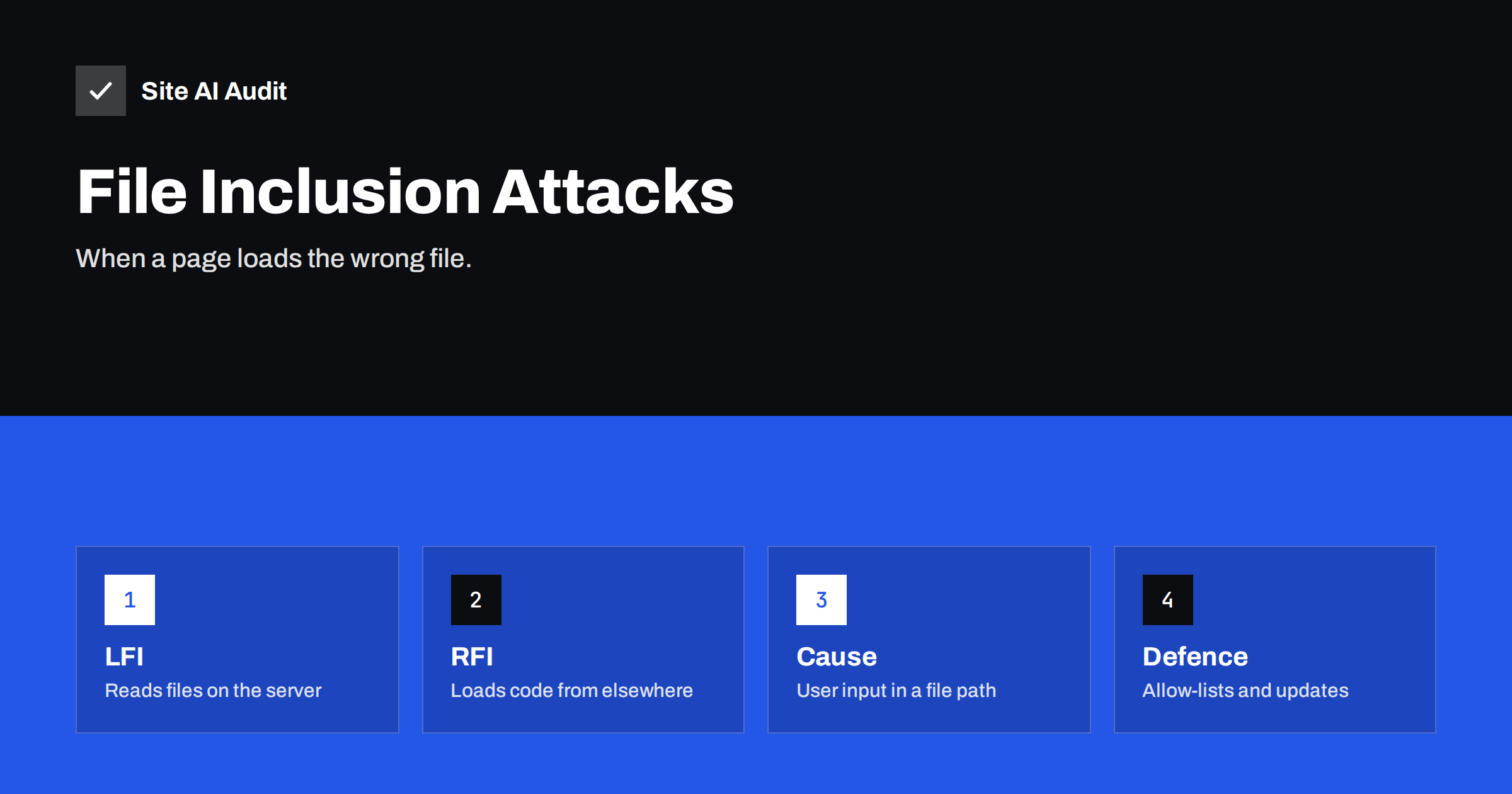
Short answer: A file inclusion flaw appears when a website builds the name of a file from something a visitor can control, and then loads that file. In a local file inclusion (LFI), the attacker makes the site read or run a file already on the server. In a remote file inclusion (RFI), the site loads code from another server. Both can expose secrets or give full control. The cure is never to let user input choose a file path, and to keep software updated.
What file inclusion means
Many websites assemble a page from several files. A script may include a header, a footer and a section depending on what the visitor requests. In a simple design, the address might contain a name such as ?page=contact, and the code loads a file called contact. This is convenient, and it is also dangerous when the code trusts the name without checking it.
If an attacker can change that name to something unexpected, the site may load a file the developer never meant to expose. That is a file inclusion vulnerability. It is one of the classic web weaknesses, and it still appears, mostly in custom code and in poorly maintained plugins and themes.
It is related to the problem we describe in path traversal attacks, where the attacker uses sequences like “../” to climb out of the intended folder. Path traversal is often the technique that makes a local file inclusion work.
Local file inclusion (LFI)
In a local file inclusion, the attacker makes the application include a file that is stored on the same server. Depending on how the code works, one of two things happens.
- Disclosure. If the file is only read and shown, the attacker can see its content. Sensitive targets include configuration files with database passwords, application source code, backup files and system files with user names.
- Code execution. If the file is run as code, any file that contains code the attacker has managed to place becomes dangerous. Examples include an uploaded image with code hidden inside, or a log file that has been filled with code through crafted requests. This is why a harmless-looking upload feature, combined with an inclusion flaw, can be turned into a complete takeover.
PHP also has special input and output “wrappers”. An attacker can sometimes use them to read the source code of a script instead of running it, which reveals secrets in the code. You do not need to remember the technical names. What matters is that a single weak line can reveal files far beyond the one that was intended.
Remote file inclusion (RFI)
In a remote file inclusion, the attacker gives the application the address of a file on another server, and the application loads and runs it. The attacker controls the code, so this can lead directly to a web shell, malware or a spam script on your server.
Remote inclusion needs a PHP setting called allow_url_include to be on. It has been off by default for many years, and most hosts keep it off. That is why RFI is much rarer today than LFI. Still, a server that has this setting enabled, perhaps to support an old application, carries a serious risk, and you should switch it off if you can.
An attacker who finds a vulnerable site often uses automatic scanners that try thousands of addresses and parameters. The site does not need to be famous. It only needs to run a vulnerable plugin or script.
A simplified example
Imagine a small custom site with a page address like /index.php?section=prices. Behind it, the code takes the word “prices”, adds “.php” to the end and includes that file. A visitor who changes the word to something else gets another page, and the developer never thinks about it again.
Now imagine that someone replaces the word with a path that climbs out of the folder and points at a configuration file. If the code does not check the value, the server may show that file or run it. The developer did not write a feature to expose configuration files, but the line that trusts the visitor made it possible.
The fix is also simple: the code should accept only a short list of known words and use a fixed table that says which file belongs to each word. Anything else gets an error page.
What an attack can lead to
- Theft of database credentials, keys and other secrets from configuration files.
- Reading of personal data stored in files on the server.
- Installation of a web shell and complete control of the site; see web shells and backdoors.
- Spam, phishing pages or crypto-mining scripts hosted on your domain.
- Attacks on other sites hosted on the same account.
- Warnings from browsers and search engines, loss of traffic and loss of customer trust.
Signs in your logs
You can often see attempts in your access logs, even when they fail. Look for requests where a parameter contains:
- Several “../” sequences, or their encoded forms such as
%2e%2e%2f. - Names of system or configuration files, for example the user list of a Linux server or your configuration file.
- A web address starting with
http://orhttps://inside a parameter that should hold a simple name. - Words like
php://ordata://, which refer to PHP wrappers. - The same address being requested repeatedly with different values, from the same visitor.
Our guide to reading access logs to spot attacks explains how to find these lines. A line like this does not prove that the attack worked, but it means that someone is trying, and it is a reason to check that the software is current.
How developers prevent it
If you write or order custom code, the main rules are clear:
- Never build a file path from user input. The best defence is to avoid the pattern completely.
- Use an allow-list. If the visitor selects a section, accept only values from a fixed list, such as “contact” and “about”, and map each one to a known file in your code.
- Use identifiers, not names. Let the request carry a number or a short code, and look up the real path on the server side.
- Validate and normalise. Reject anything that contains path characters, and check that the final location is inside the intended folder.
- Keep sensitive files outside the web root. Configuration and backups should never sit in a folder that the server can serve.
- Give the web server minimal permissions. If it cannot read a file, an inclusion flaw cannot disclose it. See safe file permissions on a web server.
What site owners should do
If you use WordPress or another ready-made system, you rarely write the vulnerable code yourself, but you depend on the people who do. Practical steps are:
- Update quickly. Most inclusion flaws in popular systems are found in plugins and themes, and fixed in a new version. Use a careful routine like the one in a safe update strategy.
- Remove what you do not use, and avoid abandoned products that no longer get fixes; see abandoned WordPress plugins.
- Check the PHP settings. Ask your host to confirm that
allow_url_includeis off. Where available, theopen_basedirsetting restricts which folders PHP can reach. - Add a web application firewall. It can block many typical attack patterns while you wait for a patch; read what a WAF does.
- Keep backups and know your recovery plan. If a site is compromised, a clean restore is the fastest way back.
It also helps to understand the neighbouring weaknesses. File inclusion belongs to the same family as SQL injection and cross-site scripting: all of them arise when input from a visitor is trusted more than it should be.
What Site AI Audit can and cannot tell you
Site AI Audit looks at your website from the outside, the way a visitor does. It checks the SSL certificate, the redirect from HTTP to HTTPS, security headers and exposed software versions, along with speed, SEO and email authentication. It does not test your code for inclusion flaws, so it cannot tell you whether a plugin is vulnerable. It can, however, show an exposed software version, which tells attackers what to try, so you can hide it and keep it updated. Run a free check or see the plans if you want regular re-checks.
Related reading
- Exposed .env, .git and Backup Files: How to Find and Block Them
- Exposed Software Versions: How to Hide Server and CMS Details
- Website Security Scan vs Penetration Test: What You Need
The bottom line
File inclusion flaws happen when a site lets a visitor influence which file it loads. Local inclusion exposes or runs files on the server, and remote inclusion brings in code from elsewhere. Developers should avoid user-controlled paths and use allow-lists. Site owners should update quickly, remove unused components, keep risky PHP settings off and watch the logs.
FAQ
What is the difference between LFI and RFI?
Local file inclusion makes the website load a file that already exists on its own server. Remote file inclusion makes it load a file from another server. RFI needs a PHP setting that is off on most servers, so LFI is far more common today.
Is a file inclusion flaw the same as path traversal?
They are related but not identical. Path traversal is the technique of moving to other folders with “../”, while file inclusion is the flaw in which the application loads the chosen file. Attackers often combine them.
Can a WordPress site be affected?
Yes, mainly through vulnerable plugins and themes. The WordPress core is reviewed heavily, so keeping everything updated and removing abandoned products is the best protection.
How can I tell if my site was attacked this way?
Search your access logs for parameters that contain “../”, encoded versions of it, system file names, web addresses or PHP wrapper names. Also check for unknown files and changed files, using the steps for finding a web shell.
Does HTTPS or a firewall stop file inclusion?
HTTPS protects data in transit but does not fix a flaw in the code. A firewall can block many known attack patterns, but the real fix is secure code and timely updates.