ENEnglish
 LTLietuviškai
 DEDeutsch
 FRFrançais
 RUРусский
 ESEspañol
 PLPolski
 ITItaliano
 UKУкраїнська
 CSČeština
 PTPortuguês
 JA日本語
JA日本語 LVLatviešu valoda
 ETEesti
 HUMagyar
 IDBahasa Indonesia
 TRTürkçe
 HIहिन्दी
 ELΕλληνικά
 ARالعربية
 THไทย
THไทย VITiếng Việt
 RORomână
 MSBahasa Melayu
 BNবাংলা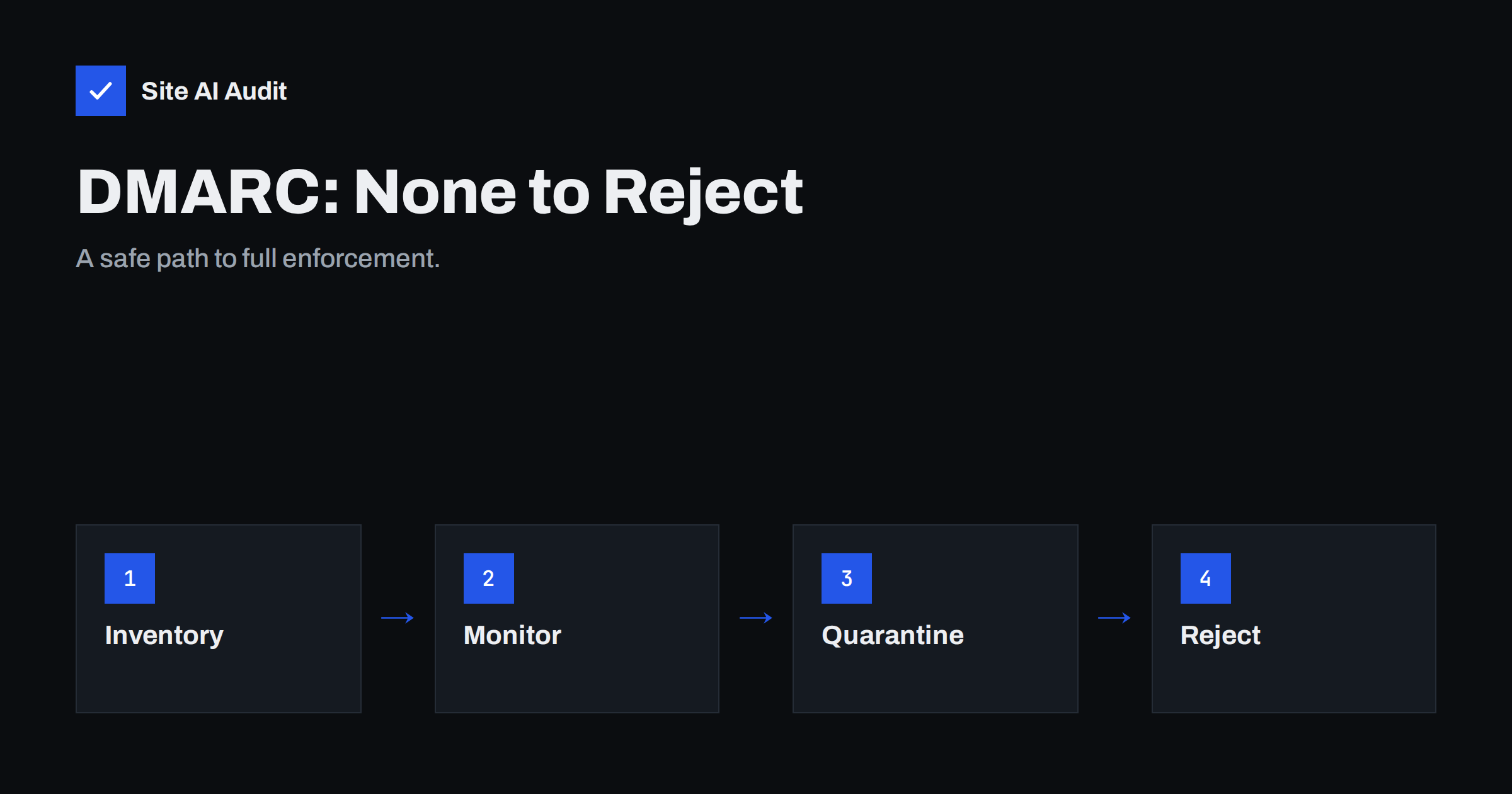
Short answer: To move DMARC from p=none to p=reject safely, first collect reports and list every service that sends mail for your domain, then fix SPF and DKIM for each legitimate sender. Switch to p=quarantine for a small share of mail, raise the share step by step, and only then move to p=reject. Expect the whole journey to take weeks, not days, because you are waiting for reports to prove that nothing real is failing.
Why p=none is only the first step
A new DMARC record usually starts as v=DMARC1; p=none; rua=mailto:.... The none policy tells receiving servers to take no action on failing mail; they should only send you reports. That is the right place to begin, because it shows you who sends mail in your name without risking any real message.
The trouble is that many domains stay there forever. With p=none nothing stops a criminal from sending an invoice that looks like it comes from your domain. The record meets the minimum requirement of bulk-sender rules at the large mailbox providers, but it does not protect your name. Protection starts at quarantine and is strongest at reject. If you are new to the record itself, start with our guide to how DMARC works.
What the three policies do
The p tag in your DMARC record tells receivers what to do with mail that fails both SPF alignment and DKIM alignment.
| Policy | What receivers are asked to do | Typical use |
|---|---|---|
p=none | Deliver normally and send reports | Discovery phase |
p=quarantine | Treat as suspicious, usually the spam folder | Testing enforcement |
p=reject | Refuse the message during delivery | Full protection |
These are requests, not commands. Receivers decide for themselves, but the large providers generally follow the policy of the domain in the visible From address. A message passes DMARC when at least one of SPF or DKIM passes and is aligned with that From domain. Our article on relaxed and strict alignment explains what aligned means.
Step 1: collect reports and find every sender
You cannot enforce a policy until you know who legitimately sends as your domain. Make sure your record has an rua address, then let reports arrive for at least two to four weeks. That period should include a month-end, because invoicing and reminder systems often send only at certain times.
The reports are XML files from receivers. Reading them by hand is tedious, so most people use a free or paid report reader. Our guide to reading DMARC aggregate reports shows what each field means. Look for three groups of senders:
- Known and passing: your main mail platform, such as Microsoft 365 or Google Workspace.
- Known and failing: a newsletter tool, CRM, helpdesk, invoicing system or website form that sends as your domain but is not set up properly.
- Unknown: sources you do not recognise. Some are forgotten services, some are forwarders, and some are real spoofing attempts.
Ask colleagues and department heads which tools send email. Marketing, sales, finance, HR and IT often each use their own services.
Step 2: fix every legitimate sender
For each known sender that fails, make SPF or DKIM pass and align with your From domain. DKIM is the more reliable choice, because it survives forwarding and does not depend on the sending IP address. Most services let you publish a DKIM record, and many let you use your own domain as the return path so that SPF aligns as well. Our guide to authenticating third-party senders covers the common cases.
Two problems appear again and again:
- SPF is full. Each service adds
include:entries, and SPF allows only ten DNS lookups. See how to fix the 10-lookup limit. - Subdomains are forgotten. Mail from
news.example.comorshop.example.comfollows the main domain policy unless you set ansptag. Read how the sp tag works for subdomains.
Re-check the reports after each change. The goal is a week or two in which every message you expect passes DMARC.
Step 3: move to quarantine in stages
When legitimate mail passes consistently, change the policy to quarantine and apply it to a small share of messages with the pct tag, for example p=quarantine; pct=10. This asks receivers to quarantine only about one failing message in ten and treat the rest as before. Support for pct is not identical at every receiver, so treat it as a way to limit the blast radius, not as a precise dial.
A common schedule looks like this:
- Week 1:
p=quarantine; pct=10. Watch for complaints that real mail is in the spam folder. - Week 2:
pct=25orpct=50if nothing legitimate is failing. - Week 3 or 4:
pct=100, or remove thepcttag.
Choose the pace that matches your risk. A small company with three senders can go faster than a company with dozens of tools and many departments.
Step 4: move to reject
After a few weeks at full quarantine without surprises, change to p=reject. Do it in the same careful way if you want: start with pct=10, then increase. Receivers will now refuse spoofed mail during delivery, which is stronger than spam folder placement because the message never reaches the person at all.
Keep the rua address in place. DMARC is not a one-time project. New tools appear, people change them, and a new sender that nobody authenticated will fail and may be rejected. Review the reports every month, and add DMARC to your checklist whenever a new service starts sending as your domain.
How to tell a real spoofer from a forgotten sender
When the reports show failing mail from an address you do not know, do not assume it is an attack. Look at the sending IP address and its reverse DNS name, the volume and the From domain. A steady stream from a known cloud mail platform on a regular schedule usually means a service somebody in your company signed up for. A burst of messages from unrelated hosting networks in countries where you have no customers is more likely spoofing.
Write the result down in a simple list: sender, owner inside the company, purpose, how it is authenticated and the date you last checked. That list becomes your permanent record of who may send as your domain, and it makes the next audit a matter of minutes.
What can break and how to avoid it
Enforcement exposes problems that were invisible at p=none. Plan for these:
- Forwarded mail. A forwarder often breaks SPF, and may change the message so DKIM fails too. Mailing lists do the same. ARC helps receivers see the original result, but not every receiver trusts every forwarder. Our article on forwarding, SRS and ARC explains the effects.
- Shared sending services. If a provider signs mail with its own domain only, DKIM will not align with yours. Set up a custom signing domain.
- Old systems. A printer, scanner, alarm panel or application server that sends mail through an unauthenticated relay will fail. Route it through your main mail platform or an authenticated sending service.
- Parked and unused domains. These should go straight to
p=rejectwith a null SPF record, since they should never send mail. See how to protect parked domains.
If a mistake happens, you can move back one step by editing the DNS record. Keep the TTL of your DMARC record low, for example an hour, while you are changing the policy.
How Site AI Audit helps
Site AI Audit looks at your email authentication from outside: whether a DMARC record exists, whether the policy is still in monitoring mode, whether reports are collected, whether SPF is present and within the lookup limit, whether DKIM keys are found at common selectors and whether the domain has MX records. It does not read your DMARC reports, so use a report reader for that part of the work. Run a free check of your domain to see where you start, and use the plans on the pricing page if you want to re-check after every change.
Related reading
- DMARC Explained: Policies, Alignment and a Safe Rollout
- How to Read DMARC Aggregate Reports Without Getting Lost
- Email Spoofing: How to Stop People Sending Mail as Your Domain
- Gmail and Yahoo Bulk Sender Requirements: A Practical Guide
The bottom line
Treat p=none as a starting line. Collect reports, find and fix every legitimate sender, then raise the policy to quarantine and finally reject in small steps. The reward is that criminals can no longer send believable mail in your name, and your genuine mail is easier for inboxes to trust. Keep watching the reports afterwards, because new tools will keep appearing.
FAQ
How long should I stay at p=none before enforcing DMARC?
Plan for at least two to four weeks of reports, longer if you have many senders or monthly mailings. Move on only when every legitimate source passes consistently and unknown sources are explained.
Is p=quarantine enough, or do I need p=reject?
Quarantine is a good intermediate step and already helps. Reject gives the strongest protection because spoofed mail is refused during delivery. Most organisations that can identify all their senders should aim for reject.
Can enforcing DMARC block my real emails?
Yes, if a legitimate sender is not authenticated or aligned. That is why you review reports, fix senders first and raise the policy gradually. You can always lower the policy again in DNS if something breaks.
Do I need DMARC if I only send a few emails?
Yes. Even a small domain can be spoofed, and large mailbox providers expect a DMARC record. A record with reports at p=none is a minimum, and enforcement is worth it once you know your senders.
What does the pct tag do in a DMARC record?
The pct tag asks receivers to apply your policy to only a percentage of failing messages. It lets you roll out quarantine or reject gradually, though receivers do not all handle it in exactly the same way.