ENEnglish
 LTLietuviškai
 DEDeutsch
 FRFrançais
 RUРусский
 ESEspañol
 PLPolski
 ITItaliano
 UKУкраїнська
 CSČeština
 PTPortuguês
 JA日本語
JA日本語 LVLatviešu valoda
 ETEesti
 HUMagyar
 IDBahasa Indonesia
 TRTürkçe
 HIहिन्दी
 ELΕλληνικά
 ARالعربية
 THไทย
THไทย VITiếng Việt
 RORomână
 MSBahasa Melayu
 BNবাংলা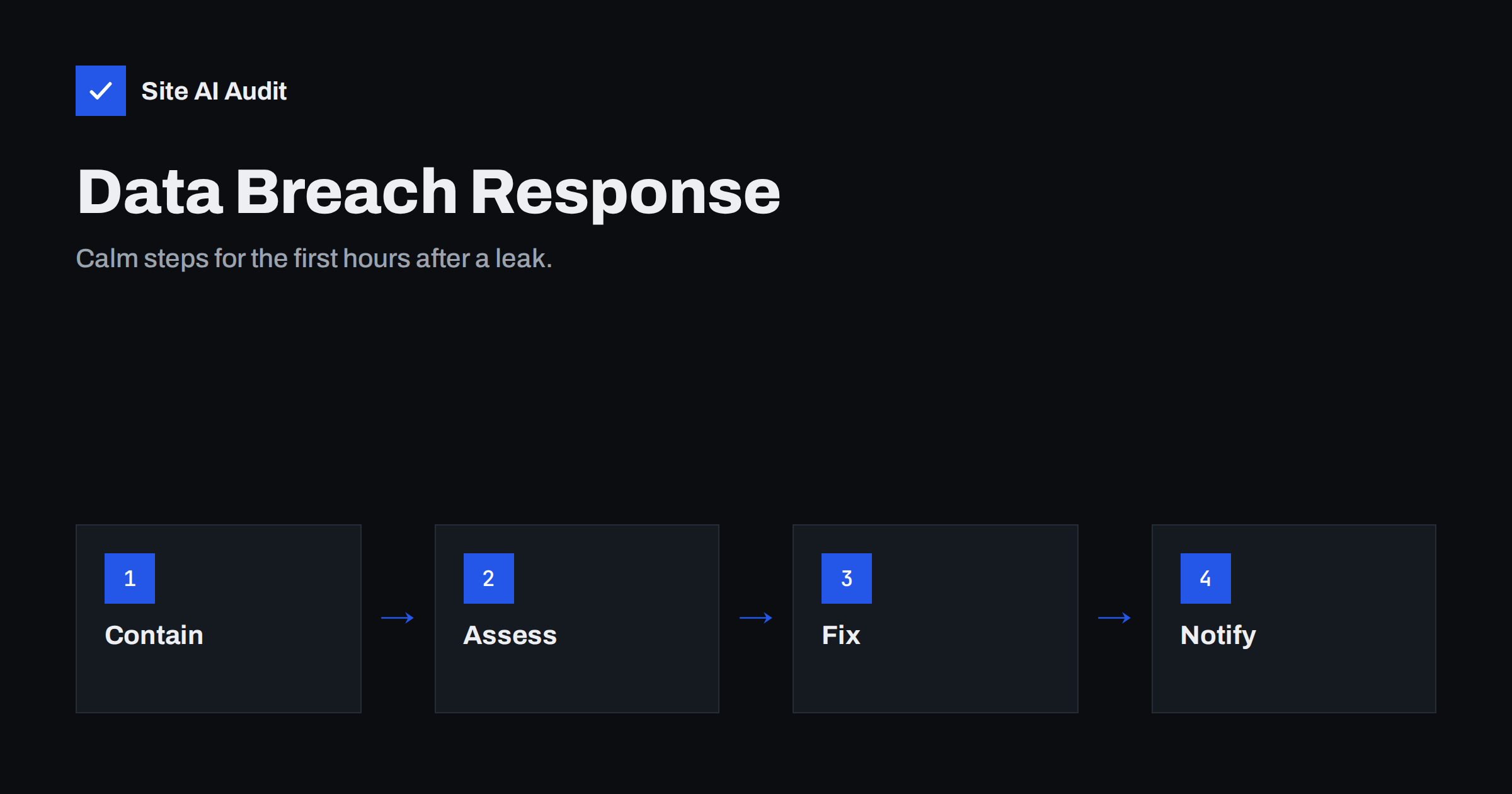
Short answer: When you suspect that customer data has been exposed, act in this order: stop the access, preserve the evidence, work out what data was involved, fix the cause and then notify the people and authorities who must be told. Do not delete logs, do not guess in public and do not wait until every detail is known. In the EU, the GDPR generally expects a report to the data protection authority within 72 hours of becoming aware of a breach that puts people at risk, so the clock starts early.
What counts as a data breach
A breach is any event where personal or confidential data is accessed, copied, changed or lost by someone who should not have it. It does not need to be a dramatic hack. A stolen laptop, a customer list sent to the wrong e-mail address, an exposed backup file or a misconfigured storage folder can all qualify.
For a small business website the common causes are stolen or reused passwords, an outdated plugin with a known flaw, an injected script on a checkout page and a forgotten file that was left open to the public. The signs are described in nine signs your website has been hacked, but many breaches show no visible sign at all. You may learn about one from a customer, a hosting warning or a security researcher.
The first hour: contain and preserve
Your first aim is to stop the problem from growing without destroying the information you will need later. Resist the urge to wipe everything and start again.
- Write down the time you found out. Legal deadlines usually run from the moment you become aware, so a note with the time and what you saw matters.
- Take a copy of the evidence. Make a backup of the site files, the database and the server logs as they are now, and store it outside the server.
- Cut off the access. Change passwords for the hosting account, the CMS admin accounts, the database and FTP or SSH. Remove accounts that you do not recognise. Log out all sessions if your system allows it.
- Limit the damage. If the site is actively harming visitors, put it into a maintenance state with a proper 503 response, as explained in maintenance mode and SEO, instead of leaving it online.
- Tell your host. Many hosts can help with logs, isolate the account and confirm whether other sites on the server are affected.
Find out what was exposed
You cannot notify anyone sensibly until you know what the breach touched. Build a short list of facts, and mark each one as confirmed or unknown.
- Which systems. The website, the shop, the mailbox, a cloud folder, an accounting tool?
- Which data. Names and e-mail addresses are less serious than passwords, payment details, identity numbers or health information.
- How many people. A rough number is enough at first.
- Which period. When did the access start and when did it stop?
- Whether data left the system. Seeing a file is different from copying it.
Server and application logs are the main source. The guide to reading web server access logs shows what to look for, and security logging for small sites explains what to keep in future. If you have no logs, say so honestly in your notes, because a lack of evidence is itself a finding.
Find and close the way in
If you only change passwords and leave the original flaw, the attacker can return. Look for the cause with the most likely suspects first.
Check for outdated software, unknown administrator users and recently changed files. Hidden accounts are covered in how to find hidden admin users in WordPress, and leftover malicious code in web shells and backdoors. Look at your backups as well, because a backup made after the intrusion can carry the same problem.
When the cause is fixed, restore from a clean backup or clean the files carefully, update everything and only then bring the site back. The full process is laid out in the step-by-step recovery plan for a hacked website.
Who you may need to notify
Notification rules depend on where you operate and what data was involved, so treat this section as a map, not as legal advice. If you are unsure, speak to a lawyer or to your data protection authority.
- The data protection authority. Under the GDPR, a breach that is likely to put people at risk should generally be reported without undue delay and, where feasible, within 72 hours. Breaches unlikely to cause risk still need an internal record.
- The affected people. When the risk to them is high, for example leaked passwords or financial details, you generally need to tell them directly, in clear language.
- Your payment provider or bank. If card data may be involved, they often have their own rules and contacts.
- Your insurer. Some policies require quick notice.
- Business partners. If you process data for other companies, your contract may require you to tell them promptly.
How to write to customers
A good notice is short, calm and useful. People want to know four things: what happened, what it means for them, what you are doing and what they should do.
- State the facts you have confirmed, without speculation. If something is still being checked, say so.
- Say which kinds of data were involved, in plain words.
- Explain the practical steps for the reader, such as changing a password, watching for suspicious e-mails or checking a bank statement.
- Give a real contact route for questions.
- Avoid excuses and avoid minimising language. A calm, honest message builds more trust than a vague one.
Send the message from your normal address and warn customers that you will never ask for a password by e-mail, since attackers often exploit news of a breach with fake messages.
Learn from it and reduce the next risk
After the urgent work, hold a short review. Write down what happened, how it was found, how long it took to react and which steps would have prevented it. Turn the answers into a few concrete changes.
- Use unique passwords and a manager, as described in password managers for website teams.
- Turn on two-step login for every admin account, following two-factor authentication for website owners.
- Keep tested backups, using the advice in website backup strategy.
- Collect only the personal data you need, and delete what you no longer use. Data that you do not hold cannot be leaked.
- Write a one-page incident plan with names and phone numbers, so nobody has to improvise next time.
Mistakes that make a breach worse
Most of the damage in small incidents comes from the reaction, not from the attack. A few habits are worth avoiding.
- Waiting for certainty. Teams often delay while they try to understand everything. Deadlines and customer risk keep running, so act on what you know and update later.
- Working alone and in secret. Tell the people who need to know inside the company, including whoever manages your hosting and your e-mail. One person’s partial view often misses the cause.
- Reusing the same passwords. Changing a password to a slightly different version of the old one does not help if the attacker saw it. Use new, unique values.
- Restoring too soon. Bringing a backup online before the entry point is closed invites a second break-in within hours.
- Forgetting related accounts. The same password may protect your domain registrar, your e-mail and your payment provider. Check those accounts as well.
- Leaving no record. Keep a dated log of decisions and actions. It helps in a report to the authority, with an insurer and in your own review later.
A calm, documented response also helps when you talk to customers, because you can explain exactly what you did and when.
How Site AI Audit helps
Site AI Audit cannot investigate a breach or tell you whether data has left your server. It checks the outside of your website for the weaknesses that often help attackers: SSL certificate and expiry, the HTTP to HTTPS redirect, security headers and exposed software versions, together with SEO, speed and e-mail authentication. The Monitor plan repeats the check every week and sends e-mail alerts when something breaks. The first check is free and needs no sign-up, so you can run a free check of your website or compare the plans.
Related reading
- Website Security Audit Checklist: What to Check and in What Order
- WordPress Security Checklist: 20 Steps That Actually Matter
- Website Access Offboarding: Remove Ex-Developers Safely
- Compromised Email Account Sending Spam: What to Do Right Now
The bottom line
Move fast on the facts and carefully on the actions. Contain the access, keep the evidence, find the cause and notify the right people within the time the rules allow. A written plan prepared before an incident turns a frightening day into a manageable one.
FAQ
Do I have to report every breach?
Not always. Under the GDPR you must record every breach, but a report to the authority is expected when the breach is likely to put people at risk. When in doubt, ask your data protection authority or a lawyer.
Should I delete the infected files immediately?
No. Copy them first, because they show how the attacker got in and what they touched. Clean up after you have saved the evidence.
Can I tell customers before I know everything?
Yes, and often you should. Send a short, accurate first notice and add details later, rather than wait while people stay exposed.
Is a small business a likely target?
Yes. Attacks are mostly automated and look for weak passwords and outdated software, so size matters little.
Will cyber insurance cover this?
It depends on the policy. Read the notification conditions now, not after an incident.