ENEnglish
 LTLietuviškai
 DEDeutsch
 FRFrançais
 RUРусский
 ESEspañol
 PLPolski
 ITItaliano
 UKУкраїнська
 CSČeština
 PTPortuguês
 JA日本語
JA日本語 LVLatviešu valoda
 ETEesti
 HUMagyar
 IDBahasa Indonesia
 TRTürkçe
 HIहिन्दी
 ELΕλληνικά
 ARالعربية
 THไทย
THไทย VITiếng Việt
 RORomână
 MSBahasa Melayu
 BNবাংলা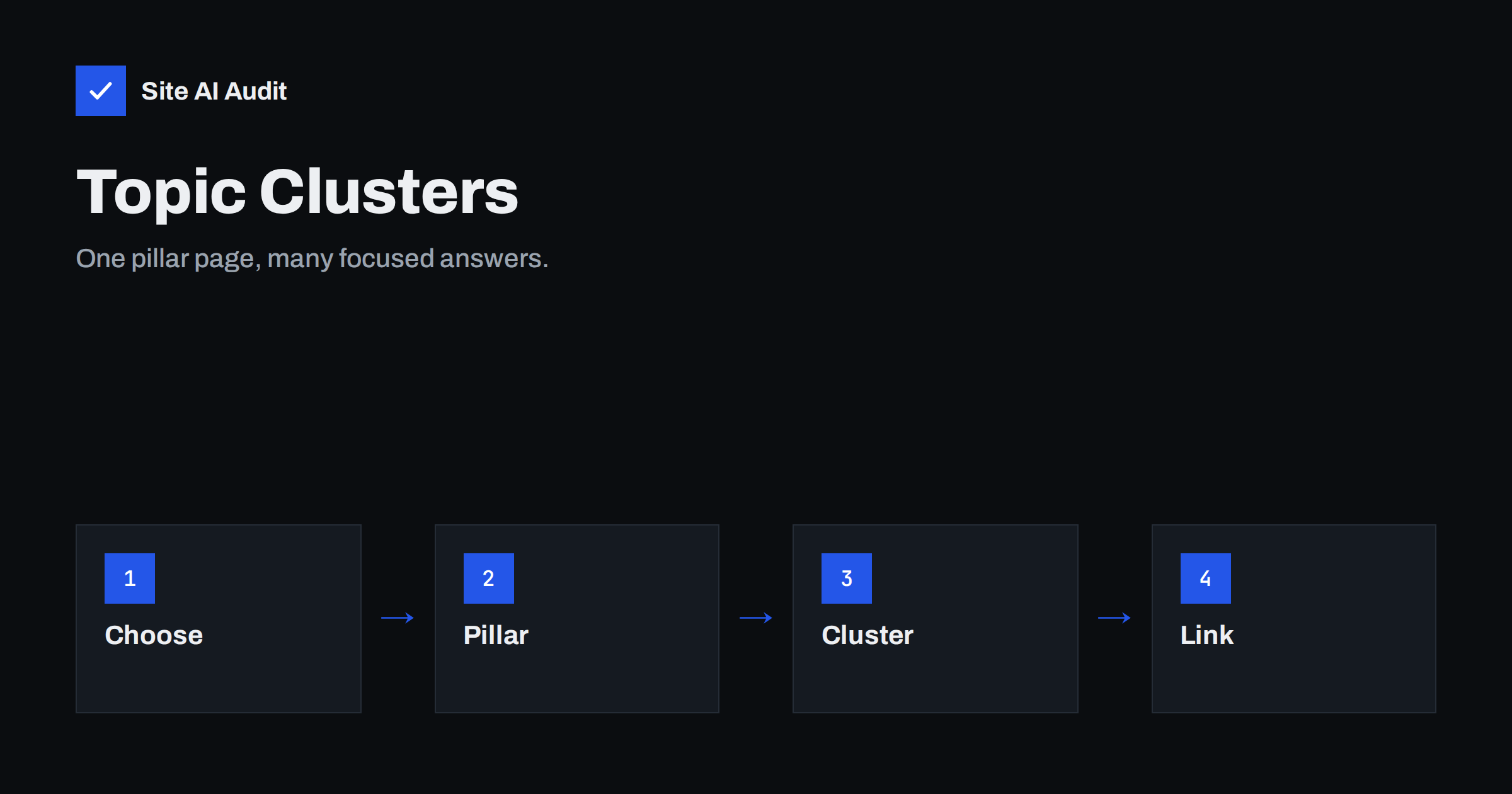
Short answer: A topic cluster is a group of pages about one subject: one broad pillar page that gives the full overview, and several focused pages that each answer a single question in depth. All of them link to each other. This structure helps visitors find the next answer and helps search engines understand that your site covers the topic well, without writing many pages that compete with each other.
What a topic cluster is and why it helps
Think of a book. The table of contents is the pillar page: it explains the whole subject in broad strokes and tells the reader where to find details. The chapters are the cluster pages. Each chapter covers one part of the subject thoroughly, and refers back to the table of contents and to neighbouring chapters.
On a website, the pillar page targets a wide subject, such as “email deliverability” or “kitchen renovation”. The cluster pages target narrower questions, such as “why do my emails go to spam” or “how much does a kitchen worktop cost”. Links connect them in both directions: the pillar mentions and links to each cluster page, and each cluster page links back to the pillar and to a few related pages.
This is not a magic formula and no search engine promises a reward for it. It is simply a clear way to organise content, and clear organisation tends to help both people and crawlers.
Why the structure helps
- Visitors find more. A reader who arrives with one question sees clear paths to the next question, and stays longer.
- Crawlers understand the relationships. Links and anchor text tell search engines which pages belong together and which one is the main page for the subject.
- Link value is shared. Pages that receive attention pass some of it on through internal links, as we explain in our internal linking guide.
- Gaps become visible. When you draw the map, you can see which questions you have not answered yet.
- Competing pages are reduced. Giving each page one clear job avoids the problem described in keyword cannibalization.
Step 1: choose the subject
Start from your business, not from a keyword tool. Which subjects do customers ask about most often? Which services bring you the best work? A good cluster subject is wide enough to have at least five or six distinct questions, and narrow enough that you can really be useful. “Plumbing” is too wide for a small firm. “Boiler servicing and repairs in a city” can work.
Choose one subject at a time. A small site with three solid clusters is better than twenty thin ones. If you are not sure where to begin, our article on keyword research for small businesses shows a simple method.
Step 2: collect the questions
List the questions that people ask about your subject. Good sources are:
- Emails, calls and chat messages from customers.
- The queries in the Search Console Performance report that already bring impressions to your site. See how to read the performance report.
- The suggestions and “people also ask” boxes in search results.
- Questions that your sales or support team answers every week.
Group the questions by intent. Some are about learning (“what is”), some about comparing (“which is better”), some about doing (“how to”) and some about buying (“price”, “near me”). Our guide to search intent explains why the same subject needs different pages for different intents.
Step 3: write the pillar page
The pillar page gives a complete overview in plain language. It should answer the main question quickly, explain each part of the subject in a short section, and link to the detailed page for each part. It is usually longer than a normal article, but it should not try to contain every detail. If a section grows too long, that is a sign it deserves its own cluster page.
Include a clear contents list near the top, simple headings and, if relevant, a link to the service or product page where a visitor can take the next step. Our guide to service pages that get found shows how to write that page.
Step 4: write the cluster pages
Each cluster page answers one question completely. Give it its own title, its own description and a single clear focus. Do not copy sections from the pillar; summarise them there and go deeper here. If you have older articles on the subject, review them first and bring them into the cluster instead of writing duplicates; the advice in how to update old content applies.
Use the checklist in blog post SEO checklist before you publish, and write for the reader first. A cluster page should be useful even if the visitor never reads another page on your site.
Step 5: link everything on purpose
Linking is what turns a set of pages into a cluster. Follow these rules:
- The pillar links to every cluster page, with descriptive link text.
- Every cluster page links back to the pillar near the beginning, where it makes sense for the reader.
- Cluster pages link to two or three siblings when the topics are closely related.
- Use natural wording for the links, as described in anchor text best practices, not the same exact phrase every time.
- Make sure no page is left without links; orphan pages are hard for crawlers and visitors to reach.
Use the same address structure for all pages in the cluster, if your site has categories, so that the relationships are visible in the menus as well as in the text.
A small example and common mistakes
Imagine a firm that installs solar panels for homes. Its pillar page is “Solar panels for your home: the complete guide”. It explains how the technology works, what it costs, how long installation takes, what permits may be needed and how to choose an installer, each in a short section with a link to the full answer.
The cluster pages then take one question each: “How much do home solar panels cost?”, “How long does a solar installation take?”, “Do solar panels work in winter?”, “What size system does a family home need?” and “Solar panel maintenance: what to expect”. Each page links up to the guide and across to one or two neighbours, for example from the cost page to the system-size page. A page for the service itself, with prices and a contact form, sits at the end of the path for readers who are ready to ask for a quote.
A visitor who lands on the winter question can follow the links to cost, size and the guide, and a search engine can see that the site answers the whole subject, not just one query. The same pattern works for a dentist, an accountant, a garden centre or an online shop.
Common mistakes
- Writing the pillar and nothing else. A pillar without detailed pages is just a long article.
- Many pages for the same question. Five posts with slightly different titles create competition between your own pages.
- Linking only one way. If cluster pages do not link back to the pillar, much of the benefit is lost.
- Choosing subjects you cannot cover well. Depth and accuracy matter more than the number of topics.
- Never updating. A cluster with outdated prices or advice damages trust.
Maintaining the cluster
A cluster is not finished at publishing. Every few months, check which pages receive impressions and clicks, which queries bring people, and which questions are still unanswered. Add new cluster pages for those, and update the pillar to link them. When something changes, such as a law, a price or a product feature, update the affected pages.
Watch for signs of overlap. If two pages start to appear for the same query, merge them or sharpen their focus. If a page gets no traffic after several months, consider whether it answers a real question or should be combined with another.
What Site AI Audit can and cannot tell you
Site AI Audit crawls up to 50 pages on the free check and looks at titles, descriptions, headings, broken links, redirects, the sitemap, robots.txt and noindex rules. It can show duplicate titles and broken internal links that weaken a cluster. It does not judge the quality of your writing or tell you which topics to choose, because that needs your knowledge of your customers. Run a free check, or see the plans for regular re-checks as you grow the cluster.
Related reading
- Technical SEO vs On-Page SEO vs Off-Page SEO: The Differences
- SEO-Friendly URLs: How to Structure Them the Right Way
- Breadcrumbs for SEO: Why They Help and How to Add Them
The bottom line
A topic cluster gives each page one job and links the pages into a clear whole. Choose a subject you know well, collect real questions, write one broad pillar page and focused cluster pages, link them in both directions and maintain them over time. It is a simple way to make a small site easier to use and easier to understand.
KKK
How many cluster pages do I need?
There is no fixed number. Five to ten pages are common for a small business subject. Add pages only when you have a real question to answer, not to reach a target.
Is a pillar page the same as a category page?
No. A category page usually lists posts, while a pillar page is a written guide with its own useful content. A category page can support the cluster, but it is not a replacement for the pillar.
Will a topic cluster guarantee better rankings?
No. It makes your content easier to understand and navigate, but ranking depends on quality, relevance, competition and many other factors.
Can I turn existing articles into a cluster?
Yes, and it is often the fastest way. List your existing pages on the subject, choose or write the pillar, update the weak pages and add the missing links in both directions.
How long should a pillar page be?
Long enough to answer the broad question and guide readers to details, which is often between 1,500 and 3,000 words. Length is not the goal; clarity and good links are.