ENEnglish
 LTLietuviškai
 DEDeutsch
 FRFrançais
 RUРусский
 ESEspañol
 PLPolski
 ITItaliano
 UKУкраїнська
 CSČeština
 PTPortuguês
 JA日本語
 LVLatviešu valoda
 ETEesti
 HUMagyar
 IDBahasa Indonesia
 TRTürkçe
 HIहिन्दी
 ELΕλληνικά
 ARالعربية
 THไทย
 VITiếng Việt
 RORomână
 MSBahasa Melayu
 BNবাংলা
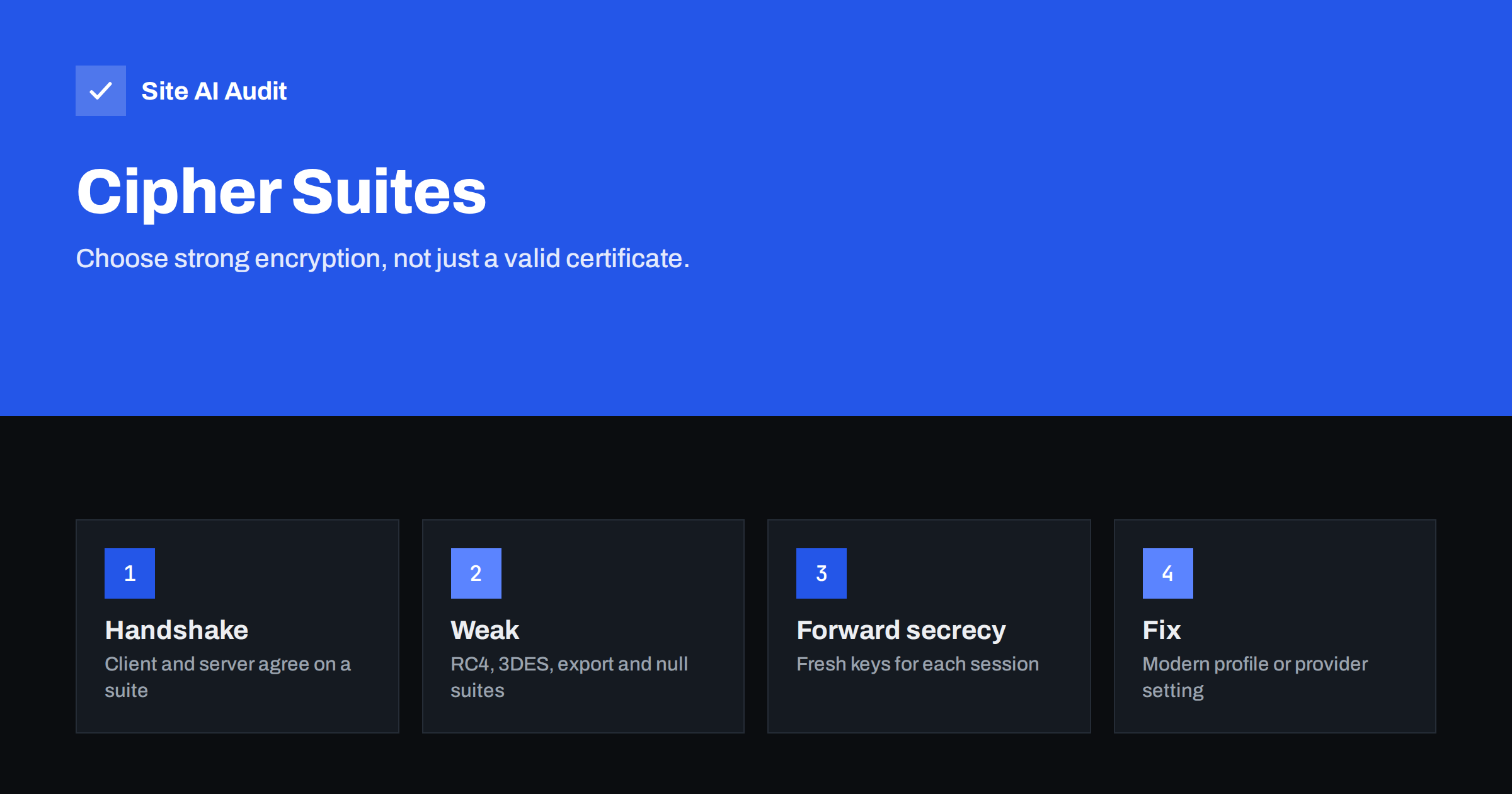
Short answer: A cipher suite is the set of methods that a browser and your server agree to use to protect a connection. A valid certificate says who you are, but weak or outdated suites can still expose traffic. Prefer modern suites that give forward secrecy, switch off old ones such as RC4 and 3DES, and use TLS 1.3 where you can. Most owners do this with a hosting or CDN setting, not by hand.
What a cipher suite is
When a browser connects to your site over HTTPS, the two sides first run a short negotiation called the handshake. The browser lists the combinations of methods that it supports. The server picks one that it also supports. That choice is the cipher suite. It defines several things:
- Key exchange. How the two sides agree on a secret key without sending it in the open.
- Authentication. How the server proves its identity, using the certificate.
- Bulk encryption. The method that scrambles the data itself.
- Integrity. The check that proves that nobody changed the data on the way.
The certificate is only one part of this picture. The guide to SSL vs TLS explains the protocol itself, and the page about SSL certificates explains the identity part. Cipher suites decide how strongly the conversation is protected.
What forward secrecy means
Imagine that someone records the encrypted traffic between visitors and your site for months. Years later, your server’s private key is stolen or leaks. If your connections used a key exchange that relied on that key, the attacker could go back and decrypt everything recorded. Forward secrecy prevents this. With it, each session uses a temporary key that exists only for that session and is thrown away afterwards. The long-term key is used only to prove identity, so stealing it later does not reveal past conversations.
In practice, forward secrecy comes from key exchanges that use ephemeral Diffie-Hellman methods, which appear in suite names as ECDHE or DHE. The older style, in which the browser encrypts a secret with the server’s long-term RSA key, offers no forward secrecy. It is still found in older configurations.
How TLS 1.3 changes things
TLS 1.3 removed the old and risky choices. It supports only a short list of modern suites, all of which use authenticated encryption, and its key exchange always provides forward secrecy. If your server supports TLS 1.3 and your visitors’ browsers do too, the connection is strong without any special tuning. The article on enabling TLS 1.3 explains the benefits and how to turn it on. Older TLS 1.2 is still widely used, and there the choice of suites matters.
Which suites are weak
Security researchers have found weaknesses in a number of older methods. You should not offer these on a public website.
- RC4. A stream cipher with known statistical flaws. Modern browsers refuse it.
- 3DES. An old block cipher with a small block size, which makes certain attacks practical on long connections.
- Export-grade and low-strength suites. Deliberately weakened relics from the past.
- NULL and anonymous suites. They provide no encryption or no authentication.
- Static RSA key exchange. No forward secrecy.
- CBC modes with older hash functions. They have been the target of padding and timing attacks and should give way to authenticated modes.
- Old protocol versions. TLS 1.0 and 1.1 and the earlier SSL versions should be disabled, as covered in the guide to TLS 1.0 and 1.1.
What a good configuration looks like
- TLS 1.3 enabled, and TLS 1.2 as the fallback for older clients.
- For TLS 1.2, suites that use ECDHE for key exchange together with AES-GCM or ChaCha20-Poly1305 for encryption.
- No RC4, 3DES, export, NULL or anonymous suites.
- Certificates with strong keys. The choice of key type is covered in the article on ECDSA vs RSA certificates.
- HTTP Strict Transport Security, so that browsers always use the secure connection, as explained in the guide to HSTS.
Organisations that publish recommended settings, such as the Mozilla server-side TLS guidelines, offer ready-made profiles for common web servers. The “intermediate” profile balances security with support for older but still used browsers, and it is a sensible choice for most public sites.
How to check and fix your own site
- Run an SSL server test. A public testing service lists the protocol versions and cipher suites that your server accepts, and gives an overall grade. The article on getting an A grade in an SSL server test explains how to read it.
- Find out who controls the setting. On shared hosting, the host decides, and you can only ask for changes. With a CDN, the setting is in its dashboard, often named minimum TLS version or cipher settings. On your own server, you edit the web server configuration.
- Apply a modern profile. Copy the recommended configuration for your server software, replace the old list and reload the server.
- Test again. Confirm that the weak suites are gone, that the grade improved and that the site still works.
- Check your logs and analytics. If some visitors suddenly cannot connect, you may have removed support for a device that they use. This is rare today, but it is worth knowing before a large change.
The settings between a CDN and your own server also matter. See the article on CDN SSL modes, because a strong visitor-side setup does not help if the back connection is plain or poorly checked.
Why this matters for a small site
It is easy to think that encryption details are only for banks. In reality, small sites handle logins, contact forms, orders and customer data, and the connection is the first line of protection for all of them. Weak settings also have visible side effects. Security scanners used by customers, partners and insurers report outdated protocols and suites, and some compliance rules for card payments require modern TLS settings. A failed scan can delay a contract or a certification, even when nothing bad has happened.
There is also a benefit for speed. TLS 1.3 completes its handshake with fewer round trips than older versions, so connections start faster, particularly on mobile networks. Choosing modern settings therefore improves both safety and performance, which is a rare combination.
Finally, remember that encryption protects data in transit only. It does not protect a site from weak passwords, outdated plugins or bad permissions. Treat TLS settings as one item on a longer list, and use the website security audit checklist to see what else deserves attention.
Common mistakes
- Judging security by the padlock. The padlock shows that a certificate is valid, not that the suites are strong.
- Copying an old configuration. Guides from several years ago may list suites that are now discouraged.
- Removing too much. An overly strict list can lock out older but legitimate clients, such as old devices used by customers. Choose a profile that fits your audience.
- Forgetting the private key. Forward secrecy reduces the damage of a leak, but you must still protect the key, as discussed in the guide to SSL private keys.
- Not rechecking after changes. A server upgrade or a host migration can reset your settings to defaults.
- Ignoring certificate expiry. Strong suites do not help when a certificate has expired. Use certificate monitoring.
If you manage the server yourself, keep a note of the exact profile that you applied and the date, and review it every year. Recommended settings change slowly but steadily, and what was a good choice three years ago may now be on the discouraged list. A calendar reminder together with your certificate renewal date is enough to keep the review from being forgotten.
When you ask a host for help, be specific. Say that you want TLS 1.3 enabled, TLS 1.0 and 1.1 disabled and weak suites such as RC4 and 3DES removed, and ask them to confirm the change in writing. Specific requests receive specific answers, while a vague “please make it more secure” often leads to no change at all.
How Site AI Audit helps
Site AI Audit checks the visible parts of your HTTPS setup: whether the SSL certificate is valid and when it expires, whether HTTP redirects to HTTPS, and which security headers are present. It does not list individual cipher suites, so use a dedicated SSL server test for that detail. The first check is free, covers up to 50 pages and needs no sign-up. You can run a free check of your website or see the plans for weekly monitoring and alerts.
Related reading
- TLS 1.3 Explained: Why It Is Faster and How to Enable It
- TLS 1.0 and 1.1 Are Obsolete: How to Disable Them Safely
- OCSP Stapling: Faster HTTPS Connections Explained Simply
- How to Get an A Grade in an SSL Server Test: A Practical Guide
The bottom line
Good HTTPS needs more than a certificate. Enable TLS 1.3, keep TLS 1.2 with forward-secret suites as the fallback, remove the old suites and test the result. Most sites can do this with one setting at their host or CDN.
KKK
What is forward secrecy in simple terms?
Each session uses a temporary key that is discarded afterwards, so a stolen server key cannot be used to read past recorded traffic.
Do I need to choose cipher suites myself?
Usually not. Hosts and CDNs offer sensible defaults or a minimum version setting. Only manage the list directly on your own server.
Is TLS 1.2 still safe?
Yes, when configured with modern suites, ECDHE key exchange and authenticated encryption. TLS 1.3 is preferred where available.
Will removing old suites break my site for some visitors?
It can for very old devices and software. For most public sites the effect is minimal today. Check your visitor data if you are unsure.
Which grade should I aim for in an SSL test?
An A grade is a sensible goal. It shows modern protocols and suites, a valid certificate chain and no major weaknesses.