ENEnglish
 LTLietuviškai
 DEDeutsch
 FRFrançais
 RUРусский
 ESEspañol
 PLPolski
 ITItaliano
 UKУкраїнська
 CSČeština
 PTPortuguês
 JA日本語
JA日本語 LVLatviešu valoda
 ETEesti
 HUMagyar
 IDBahasa Indonesia
 TRTürkçe
 HIहिन्दी
 ELΕλληνικά
 ARالعربية
 THไทย
THไทย VITiếng Việt
 RORomână
 MSBahasa Melayu
 BNবাংলা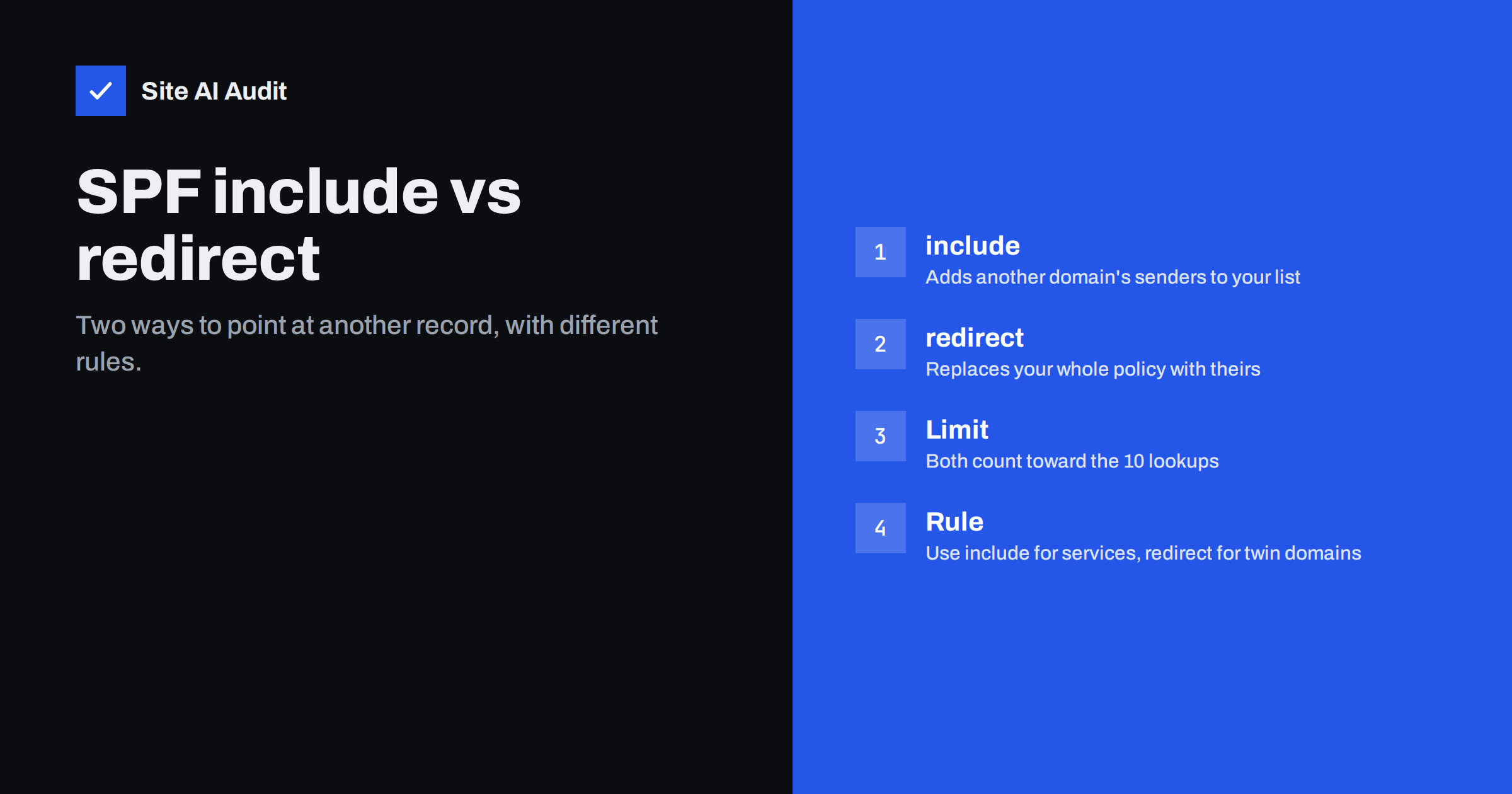
Short answer: Use include when you want to add a sending service, such as your mail provider, to your own list of approved senders. Use redirect when a domain should follow exactly the same SPF policy as another domain, and has no policy of its own. Include is a mechanism that adds to your record, while redirect is a modifier that hands the whole decision to another record.
A quick reminder of how SPF works
SPF is a DNS record that lists which servers may send e-mail for your domain. When a message arrives, the receiving server reads the record of the domain used in the sender’s technical address, reads the list from left to right and stops at the first entry that matches the sending server. The last item usually says what to do if nothing matched, for example “-all” to fail the message or “~all” to treat it as suspicious. The basics are in SPF record explained, and the choice of ending is described in SPF softfail versus hardfail.
Real records often need to refer to other domains. Your mail provider, newsletter tool and helpdesk each publish their own SPF record with their own server addresses. You do not copy those addresses into your record, because they change. Instead you refer to the provider’s record, and that is where include and redirect come in.
What include does
The include mechanism says: “Check the SPF record of this other domain, and if the sending server is approved there, treat it as approved for me too.” For example, a record might read v=spf1 include:_spf.mailprovider.example include:_spf.newsletter.example -all.
Here is how the evaluation goes. The receiver checks the first include. If the sender matches the provider’s list, SPF passes, and evaluation stops. If it does not match, the result of that include is simply “no match”, and the receiver moves on to the next item in your record. Only at the end does your own “-all” apply, if nothing matched.
That detail is important: a failing include does not fail the whole record. Even if the provider’s record ends with its own “-all”, that qualifier is applied inside the include and does not leak out to your policy. This makes include ideal for combining several services in one record.
What redirect does
Redirect is a modifier, not a mechanism. It says: “Ignore everything else, and use the SPF record of this other domain as the answer for this domain.” A record might read simply v=spf1 redirect=_spf.example.com.
The result of the other record becomes the result for your domain, including its final qualifier. Unlike include, a fail in the target is a fail for you. You are in effect saying that your domain has no policy of its own and that it follows the one published elsewhere.
Two details trip people up. First, redirect is only used when no other item in the record produced a result. If your record contains an “all” mechanism, the redirect is never reached and is ignored. Second, the target domain must have an SPF record. If it does not, the result is a permanent error, and receivers may treat your mail as failing authentication.
Side by side
- Type. Include is a mechanism that can appear many times. Redirect is a modifier that can appear only once.
- Effect of the target’s result. With include, only a pass counts as a match, and other results continue to the next item. With redirect, the target’s final result becomes yours.
- Combination with your own senders. Include lets you add your own servers and several services. Redirect replaces your record, so any items you add before it are evaluated first, but you cannot combine it with an “all” ending.
- Typical use. Include for services you use. Redirect for a group of domains that share one policy.
- Lookups. Both cause a DNS lookup that counts toward the limit of ten.
A simple way to remember the difference: include is a guest list that you extend with someone else’s names, while redirect is a note that says “ask that office, they decide for me”. With a guest list you stay in charge of the final rule. With the note, you accept whatever the other office says, including the way it treats strangers.
When to use include
Choose include in nearly every ordinary case: when a service such as Google Workspace, Microsoft 365, a newsletter platform or a billing tool sends mail on behalf of your domain. Each provider publishes the exact include value to use, and our guides to Google Workspace and Microsoft 365 show examples. For the wider process of adding a new sender, see authenticating third-party email senders.
Keep your own record as the single, central policy, and end it with the qualifier that fits your plan. Remember that you may publish only one SPF record per domain, so combine all includes into the same record. The problem of duplicates is covered in multiple SPF records and how to merge them.
When to use redirect
Redirect is useful when you own many domains that should behave in the same way, and you want to manage one policy instead of many. A company that holds a main domain and a number of alternative or regional domains can publish the full record on the main domain and let the others redirect to it. Changing the policy once then updates all of them.
It also fits domains that do not send mail at all. They can share a short “no senders allowed” record, as described in protecting parked domains from e-mail abuse. Redirect makes sure that every unused domain uses the same strict policy.
Before you set up a redirect, write down which domains will follow which policy. If one of them later needs its own sender, for example a regional office that starts using a local mail service, it must stop redirecting and publish a full record of its own. Keeping a short list of such domains in your documentation prevents mail from failing silently when someone adds a new service to one of them.
Also test the target on its own first. Look up its record, count its lookups and confirm that it ends with the policy you want all the redirecting domains to use. A mistake in one record then affects every domain that points to it, so make changes to the target during a quiet period and test afterwards.
Common mistakes
- Using redirect and “all” together. The “all” ends evaluation, and the redirect is silently ignored. Choose one approach.
- Using redirect when you need to add your own senders. You cannot extend the target’s record. If you need extra servers, use include and keep the policy in your own record.
- Pointing to a domain without SPF. The result is an error, which may be treated as a failure.
- Nesting too deeply. Includes inside includes inside redirects quickly use up the limit of ten lookups, as explained in SPF: too many DNS lookups.
- Relying on a provider’s record that changes. If you include a record that you do not control, a change on their side affects you. Monitor the result from time to time.
How to check your record
Look up your TXT record and find all the include and redirect items. Count the lookups. Each include, redirect, a, mx, ptr and exists item adds one, and each included record adds its own lookups. If the total goes above ten, SPF fails with a permanent error even if every server is correct. Then test with real mail: send a message to a mailbox you control and read the headers, looking for “spf=pass” and the domain that passed. See how to read e-mail headers for authentication.
Repeat the check whenever you add or remove a service, because each new include can push the record over the limit without any visible warning. A record that worked last year may fail today if a provider has added further lookups to its own record.
For longer records, be aware of the length limits of DNS text strings, described in the 255-character TXT record limit.
How Site AI Audit helps
Site AI Audit checks the SPF record of your domain, including the lookup limit, together with DKIM, DMARC and MX records, and lists the findings ranked by impact with a plain-language fix. It does not rewrite your record for you, and it cannot see which services you use. The first check is free, covers up to 50 pages and needs no sign-up. You can run a free check of your website or see the plans, where the Business plan adds daily SSL and e-mail checks.
Related reading
- SPF Record Examples for Common Small Business Setups
- SPF vs DKIM vs DMARC: What Each One Does and Why You Need All
- Email Forwarding and Authentication: SPF, SRS and ARC Explained
- Reverse DNS and PTR Records for Email: What You Need to Know
The bottom line
Include adds another domain’s approved senders to your own list and keeps your policy in your hands. Redirect hands the whole decision to another record and is meant for domains that share one policy. Use include for services, redirect for twin domains, never mix redirect with an “all” ending, and keep an eye on the ten-lookup limit.
KKK
Can I use include and redirect in the same record?
Technically yes, but the redirect is used only when nothing else matches and there is no “all” item. It rarely makes sense, so choose one method.
Does include count toward the SPF lookup limit?
Yes. Each include adds a lookup, and so do the lookups inside the included record. The total limit is ten.
Which is better for a newsletter service?
Include. It adds the service’s servers to your approved list without replacing your policy.
Can a domain have more than one include?
Yes, as many as the lookup limit allows, all inside one SPF record.
What happens if the redirect target has no SPF record?
SPF returns a permanent error, and receivers may treat the mail as failing authentication, so always check the target first.