ENEnglish
 LTLietuviškai
 DEDeutsch
 FRFrançais
 RUРусский
 ESEspañol
 PLPolski
 ITItaliano
 UKУкраїнська
 CSČeština
 PTPortuguês
 JA日本語
 LVLatviešu valoda
 ETEesti
 HUMagyar
 IDBahasa Indonesia
 TRTürkçe
 HIहिन्दी
 ELΕλληνικά
 ARالعربية
 THไทย
 VITiếng Việt
 RORomână
 MSBahasa Melayu
 BNবাংলা
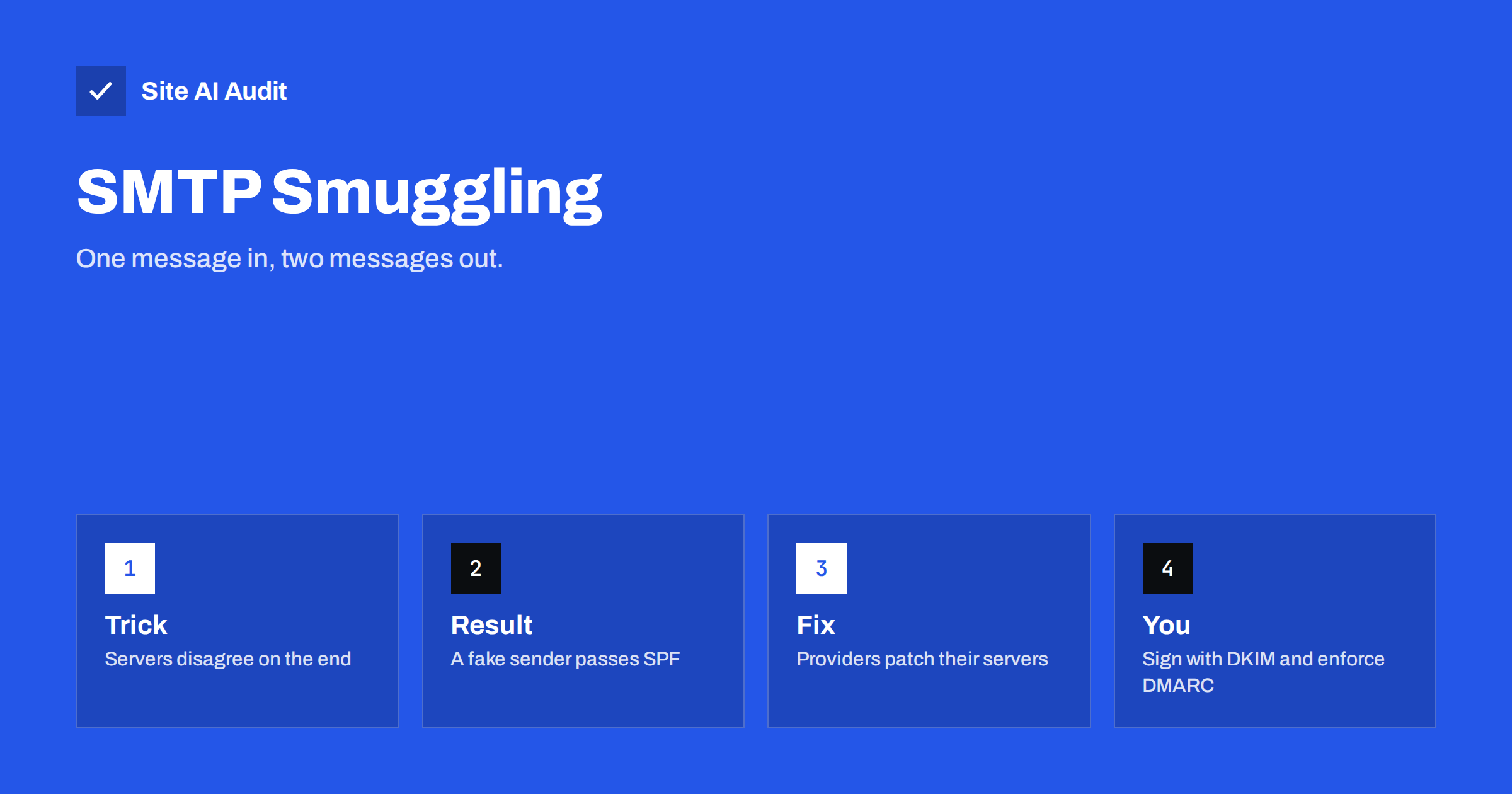
Short answer: SMTP smuggling is a way to hide a second, forged email inside the data of a first one. It works when the server that sends mail and the server that receives it disagree about where a message ends. The forged message can then appear to come from a trusted server, so SPF may pass. The weakness lies mostly in mail server software, and providers have been patching it since late 2023, but domain owners can still reduce their exposure with signed mail and a strict DMARC policy.
How an email travels over SMTP
SMTP is the protocol that moves email between servers. A sending server connects to a receiving server and sends commands one after another: who the message is from, who it is for, and then the message itself. The message data ends with a special marker. In the standard, that marker is a carriage return and a line feed, then a full stop on a line by itself, then another carriage return and line feed.
Servers read this text-based conversation line by line. If they all read the end marker in exactly the same way, nothing unusual can happen. The trouble starts when two servers in a chain read slightly different forms of the marker as the end.
What “smuggling” means here
The name is borrowed from a family of web attacks called request smuggling, which you can read about in the article on HTTP request smuggling. The idea is the same: one party sees a single request, the other sees two.
In the email version, an attacker sends a message through a service that accepts mail from users. Inside the body, the attacker places an unusual end marker, for example one that uses a line feed without a carriage return. The outbound server does not treat it as an end marker and passes it along as ordinary text. The receiving server is more tolerant and reads it as the end of the first message. Whatever follows is then treated as a new set of commands, which can include a fresh sender address chosen by the attacker. The second message arrives from the real, trusted outbound server, but it claims to be from someone else.
Why SPF can pass
SPF checks whether the server that delivered a message is allowed to send for the domain in the envelope sender. In a smuggled message, the delivering server really is the outbound server of the service, and the envelope sender is the forged one. If the forged domain publishes an SPF record that authorises that service, the check passes. The attacker needs a domain that uses the same shared service, and a service that allows the trick.
This is why the finding drew attention: a forged email can pass an authentication check without any stolen password or access to the victim’s DNS. If you want to see how the checks fit together, the article on SPF, DKIM and DMARC explains what each one proves.
An example makes the idea concrete. Suppose a small company sends invoices through a shared sending service, and its SPF record includes that service. An attacker with an account on the same service, and a service that accepts the odd end marker, could try to craft a message that appears to come from the company’s billing address. The recipient’s server sees a connection from the service’s real address and a sender domain that authorises it. Only the signature check and the domain’s policy stand in the way.
What DKIM and DMARC change
DKIM signs parts of a message with a key that belongs to the domain. The smuggled message was never signed by the real domain, because it was created after the signing step. DMARC passes when either SPF or DKIM passes with alignment between the visible From domain and the authenticated domain. A smuggled message can pass SPF but cannot normally carry a valid signature for the forged domain, which gives you two ways to limit the effect:
- Publish a DMARC policy of quarantine or reject, so that receivers act on messages that fail.
- Make sure all your real mail is signed with DKIM aligned with your domain. If a receiver or a provider chooses to require DKIM alignment, unsigned forged mail fails.
The steps for a safe rollout are in the guide to moving DMARC from p=none to reject. DMARC is not a complete defence here, because a receiver that finds SPF aligned may treat the message as authenticated, so the main fix still belongs to the mail servers.
Who was affected and what happened next
Researchers at a security company published the technique in December 2023 and showed that several well-known mail systems accepted the unusual end markers. Vendors responded with patches, new settings that reject bare line feeds, or both. Open-source mail servers added options to refuse the odd sequences, and large providers closed the gap on their side. Since then, most major services have adjusted how they handle those sequences, but older or self-managed servers may still behave the old way if they have not been updated.
For ordinary site owners, the risk is not usually that you will run the vulnerable software yourself. It is that you depend on a service that might. Ask your provider whether it has dealt with the issue, and keep any mail server you run on a supported, current version.
What domain owners can do
- Choose reputable providers and read their security notes. A provider that publishes how it handles odd line endings is easier to trust than one that does not.
- Sign every message with DKIM from your own domain, and check that the signature aligns. See the guide to setting up DKIM.
- Publish DMARC and move toward enforcement. Start with monitoring, read the reports and then tighten. The article on reading aggregate reports helps with that step.
- Keep your SPF record tight. Authorise only the services you use, and remove old ones. A broad record with many shared senders gives forgers more to work with. The article on SPF lookups shows how records grow out of control.
- Update mail servers you run. If you manage Postfix, Exim, Sendmail or similar software, apply updates and review the options that refuse bare line feeds.
- Watch your reports. Unexpected sources in DMARC reports are the clearest sign that someone is sending in your name.
Signs that someone is abusing your domain
Whether the cause is smuggling or a simpler form of spoofing, the symptoms look similar. Watch for the following.
- Customers or partners tell you that they received an email from you that you did not send.
- You receive bounce messages for emails you never sent. The article on backscatter explains why this happens.
- DMARC reports list sending sources that you do not recognise, especially ones that pass SPF but fail DKIM.
- Your domain appears on a blocklist even though your own sending volume is low. The guide to checking blocklists shows how to look.
If you see these signs, collect a few full messages with their headers, which show the path the message took and the results of each check. Send them to your email provider and ask them to investigate. The guide to reading email headers shows what to look for.
What recipients and staff should know
Technical fixes reduce the chance of a forged message arriving, but people remain the last line of defence. A smuggled message can look genuine, with a correct sender address and no warnings. Staff should treat requests for money, passwords or changes to bank details with care, whatever the sender line says. A short call to a known number is a good habit. The guide to invoice fraud by email describes the usual patterns and checks.
How Site AI Audit helps
Site AI Audit cannot test how a mail server handles the end of a message, because that happens inside the mail software. It does check the records that make forged mail easier to spot: SPF with its lookup limit, DKIM, your DMARC policy and your MX records. The free check covers up to 50 pages and takes one to two minutes. You can run a free check of your website and see the plans for weekly monitoring and alerts when something changes.
Related reading
- Email Spoofing: How to Stop People Sending Mail as Your Domain
- DMARC Explained: Policies, Alignment and a Safe Rollout
- What Is DKIM and How to Set It Up for Your Domain
- Display Name Spoofing: Fake Senders That Pass Authentication
The bottom line
SMTP smuggling is a flaw in how mail servers read the end of a message, not a flaw in SPF, DKIM or DMARC themselves. Most large providers have fixed it, and the most useful steps for you are to use up-to-date services, sign your mail and enforce DMARC. If you also keep your SPF record narrow and read your reports, a forged message in your name is much more likely to be noticed and refused.
KKK
Is SMTP smuggling still a risk today?
Most major providers and mail server projects have patched or restricted the behaviour. Older, unpatched servers and some self-managed systems may still be exposed.
Can it be used to send mail from my domain?
It can be used to forge a sender address, and the message may pass SPF when the domain authorises the service that delivered it. A DKIM-aligned DMARC check and a strict policy reduce the effect.
Do I need to do anything if I use a hosted email service?
Mainly check that your provider has addressed the issue, sign your mail with DKIM and publish a DMARC policy. You do not need to change server settings yourself.
Does a DMARC reject policy stop it completely?
Not in every case. If a forged message passes SPF with alignment, DMARC can pass. The patch on the mail server is the real cure, and DMARC is an extra layer.
How can I tell whether someone forged my domain?
Read your DMARC aggregate reports. Messages sent from sources you do not recognise, or that fail DKIM but pass SPF, are worth investigating.