ENEnglish
 LTLietuviškai
 DEDeutsch
 FRFrançais
 RUРусский
 ESEspañol
 PLPolski
 ITItaliano
 UKУкраїнська
 CSČeština
 PTPortuguês
 JA日本語
JA日本語 LVLatviešu valoda
 ETEesti
 HUMagyar
 IDBahasa Indonesia
 TRTürkçe
 HIहिन्दी
 ELΕλληνικά
 ARالعربية
 THไทย
THไทย VITiếng Việt
 RORomână
 MSBahasa Melayu
 BNবাংলা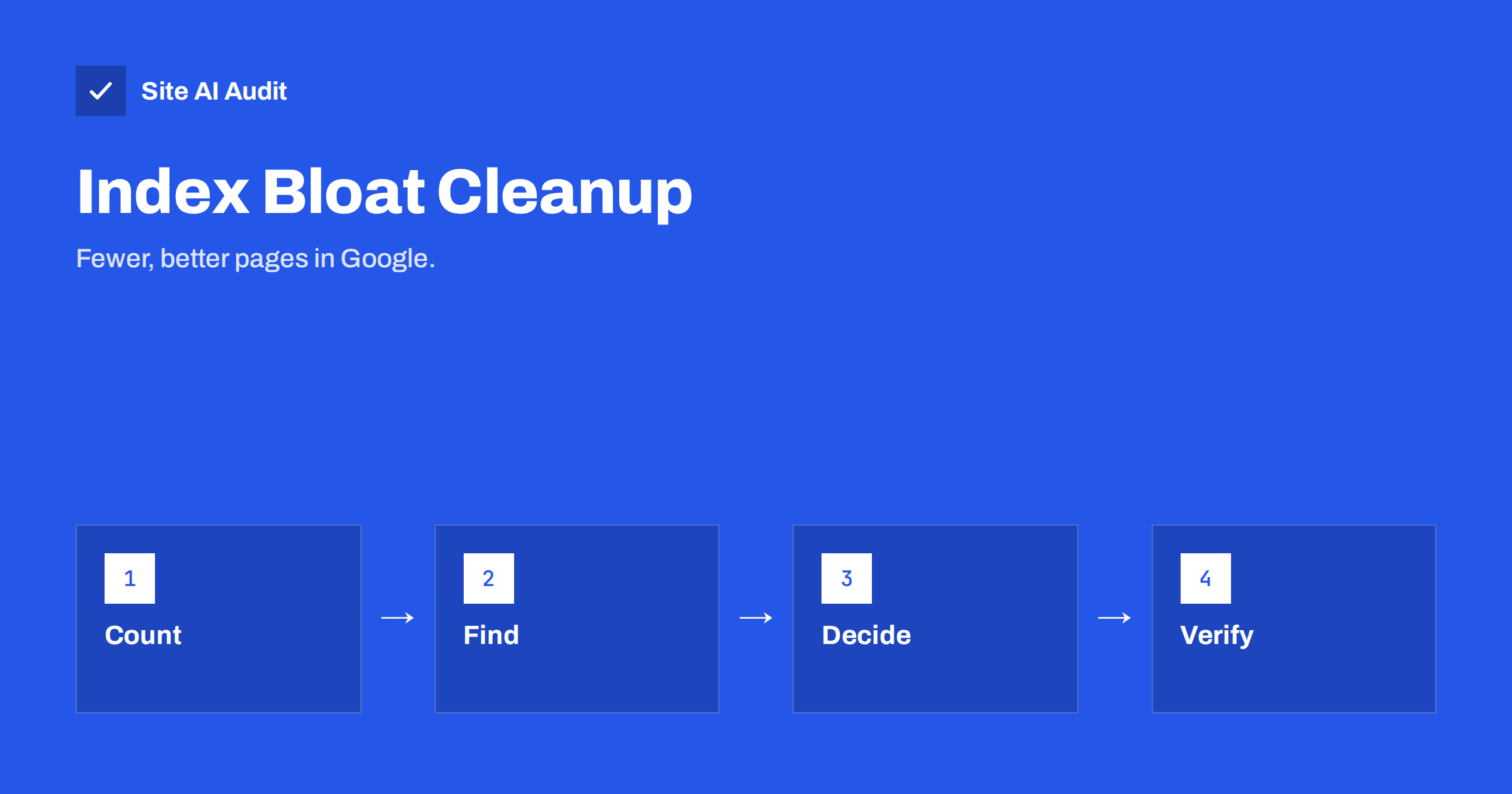
Short answer: Index bloat means Google has indexed many more pages from your site than you want it to, usually thin, duplicate or automatically generated ones such as filter URLs, internal search results, tag archives and old test pages. It wastes crawling and weakens the overall quality picture of your site. To fix it, compare what is indexed with what you want indexed, group the unwanted URLs by pattern, remove or noindex them in the right order and check Search Console until the numbers match.
What index bloat is
Google’s index is its database of pages that can appear in search results. Having a page in the index is not a goal in itself. You want your best pages there: the ones that answer a question, sell something or explain your services. Index bloat appears when the index also holds thousands of pages that nobody searches for and that add nothing.
It is common on shops, large blogs and sites that have been redesigned or migrated several times. Often the owner has 200 real pages and Google reports 5,000 indexed URLs. The difference is not a reward for being big; it is clutter that the site keeps generating.
Why it matters
Google does not punish a site for having extra pages in a mechanical way, but the clutter causes real problems:
- Crawl effort goes to the wrong pages. Bots spend requests on low-value URLs and return to important pages less often. See crawl budget explained.
- Signals are split. Similar pages compete for the same searches, so none of them performs as well as one strong page would. See duplicate content.
- Quality perception suffers. Some of Google’s quality assessments look at a site as a whole, so a large share of thin pages can weigh on the strong ones.
- Visitors land on poor pages. An old filter page or empty archive that appears in results gives a bad first impression.
- Reporting gets noisy. It is hard to see real problems in Search Console when thousands of unwanted URLs fill the reports.
Where index bloat comes from
Most bloat comes from a short list of sources. Check each one:
- Filter, sort and tracking parameters that create endless URL variants. See URL parameters and SEO.
- Internal search result pages that were never excluded.
- Tag, author, date and category archives with one or two posts. Read about category and tag pages.
- WordPress attachment pages, where every uploaded image has its own page.
- Paginated archives that go on for hundreds of pages. See pagination best practices.
- Printer-friendly versions, AMP leftovers, comment pages and session ID URLs.
- Staging, test or development copies that were left open to search engines. See staging site indexed by Google.
- Old, thin or outdated content that was never reviewed. See thin content.
- Hacked spam pages injected by an attacker, which are the most urgent type to remove.
If you are not sure where to start, ask which feature of your site creates a new URL without anyone writing a page. Search, filters, calendars, tags, comments and “load more” buttons that change the address are the usual suspects. Each of these can be harmless alone and harmful when thousands of combinations become indexable.
Small sites are not immune. A brochure site with 30 pages can still have hundreds of indexed attachment, tag and feed URLs, and the cleanup is quick because there are fewer patterns to deal with. For small business owners it is often the most cost-effective technical SEO task of the year.
Step 1: measure the gap
Start with three numbers:
- Pages you want indexed. Count them from your sitemap or from a crawl of the site. Our XML sitemap guide explains how a clean sitemap becomes this list.
- Pages Google reports as indexed. Open the Page indexing report in Search Console and note the number of indexed pages.
- Pages you submitted versus the rest. Look at the status “Indexed, not submitted in sitemap”, which shows pages that Google found without your help.
A rough comparison is enough to start. If the indexed number is close to your list, you probably have no bloat. If it is several times higher, you do. The site: search operator gives a rough count too, but treat it as an estimate and not an exact figure.
Step 2: find the patterns
Search Console shows a limited sample of URLs for each status, so look for patterns instead of trying to list every URL. Open the indexed pages and the “Crawled, currently not indexed” and “Discovered, currently not indexed” lists and look for repeated shapes: the same parameter name, a folder such as /tag/, or a suffix such as /feed/. Combine these clues with:
- A crawl of your own site with a tool of your choice, so you can see which URLs your internal links expose.
- Your server logs, which show what Googlebot actually requests.
- The Performance report, filtered by page, to see which unwanted URLs receive impressions.
Write the patterns in a table with columns for pattern, number of URLs, source and planned action. It becomes your project plan.
Step 3: decide what to do with each group
Every group of unwanted URLs needs one of these treatments:
| Situation | Action |
|---|---|
| Useful page with weak content | Improve and keep |
| Several pages on the same topic | Merge into one and 301 redirect the others |
| Needed by visitors but worthless in search | Add noindex |
| Duplicate of a main page | Canonical tag to the main page |
| Old page with no use and no links | Remove and return 404 or 410 |
| Pages that should never be crawled | Robots.txt rule, after the pages have dropped out |
Before removing anything, check whether the page receives traffic or has external links. Use redirects for pages with a clear replacement, and read about HTTP status codes for SEO if you are not sure which code to return.
Step 4: remove in the right order
The order matters, because search engines can only obey what they can see:
- Fix the source first, so that new unwanted URLs stop appearing. Remove internal links to them, change plugin settings and correct templates.
- Apply noindex, canonical tags or redirects, and leave the pages crawlable so that Google can see the change.
- Update the sitemap to contain only pages you want indexed.
- For urgent cases, such as spam or exposed private pages, use the removal tool described in how to remove a URL from Google for a quick temporary hide.
- After the pages have dropped out of the index, add robots.txt rules if you also want to stop crawling. Compare the options in robots.txt vs noindex.
Do not block unwanted URLs in robots.txt before they are removed. Google would then keep them indexed without being able to see the noindex tag.
Step 5: check progress and prevent a relapse
Cleanup takes weeks, because Google must recrawl each URL. Look at the Page indexing report once a week and watch the indexed total move toward your target. Note that numbers for “Excluded” pages will rise at first; that is the cleanup working.
- Keep the sitemap clean and compare its page count with the indexed count every month.
- Review new plugins, filters and templates before launch to see whether they create new URL types.
- Re-crawl your site after redesigns and migrations, and compare the indexed pages with your list.
- Prune old content once or twice a year, and update, merge or retire pages that no longer help anyone. See how to update old content.
How Site AI Audit helps
Site AI Audit crawls up to 50 pages on the free check and reports the signals that index bloat leaves behind: pages that share a title, pages hidden with noindex, a robots.txt that blocks the whole site, missing sitemaps, broken links, redirects and pages that return 200 instead of 404. It does not count what Google has indexed, so compare its findings with the Page indexing report in Search Console. You can run a free check, and the pricing page lists plans that crawl more pages and allow re-checks after each cleanup.
Related reading
- Why Is My Page Not on Google? A Step-by-Step Checklist
- Crawled or Discovered, Currently Not Indexed: How to Fix It
- The Noindex Tag: When to Use It and How to Check It
- Orphan Pages: How to Find Pages With No Internal Links
The bottom line
An index full of low-value pages hides the pages that matter. Measure the gap, find the patterns that create unwanted URLs, fix the source and then remove or exclude them in the right order. Keep a clean sitemap and review it regularly, so that every page Google keeps for you deserves to be there.
KKK
Is index bloat a ranking penalty?
No, it is not a manual penalty. It is a side effect of too many low-value pages, which can waste crawling, split signals and make your best pages harder to find.
How many indexed pages is too many?
There is no fixed number. Compare indexed pages with the pages you want indexed. If Google reports several times more, look for the sources of the extra URLs.
Should I delete or noindex thin pages?
If visitors still need the page, use noindex. If the page has no use or traffic, remove it with a 404 or 410, or redirect it to a close match when one exists.
How long does cleanup take?
Often several weeks to a few months, because Google must recrawl each URL before it drops it. Larger sites take longer, and a clean sitemap speeds up discovery of changes.
Can I fix index bloat only with robots.txt?
No. Blocking crawling does not remove pages that are already indexed, and it prevents Google from seeing a noindex tag. Use noindex or removal first, and robots.txt afterwards if needed.